
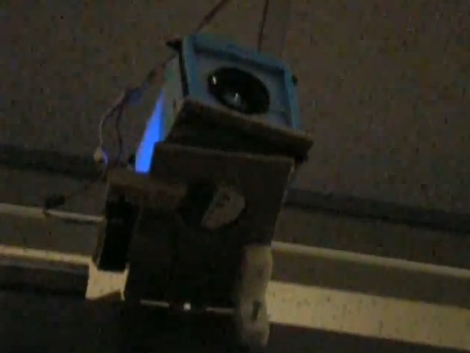
[Jon Howell] came up with what he calls a gratuitous project which projects his name on his office door. The thing is, his office door slides on tracks so he made a projector that can follow the movement of that screen. He used a laser printer to make a black and white pattern that indexes the movement of the door using a quadrature encoder. When it senses door movement a servo motor rotates the projector to match the change in the door’s location. As you can see in the video after the break it works even if the door is moved quickly.
We do agree with [Jon], this is a bit much. But it might be something to build into smart white boards that are mounted on sliding tracks. We guess that if you don’t plan to change the message being projected, which is the case with [Jon’s] office door nameplate, this would be a great way to use the image projector build we looked at yesterday.
[yotuube=http://www.youtube.com/watch?v=EA_CLhGWAw4]












the “yotuube” isn’t displaying- check yer spelling!
yotuube :)
http://www.youtube.com/watch?v=EA_CLhGWAw4
I wonder how much work it would take to use a webcam to detect a projector screen and have it control a projector to project perfectly onto that screen…
Your Ad Here on any one wearing white clothing.
good project but its a bit “look at me, ar**hole of the week”
For the amount of effort put into this, it looks like crap quite honestly. Like seriously, he’s got most of the light blocked out around the name and barely enough room within that small circle of light projected onto the name panel on the door, that his name doesn’t fit entirely.
Neat proof of concept, and I’m not bashing HAD for posting it, but wow, I remember the great blackout of ontario like 5-6 years ago now… yeah I wonder why there was such a huge lack of electricity, yet I live 10 minutes away from the world’s biggest nuclear power plant (Bruce power).