posted Feb 20th 2012 2:39pm by
Mike Szczys
filed under:
repair hacks

It can be a real drag to fix a circuit board which has stopped working as intended, especially if you don’t have any reference material for the product. That’s the position that [Todd Harrison] found himself in when the controller for his mini-lathe gave up the ghost. He undertook and hefty repair process and eventually mapped out and repaired the driver board.
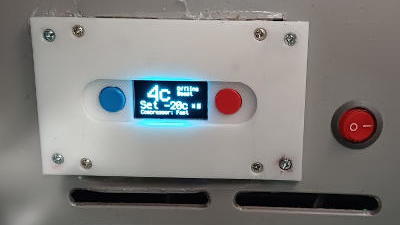
First off, we’re happy to report his success at the end of a year-long troubleshooting process; the entirety of which occupies six different posts. The link at the top is the conclusion, and you’ll find his final test video after the break. But as you can see from the image above, he was met with a lot of problems along the way. The first two segments show him reverse engineering the PCB, with a giant schematic coming out of the process. In part 3 he then started probing the board while it was live, with the smell of hot electronics causing him to disconnect the power every thirty seconds. One time he took too long and blew a resistor with the pictured results.
In the end it was a shorted PWM chip to blame. He tested a couple of different replacement options, dropped in the new part, and is now back in business. Read the rest of this entry »
posted Jan 28th 2012 2:40pm by
Jeremy Cook
filed under:
repair hacks,
robots hacks

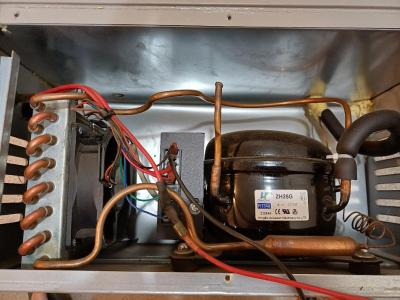
After the terrible tragedy in Fukushima, the cleanup and damage assessment has begun. A robot operator, known only as [S.H.] has decided to write a blog about their efforts. As pictured above, they are using [iRobot] models, including the [510 Packbot], and the [710 Warrior].
Since cleanup efforts started, [S.H.] was posting on his or her blog daily. After word of this blog started getting out via various social media outlets, the blog was mysteriously taken down. The blog was at times critical of elements of the cleanup effort, but it’s unknown why the disappearance happened. Efforts to reach [S.H.] were unsuccessfull according to [IEEE].
Fortunately, before the takedown, [IEEE]‘s [Erico Guizzo] decided to make a copy of the posts. These have been translated into English and portions are now available at the link listed above. Be sure to check out robot training video after the break. Read the rest of this entry »
posted Jan 20th 2012 11:01am by
Mike Szczys
filed under:
repair hacks

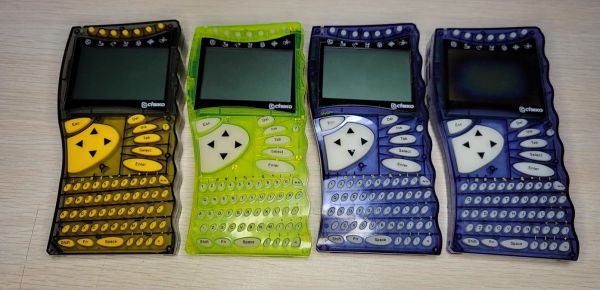
[Francisco] is helping his mother with a repair to the headlight knob on her Ford Ranger. Above you can see the broken knob on the left, and what it is supposed to look like on the right (taken from [Francisco's] own vehicle for reference). We’ve encountered split shafts on plastic knobs before and decided it was not something that could be fixed. But he didn’t give up so easily. He mentions that you can purchase a replacement for a few bucks, but he has the means to repair the knob by machining a metal bushing.
The idea is that you mill a metal ring whose inner diameter matches what the outer diameter of the plastic shaft should be. By inserting the broken knob in the ring, the plastic is held tightly together as if it had never broken. In the video after the break [Francisco] uses a metal pencil body from his junk box and a mini-lathe to cut the bushing to length, and mill the inner diameter to his specifications.
He talks about the difficulty of getting replacement parts in Chile, where he lives. But we think this kind of thrift is a great example for all hackers. If you’ve got the tools why not use them? And if you don’t have them, here’s a great excuse to procure them!
Read the rest of this entry »
posted Jan 19th 2012 11:01am by
Mike Szczys
filed under:
repair hacks

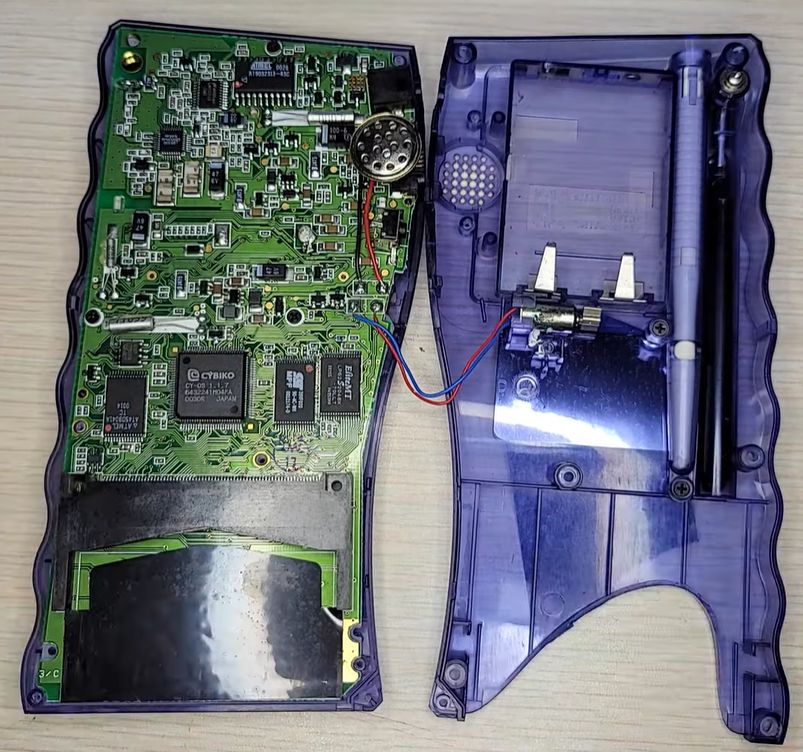
One of the perks of writing for Hackaday is that we often find hacks that we’ve been meaning to do ourselves. Here’s one that will let us fix our borked ASUS computer monitor buttons. [Silviu] has the same monitor we do, an ASUS VW202, and had the same problem of stuck buttons. We already cracked ours open and realized that the buttons are not easily replaced (you’ve got to source the right one). We just unstuck the offender and vowed not to press that button again, but [Silviu] actually figured out how to disassemble and repair the PCB mount switches.
As with most consumer electronics these days the worst part of the process is getting the monitor’s case apart. The plastic bezel has little spring tabs all around it that must be gently pried apart. Once the PCB which hosts the buttons was removed, he took the metal housing off of the broken switch. Inside he found that a bit of metal particulate (leftovers from manufacturing?) were causing the problem. A quick cleaning with a cotton swab removed the debris and got the tactile switch working again.
posted Jan 17th 2012 11:40am by
Brian Benchoff
filed under:
repair hacks

[glytch] sent in a tutorial on replacing dying capacitors on a motherboard, and we honestly can’t think of a better subject for an introductory tutorial. There’s nothing like having your friends think you’re a wizard for bringing broken electronics back from the grave.
For the repair a dead motherboard was [glytch]‘s quarry. After taking a look at the board, he found a few bulging caps that were ready to burst. After ordering a few caps with the same voltage, capacitance, and dimensions (trust us, you want the same size cap), [glytch] took an iron and desoldering braid to the board and replaced a few caps.
Sooner or later, all capacitors are going to go break down. This isn’t always a bad thing – we picked up quite a few “broken LCD monitors” in the years after the capacitor plague and repaired them with a few dollars worth of caps. A lot of the caps in our late 80s computers have been replaced, and these machines are still chugging along.
posted Jan 13th 2012 12:01pm by
Mike Szczys
filed under:
repair hacks

[Dave] has an ASUS tablet PC with a little problem. The device is charged via the docking connector’s USB cable when plugged into a special wall transformer. The problem is that the wall unit tends to overheat, and is shut down by a thermister inside to avoid permanent damage. The word on the Internet is to drop it in a zipper bag and chill it in the freezer for a bit. Although this works, it’s not the permanent solution that he was looking for. Instead, he hit the parts bin and built his own power supply replacement without buying anything.
The device is simply looking for 12V on the power pin (pin 1) of the USB cable. [Dave] dug through his mountain of unused AC adapters and found one that fit the voltage and current specs of the stock unit. He also grabbed a dusty old motherboard and plucked the USB ports off of the back. A bit of protoboard makes for a good base to connect the AC adapter wires to the ports, which was then covered with one big shrink tube. The result is seen above, and demonstrated in the clip after the break.
Read the rest of this entry »
posted Jan 9th 2012 8:01am by
Kevin Dady
filed under:
home entertainment hacks,
repair hacks

It happens to the best of designers, spending untold amounts of time designing a complex device just to find out that you missed a trace, or you couldn’t rout something to something else. As time marches on its becoming a bit less common to pop open a commercially produced device and see a little jumper wire or 2 flying across a pcb, or a resistor straddling an IC.
But when [Ilektron] opened up a Yamaha Dolby Pro Logic receiver to scavenge for parts he saw a very big “oops” and a even wilder fix. The maker took a pair of relays, flipped them “belly up” and hot glued them into place on top of a pair of ICs. Then the mess was “dead bug” wired to the circuit using insulated and uninsulated bus wire, contacts were then reinforced / insulated using more hot glue.
This is one of the most hacky fix we have seen in a commercially produced product, but we would love to hear your amusing horror stories of “WTH did they do?” So join us in the comments after the break.
posted Dec 30th 2011 12:11pm by
Mike Szczys
filed under:
digital cameras hacks,
repair hacks

For camera fanatics the acquisition of an old camera is a thrilling event. But if you’re going to collect them, you’d better have some repair skills so that you can also use them. [Fernando's] latest find was this Minox 35mm camera. The aperture needed cleaning, and after reassembling the unit he realized the he had not marked the focus ring when taking it apart. This is not a reflex camera, so you can’t look in the view finder to adjust focus. He came up with his own method to get the focus ring calibrated.
The focal point needs to focus on the film. He simulated this plane using some magic tape, which removes easily without leaving a residue. When the shutter is open, you can see the image projected on this translucent surface. He then set up the camera with the lens 90 cm from a bright light bulb. By adjusting the focus to create a sharp image on the temporary screen, he knows the focus is calibrated, and can reset the focus ring to the 0.9m mark.
Need some help developing that exposed film? You could always give the coffee and vitamin C hack a try.