posted Dec 19th 2008 4:11pm by
Eliot
filed under:
android hacks,
cellphones hacks,
g1 hacks,
google hacks

In our Dev Phone 1 excitement last week, we somehow overlooked phoneWreck’s teardown of the T-Mobile G1. The complex slider mechanism is certainly worth looking out. One of the major oddities they point out is the inclusion of two vibration motors. One is mounted next to the SIM on the mainboard. While the other is mounted in the frame next to the earpiece. We wonder what was gained/solved by using two. The phone also includes a digital compass module. We’d like a more detailed explanation of how the Xilinx CPLD is used. From this article in 2006, it seems HTC uses them to generate custom clock signals and switching off devices for power management.
posted Dec 8th 2008 3:43pm by
Eliot
filed under:
android hacks,
cellphones hacks,
g1 hacks,
google hacks

Google has new program to sell Android phones directly to developers. The Android Dev Phone 1 is both SIM-unlocked and hardware-unlocked. SIM-unlocked means you can use it on any GSM carrier you want. Hardware-unlocked means you can run any system you want on the phone, not just officially signed ones. No more need to worry about security patches taking away your root access.
The device is $399. You will need to purchase it through the Android Market as a registered developer (a $25 fee). We wonder how long before the unsigned bootloader starts getting flashed to T-Mobile phones.
Two new Android phones have surfaced recently which may prove just as friendly: the Kogan Agora Pro and the QiGi i6.
UPDATE: While shipping is free in US, it is incredibly expensive everywhere else. Yes, we bought one.
[via Techmeme]
[photo: tnkgrl]
posted Oct 29th 2008 12:31am by
Eliot
filed under:
classic hacks,
laptops hacks,
netbook hacks,
wireless hacks

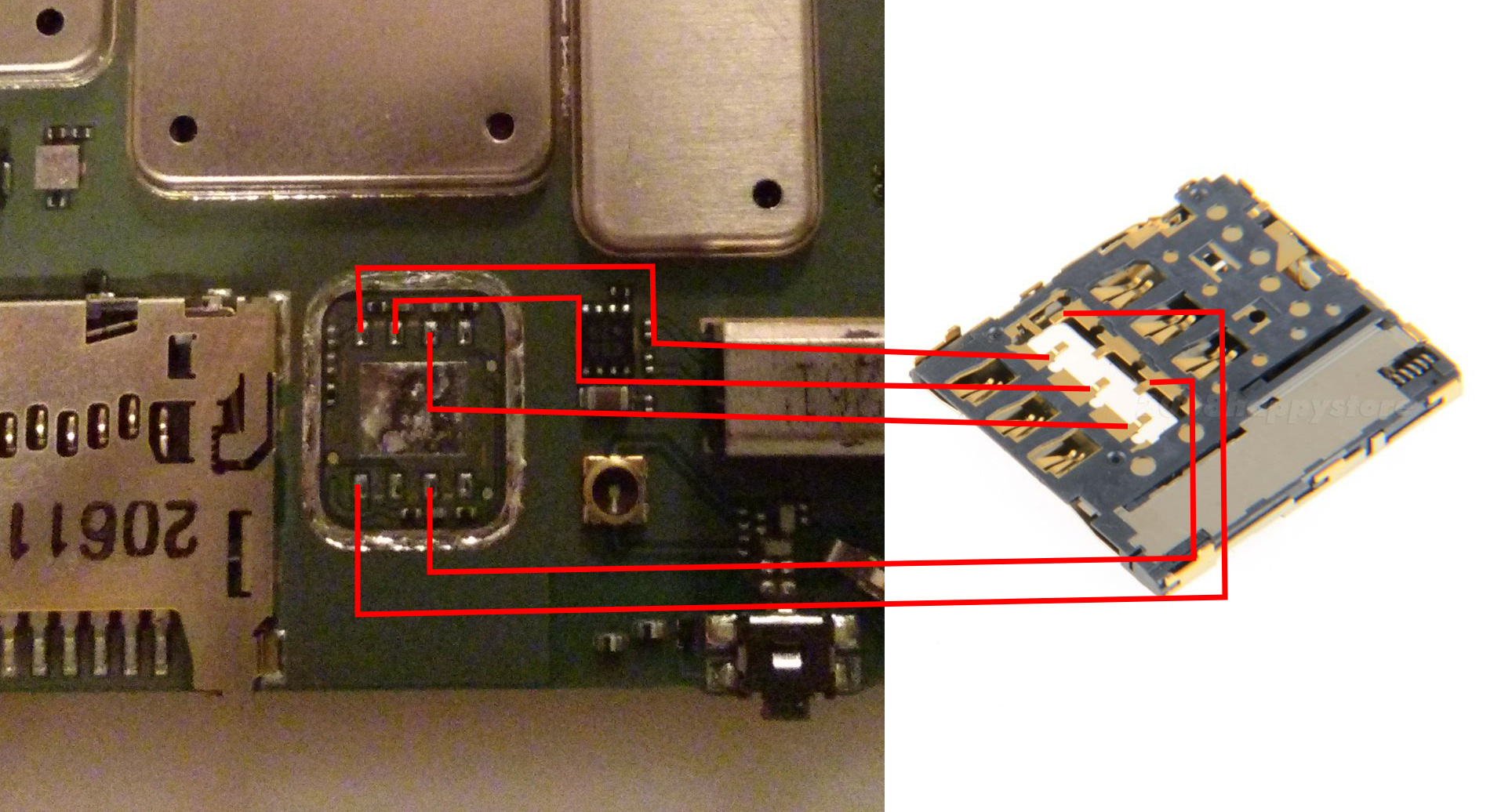
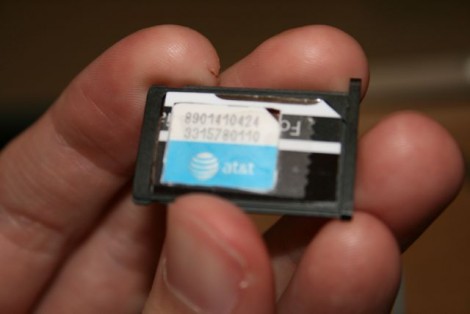
[tnkgrl] is back with part three of her Acer Aspire One hacking. This time she’s adding in 3G. You may look at the picture the above and think, “Cake. She just plugged the card in”. No, the Acer doesn’t ship with the mini-PCIe slot or the SIM card holder. First you have to solder a right angle mini-PCIe connector to the board pads and bridge two others to provide power. The SIM holder was another problem. She wasn’t able to find a pin compatible one. The one she installed is mounted to a riser so she could change the wiring order (let her know if you can find the correct part). This mod definitely requires some good soldering skills and she warns that even she managed to destroy a SIM in the process.
The Dell Mini 9 is another netbook that doesn’t have the appropriate connectors soldered on board, but JKK has a work-around. You need a 3G modem that has the SIM card on board. You plug it into the WiFi slot after taping over a few pins and then use a USB WiFi card instead.
posted Aug 21st 2008 9:30pm by
Eliot
filed under:
misc hacks

Adafruit Industries sent us one of their SIM Reader kits a few weeks ago to test. Assembly was a breeze thanks to the through hole components and good documentation. We plugged it into our USB -> RS232 converter and tried out the provided pySimReader software. It worked fine, but our modern SIM card out of an N95 didn’t prove very interesting. It was too new to attempt cloning and being a smart phone it doesn’t rely on the SIM for storing anything unless you specifically tell it to. The story was the same for a SIM we pulled out of a Treo. We tried the device with [Dejan]‘s SimScan and a copy of Woron Scan. Both worked without any issue. Conclusion: the device works great despite us lacking anything interesting to do with it.
posted Jul 19th 2008 12:00pm by
Eliot
filed under:
cellphones hacks

Adafruit Industries just announced their next kit: a SIM card reader. Using the kit, you can read or write any SIM card. You could use this for fun things like recovering deleted contacts and SMS messages. The kit looks like a very straight forward design (based on [Dejan]‘s work); the only chip is a hex inverter and the board is powered by a regulated 9V battery. With all through-hole components, it should be easy to assemble. You can talk to it using the board mounted serial port or connect to the extra pin header using an FTDI USB cable just like the Boarduino. The FTDI option is bus powered, so you won’t need the battery. [ladyada] has collected some resources in case you want to learn more about smart cards.