Spacelab’s Mitra 125 MS

[Ken Shirriff] does some of the most interesting teardowns. This time, he’s looking at a French-built minicomputer called the Mitra 125 MS from around 1980. In particular, it was the computer inside Spacelab, a European lab that could fit in the back of the Space Shuttle.

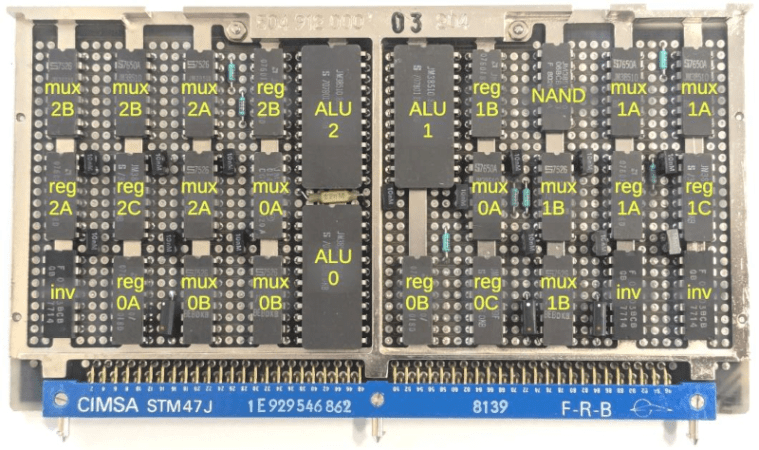
As you might expect, the computer doesn’t contain a microprocessor. Instead, it is a series of cards and, in this post, [Ken’s] looking at the ALU that allows the computer to perform math operations.

Continue reading “Spacelab’s Mitra 125 MS”

Meet The Raven: An Atari Clone Computer Based On The Motorola 68060

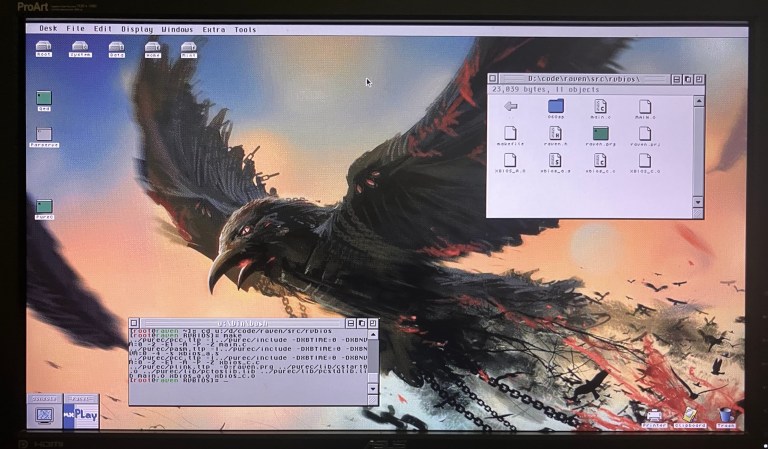
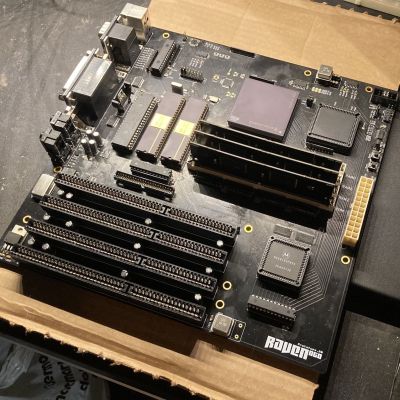
Some people who have a hankering to run GEM/TOS applications might just fire up an emulator, or maybe coax an old Motorola 68k-based Atari ST system back to life. Then there are people like [Anders Granlund], for whom hard mode is a way of life and making a custom mainboard around a genuine 68060 CPU and associated peripherals is a reasonable approach to pick. Thus quoth the Raven project.

The project commenced in 2024, when [Anders] started a thread on it over at the Exxos Forum which thus became pretty much the project log for the endeavor.

Both RAM and ROM ICs are on SIMM sticks, which seems like a pretty nifty idea compared to the typical socketed or soldered-in approach here, allowing for up to 48 MB of RAM and 16 MB of ROM.

On the custom ATX-compatible mainboard you get a total of 4 ISA slots, as well as everything from YM2149 audio, IDE HDD and legacy Atari peripheral support. All of which fits in a standard ATX case with an ATX power supply. If this tickles your fancy, you can find the design files for the current A1 board revision, though you will have to source your own ICs.

With all of it assembled you can run Atari’s TOS with its GEM UI, or the modern equivalent in the form of FreeMiNT.

Designing A Printable Cyclone Dust Separator For 99.95% Efficiency

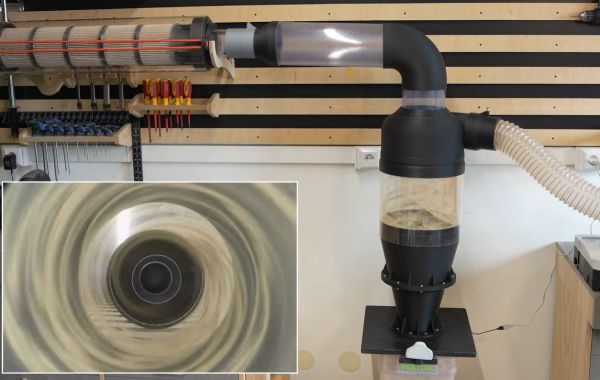
Filtering sawdust out of an airflow is easy until you try to do it with cyclone separation, but the obvious appeal here is of course not spending a fortune on filters. Over the years we have thus seen a lot of DIY takes on this concept alongside commercial offerings. Recently [Ruud] of the [Capturing Dust] YouTube channel gave it a fresh shake with a claimed 99.95% filtering efficiency that outperforms a commercial solution.

As a starting point the commercial and very succinctly named Oneida Air Super Dust Deputy Cyclone Separator was used, which retails for about $179 and claims a 99.9% filtrating rate of fine dust and debris. Based on its design a 3D model was created and printed with an FDM printer.

Initially only about a 98% rate was measured, but after some investigation this appeared to be due to the incoming and exciting airflows interfering. One tweak later to add some separation between the flows and a lot of testing of different configurations a final design was settled on that would seem to be rather quite efficient compared to the commercial option.

Continue reading “Designing A Printable Cyclone Dust Separator For 99.95% Efficiency”

Putting Version 7.1 Of The Direct Granules FDM Extruder Through Its Paces

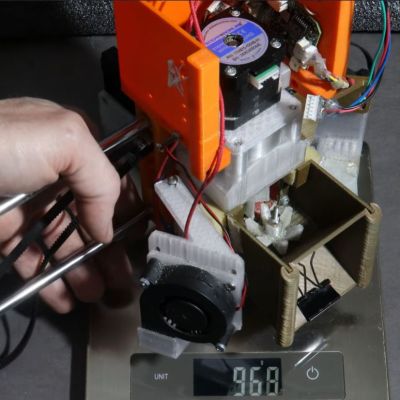
Whether you’re using granules or filament, FDM printing relies heavily on a consistent flowrate of the extruder. This is also the challenge with [HomoFaciens]’s direct granule extruder. Version 7.1 here refines some parameters before being put through a number of printing tests to see how close it comes to something you’d want to use for production.

There’s also an accompanying blog post, on which the project files can be found for those who are playing along at home.

A big part of this V7.1 change was to simplify the design for manufacturing, removing the brass insert of V7.0, instead requiring some manual labor using a drill bit and a hand reamer to get the inside of the extruder tube just right.

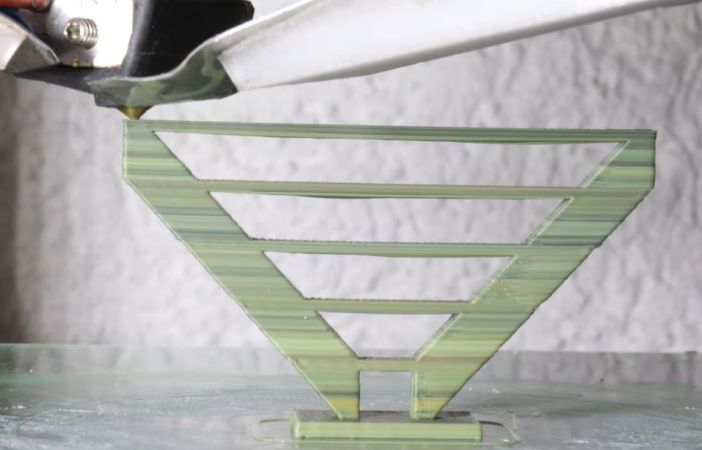
The section with the heating element was also extended, though this didn’t have as much of an effect as expected. During testing the overall results were actually pretty good, with the extruder able to keep up with bridging tests while the feared air bubbles from air intruding into the tube remained absent.

On the Prusa Mk4 FDM printer, there are some definite limitations on testing features like input shaping resulting in wavy patterns in some rest prints, but for upcoming tests a different FDM printer will be used which should more clearly show the potential of this extruder design.

Continue reading “Putting Version 7.1 Of The Direct Granules FDM Extruder Through Its Paces”

PCB Map Display Keeps An Eye On Family

PCBs are traditionally designed with traces laid out to support a circuit full of electronic components. However, they’ve become increasingly popular as a way to produce functional visual artworks. This PCB map from [Jonathan] is a great example.

The PCB was designed as a map of the California East Bay area. The roads are laid out as the top-side copper layer, while the land and roads are used for the top solder mask layer, with the flipped land and roads area making up the solder mask on the bottom side. The map data itself was cribbed from Snazzy Maps. Behind the PCB, [Jonathan] mounted a 64 x 32 RGB LED array, which can be seen glowing through from behind the material. The LEDs are controlled by an ESP32, which grabs location data from [Jonathan’s] family member’s mobile devices over MQTT, and uses it to light their positions on the map. Files are on Github for the curious.

If you’ve got a family that is open to location tracking, and the money to pay for a custom PCB, you could probably recreate this project yourself. We’ve seen some other great PCB maps before, too, like this amazing metro tracker. Video after the break.
Continue reading “PCB Map Display Keeps An Eye On Family”

Touchable POV Display Blooms In Mid Air

Typically, when we think of touch screens, we think of LCDs or OLEDs with a resistive or capacitive sensing layer laid over the top. However, a team from the University of Chicago has developed an entirely different type of touch-sensitive display that uses persistence-of-vision techniques.

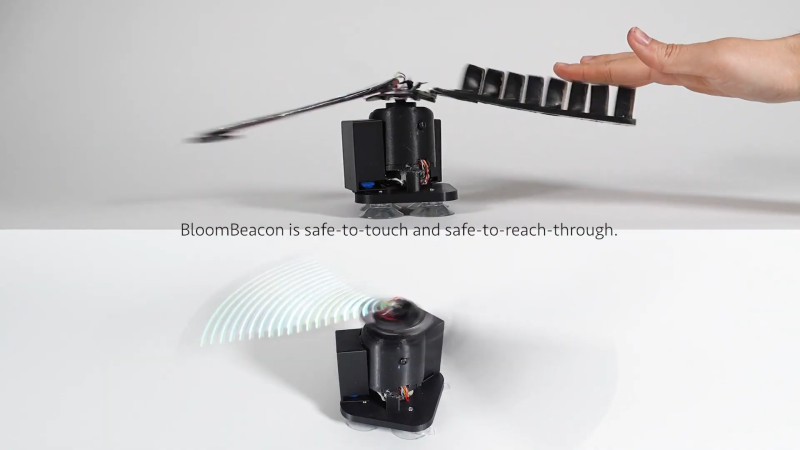
The project is called BloomBeacon. It consists of a pair of spinning arms to create a stable round display in mid-air. One arm is covered in LEDs, while the other is covered with capacitive pads for touch sensing purposes.  The trick behind this device is evident in the name—the device uses soft, flexible arms which are hinged and “bloom” upwards as the device spins up to speed. This makes it safe to physically interact with the spinning blades while they’re in motion to create a touch-interactive display. The device can thus display user interface elements like buttons that the viewer can interact with by reaching out and touching them directly.

Normally we’d advise not sticking your fingers in a rotating piece of machinery, but in this case, BloomBeacon was designed specifically to make this safe. Even sticking your fingers or hand right through the spinning arms won’t cause injury.

We’ve featured some other cool POV projects over the years, like this neat volumetric display. Video after the break.

Continue reading “Touchable POV Display Blooms In Mid Air”

Passive Bug Zapper Tracks Its Kill Count

If it’s summer in a warm, humid climate, bugs can be the bane of your existence. A natural solution is to place a passive bug zapper to catch bugs at night. But what if that isn’t fancy enough? [Nicolas Boichat] spices it up with a passive bug zapper that tracks its kill count.

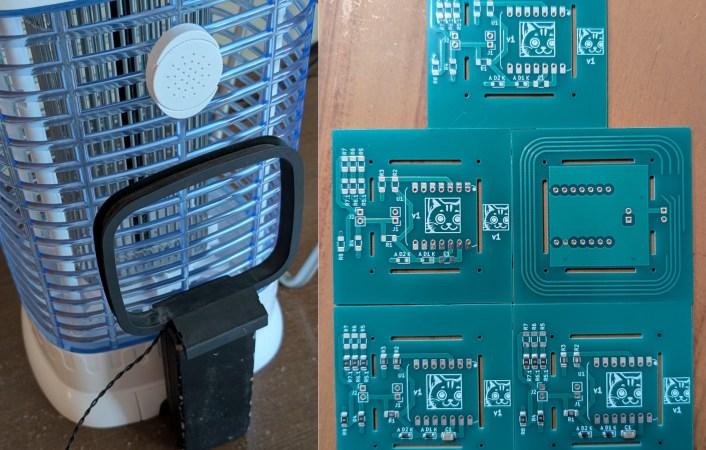
But how exactly do you detect a bug zap? With an antenna, of course! When a bug gets caught, it arcs, creating an electromagnetic pulse. A small loop antenna on the backside of the zapper receives the signal.
Continue reading “Passive Bug Zapper Tracks Its Kill Count”