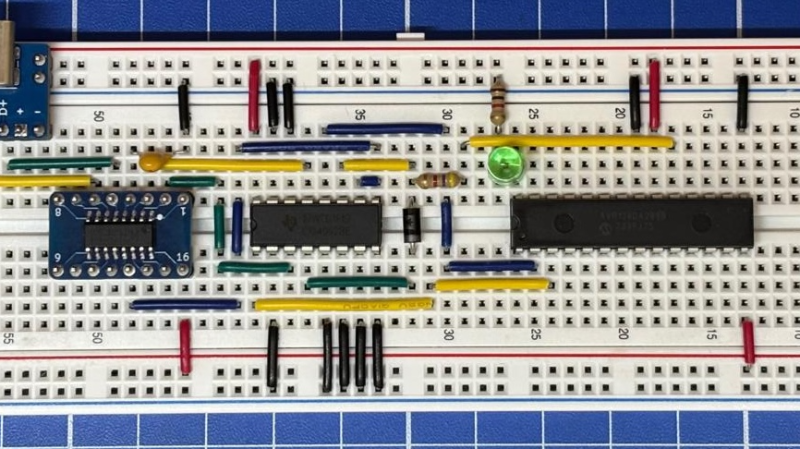
Serial And UPDI Handled Together With One Convenient Circuit

Sometimes it’s nice when you can do everything you need to do with just one single port. In this vein, [Nicola Strappazzon] whipped up a circuit to combine serial and UPDI programming in a very convenient way.

As an example, [Nicola] demonstrates the concept using an AVR128DA28 microcontroller. It’s paired with a 4052 multiplexer IC and a CH340 USB-to-serial chip. Everything is wired up such that the 4052 acts as a switch for the signal coming from the CH340. When the RTS flow-control signal is set high, it switches the 4052 to hook up the CH340’s RX and TX pins to the UDPI interface on the AVR microcontroller. Conversely, when the RTS signal is set low, the CH340 is instead hooked up to the serial UART on the microcontroller. From there, it’s a simple matter of configuring avrdude to properly set the RTS pin when attempting to program the attached device.

If you’re working with UPDI devices and you want to be able to talk to them and program them with a minimum of fuss, this project might be useful for you. We’ve looked at dedicated UPDI programmers before, too. If you’re cooking up your own nifty microcontroller hacks, don’t hesitate to let us know on the tipsline.
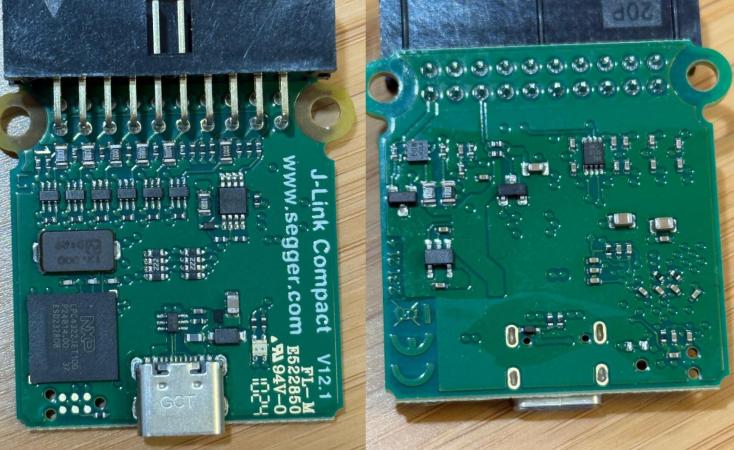
Segger’s Awkward USB-C Issue With The J-Link Compact Debugger

Theoretically USB-C is a pretty nifty connector, but the reality is that it mostly provides many exciting new ways to make your device not work as expected. With the gory details covered by [Alvaro], the latest to join the party is Segger, with its J-Link BASE Compact MCU debugger displaying the same behavior which we saw back when the Raspberry Pi 4 was released in 2019. Back then so-called e-marked USB-C cables failed to power the SBC, much like how this particular J-Link unit refuses to power up when connected using one of those special USB-C cables.

We covered the issue in great detail back then, discussing how the CC1 and CC1 connections need to be wired up correctly with appropriate resistors in order for the USB-C supply – like a host PC – to provide power to the device. As [Alvaro] discovered through some investigation, this unit made basically the same mistake as the RPi 4B SBC before the corrected design. This involves wiring CC1 and CC2 together and as a result seeing the same <1 kOhm resistance on the active CC line, meaning that to the host device you just hooked up a USB-C audio dongle, which obviously shouldn’t be supplied with power.

Although it’s not easy to tell when this particular J-Link device was produced, the PCB notes its revision as v12.1, so presumably it’s not the first rodeo for this general design, and the product page already shows a different label than for the device that [Alvaro] has. It’s possible that it originally was sloppily converted from a previous micro-USB-powered design where CC lines do not exist and things Just Work™, but it’s still a pretty major oversight from what should be a reputable brand selling a device that costs €400 + VAT, rather than a reputable brand selling a <$100 SBC.

For any in the audience who have one of these USB-C-powered debuggers, does yours work with e-marked cables, and what is the revision and/or purchase date?

Worst Clock Ever Teaches You QR Codes

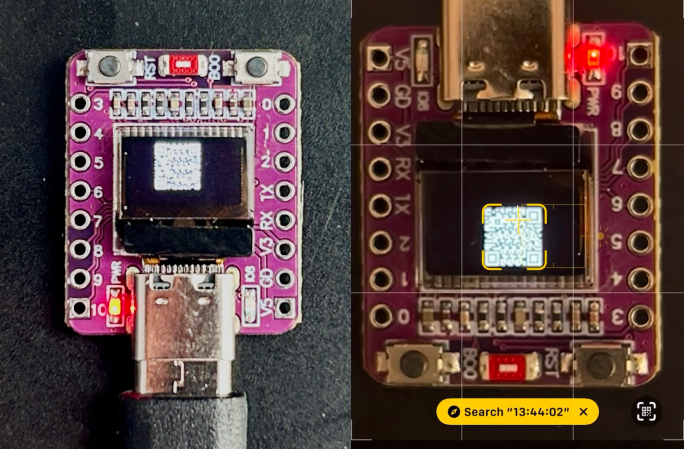
[WhiskeyTangoHotel] wrote in with his newest clock build — and he did warn us that it was minimalist and maybe less than useful. Indeed, it is nothing more than a super-cheap ESP32-C3 breakout board with an OLED screen and some code. Worse, you can’t even tell the time on it without pointing your cell phone at the QR code it generates. Plot twist: you skip the QR code and check the time on your phone.

But then we got to thinking, and there is actually a lot to learn from here on the software side. This thing pulls the time down from an NTP server, formats it into a nice human-readable string using strftime, throws that string into a QR code that’s generated on the fly, and then pushes the bits out to the screen. All in a handful of lines of code.

As always, the secret is in the libraries and how you use them, and we wanted to check out the QR code generator, but we couldn’t find an exact match for QRCodeGenerator.h. Probably the most popular library is the Arduino QRCode library by [ricmoo]. It’s bundled with Arduino, but labelled version 0.0.1, which we find a little bit modest given how widely it’s used. It also hasn’t been updated in eight years: proof that it just works?

That library drew from [nayuki]’s fantastically documented multi-language QR-Code-generator library, which should have you covered on any platform you can imagine, with additional third-party ports to languages you haven’t even heard of. That’s where we’d go for a non-Arduino project.

What library did [WTH] use? We hope to find out soon, but at least we found a couple good candidates, and it appears to be a version of one or the other.

We’ve seen a lot of projects where the hacker generates a QR code using some online tool, packs the bits into a C header array, and displays that. That’s fine when you only need a single static QR code, but absolutely limiting when you want to make something dynamic. You know, like an unreadable clock.

You will not be surprised to know that this isn’t the first unreadable QR-code clock we’ve featured here. But it’s definitely the smallest and most instructive.

Continue reading “Worst Clock Ever Teaches You QR Codes”

Street with polluted smoggy air

Serious Chemical Threat Sniffer On A Budget

Chemical warfare detection was never supposed to be a hobbyist project. Yet here we are: Air Quality Guardian by [debdoot], the self-proclaimed world’s first open source chemical threat detection system, claims to pack lab-grade sensing into an ESP32-based build for less than $100. Compare that with $10,000+ black-box hardware and you see why this is worth trying at home, even if this project might not have the nut cracked just yet.

Unlike your air monitor from IKEA, the device aims to analyze raw gas sensor resistance – ohm-level data most devices throw away – combined with temporal spikes, humidity correlations, and a database of 35+ signatures. Of course, there is a lot of work to be done here on the calibration side, and we don’t have any chemical warfare agents on hand to test against, so we have no idea how well it works, and we’d expect false positives. Still, the idea of taking a more granular look at the data coming off the sensor may bear some fruit.

(Editor’s note: edited with a hefty dash of skeptical salt.)

Featured Image by Arjun Lama on Unsplash

Hosting A Website On A Disposable Vape

For the past years people have been collecting disposable vapes primarily for their lithium-ion batteries, but as these disposable vapes have begun to incorporate more elaborate electronics, these too have become an interesting target for reusability. To prove the point of how capable these electronics have become, [BogdanTheGeek] decided to turn one of these vapes into a webserver, appropriately called the vapeserver.

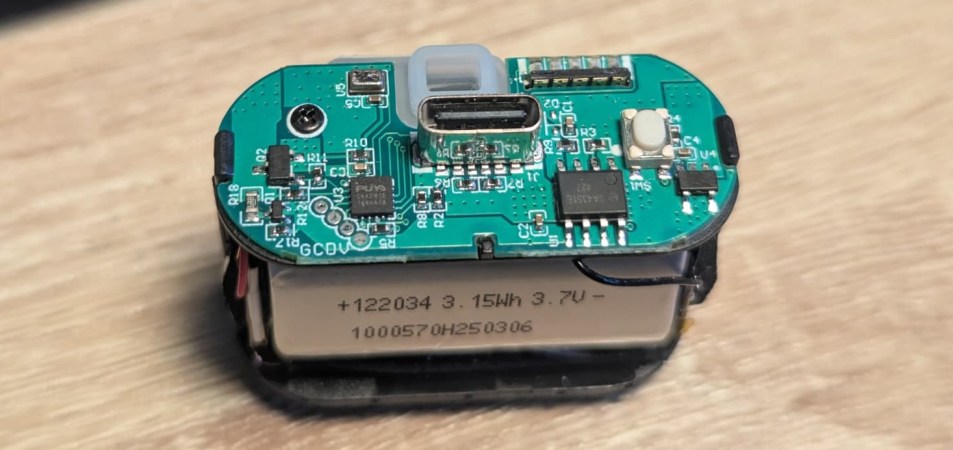
While tearing apart some of the fancier adult pacifiers, [Bogdan] discovered that a number of them feature Puya MCUs, which is a name that some of our esteemed readers may recognize from ‘cheapest MCU’ articles. The target vape has a Puya PY32F002B MCU, which comes with a Cortex-M0+ core at 24 MHz, 3 kB SRAM and 24 kB of Flash. All of which now counts as ‘disposable’ in 2025, it would appear.

Even with a fairly perky MCU, running a webserver with these specs would seem to be a fool’s errand. Getting around the limited hardware involved using the uIP TCP/IP stack, and using SLIP (Serial Line Internet Protocol), along with semihosting to create a serial device that the OS can use like one would a modem and create a visible IP address with the webserver.

The URL to the vapeserver is contained in the article and on the GitHub project page, but out of respect for not melting it down with an unintended DDoS, it isn’t linked here. You are of course totally free to replicate the effort on a disposable adult pacifier of your choice, or other compatible MCU.

ESP32 Hosts Functional Minecraft Server

If you haven’t heard of Minecraft, well, we hope you enjoyed your rip-van-winkle nap this past decade or so. For everyone else, you probably at least know that this is a multiplayer, open world game, you may have heard that running a Minecraft server is a good job for maxing out a spare a Raspberry Pi. Which is why we’re hugely impressed that [PortalRunner] managed to squeeze an open world onto an ESP32-C3.

Of course, the trick here is that the MCU isn’t actually running the game — it’s running bareiron, [PortalRunner]’s own C-based Minecraft server implementation. Rewriting the server code in C allows it to be optimized for the ESP32’s hardware, but it also let [PortalRunner] strip his server down to the bare essentials, and tweak everything for performance. For example, instead of the multiple octaves of Perlin noise for terrain generation, with every chunk going into RAM, he’s using the x and z of the corners as seeds for the psudorandom rand() function, and interpolating between them. Instead of caves being generated by a separate algorithm, and stored in memory, in bareiron the underground is just a mirror-image of the world above. Biomes are just tiled, and sit separately from one another.

So yes, what you get from bareiron is simpler than a traditional Minecraft world — items are simplified, crafting is simplified, everything is simplified, but it’s also running on an ESP32, so you’ve got to give it a pass. With 200 ms to load each chunk, it’s playable, but the World’s Smallest Minecraft Server is a bit like a dancing bear: it’s not about how well it dances, but that it dances at all.

This isn’t the first time we’ve seen Minecraft’s server code re-written: some masochist did it in COBOL, but at least that ran on an actual computer, not a microcontroller. Speaking of low performance, you can’t play Minecraft on an SNES, but you can hide the game inside a cartridge, which is almost as good.

Thanks to [CodeAsm] for the tip. Please refer any other dancing bears spotted in the wild to our tips line.

Continue reading “ESP32 Hosts Functional Minecraft Server”

Using An MCU’s Own Debug Peripheral To Defeat Bootrom Protection

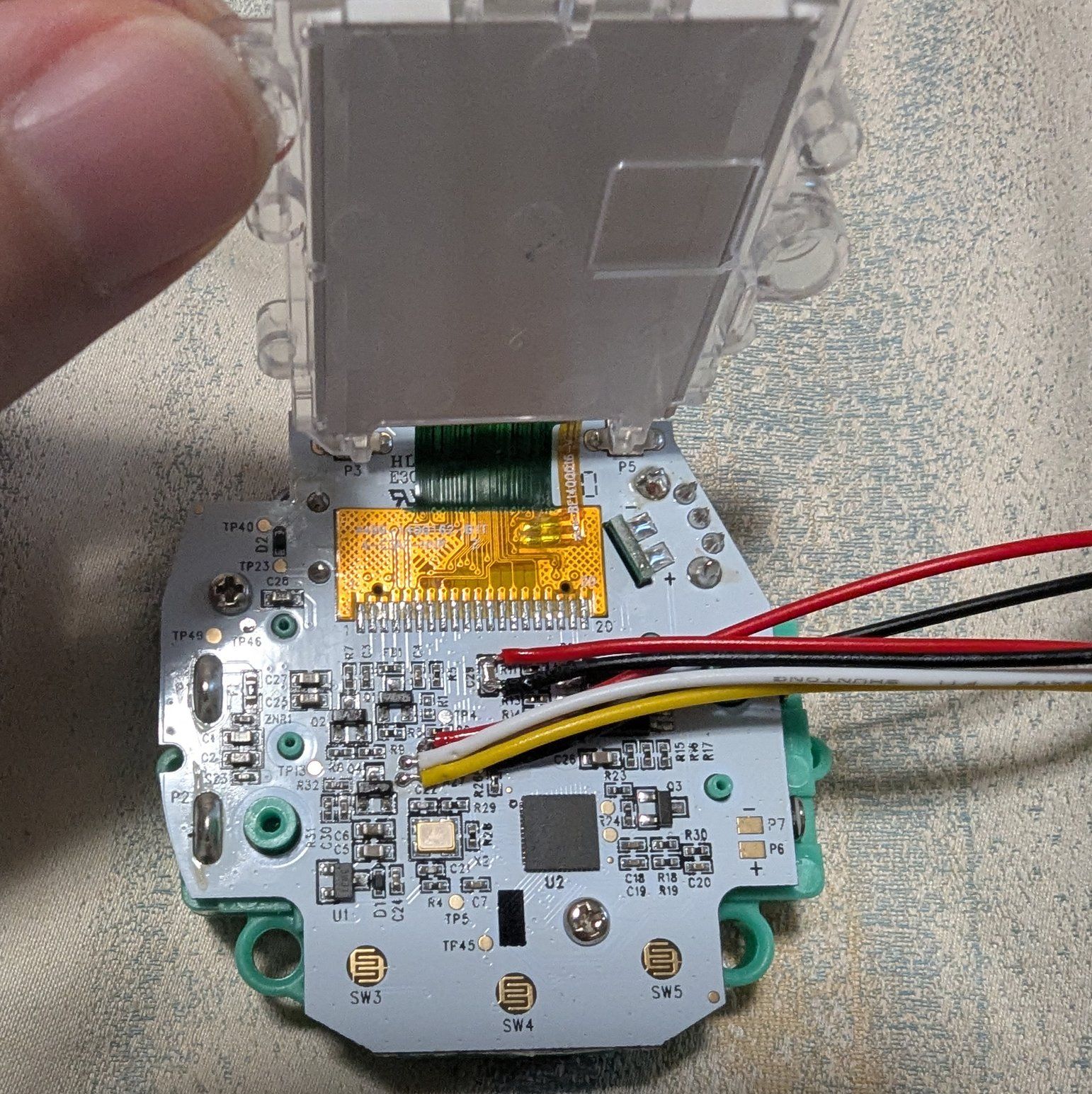
The patient hooked up for some reverse-engineering. (Credit: Caralynx, Twitter)

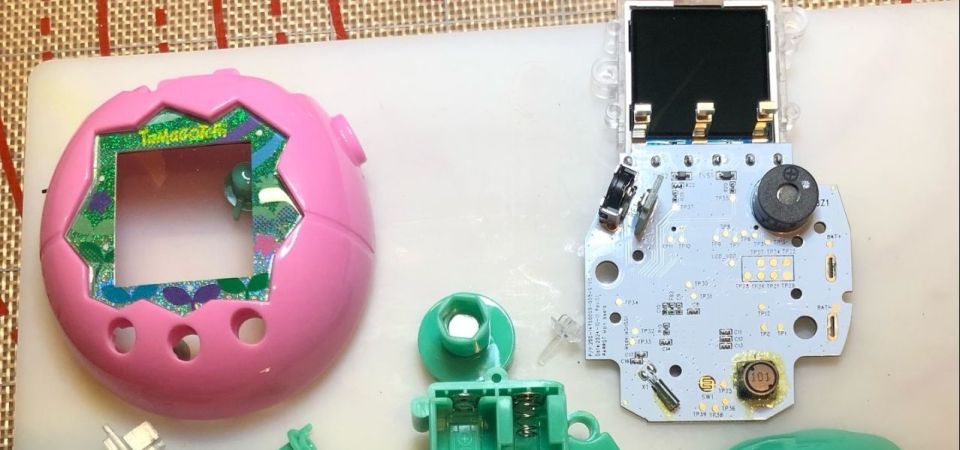
Released in July of 2025, the Tamagotchi Paradise may look somewhat like the late 90s toy that terrorized parents and teachers alike for years, but it’s significantly more complex and powerful hardware-wise. This has led many to dig into its ARM Cortex-M3-powered guts, including [Yukai Li] who recently tripped over a hidden section in the bootrom of the dual-core Sonix SNC73410 MCU that makes up most of the smarts inside this new Tamagotchi toy.

Interestingly, [Yukai] did see that the visible part of the bootrom image calls into the addresses that make up the hidden part right in the reset handler, which suggests that after reset this hidden bootrom section is accessible, just not when trying to read it via e.g. SWD as the hiding occurs before the SWD interface becomes active. This led [Yukai] to look at a way to make this ROM section not hidden by using the Cortex-M3’s standard Flash Patch and Breakpoint (FPB) unit. This approach is covered in the project’s source file.

With this code running, the FPB successfully unset the responsible ROM hide bit in the OSC_CTRL register, allowing the full bootrom to be dumped via SWD and thus defeating this copy protection with relatively little effort.

Heading image: PCB and other components of a torn-down Tamagotchi Paradise. (Credit: Tamagotchi Center)