Using Ultrasonic Sensors To Measure And Log Oil Tank Levels

[Mike] lives in a temperate rainforest in Alaska (we figured from his website’s name) and uses a 570 gallon oil tank to supply his furnace. Until now, he had no way of knowing how much oil was left in the tank and what his daily usage was. As he didn’t find any commercial product that could do what he wanted, he designed his own solution. In his write-up, [Mike] started by listing all the different sensors he had considered to measure the oil level and finally opted for an ultrasonic sensor. In his opinion, this kind of sensor is the best compromise between cost, ease of use, range and precision for his application. The precise chosen model was the ping))) bought from our favorite auction website for around $2.5.

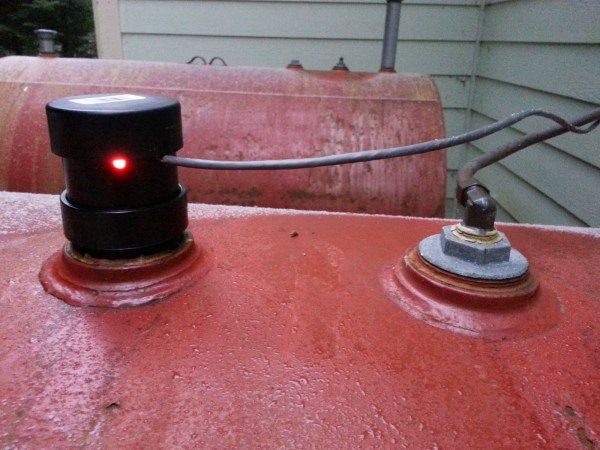
[Mike] built the custom enclosure that you can see in the picture above using PVC parts. Enclosed are the ultrasonic sensor, a temperature sensor and an LED indicating the power status. On the other side of the CAT5 cable can be found an Arduino compatible board with an XBee shield and a 9V battery. Using another XBee shield and its USB adapter board, [Mike] can now wirelessly access the tank oil level log from his computer.
Easy Capacitive Touch Sensors In Eagle

board

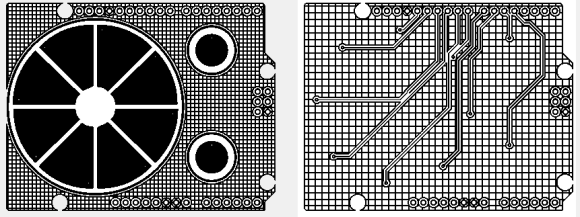
Capacitive sensing libraries for the Arduino and just about every other microcontroller platform have been around for ages now, but if you’d like to put a slightly complex cap sense pad in a PCB without a lot of work, you’re kind of out of luck. Not only do you need a proper education in how capacitors work, but a custom cap sense pad also requires some advanced knowledge of your preferred PCB layout program.

The folks over at PatternAgents have just the solution for this problem. They created an Eagle library of touch widgets that includes everything from buttons, linear and radial sliders, touchpads, and a whole lot more.

The simplest cap sense pad is just a filled polygon on the top layer of a board, but this simple setup isn’t ideal if you want to use Eagle’s autorouter. By playing with the restrict layers in Eagle, PatternAgents were able to create easy cap sense buttons that will work perfectly, without the problems of the autorouter placing traces willy-nilly.

There are more than enough parts to replicate a whole lot of touch interfaces – buttons can easily be made into a smallish keyboard, and the radial touch sensor will emulate the ‘wheel’ interface on an iPod. Very cool stuff, and we can’t wait to see these in a few more boards.

DIY Thermal Imaging Camera

Thermal imaging cameras – those really useful devices that give you Predator vision – are incredible tools. If you’re looking for heat escaping your house through a window, or just trying to figure out where your electronics project will explode next, they’re invaluable, if expensive, tools. [Kaptein QK] figured out an easy and cheap way to make your own thermal imaging camera using nothing just a few dollars worth of parts.

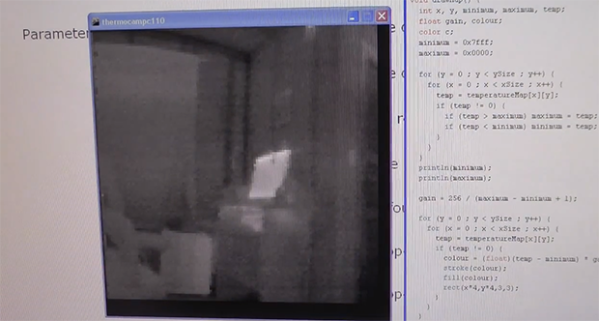
[Kaptein] based his camera off of a non-contact IR temperature gun. This device is useful for spot checking temperatures, but can’t produce an IR image like it’s $1000 cousins. By taking the thermopile out of this temperature gun, adding an op-amp, an A/D converter, and connecting it to an Arduino Nano with pan and tilt servos, [Kaptein] was able to slowly scan the thermopile over a scene and generate an image.

In the video below, you can see [Kaptein]’s scanning camera in action reading the ambient temperature and creating an imaging program for his PC. It works very well, and there a lot more [Kaptein] can improve on this system; getting rid of the servos and moving to mirrors would hopefully speed everything up, and replacing the 8-bit grayscale display with colors would give a vastly improved dynamic range.

Continue reading “DIY Thermal Imaging Camera”

Making A UNIX Clock While Making A Few Mistakes Along The Way

unixclock

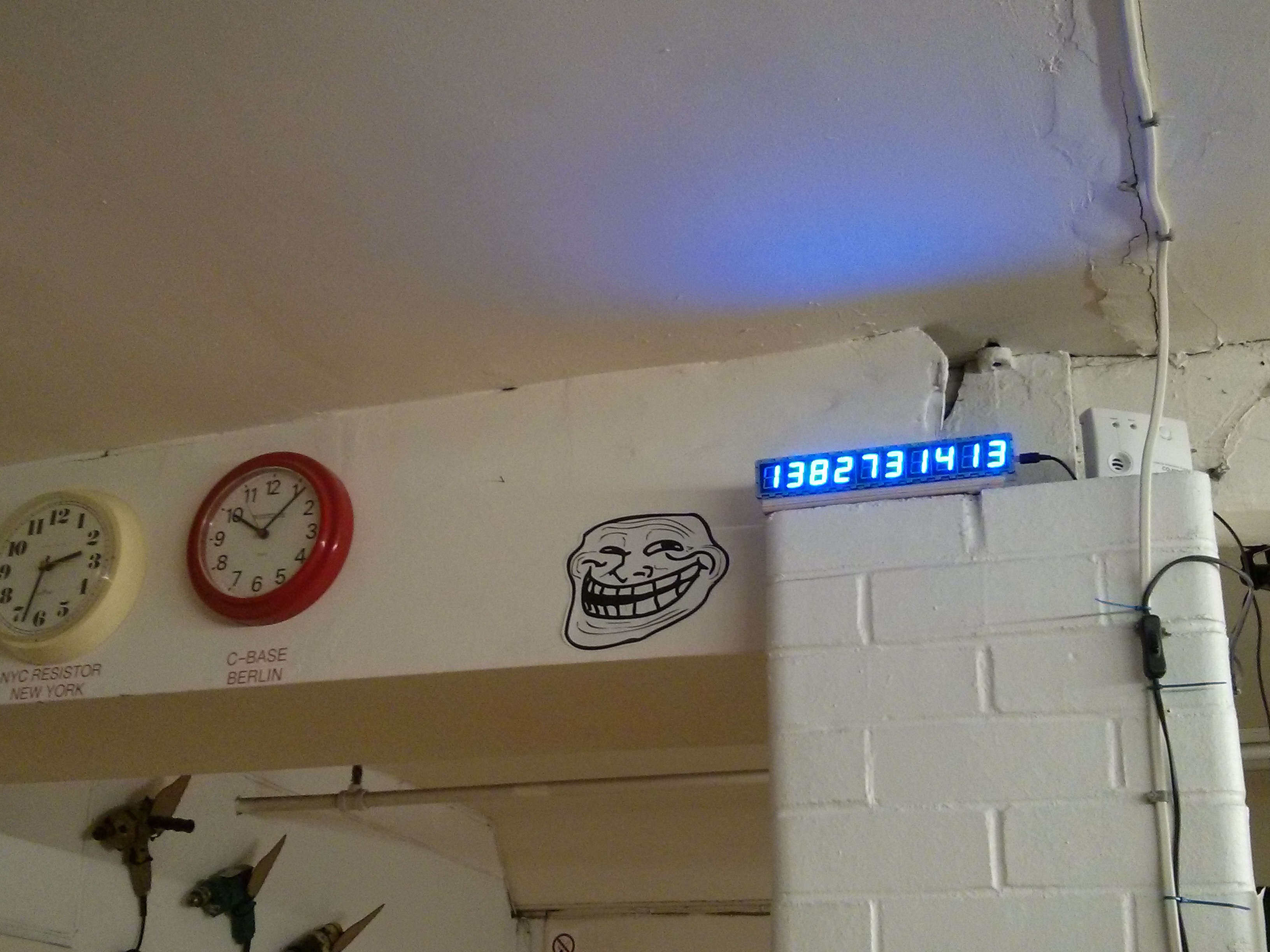
Sometimes the projects we think are easy to design are the ones on which we end up making the most mistakes. The UNIX clock that you see in the picture above is one of these projects. For our readers that don’t know it, UNIX time is the number of seconds since 00:00 on January 1st 1970. The clock that [James] designed is based on an Arduino Pro Mini board, an RTC chip to store the time, a custom made display board and two buttons to set the date/time.

One of the mistakes that [James] made was designing the boards on which will be soldered the seven-segment displays before actually choosing the ones he’ll use, as he was thinking they’d be all the same. The displays he ended up with had a different pitch and needed a different anode voltage, so he had to cut several traces on the PCBs and add another power supply. It also took [James] quite a while to remove the bits that his hackerspace’s laser didn’t cut through. We strongly advise a good look at his very detailed write-up if you are starting in the electronics world.

If you find this Unix time display too easy to read here’s one that’s a bit more of a challenge.

Persistence Of Vision Planetary Map

POV planetary map

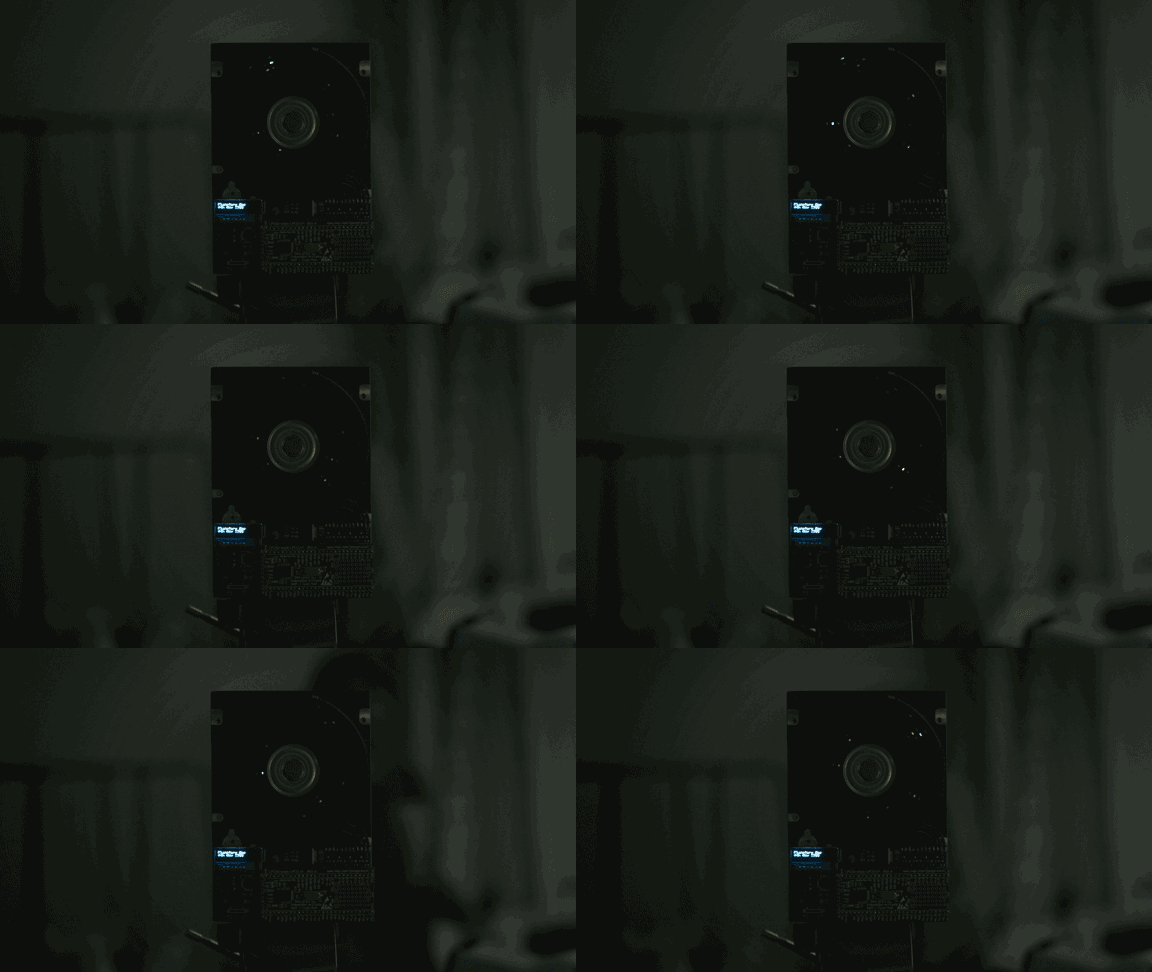
Looking at the looping GIF above you’re probably thinking, oh, another hard drive POV setup… Well… Not quite.

This is one of [Dev’s] latest projects, and it is a planetary map that shows the angular positions of all 8 of the major celestial bodies from any given date between 1800 and 2050. It’s also capable of showing analogue clock hands, the phases of the moon, and other simple graphics.

The main unit is a hard disk, but [Dev] milled off many of the features on it to give it a more exposed, purpose-built look. He designed the LED bearing PCB from scratch using EagleCAD, which sits on the back of the drive, with the spindle poking through. It has 8 rings of 5 surface mounted LEDs, which shine through opaque plastic diffuser rings that he printed using Shapeways — they feature small recesses to fit snugly on the board over the LEDs. On the top level is a 1mm thick black disc of some unknown material that [Dev] had sitting around, which now has 8 holes machined into it in the exact position of the LEDs.

A Cortex-M0 drives the LEDs using an LPCXpresso board which allows the LEDs to sit across only one byte of a hardware I/O port. On the software end, each rotation of the disk is segmented into three hundred and sixty 1 degree slices. This system allows him to achieve a circular resolution of 8×360 pixels at 25 frames per second. Not bad for a persistence of vision device!

Stick around after the break to see the rather entertaining demo video of the device.

Continue reading “Persistence Of Vision Planetary Map”

Measuring The Lifespan Of Nixie Tubes

nixie

Nixie tubes have two things going for them: they’re awesome, and they’re out of production. If you’re building a clock – by far the most popular Nixie application, you’re probably wondering what the lifespan of these tubes are. Datasheets from the manufacturers sometimes claim a lifetime as low as 1000 hours, or a month and a half if you’re using a tube for a clock. Obviously some experimentation is in order to determine the true lifetime of these tubes.

Finding an empirical value for the lifetime of Nixies means setting up an experiment and waiting a very, very long time. Luckily, the folks over at SALTechips already have a year’s worth of data.

Their experimental setup consists of an IN-13 bargraph display driven with a constant current sink. The light given off by this Nixie goes to a precision photometer to log the visual output. Logging takes place once a week, and the experiment has been running for 57 weeks so far.

All the data from this experiment is available on the project page, along with a video stream of the time elapsed and current voltage. So far, there’s nothing to report yet, but we suppose that’s a good thing.

A Low-Cost Modular High Altitude Balloon Tracker With Mesh Networked Sensors

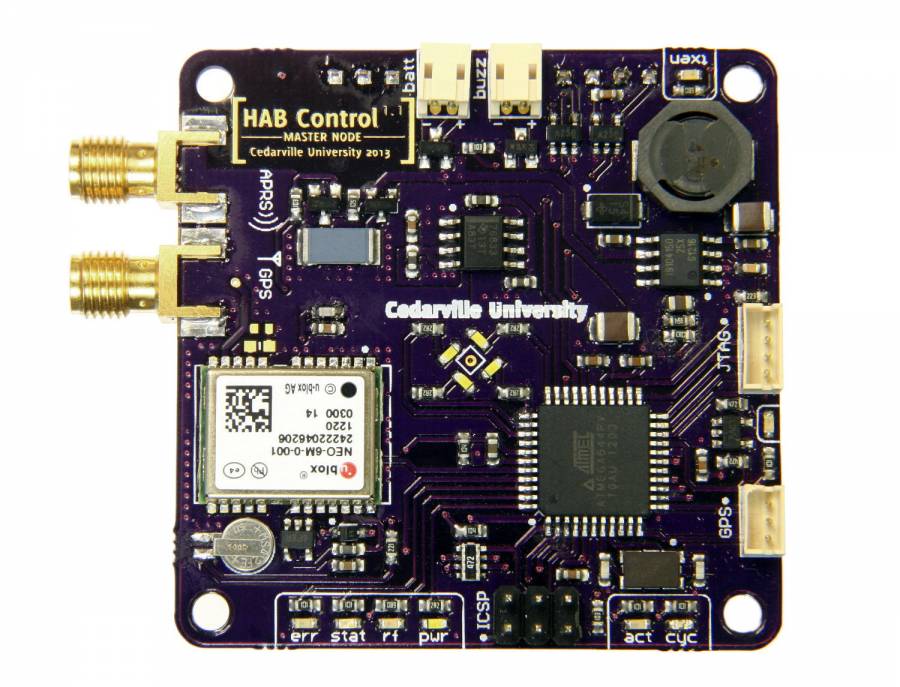
[Ethan] just tipped us about a project he and a few colleagues worked on last year for their senior design project. It’s a low-cost open hardware/software high altitude balloon tracker with sensors that form a mesh network with a master node. The latter (shown above) includes an ATmega644, an onboard GPS module (NEO-6M), a micro SD card slot, a 300mW APRS (144.39MHz) transmitter and finally headers to plug an XBee radio. This platform is therefore in charge of getting wireless data from the slave platforms, storing it in the uSD card while transmitting the balloon position via APRS along with other data. It’s interesting to note that to keep the design low-cost, they chose a relatively cheap analog radio module ($~40) and hacked together AFSK modulation of their output signal with hardware PWM outputs and a sine-wave lookup table.

The slave nodes are composed of ‘slave motherboards’ on which can be plugged several daughter-boards: geiger counters, atmospheric sensors, camera control/accelerometer boards. If you want to build your own system, be sure to check out this page which includes all the necessary instructions and resources.