
Printing Anything With A Thermal Receipt Printer

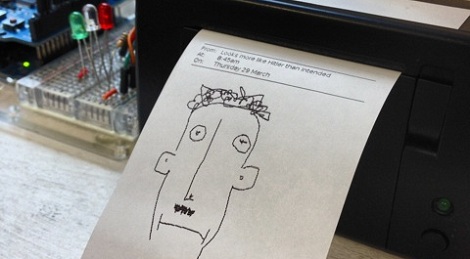
Over the last year, [James] has been a part of a few commercial projects that used a thermal receipt printer as part of the build. Something must have cracked in his mind, because [James] spent a lot of time developing a way to print customized content on receipt printers, connecting these printers to the Internet, and sharing content with other Internet-connected receipt printers. Even [James] doesn’t know why he spent so much time on this project; [James] figured he was bound to find something interesting. We’ve got to commend him for that.

[James] had been aware of the Adafruit Thermal Printer Library, but this library is a little kludgy. Text is the Adafruit Library’s forte, and while graphics and non-ASCII characters are possible they’re certainly not easy to print with the existing libraries. With his current system based on HTML, CSS, and Javascript, [James] has a really easy way to print anything he can put on a webpage on receipt paper.

Getting his receipt printer onto the Internet had its own challenges. After wrangling with the Arduino Ethernet library through the month of February, [James] realized larger prints (about 15cm of paper) would fail inexplicably. To get around this, [James] wrote an HTTP client for the Arduino that would fetch data, put it on the SD card, and then start printing.

Right now, [James]’ project is a polished as anyone could hope. We’re a bit concerned – although we completely understand –  that he could get sucked into the black hole of pointless development of receipt printer software so easily. All was not for naught, though; now anyone can make very professional-looking prints on receipt paper very easily.
Spamming A Label Printer With #cookiehammer

[John] has always loved stock ticker machines. These machines are highly collectible, so short of finding one that wasn’t hurled from a Manhattan skyscraper in 1929, a stock ticker is out of reach for the casual enthusiast. There is another way to get a stock ticker-like device though: hack a label printer to print out stuff from Twitter.

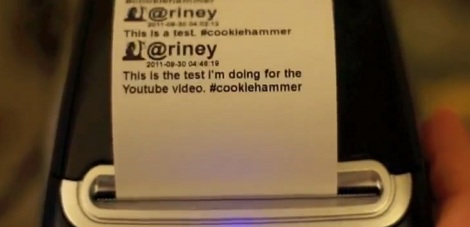
The build is really quite simple. A Dymo thermal label printer was modified to accept standard 2.25″ point of sale receipt paper. Now that the printer can shoot out line after line of text, [John] wrote a little bit of Ruby code using a Twitter API, RMagick for graphics processing and a Dymo printer driver.

Every 30 seconds, the code does a Twitter search for a specific hashtag and prints those tweets. #cookiehammer was the first thing that came to mind, so it stuck. Right now there’s a few tweets for #cookiehammer, but we expect [John] will have to put a new roll of paper in his printer fairly soon.

It may not be as informative as a stock ticker machine, but we think [John]’s twitter printer build sure beats watching CNN. Check out the walk through after the break.

Continue reading “Spamming A Label Printer With #cookiehammer”

Driving And Old Receipt Printer

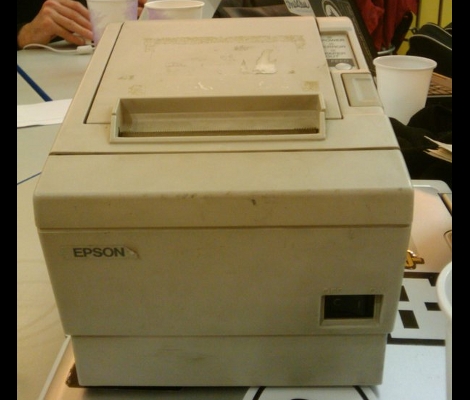
It seems like receipt printers are pretty popular as hacking targets lately. Aside from the wasted paper, they cooler than plain old blinking LEDs and we’d image there’s a ton of them floating around out there as advances in technology have prompted retailers to trade in the bulky dinosaurs for slimmer thermal printers. [Philip Hayton] picked up this Epson model at some type of equipment sale and set to work figuring out how to control it.

This unit is addressed via a parallel interface. After assessing the pinout and searching a bit for protocol information [Philip] hooked up his Arduino and printed out a fitting first message that reads: “Hello World”. He’s got a few tricks you can learn from when trying to talk to hardware with which you are not well acquainted.

Need a reason to go out and find your own receipt printer? Check out this paper-based gaming system for some inspiration. Now develop your own paper recycling setup and we can file this one under ‘green hacks‘.

[Thanks Andy]









