
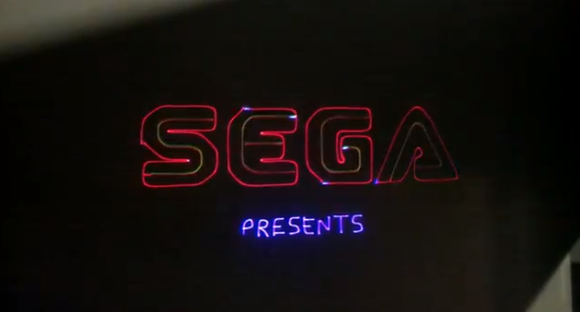
Vector based displays were used for arcade games in the ’70s and ’80s. A typical CRT uses raster graphics, which are displayed by deflecting a beam in a grid pattern onto a phosphor. A vector display deflects the beam in lines rather than a full grid, drawing only the needed vectors. Perhaps the best known vector game is the original Asteroids.
[Jeremy] built up a RGB laser projector, and wanted to run some classic arcade titles on it. He started off by using the XMAME emulator, but had to modify it to communicate with the laser and reduce flicker on the display.
To control the laser, a modified version of OpenLase was used. This had to be enhanced to support RGB color. The modified sources for both the MAME emulator and OpenLase are available on Github.
[Jeremy]’s friend, [Steve], even got a vector based game that he wrote working on the system. “World War vi” is a shoot-em-up battle about the vi and emacs text editors.
The results of the build are shown in a series of videos after the break.









The actuators he’s using are too slow and rounding off the corners. Looks like he’s gotten much farther than the two previous attempts at a LASER MAME. One important bit is correcting for distortion caused by projecting onto a flat surface. The old vector monitors avoided it by using a CRT with a surface radius matching putting the beam projector at the center of the arc.
They are 30kpps galvos and the rounding is a trade off to push more lines. With increased corner dwell time you get better quality at the cost lower lines per sec and flicker. Since the games are not designed for such slow hardware some corners need to be cut.
You are literally cutting corners.
Can you elaborate on the design of the dichro mounts?
Putting the springs on the two center bolts looks like a really good idea!
Very cool!
The first incarnation of LaserMAME from about 10 years ago:
https://www.youtube.com/watch?v=NrKB3Utu-G4
That was using a $4000-6000 Pangolin card and a NEOS PCAOM ($3000?) and argon/hene lasers, and probably a very expensive set of scanners. Not my doing, just a guy that helped me out in the laser hobby a bunch.
So full of win. The homemade projector is great. Love the method for stacking the RGB lasers. A little more BW out of the galvos and it might crisp up some of the edges. Or a non galvo based light bending soln… (its a bit exotic and I cant find the ref at the moment).
what about the original star wars arcade game? Was that laser or vector? Only a few years ago I played a functional one of those that someone had in an arcade. You’d think they’d realize they are a collectors item!
I’m sure Star Wars will be on the list to try shortly. Someone will post a video if it works, if for no other reason that Star Wars and Empire Strikes Back were the only two vector games that LaserMAME couldn’t play.
Both games were vector, BTW.
I can display Star Wars, but there are so many lines per sec that is flickers to the point of being unplayable.
Have you considered splitting the video into quarter sections and driving four projectors to get more draw speed? Also how sticking some old Vectrex games in that there XMAME if shell take’em?
Now go get a vectrex and do the same thing.
Too easy, really… Monochrome with native x and y vectoring?
Funny, I was researching ways to do this just a couple weeks ago. I gave up when I figured out that laser hardware is a bit over my budget constraints…
Why on earth is he using an ancient version of MAME like XMAME? The official source code compiles and runs just fine on Linux. Hell, several of the more senior MAME devs use Linux. Much better to use that instead of something that’s over 5 years old at this point.
I tried many different version of MAME, including the latest and greatest, with little luck getting vector games to play stable. Ubuntu 10.04 had XMAME and that worked great so I went with it. The version of MAME doesn’t really matter for this project other than getting the changes merged in upstream and I don’t ever see that happening. Anyone is free to take these changes and apply them to what ever version of MAME they like.
Wow, awesome, I’ll have to give this a try. I’ve been building a setup using another guy’s open-sourced DAC design (LaserShark) and openlase. And just a cheap red 5mw laser pointer so far. All the software applications I think up for it – edge detection, Kinect tracing, LaserMame – keep showing up as already done.
Talking of asterioids ….
sparkbangbuzz.com explains how to make DIY monochrome vector CRTs. Due to the the non perfect vacuums the tubes are limited to small sizes, otherwise the electrons can’t make it past the air molecules. *but* if the phosphor particles were small enough surely all that’s needed would be diverging lenses to magnify small images for a large screen. Just like CRT projector screens, 3 of the small tubes of different monochrome colours could be aimed at a screen to achieve full colour. To complete the system add a web cam to feed the resulting image into some software that compares it to what’s wanted and generate calibration parameters to sort out any misallignment of the tubes (and keystone etc) , which might otherwise cause colour fringing.
Its great to see that it has come so far!
Like Ethan says, back then it was a Pangolin, cambridge scanners,neos, and a nice twin set of coherent purelights. Will never forget the amount of water they used. We had a chiller but local customs removed the freon because it was not allowed..Back then the entire set was 160k$ and it was mixed /new/used…
Now, opensource hardware,opensource software, affordable galvo’s that can do 45k.
No more need for a 3phase 64Amps hookup. And best of all, no more backpains of lifting the damn things :)
jv4779, keep up the good work!!!
ps is there any vid that shows the laser side of the projector ?
This setup cost me about $400 and that was only because I spent $120 trying to get a better green vs. dx.com cheapo. I didn’t know it when I started, but the introduction of 450nm blue diodes, cheap green dpss lasers, and Chinese galvo scanners within the last few years made it all possible.
http://www.youtube.com/watch?v=eA6pvAZ3nq4 has some video of the projector. As well as Tempest flickering like crap.
Here’s a thought on auto-calibrating multiple lasers: for each one, pan lines at 90 degrees across multiple bokode tags, recording the maximum brightness for each tag with the webcam. The tags are tiny enough that they won’t call attention to themselves during the presentation, yet will allow the system to be constantly rechecking its calibration as needed. You could even use dozens of them to create a distortion map to properly display on uneven surfaces.
This is so old. lasermame has been out for ages.
LaserMAME folded ages ago. This project fills the long empty void left by its demise.
I use a 4:3 LCD multimedia projector to play regular mame games and the results are amazing (as long as I select the right resolution and other settings for each game). You can also add an additional analogue blur to the image by adjusting the lens focus to smooth out some of the jaggies. Final fight now looks as good as it used to in the CRT arcades on a 50″ display. You can pick up a 720p 3000 lumen multimedia projector for less than $150 on eBay. The one I used was only $500 when new. At 50″, it works with the lights on too.
It looks so much better than on my 1080p DVI 23″ LCD monitor. The first time I played a game on Mame, I turned it off after 30 seconds, thinking that I remember the games being better than they really were. Now, I can’t stop playing, just like when I was a kid in the arcades with a pocket full of coins.
I can’t stress enough how important it is to select the right resolution on a game by game basis. The important thing is the proportions. A game that was 400x 300 looks best when the resolution is set to 800x 600, because the proportions are the same. Arcade displays were manually stretched vertically and horizontally to make sure there was a full screen on every game. On LCD displays, any stretch is digital and it really ruins the look of the graphics. Turn off “force aspect ratio” and find the right resolution instead. Match the games refresh rate and add the right amount of scan-lines and it looks almost identical to CRT once you add a little blur from the projectors lens.
Anyone who ever took the back off their tv to turn the screws which stretched the image vertically, to make Street Fighter 2 on the Snes fill the screen to make it look more like the arcade and ended up breaking the tv and had to work in a furniture store for a month to buy a new one when they were 15, will know what I mean about how the image was stretched on an analogue display (or was that just me?).
Does the ILDA interface on lasers like https://www.aliexpress.com/item/New-RGB-Laser-ILDA-20Kpps-SD-LCD-display-Animation-Disco-Light/32359495244.html allow you to drive it from a PC directly in real time? Has anyone interfaces a LaserMAME implementation to a system like this?
It’s been a few years, and now with RGB laser projectors plentiful and Pi / Arduino, I wonder if this Laser MAME can exist as an open source collaborative effort. Not just to make an color vector MAMEing system cheaply and easily, but a generic color vector display system that can be controlled from COM and .NET APIs and programmed using Python, QB64, FreeBasic, .NET, VBA, Free Pascal, C, C++, Java, etc. Maybe even JavaScript!
I made one in Javascript! Well, just one game, but it works, and I think it’s pretty cool.
https://github.com/vniow/laser-arkanoids
@madam – i agree, i jusy got one of these openhardware DACs – https://bitlasers.com/helios-laser-dac/ keen as for openlase and mame to progress.
Thanks for sharing that!
I wonder how would one set up their computer (say Windows) to get MAME, or their own programs (say Python or QB64) to draw or animate on the projector using the interface?
I am not super technical with low-level programming or electronics.
Could you recommend a RGB laser projector that is good for beginners (ie not too hard to set up or use, not too expensive, but capable of generating a display for old school games like Asteroids)?
Thanks again.