Improved Double-Sided Toner Transfer Method

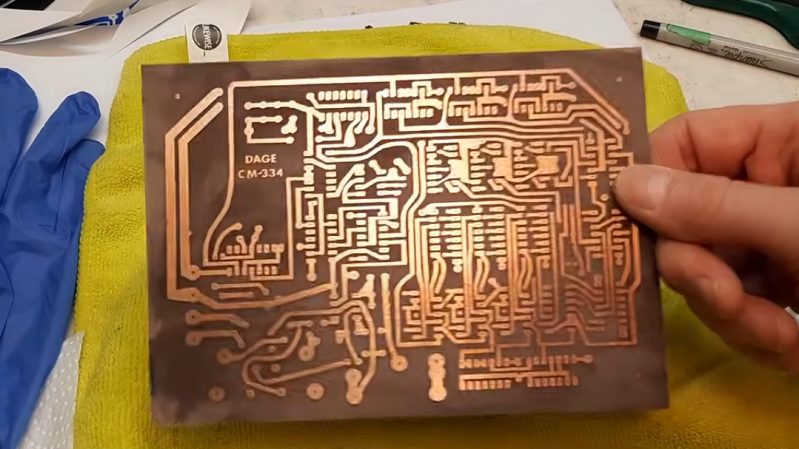
In the era before PCB shops would make almost any PCB imaginable, as well making many other manufacturing processes for prototypes available to hobbyists, there were several ways of making PCBs at home. Many of which involve harsh chemicals and were easy to mess up. Getting a single-layer PCB using the toner transfer method, for example, took a bit of practice (and a fume hood) to get right. [Bettina Neumryr] is working on a custom two-layer PCB, and has a new trick to get it to come out right despite the added complexity of the second layer.

The method starts out as a standard single-layer board in effect. Toner is ironed onto a copper board, in this case using a laminator, which allows the board to go into an acid bath which washes away all of the un-tonered copper. But with the second layer exposed, this would wash away the other side of the board completely. [Bettina] is using a new method here to protect that layer during the first bath: covering it in ink from a magic marker. With the first board etched, the ink and toner get washed off and the second layer is carefully lined up, put through the laminator, and then the opposite side gets covered in ink for the second acid bath.

After the process is complete and many layers of ink and toner are removed, [Bettina] is left with a PCB that’s ready to receive electronic components, if a little stained from all the ink. As to what this specific board is going to be used for, she’s kept that a bit cryptic as it’s the subject of a future video. Her builds usually revolve around designs from antique elecronics magazines, so it’s almost certainly something of that nature, and that’s also why this specific design couldn’t be just sent off to a board shop.

Continue reading “Improved Double-Sided Toner Transfer Method” →
Electromechanical TV Goes 3D With This Light-field Display

A mechanical TV — the kind that makes an image with a Nipkow disk and a single lamp with some help from persistence of vision — is easy enough to wrap your head around. Moving that technique into the third dimension, though? That’s a bit of a head scratcher. Luckily for us [AncientJames] provides a simple visual explanation for how the magic happens.

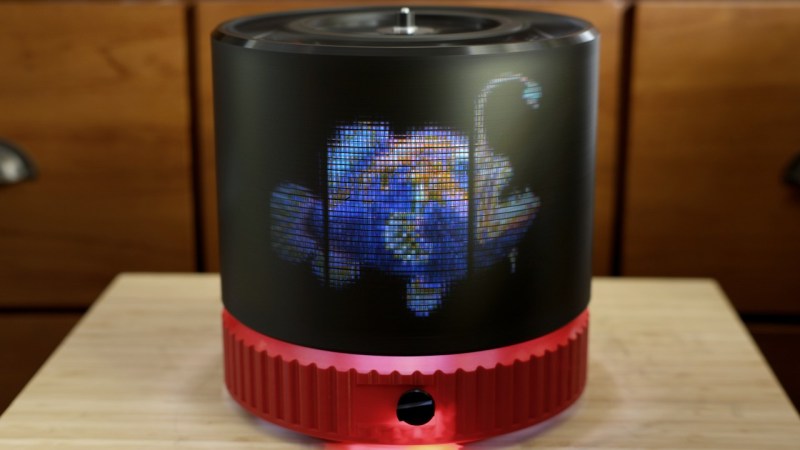
Instead of a disk doing a raster scan of the display, he’s using a rapidly-spinning drum with holes in it. In place of a single lamp, he’s got an array of LED matrix displays, each 32 pixels by 64 pixels in resolution. The trick is splitting the model up into a light field, so each hole projects its own image of the object at the proper angle.

In this demo there are three matrix displays, though that does limit the viewing angle as they’re arranged as one half of a hexagonal prism — you’d need more screens to get a full 360. The effective resolution through the drum is only about 100 pixels by 48 pixels per eye, but that’s still enough to play DOOM with.

This isn’t the first time this particular [Ancient] has got DOOM going on a volumetric display, and based on previous results, it probably won’t be the last time either. This implementation, which keeps the displays stationary and does not require a pricey laser projector, looks the most accessible to us, as long as you watch your fingers.

Continue reading “Electromechanical TV Goes 3D With This Light-field Display” →

Enormous Fluid Simulation On Flip Dots Is Also Enormous Amount Of Work

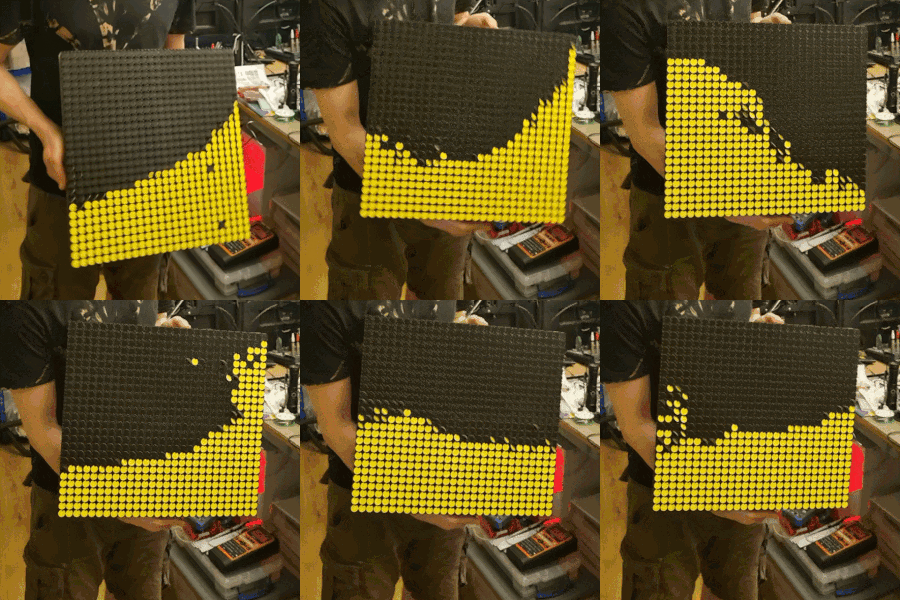
Flip dot displays are cool, and more people realize that after [mitxela]’s fluid simulation on flip dots installation was on display at EMF 2026. As glorious as the result is, it was also an amazing amount of work!

Not only did [mitxela] need to source a large number of flip dots, he also needed to find a solution for driving them that didn’t end up more trouble than it was worth. Just about everything about the surplus flip dots — from electrical requirements to mounting — was a pain to work with in one way or another. Even his optimized method of integrating a custom backpack-style driver board into the existing PCB involved a staggering amount of soldering. This project was a long time coming, and the work never really let up.

The payoff, however, is exquisite. Check it out in the video (embedded below) which really shows it off. Flip dots are like nothing else, and the subtle rippling of sound that accompanies their physical movement is oddly soothing.

The installation at EMF 2026 had a GRAVITY CONTROL joystick that allowed folks to interactively shift the display, but [mitxela] also has an accelerometer mounted so that the display physically reacts to being moved. It’s a fantastic spectacle, even more impressive in light of the work it involved.

Unsure how, exactly, flip dots work? We’ve covered all the details about how these devices function. And while a large number would be prohibitively expensive for most projects, if your project can get away with only one dot you’re probably in luck.

Continue reading “Enormous Fluid Simulation On Flip Dots Is Also Enormous Amount Of Work” →

TV Audio Tube Makes A Transceiver

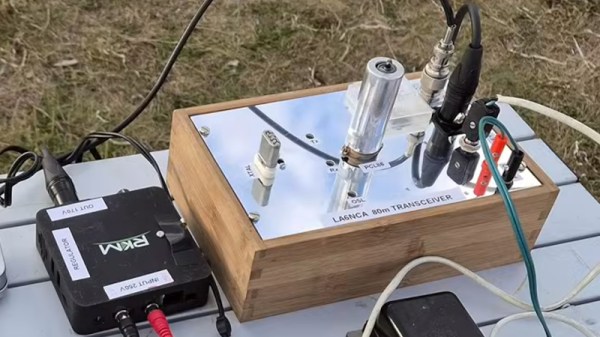
It’s not often we see a tube project here, so [Helge Fykse]’s PCL86 transceiver is a welcome find.

If you know anything about the European Pro-Electron device naming system you’ll be familiar with it as it applies to tubes. The first letter denotes the heater specification, for example “E” is for a 6.3 volt heater. Everyone wants the familiar 6.3 V devices, but they have a set of cousins which often pass unnoticed. “P” tubes have a 300 mA heater designed such that all tubes in a device could be connected in series at the same current. Of those tubes the PCL86 is a mundane example, filling the function taken in the semiconductor years by the LM386. It’s a small-signal triode and a power pentode in one device, and it’s an audio amplifier. Every 1960s TV set in Europe had one, and thus it’s a good choice for experimentation.

This transceiver is a conventional crystal oscillator and power amplifier on transmit, but with a flick of a switch it transforms into a direct conversion receiver in which the triode becomes oscillator and mixer while the pentode becomes an audio amplifier. It’s simple, and the video below the break explains it in great detail. We’re not sure whether or not it could unintentionally radiate in receive mode, but we’re guessing the energy would be tiny.

A simple tube project can make an interesting departure from modern surface mount electronics, so if you get the chance we’d suggest you try one. If you don’t need a transceiver, an audio amplifier is the archetypal PCL86 project.

Continue reading “TV Audio Tube Makes A Transceiver” →

Free Your Rotary Telephone From Its Wire

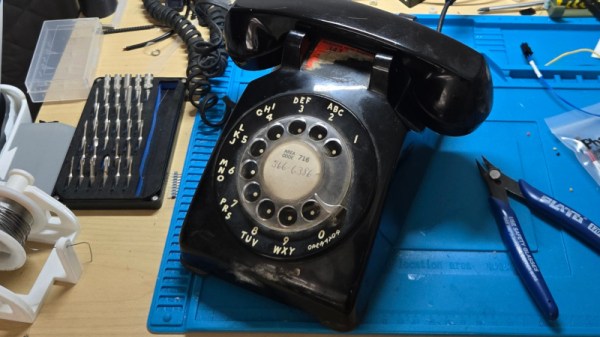
It’s said that a teenager given a rotary telephone in 2026 would be mystified by its operation, yet there are enough surviving instruments for them to be an attractive target for a project. But just what project? [fregacmols] is here with one possibility, turn that old phone into a cellphone.

Connecting to the phone is a subscriber-line interface module, containing all the electronics to simulate a copper phone line. This in turn feeds audio and control wiring to a Lilygo ESP32-S3 board which provides the brains as well as talking to a cellular modem. We especially like that this allows the phone to be used entirely unmodified.

The software does a good job of simulating a North American subscriber line, complete with dial tones, and ringing the phone’s bell on an incoming call. There are a couple of special codes, one to open a wireless network for maintenance, and the other for diagnostic purposes.

Over the years we’ve seen many rotary phone projects, but one which sticks in our mind used an alternative way to connect one to the cellular network.

A Defrag Simulator In Your Browser

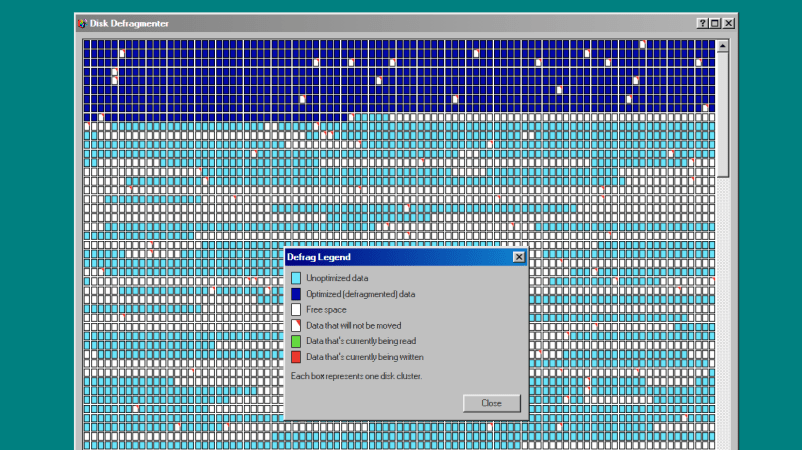
Disk Defragmenter was a wonderful utility that Microsoft included with Windows back in the day. Back then, you’d use it to theoretically speed up disk access. Today, you can run a fun simulation right in your browser thanks to [Dennis Morello].

The theory behind defragmenting hard disks was simple. Your hard drive would store data on spinning magnetic platters. Sometimes, a given file or group of files would end up with their different parts scattered across different parts of a platter, or even multiple platters, as the file system tried to slot everything into the space available over time. On a drive accessed with a literal physical mechanism, this fragmentation of files across multiple areas of a disk could cause functional read speeds to drop. To solve this, you could defragment the drive, wherein a utility would grab disparate bits of different files and put them physically closer together on the drive platters, such that the read heads could access larger contiguous chunks of files more easily.

[Dennis’s] project does none of that. It just simulates the visuals and sound of running Microsoft’s disk defragmenter tool from Windows 98. It’s got the little rows of squares that get rearranged, blue for unoptimized data, dark blue for defragmented data, and white boxes for free space. It’s got the progress bar along the bottom, too, and a nice little simulated sound of a hard disk ca-chunking away as it shuffles little bits of data to and fro. This was the kind of thing you’d do on a rainy Saturday afternoon in the 1990s, just watching your PC make itself a few percent faster while you drank coffee and wondered if your ex-wife Jacinta was ever coming back. She never did, but you did notice that Age of Empires II loaded a fair bit quicker after you ran a full defrag on your main drive. Sometimes, that’s as good as it gets.

Modern file systems are better at managing issues like fragmentation, and the virtually instant seek speeds of solid-state drives essentially eliminated the need for defragmentation for good. Still, it’s fun to visit an ancient tool from yesteryear and remember what it meant to us way back when. Maybe you could give Jacinta a call, too, just for old times sake, and discuss that time a Janet Jackson song started crashing brand-new Windows laptops right out of the box…

It’s Teletext, But On The Radio

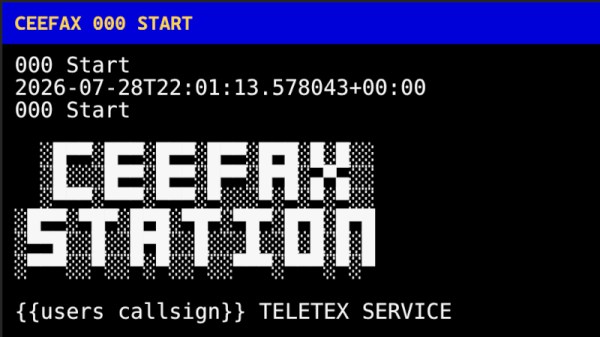
Old-school teletext with its pixelated text and block graphics may now be largely a thing of the past, but that doesn’t mean it’s without enthusiasts or there’s no more life in the idea. [M7TJF] has a project which takes teletext and puts it on amateur radio through the magic of AX.25. It’s called CEEFAX Station, in honor of the BBC’s teletext offering from back in the day.

What you get is a Linux package or a Windows executable, which you run and presumably hook the computer up to a radio. It can either be a transmitting node or a receiving one for browsing pages, and there’s an online map to track who’s doing either and on what frequencies. This is all brand new so there’s not much on there at the moment, but we expect that as people try this mode, this will change.

Sadly it’s a little unclear on how the protocol works and how the pages are encoded, but it’s early days. Meanwhile if you hanker for the real thing, it’s still about in some places.