
Leapcast Emulates Chromecast In Your Chrome Browser

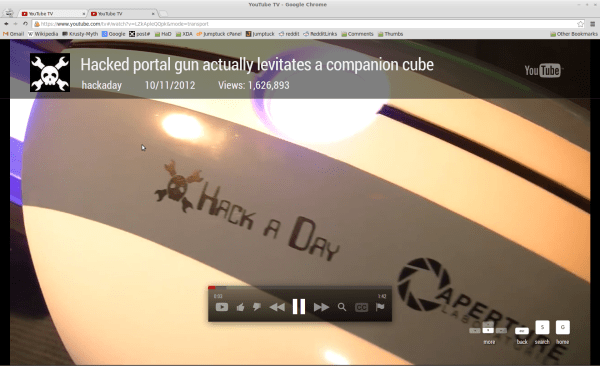
Our Chrome browser thinks it’s a Chromecast dongle. Here’s a screenshot of it playing a YouTube video. Note the tile banner and onscreen controls which are just like the ones you’d see on the actual hardware. Give it a try yourself by downloading the Leapcast Python package which [dz0ny] programmed.

After cloning the GitHub repo we had a few problems compiling the package. Turns out we needed to install python-dev and that took care of it. Starting the daemon is a simple command, we specified our Chrome binary path as well as added a few flags

leapcast --name HAD --chrome /usr/bin/google-chrome --fullscreen

Once that was running the Android YouTube app automatically detected Leapcast as a Chromecast device. It gave us a tutorial overlay mentioning the new share icon on the interface. Pressing that icon during playback launched an Incognito window which played the video. [dz0ny] links to a device config JSON file in the README. If you check it out you’ll notice that Netflix is listed as “external” while the others are not. This is because the Chromecast protocol uses a binary for Netflix. The others do it with local websockets or a cloud proxy so they work just fine with this setup.
How To Play A Game Boy Emulator On Chromecast

gameboy-on-chromecast

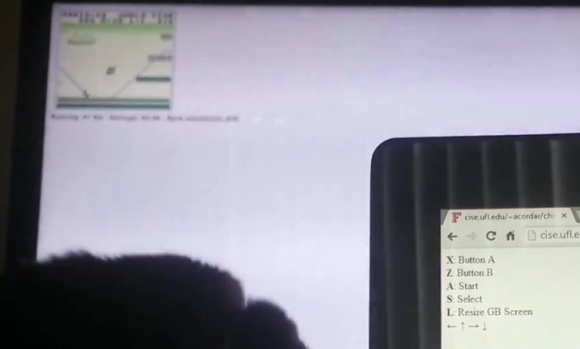
It’s small, it’s blurry, but it’s working. Here’s a proof of concept for playing emulators on a Chromecast which uses the original Game Boy as an example.

Notice that there are two screens shown in the demo. Out of focus in the background is the television with the Chromecast displaying the game play. In the foreground is a computer with a browser open which lists off the control setup. These are the button mappings for an Xbox 360 controller. The emulator is a JavaScript Game Boy emulator. This is loaded on the Chromecast through a simple html file (called the receiver in the repo). The sender — also a simple html file — loads another JavaScript package on the computer which translates the controller’s button presses to keyboard inputs and sends them out to the receiver.

This puts stars in our eyes about emulator hacks. We’d love to see this boiled down to smartphone and Chromecast as the two pieces of hardware, with the touchscreen as the gaming input.

Continue reading “How To Play A Game Boy Emulator On Chromecast”

Chromecast Bootloader Exploit

chromecast-hack

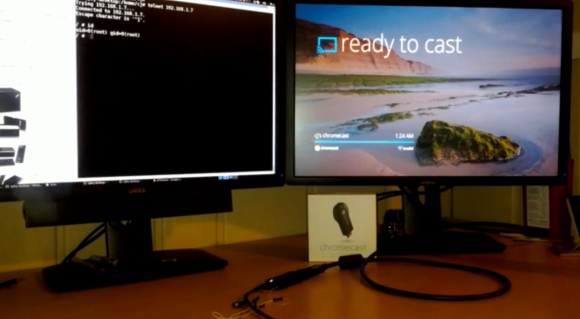
Well that didn’t take long. The team over at GTVHacker have worked their magic on Chromecast. The HDMI dongle announced by Google last week was so popular they had to cancel their 3-free-months of Netflix perk. We think the thing is worth $35 without it, especially if we end up seeing some awesome hacks from the community.

So far this is just getting your foot in the door by rooting the device. In addition to walking through the exploit the wiki instructions give us a lot more pictures of the internals than we saw from the teardown in yesterday’s links post. There’s an unpopulated pad with seventeen connections on the PCB. You can patch into the serial connections this way, running at a 115200 8n1. But you won’t have terminal access out of the box. The exploit uses a vulnerability in the bootloader to flash a hacked system folder which provides root. After wiping the cache it reboots like normal but now you can access a root shell on port 23.

Continue reading “Chromecast Bootloader Exploit”

Hackaday Links: Sunday, July 28th, 2013

hackaday-links-chain

[Chris Gammell] tipped us off that he’s building an online training program for learning electronics. The ten session course will cost money to take but you can get the goods for free if you’re one of the beta testers. We love to listen to The Amp Hour podcast which is just one of [Chris’] many endeavors.

Did you buy a Chromecast this week? We did, but we don’t have it in hand yet (ordered through Amazon). You can still get a look inside from the iFixit teardown.

Practice your Processing skills by using it to code a game of Pong.

A bit of lighter fluid and a hacked insert will get you a flaming wallet. We guess this is a different type of an anti-pickpocket device. [Thanks Stephen]

[Brain] used a $1.50 magnifying lens to help his Raspberry Pi camera module read QR codes better.

We really like [Aaron Christophel’s] LED matrix clock (translated). He started from a marquee that must be at least a decade old. He stripped it down and figured out how to drive it using a Sanguino as a controller.










