
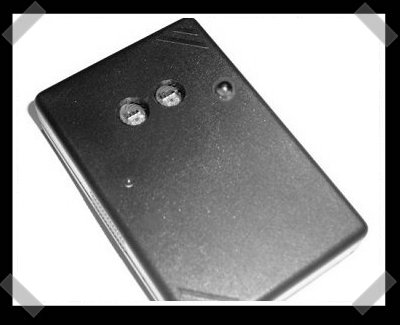
[brian] tipped me to this excellent colormeter project for calibrating your home theater/HD/etc It was designed specifically for the HCFR Colormeter software project. The project page is in english, but the probe writeup is in french. The fish well help you understand it while you resist the taunts avoid the flying cows. The device has at least one color sensor (a second is optional as well as an IR led or two for computer hardware controls) and connects to your computer via USB. The brain is a PIC 18F2550 (the fish calls it a PEAK) – no in circuit programming, you’ll need a programmer to build it.


5 thoughts on “DIY Colorimeter”
Leave a Reply
Please be kind and respectful to help make the comments section excellent. (Comment Policy)











I say we lean how to use google for translating instead of making us copy into into altavista.
http://translate.google.com/translate?hl=en&sl=fr&u=http://www.homecinema-fr.com/colorimetre/sonde.php&sa=X&oi=translate&resnum=1&ct=result&prev=/search%3Fq%3Dhttp://www.homecinema-fr.com/colorimetre/sonde.php%26hl%3Den%26rlz%3D1B3GGGL_en__212__212
In any case, those sensors look quite cool!
Although, I would worry about using them for anything where you are really worried about color. This is because of how tv’s work. This sensor tells you the ratio of red/blue/green, so if you stick it in front of a TV the outputs will be almost exactly proportional to the r/g/b ratio that the TV is set for. So far so good, but in this day and age the colors used be a TV are no longer the same. There is a very noticable difference between a pure blue screen with my projector and with a LCD display, red and green are not as noticeable. So you would set the r/g/b ratios the same for all of your gear, but the actual color seen by our eyes will vary slightly depending on the color pallet used by the TV.
But in general, a sensor like that would be a very fun toy! And you get the super bonus points for using USB…
The 18F2550 does have in circuit programming- though this schematic doesn’t pull it out- you can just wire up a Microchip programmer (ICD2 is one example) to MCLR, GND, VCC, RB6 and RB7. The ICD2 can even power the part if you tell it to. The TCS230 parts may interfere with the in-circuit programming, so you can program it before the TCS230s are installed, or just program the PIC by itself, wiring it up straight to the ICD2’s RJ11.
Yes! but do you have any guesses?
Hello! Did anyone find the PIC18 source code? I don’t want the .hex, I rather want a .c or .asm.
3rd order actually open : http://www.homecinema-fr.com/forum/viewtopic.php?t=29851422