
With the RAM and storage crisis hitting personal computing very hard – along with new software increasingly suffering the effects of metastasizing ‘AI’ – more people than ever are pining for the ‘good old days’. For example, using that early 2000s desktop PC with Windows 98 SE might now seem to be a viable alternative in 2026, because it couldn’t possibly make things worse. Or could it? As a reality check, [SteelsOfLiquid] over on YouTube gave this setup a whirl.
The computer of choice is a very common Dell Dimension 2100, featuring a zippy 1.1 GHz Intel Celeron, 256 MB of DDR1, and a spacious 38 GB HDD. Graphics are provided by the iGPU in the Intel i810 chipset, all in a compact, 6.9 kg light package. As an early Windows XP PC, this gives Windows 98 SE probably a pretty solid shot at keeping up with the times. At least the early 2000s, natch.
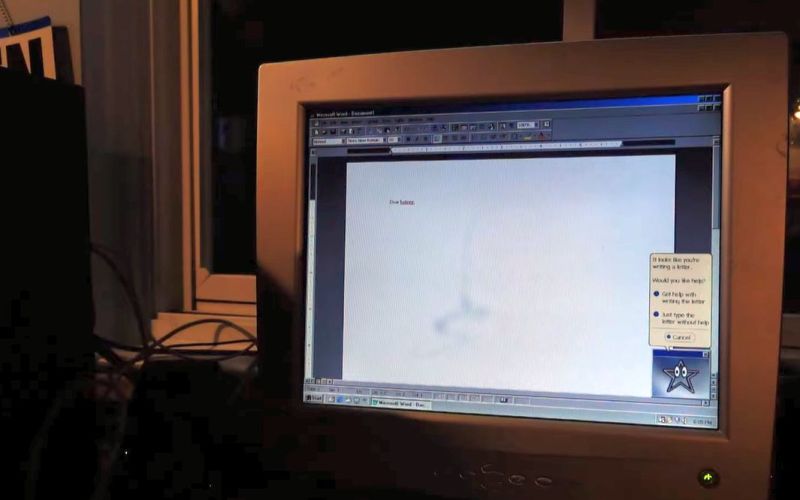
Of course, there is a lot of period-correct software you can install, such as Adobe Photoshop 5, MS Office 97 (featuring everyone’s beloved Clippy), but a lot of modern software also runs, with the Retro Systems Revival blog documenting many that still run on Win98SE in some manner, including Audacity 2.0. This makes it totally suitable for basic productivity things.
Gaming on Win98 is naturally limited to games from around that early 2000s time period or before, but the gaming library even for just Win98 and MS-DOS is pretty massive, so as long as you’re fine not playing the latest and greatest games, this is also pretty easy.
Where things get dicey is of course with using the modern Internet, as you need a modern browser and support for the latest TLS encryption features to not have many websites throw a hissy fit. Using Frog Find and similar proxies that target retro computing help here, fortunately.
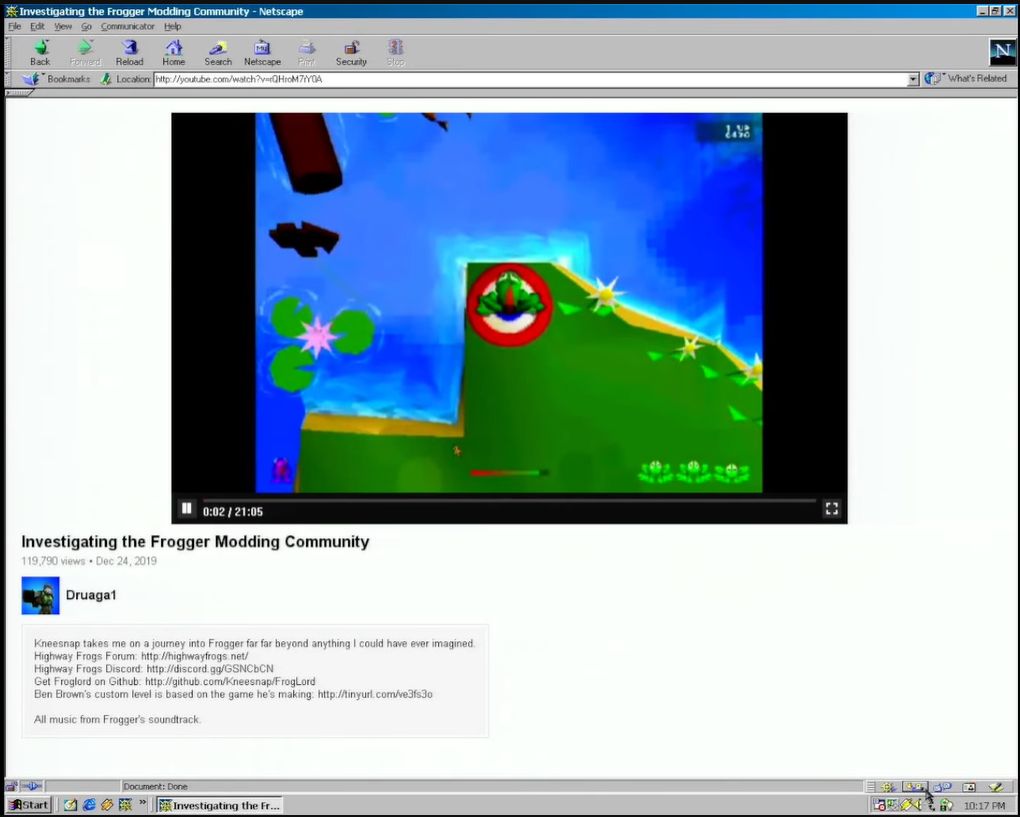
Previously we covered ways that you can use Discord even on Windows 95 and Windows NT 3.1, others have ported .NET applications to Windows 9x, got Win98 up and running on a 2020-era system, and you can totally use modern YouTube in even the Netscape 2.x browser using an NPAPI plugin.
Although there are many arguments to be made for using at least a Windows version with an NT kernel over the 9x one, it’s hard to deny that software Back Then™ was less complex, less resource-hungry and still got all the things done. Maybe it is worth another look, before the AI Crisis forces us all back on Windows XP systems like the one featured in this video.












tl;dr
It’s useless, but at least it generates YouTube engagement for the author of the video.
There, I just saved you 11 minutes of life.
Another youTuber looking for clicks I suppose. Saved me 11 minutes.
I bet most of us here at least are running a modern enough systems for anything we want to do. I know I am. And it will be good for years (ride out the memory price problem). No need to be on latest and greatest hardware or try to go to an old M$ OS on real old hardware…. As for Windoze 98, that’s only good for retro computing which could be fun in it’s self, but not a daily driver. Shoot, I am running dosbox-x for fun on an RPI-5 for fun, but host systems are all Linux. That said, could easily get by with an RPI-5 for daily driver if I needed to. There are options other than latest and greatest.
I’m kind of sick of people whining about the youtube videos. I’ve found a lot of excellent creators from this site.
Its a fun video still and better than most crap on the tube haha. But yeah it’s surprising it can do as much as it can even with all the workarounds and on ancient hardware.
If it could do useful things in 1998, it can do the same useful things now.
How do I download a browser that works on modern internet standards without an browser that works on modern internet standards?
The ‘ftp’ command is built-in, you would just need to find a good FTP mirror!
KernelEx and then Mypal :)
considering the number of hardware products aimed at people wanting to “just write” without any interruption or distraction the lack of connectivity is probably considered a plus for a lot of people.
an era appropriate version of MS Office would still be much more powerful than the writing software available for these platforms and, considering the limits they impose, an older PC wouldn’t even be much slower.
Download with android and move to old windows setup via USB or wifi.
If you want to go period correct, you get it on a CD with a bunch of other software from a computer magazine subscription.
Wouldn’t say that, you can still write your Magnum Opus with Word 98, you can write your dream game with OpenWatcom, just within the limits of the old hardware, and so on.
And yes, sometimes i find not having the modern web at my fingertips as a bonus.
Is that a clickbait comment? 🤨
I wonder, because it lacks any explanation that backs up that statement.
Adult people provide pros/cons arguments in a discussion, or so I thought.
Personally, I sometimes use Windows 98SE on a dedicated laptop.
With KernelEx, gdiplus.dll and unicows.dll it can run most Win32 applications written for XP/Vista/7.
Windows 98SE supports DirectX 9.0c with the Runtime Redistributable.
Must been the December 2006 release for Me/98SE?
Well, you clicked.
Well, yes – and you missed the opportunity to explain your reason behind that statement,
share your emotions and open up your heart. 🙂 🖤
Or as my imaginary friends used to say: A hug a day, keeps the psychiatrists away. 🤗
Rhetorical questions have rhetorical answers.
Even as someone who fondly remembers the win 98 era, I can’t imagine using such an immature network stack today. Iirc changing Ethernet IP addresses required a reboot? And no OS support for wifi. Even the 3rd party wifi tools probably don’t support WPA encryption, so good luck. And of course it’s closed source so the shortcomings will never be fixed.
I think there’s nostalgic and historical value in exploring old software. But I don’t think this is a relevant path for people trying to escape ads and ai.
This is definitely a point where you would use an Ethernet to wifi bridge like the days of the early Xbox 360. Don’t bother trying to get wifi to work natively, just use a readily available tool that lets you achieve the same result.
A realistic alternative? No. A refreshing look back at a different (subscriptionless) paradigm is as good.
+1
By comparison, Windows Me had a more modern network stack borrowed from Windows 2000.
About WiFi support.. There’s an alternative. Use an Wi-Fi router or Wi-Fi repeater as a LAN to Wi-Fi adapter.
The same “trick” is done to get old game consoles with ethernet port onto Wi-Fi.
Nah, probably not, you’re right. But Virtual PC 4 can run on Windows 98SE/Me.
So it’s possible to run Windows XP, Server 2003 or a Linux distro on the Windows 98SE desktop.
So the modern browsing can be done in a VM,
while Windows 98SE is used to play music (Winamp, VLC, Real Audio Player etc), watch films (older Klite, PowerDVD 6 and earlier etc) etc.
The Windows Media Player of Me or XP can be installed, I think.
Which allows playing WMV movies, I think.
What’s good about using Windows 98SE is that it heals your sole.
The GUI is so refreshing clean and organized. It’s such a relief. It’s a pure relaxation.
A far cry from the mess that Windows 10/11 are.
Starting Windows 98SE just for fun is a real pleasure after years of being exposed of modern Windows.
This is actually genius, but wasn’t there a limit to how much memory you could allocate to win98 anf virtual pc? Also is the network traffic not running back through the network stack on windows 98 and that still leaves you vulnerable?
Hi, thanks, you’re welcome! ^^
I’m not sure about the maximum memory, but generally speaking, Virtual PC has its own low-level drivers for certain things.
Network in newer versions can be internal (between VMs only), bridged, NAT or host-only.
Bridged allows exclusive access to the network adapter, I think.
I think Virtual PC 4 already has that, too.
Then there’s still the possibility to pass-through parallel port.
It allows direct i/o to the physical port in a PC, as far as I remember.
So copy protection dongles and LAN adapters attached on LPT port can be accessee from inside the VM.
You also could run QBasic in a DOS VM and toggle the pins on parallel port.
If there’s a relay card or a bunch of LEDs connected connected, changing the bits will have an effect.
Serial ports are supported, too and can be mapped, piped etc, but that’s the case in most emulators and hypervisors.
Parallel Port pass- through is more special, I think, because Windows (any) has no real API for LPTx.
While “AI”-bolted-on-to-everything is annoying, I feel like it’s only the latest manifestation of an ongoing trend where everything has some remote resource it ties into (up to and including becoming completely useless if it can’t phone home to the cloud). Don’t get me wrong, connectivity can be useful and empowering, but only when it’s truly optional (and under the complete and voluntary control of the end user).
For me, at least, what I miss about the days before cloud, AI, IoT, etc. is the simple fact that back when always-on broadband connectivity was not a safe assumption software (and hardware) companies had to ensure their products were useful in an autonomous offline setting (and thus, also at the edge of the network). Personally I’d give up always-on connectivity in a heartbeat if it would kill off SaaS, push notifications, AI slop, etc. I suspect that many people’s nostalgia is rooted in the autonomy and privacy they once had (but which have now been eroded if not obliterated in the corporate quest for data, recurring revenue, and control).
Yes, unfortunately a large fraction of cloud-backed software is made that way out of convenience for the company or so that the company can exert more control. It is frequently not for the benefit of the customer.
My own red-line experience was replacing dozens of light switches in my house with Belkin Wemo switches, only to have them migrate to cloud-only and then then shut down their cloud over the course of a few years. I now require that any device I plan to operate for more than 2 years be capable of standalone operation.
“…so that the company can exert more control.” Don’t you mean, “…so that the company can extort more money.” ? Thank Goodness, for Open Source Alternatives!
The “cloud” is just a euphemism for mainframes and has always been a technological step backward for the sake of surveillance and planned obsolescence. True progress would involve encrypted wireless point-to-point networks, but the powers-that-be would probably kick down your door if you tried that, so we’re stuck being abused and data-farmed by various corporations and three-letter agencies instead. Isn’t the future fun?
Agree. What’s old is new again sigh. The entire appeal which drew me to tech in the first place (back in the late 80s) was the unfettered autonomy of having my own standalone computer which nobody could limit, monitor, or control against my will.
These days that’s effectively no longer the case, and I feel we’ve lost something essential.
The client/server concept that was popular in the 90s was another version of the terminal/host concept.
The difference was that clients such as network stations in a Novell network were used like intelligent terminals, at least.
Nowadays, the intelligent part is intentionally being reduced.
That idea started in the early 2000s with the advent of thin clients, low-end PCs that ran a crippled copy of WinCE or Linux.
The good thing about them in retrospect was that they were really fine mini PCs for running legacy OSes such as DOS or Windows 98.
Their use of standard server type hardware provided good compatibility with old software.
Ugh, yeah, I’ve taken to building my own for anything like that (or picking up fully open source stuff from Tindie) so I can be sure it will always be capable of local-only operation (and respect my privacy and autonomy too).
If I need to operate or monitor remotely, I can ssh into my desktop from my phone and check it that way =;-)
I go back even further than windows 98. Something about a weird old chat system written by a mad doctor who wanted to make the world a better place. It still lives today. check out ddial.com or magviz.ca.
I second that :-]
I still use a version of Homesite form 2002 to edit web documents (nothing else really works with my flow, and i prefer the look of interfaces from that period, when windows had visible borders and obvious scrollbars). i also like a dubiously-obtained copy of Photoshop 8 i’ve been using since 2003. it does everything i need an image editor to do. i also make my windows 10 look as much like windows 2000 as possible. but this nonsense with old oses is stupid, mostly because they’re not really going back very far
IMO: RAM shortages and AI-embedded OS and applications is simply not a good reason to regress to Win-95/98/2000. The whole idea, beyond proof-of-concept is entirely unnecessary.
1) Do not purchase new, anemic memory PCs, poor value proposition
2) Need hardware, buy refurbished h/w
3) Need old s/w compatibility? Use a VM
4) Consider multiple older PCs for dedicated purposes
For example, if you take an old 8GB RAM PC with a 1T – 4TB spinning drive, you have a nice file server on your LAN.
– Need photo editing, DVD authoring, color printing and scanning then a used 2nd-hand mini-tower with 16GB of RAM is likely satisfactory.
– Need 3D printing, dedicate a renewed notebook with 16GB of RAM and a fast SSD.
– Write code? Buy a renewed PC with only the s/w tools necessary.
– Dedicated a single Win-11 (or MacOS/Linux) fully patched for online finance and eMail
Yes, it sounds a bit out-of-control, but most technical folks do not multitask between various skills at the same time; that is, 3D printing and photography is unlikely to occur at the same time – so, 2 notebook PCs is a sensible solution.
Even in a small apartment or a cluttered house, budget friendly notebooks really do not occupy an great deal of space and allow talented folk to explore multiple hobbies without building out 1 badass PC to host everything. Also, for super tight spaces, consider a tower with swappable harddrives.
03/08/2026 examples from Amazon US
$175 … HP ProDesk 600 G1 SFF Slim Business Desktop Computer, Intel i5-4570 up to 3.60 GHz, DVD, USB 3.0, Windows 11 Pro 64 Bit (Renewed) (8GB RAM | 500GB HDD)
$190 … Dell OptiPlex 9020-SFF, Intel Core i5-4570 3.2GHZ, 16GB RAM, 512GB SSD Solid State, DVDRW, Windows 11 Pro
$190 … Dell Latitude 7480 Business Laptop Computer Win11 pro, 14in Notebook 7480, Dual Core i5-7th 2.6GHz to 3.5GHz, 16GB RAM, 256GB SSD
The problem with “Just buy second hand” is always that people have to buy first hand first. If other people aren’t upgrading, then you ain’t getting any either. Best you get is broken hardware that had to be thrown away.
Outsourcing the sticker shock to the paypigs and then buying their hand-me-downs at a discount is a solid strategy. Someone has to eat the cost, but it isn’t going to be me. There are plenty of people with more money than brains; let them serve their purpose. It’s how I’ve bought every vehicle I’ve owned.
more dollars than sense,
Ftfy
It’s a coping strategy at best.
When new products are targeted at “paypigs” with everyone else waiting for the second hand items instead, overpricing and other tricks like “feature stuffing” to inflate prices is maintained as a rule.
The fact that you’re paying for the hand-me-downs enables the first buyers to pay for overpriced junk since they can recover cost. Instead of one person paying for one item, two or more people are paying for one item so the cost is shared, but the utility is not. In the end, you get less value for the money since the item has lost some utility by being used instead of new: it’s lifespan or performance is reduced.
The car market is actually an excellent example of this. 70% of the sales are in the used vehicles. If the car manufacturers were to make cheaper cars for the average buyers, you could get better value because the car is new and lasts a lot longer. But, it would reduce the second sale value of expensive cars for a lack of demand, which would mean the top buyers could no longer recover as much cost and could not afford to buy such overpriced cars. The coping strategy of buying used vehicles is just a result of car manufacturers prioritizing profit over value to customers.
And then, if the price of new expensive cars would happen to go up for some reason, say because of new regulations or market restrictions, or the cost of manufacturing, then the top buyers are either forced to hold on to their cars for longer or demand greater second sale prices, so the strategy of buying second hand does not help you: either you pay more, or you get worse cars.
The same thing applies to computers: when the prices go up, the rich people buy fewer new computers and you get fewer and older used parts, or you pay more so they can buy more.
Fortunately there will almost certainly always be companies leasing their systems, updating every few years, and a ton of lease return computers to scoop up on the bay.
At work we have a Win 98 box that acts as a mothership for disk management for 70 industrial robots that run an application in DOS.
Win 98 runs on top of DOS 8.0, and will do some low-level things we have to do with those DOS 6.11 drives.
So… for us the Win 98 machine is the modern part of the system.
No reason to ‘upgrade’ if the system works, definitely in an industrial setting.
Never run a touching system!
Err, I mean, “never touch a running system”. 🙂
What if you don’t go back quite that far? How’s does Windows 7 do these days?
Hardware that was designed for Windows 7 will still work great with modern lightweight Linux distros. The only reason to run Windows 7 would be if you need to run old software that won’t work in Wine or newer Windows versions.
Yeah, I switched to Mint as soon as companies started making their stuff stop running on 7. No complaints; half the time I forget it’s Linux.
The other half of the time your bitterly reminded it’s Linux when you spend an entire Saturday reading forums, Reddit and StackOverflow to (unsuccessfully) fix something which just works in Windows.
I have the sneaking suspicion you don’t use Linux
Back in the Win 98 days I used to build computers out of scrap and install mostly Windows 98 on them. They were way low spec for the day but computers were still pretty expensive then. So.. when gathering parts I had a list of functions the computer had to be able to do. If it could do those, it was a success, worth building and giving to a relative, friend or selling it.
• It had to connect to the Internet
So it had to have a modem, a network card or both, depending on who it was going to.
• It had to be able to play downloaded music, MP3s to be specific.
It had to have a soundcard and at least a 486, either a DX since those had a built in FPUI or an SX with a math coprocessor separate.
A Pentium was a lot better though because then you could play music AND do something else at the same time. The 486 (in Windows) would stutter. A 486 with Linux however… that had a chance to multi-task a bit.
Streaming music and/or video was a great touch. (yes, it existed, go Google “Real Media”) But someone had to be giving me some money for me to find parts capable of pulling that off. Live video over dialup… yes, I’ve watched it.
• It had to be able to run an Instant Messenger. ICQ and AIM were most important. MSN and Yahoo were out there too. For that narrow bit of time in the late 90s that was the best way to get ahold of a friend. Today’s social media nightmare did not exist yet, phone calls could be expensive and text messages definitely were. Problem was… those 4 networks did not talk to one-another. So you either had to install the client for each one you had a friend who used or a third-party client that bridged them.
Instant messengers were pretty light-weight, at least until the end when they started filling them with adware. By then there were third-party alternatives that avoided that though. So, if the machine could connect to the internet, IM probably wasn’t a problem. But.. I was working with SMALL hard drives, every MB counted so it was worth considering…
Voice chat.. that was a great capability to add but it had better be at least a Pentium and have a bigger hard drive than I could usually scrounge. But on the best days… I built a few that could do it.
• It had to run a word processor. (I was a college student and likely whoever I was making the computer for was too) It needed to be decently easy to use so forget the old DOS ones with a million key combos to learn. I had an early MSWord version that fit on a 5¼” floppy. I want to say it was version 2, and that it was the first version that was fully GUI. I could be mis-remembering that. It was fully GUI though. For these machines where every byte was a cost this already-way-out-of-date disc was a great find!
• And last, but far from least… It had to be able to surf the web. And… today’s web has moved on from being fully compatible with any browser that is available for Windows 98. Sure, with proxies to get around the SSL issue and plugins for Youtube, there is a lot you can still do. But… every click would be click-and-pray. Is this site going to work? Not perfectly, I mean, is it going to work well enough I can do what I want to do?
Porting a current browser would be ridiculous. One would have to start at the ground level, porting a modern compiler, and then so many libraries… Forget it! I’m not sure there is a technical reason that one could not write a browser from scratch using 98-friendly dev tools. Yes, I mean including writing the SSL support! But that job would be massive. And the payout… a browser for an almost 30 year old OS that no one uses.
I really liked Windows 98 back in the day. And I hated how ME and more-so XP killed off the DOS parts. But it’s over. If hardware is scarce, any cut-down low-spec friendly Linux distro cooked up in some kid’s basement is still going to be way better to use. And if you feel nostalgic you can always theme it to look more like that old friendly Win9X.
Running the real thing in PCem/86Box is also an option.
98SE is still adequate as a host to Winamp, IrfanView and older versions of PhotoShop.
Just like Windows 2000 it needs no product activation yet.
But unlike Windows 2000, Windows 98SE has modest requirements, uses DOS/BIOS as a fall back.
A 486DX2-66 and 16 MB RAM (better is more) are about the baseline config.
Besides Me, Windows 98SE is the last release of the DOS line of Windows, so it comes in handy wenever an application uses an VXD helper file.
It also allows direct access to the hardware, which the NT line doesn’t grant without tricks (PortTalk driver, Port.dll etc).
To fans of Visual Novels or Japanese software in general:
Windows 9x doesn’t use Unicode but ANSI OEM/Windows Codepages.
90s era software and Japanese websites using double byte encoding will display correct on a Japanese Windows 98SE out-of-box.
Also because Windows 98SE was the final Windows release for then-popular PC-98 series of Japanese PCs (there was a Win2k beta).
So it’s the most straightforward solution, maybe.