Stream Deck Radio Controller Built With Cheap Yellow Display

Stream decks are pretty useful in all kinds of contexts, but commercial models can feel a bit pricy for what is effectively a bunch of buttons. [WhiskeyTangoHotel] has whipped up one of their own on the cheap using some readily available parts.

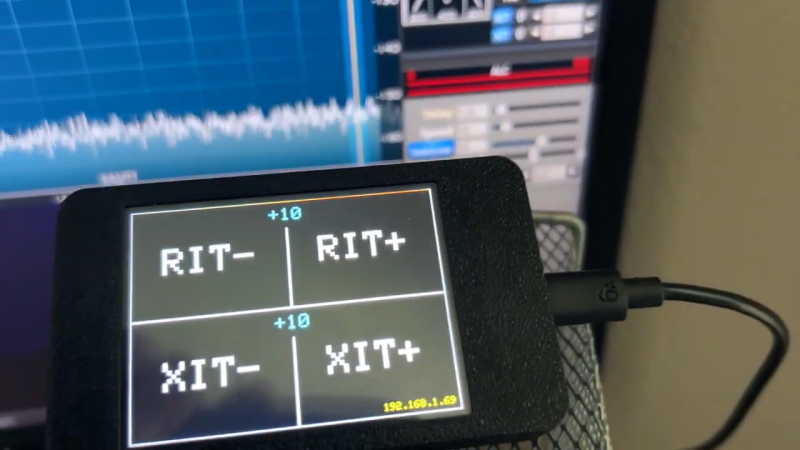
The build came about due to the use of Stream Decks as a common way to control the Flex-6400 software-defined radio. [WhiskeyTangoHotel] figured that using a full-priced Elgato Stream Deck was overkill for this purpose, and that a cheaper interface could be put together for less. Enter the Cheap Yellow Display—a combination of the ESP32 microcontroller with a 2.8-inch touchscreen LCD. It was simple enough to code the device such that it had four big touch buttons to control RIT-, RIT+, XIT-, and XIT+ on the Flex-6400. Plus, with the ESP32 having WiFi onboard, it’s able to control the radio wirelessly—you just need to feed the unit 5 volts, and you’re up and running.

Continue reading “Stream Deck Radio Controller Built With Cheap Yellow Display”
An Electric Jellyfish For Androids

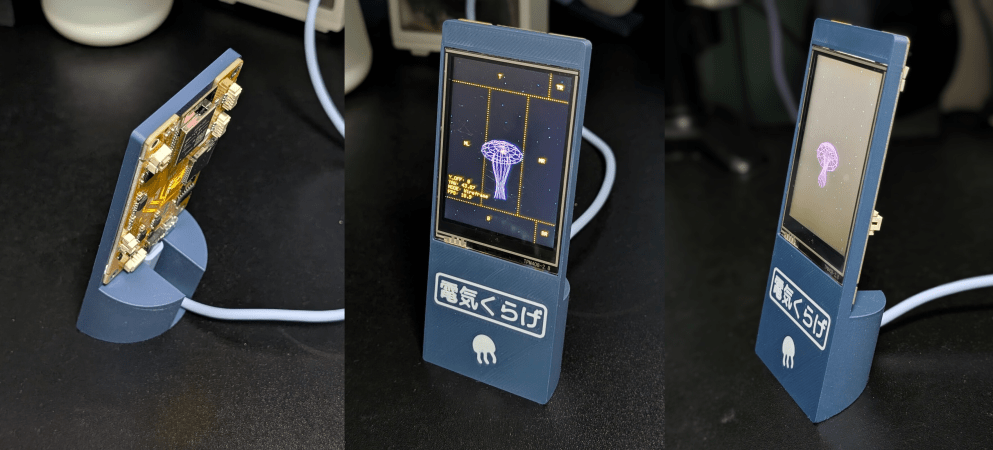
We have to admit, we didn’t know that we wanted a desktop electric jellyfish until seeing [likeablob]’s Denki-Kurage, but it’s one of those projects that just fills a need so perfectly. The need being, of course, to have a Bladerunner-inspired electric animal on your desk, as well as having a great simple application for that Cheap Yellow Display (CYD) that you impulse purchased two years ago.

Maybe we’re projecting a little bit, but you should absolutely check this project out if you’re interested in doing anything with one of the CYDs. They are a perfect little experimentation platform, with a touchscreen, an ESP32, USB, and an SD card socket: everything you need to build a fun desktop control panel project that speaks either Bluetooth or WiFi.

We love [likeablob]’s aesthetic here. The wireframe graphics, the retro-cyber fonts in the configuration mode, and even the ability to change the strength of the current that the electric jellyfish is swimming against make this look so cool. And the build couldn’t be much simpler either. Flash the code using an online web flasher, 3D print out the understated frame, screw the CYD in, et voila! Here’s a direct GitHub link if you’re interested in the wireframe graphics routines.

We’ve seen a bunch of other projects with the CYD, mostly of the obvious control-panel variety. But while we’re all for functionality, it’s nice to see some frivolity as well. Have you made a CYD project lately? Let us know!

Every Ham Shack Needs A Ham Clock

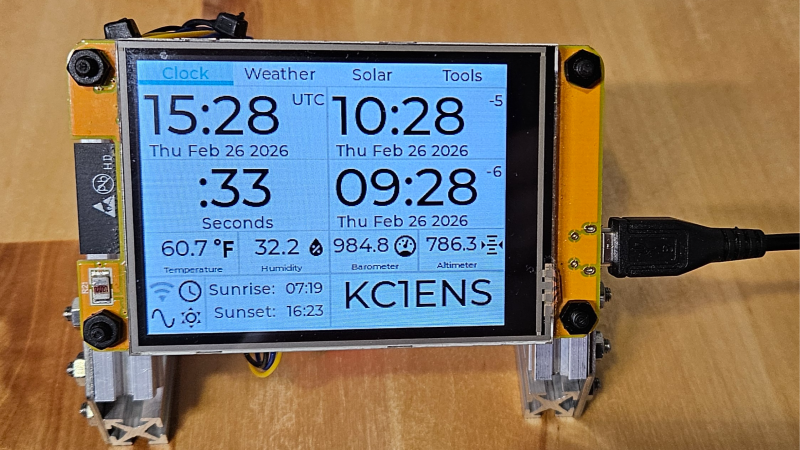
Every ham radio shack needs a clock; ideally one with operator-friendly features like multiple time zones and more. [cburns42] found that most solutions relied too much on an internet connection for his liking, so in true hacker fashion he decided to make his own: the operator-oriented Ham Clock CYD.

A tabbed interface goes well with the touchscreen LCD.

The Ham Clock CYD is so named for being based on the Cheap Yellow Display (CYD), an economical ESP32-based color touchscreen LCD which provides most of the core functionality. The only extra hardware is a BME280 temperature and humidity sensor, and a battery-backed DS3231 RTC module, ensuring that accurate time is kept even when the device is otherwise powered off.

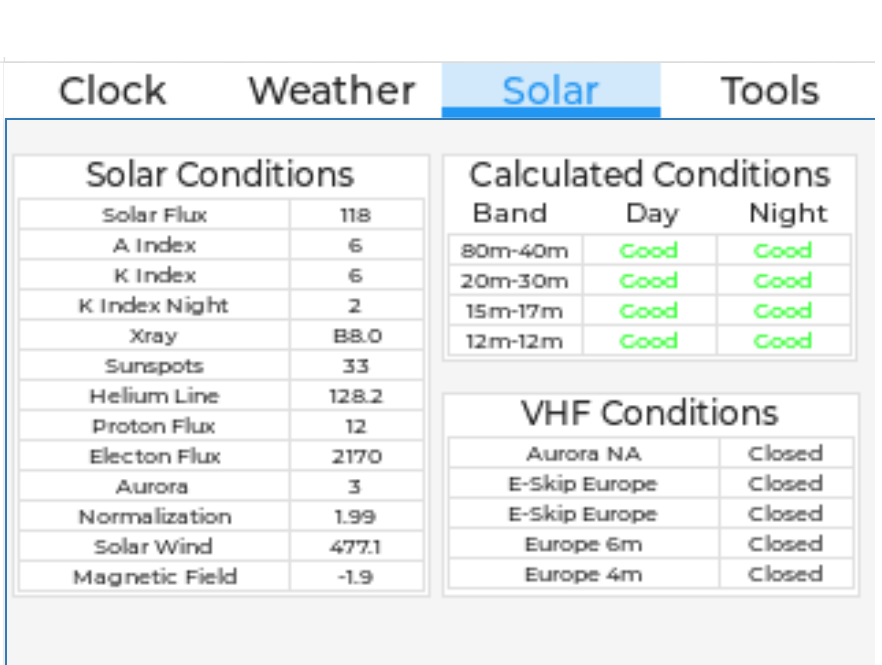
It displays a load of useful operator-oriented data on the touchscreen LCD, and even has a web-based configuration page for ease of use. While the Ham Clock is a standalone device that does not depend on internet access in order to function, it does have the ability to make the most of it if available. When it has internet access over the built-in WiFi, the display incorporates specialized amateur radio data including N0NBH solar forecasts and calculated VHF/HF band conditions alongside standard meteorological data.

The CYD, sensor, and RTC are very affordable pieces of hardware which makes this clock an extremely economical build. Check out the GitHub repository for everything you’ll need to make your own, and maybe even put your own spin on it with a custom enclosure. On the other hand, if you prefer your radio-themed clocks more on the minimalist side, this Morse code clock might be right up your alley.

A hand operating a numeric touch pad

Building An Escape Room Lockbox With The ESP32 Cheap Yellow Display (CYD)

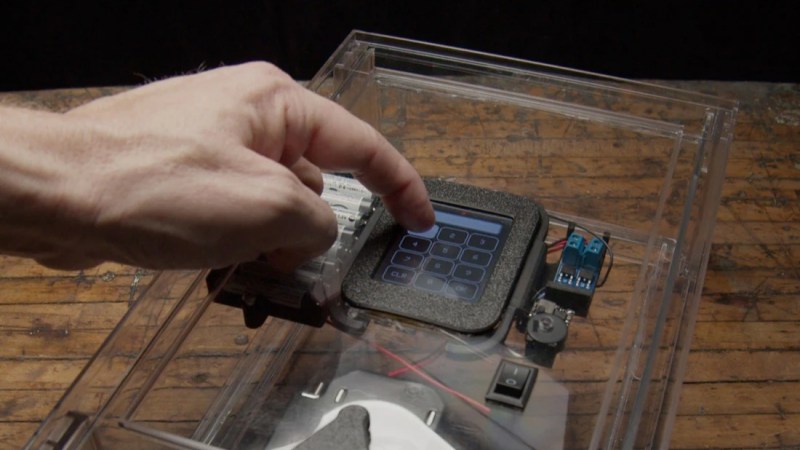
Here’s something fun from [Chad Kapper] over on HackMakeMod: Escape Room Lockbox with the Cheap Yellow Display.

You may have heard of the “cheap yellow display” (CYD), so-called due to the board’s typical color. It’s a dodgy cheapo board with, among other things, TFT display, touchscreen, and ESP32 built-in. You can learn more about the CYD over here: Getting Started with ESP32 Cheap Yellow Display Board – CYD (ESP32-2432S028R).

In this build eight AA batteries are used to deliver 12 volts to operate a solenoid controlling a latch and 5 volts for the microcontroller. The encasing is clear in order to entice players in an escape-room style sitting. The custom software is included down the bottom of the project page and it is also available from arduino.cc, if that’s your bag.

Of course we’ve done plenty of other ESP32 TFT projects before, such as Piko – Your ESP32 Powered Fitness Buddy and ESP32 Brings New Features To Classic Geiger Circuit.

A Touchscreen MIDI Controller For The DIY Set

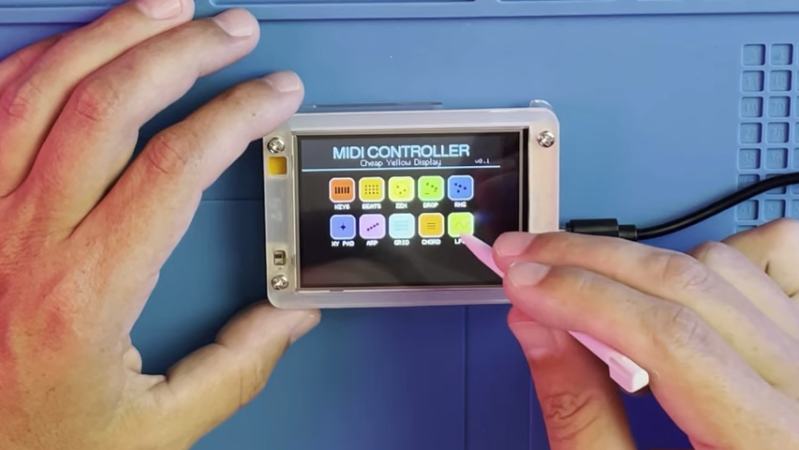
MIDI controllers are easy to come by these days. Many modern keyboards have USB functionality in this regard, and there are all kinds of pads and gadgets that will spit out MIDI, too. But you might also like to build your own, like this touchscreen design from [Nick Culbertson].

The build takes advantage of a device colloquially called the Cheap Yellow Display. It consists of a 320 x 240 TFT touchscreen combined with a built-in ESP32-WROOM-32, available under the part number ESP32-2432S028R.

Continue reading “A Touchscreen MIDI Controller For The DIY Set”

More Things To Do With Your Cheap Yellow Display

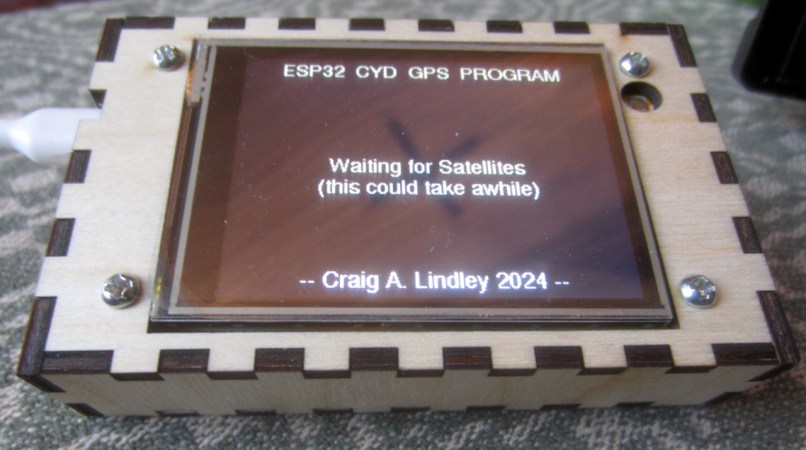
The Cheap Yellow Display (CYD) is an ESP32 development board that’s been making the rounds for a while now, thanks to its value and versatility. For around $10 USD, you get a nicely integrated package that’s perfect for a wide array of projects and applications. Toss a couple in on your next AliExpress order, and all you need to do is come up with an idea. [Craig Lindley] had two ideas, and maybe they will help get those gears turning in your head. Even if you don’t need a network-connected MP3 player or GPS information display, we bet browsing the source code would be useful.

Continue reading “More Things To Do With Your Cheap Yellow Display”