
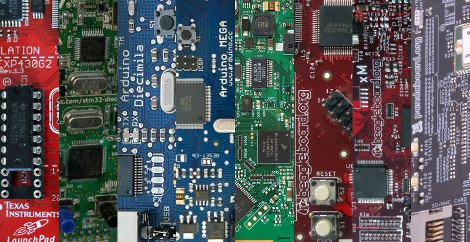
Here at Hackaday, we see microcontroller based projects in all states of completion. Sometimes it makes the most sense to design systems from the ground up, and other times when simplicity or a quick project completion is desired, pre-built system boards are a better choice. We have compiled a list of boards that we commonly see in your submitted projects, split up by price range and with a little detail for reference.
After reading our list, sound off in the comments or on this forum post, and we may include your board in a follow-up guide at a later date. We will also be giving away 10 Hackaday stickers to the most insightful, the most original, and most useful advice given on the forum, so if you haven’t registered yet, now would be a perfect time. Winners of the sticker giveaway will be selected from the forum thread, and the final decision for prizes will be judged by the wit and whim of the Hackaday writing team. More prize details to follow in the thread. Read on for our guide based on past project submissions.
The Cheap ($0-$50):
When it comes to cheap boards, users can expect a simple breakout board, usually with some debugging facilities and minimal extra components. These boards tend to be aimed at hobbyists and the education crowd rather than companies who can afford full featured development setups for their engineers. Unfortunately, boards that come directly from manufacturers tend to have locked down or overly simplified IDEs or debugging software, though low price points often inspire the open source communities to write their own to take advantage of all the features.
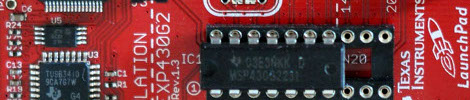
- TI’s MSP430 Launchpad: Coming in at $4.30, TI’s Launchpad board is definitely a bargain. For your money, you get a set of 16-bit MSP430 processors, a mini-USB debugger and programming interface, and a set of Windows IDEs to choose from. Not much more to write home about, but we have featured a number of projects with this family of microcontrollers running the show.
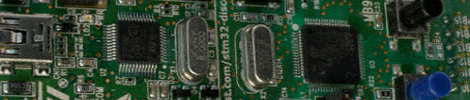
- STMicroelectronic’s Discovery: Costing you a paltry $11.85, This 32-bit ARM processor may be one of the best performance to cost values. Similar to the Launchpad, the Discovery has a mini-USB interface, a breakaway programmer and debugger, and a few locked down IDEs to select. For students or professionals looking for experience with the ARM architecture, this Cortex-M3 based system would be a great place to start.
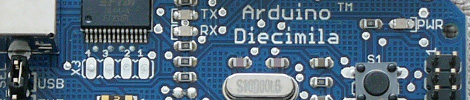
- The Arduino Family: Needing no introduction, these 8-bit AVR based systems have been displayed by us numerous times. Due to an open source hardware and software design, these boards are available for as low as $20 or so for Arduino Compatable clones, or any price range up depending on included peripherals. Because of the simple IDE and coding environment familiar to anyone familiar with C, C++, or Java, the Arduino is a common choice for beginners, non-engineering types, and professionals alike.
Mid-Range Boards ($50-$150):
For a little more money, more can be expected from a development board. Often featuring higher I/O pin counts, more complex interfaces such as host USB ports, Ethernet, or Video-Out, these boards are a great place for a little computational and functional muscle. However, with a higher cost, it is more difficult to just throw one of these boards at any one-off project. More costly boards are often supported better as well, because they are used by engineers who will decide on important purchasing decisions. This area is also a transition area from more hardy microcontroller type boards into the more powerful microprocessor type systems (such as shifting from the Cortex-M to the Cortex-A series of ARM processors).
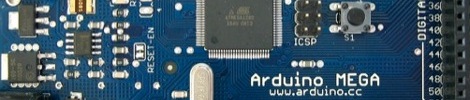
- The Arduino Mega: For all the same reasons as the original Arduino, the Arduino Mega has its place in a prototyping or development environment. For a bit more money than the original, extra code space, processing power, and I/O pins are gained, with the same comfortable, familiar, and similar development tools. The Arduino Mega runs at $65, which makes for a costly 8-bit system.
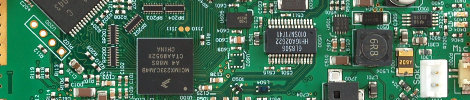
- The Chumby Hacking Board: An interesting example of a product going from production to prototyping as an afterthought, this board is based on the guts of the Chumby One, featuring a 32-bit Freescale i.MX ARM processor at 454 MHz. This system has video out, as well as a trio of USB ports for all the peripherals you can find or write your own drivers for. The Chumby Hacking board clocks in at a reasonable $90 or so, though supplies seem to be dwindling, so act fast if interested.
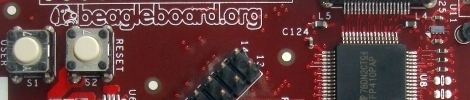
- The Original BeagleBoard: At the top of the price range, the BeagleBoard (Revision C4) features a 600 MHz Cortex-A8 ARM processor capable of running a number of Linux systems, including Angstrom and Ubuntu. Designed to interface with cool toys like touchscreens, this board also features a powerful DSP chip for crunching numbers, as well as processing video and sound. For a newly discounted rate of $125, this compact powerhouse could be yours.
The Upper Crust ($150+)
At this price range, these boards often contain ARM processors from the Cortex-A series, and have more in common with high-end smartphones than the microcontrollers usually seen on Hackaday and in day-to-day life. Boards like these are a real investment, and often cost and perform similar to many older or low-end PCs and netbooks at a considerably more efficient performance to power use ratio in most cases. These boards tend to run Linux-based operating systems, including Android as well as others.
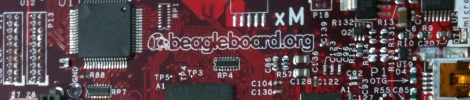
- The BeagleBoard xM: Coming in at just around $150, this big brother to the first BeagleBoard adds parts such as onboard Ethernet, an additional 2 USB ports, and a bump to a 1 GHz processor. Although the MSRP is listed at $149, a high demand has pushed the cost well above that at places where stocks are even available. Because of a strong similarity to the original BeagleBoard, the existing community is strong, and full of examples and guides to get the board going
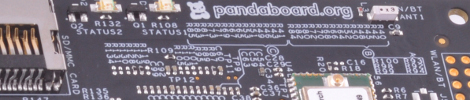
- The PandaBoard: With features as far away from an 8-bit microcontroller as imaginable, this board comes dressed to the nines featuring a dual-core 1 GHz processor capable of handling 1080P video stream. We realize this is probably out of the ballpark of just about any “hack” level project at $174, but we know there are some engineers out there very excited to see this.
In Summary:
We know that brand and experience preference can be a strong motivator, so be productive with your advice and sound off in our forum with your picks for our follow-up post(s). We will do our best to wrap up all the information you provide into a more definitive, and hopefully even more informative guide for beginners and professionals alike.












I always use my own board for AVR development. For STM32 I use the Discovery.
Arduino fans, where are thou?
We’re here.
The cheapest Arduino board: https://metalab.at/wiki/Metaboard
It’s this chap only because they use the firmware for USB instead of a dedicated chip.
Econotag:
http://www.redwirellc.com/store/node/1
$55
Open hardware
802.15.4 wireless
ARM7
built-in bootloader (no extra hardware needed)
onboard JTAG (openocd support)
96kB RAM (used for execution, leftover is for data)
128kB Flash
all the usual MCU stuff (ADCs, timers, SPI, etc.. etc..)
Fully supported in Contiki
I personally use this one: http://starterkit.ru/html/index.php?name=shop&op=view&id=2
The price is about 200 bucks, it has AT91SAM, Xilinx FPGA, lots of onboard goodies and linux in there.
what about teensy?
Being accustomed to the PIC microcontrollers, i’ve found the easyPIC boards to be very usefull. $139 at http://www.mikroe.com
I’m thinking about picking up an avr version too. They have them for most major microcontrollers.
There is Leaf Maple – an affordable and powerful MCU board:
http://leaflabs.com/devices/maple/
No mention of Parallax?!
http://www.parallax.com/
They’re a bit pricey, but their BASIC Stamp educational kits are the best I’ve seen for beginners. Awesome instructions and projects to learn from.
They also offer a couple other microcontrollers that I haven’t messed around with yet.
You left out the Gumstix http://www.gumstix.com/
These have been very popular and have lots of community support.
I like the Arduino. It comes in lots of flavors and they’re available all over the place.
I’m enjoying working with the mbed:
“This mbed Microcontroller is based on the NXP LPC1768 with an ARM Cortex-M3 Core running at 96MHz, 512KB FLASH, 64KB RAM and lots of interfaces including Ethernet, USB Device and Host, CAN, SPI, I2C and other I/O”
About $65. Built-in Ethernet (including MySQL connection libraries and and http server) makes it a pretty sweet little dev board.
I have always spun my on dev boards.
Old School still rulez!!!
on = own
It all depends on what you want to do.
If you want to do something in real time stay away from anything that runs a multi-tasking os. Unless great pains are taken to get a real time kernel running then you’re better off with a FPGA or a micro-controller. When i say real time i have in mind something that requires a fast control loop with feedback.
If you want connectivity, flexibility, and ease of development and the task you want to accomplish is CPU intensive then get something with linux on it.
if your project spreads across both categories, get a micro or a FPGA for your real time stuff and a upper crust linux running computer to do high level control. running python, talking to a webcam via v4l streaming it over wifi and communicating with a embedded 8-bt device driving your motors over usb serial is pretty nice.
Bravo HAD for this article, I now have something to point friends to who ask me about getting started with programming microcontrollers. Thanks!
– Robot
I use these: http://www.voti.nl/dwarf/ – cheap, easy, and fun.
CPUStick!
http://www.cpustick.com/
Or, if you don’t have a bunch of money to spend on a dev board, sample the micros for free, etch your own board, and LEARN SOMETHING in the process!!!
Why so gracious Jake, by allowing noobs use those new fangled PCB, rather suggesting they pound brads into pine boards?* ;)
The development boars of topic are tools like modern, plug in bread boards are. Yes it’s a waste of money to use the development board in project, rather than building a PCB, and programming a micro predecessor from what was learned from using the tool. Additional skills come in time. They may never will, but why care? Without posting projects to the web that detail the process,it’s unlikely you can prevent others falling into the same habit. Those who could afford it may still choose to waste an entire development board, but that that’s not my worry.
* that would be an interesting retro looking project building a development board on a wood board using brass, Fahnestock clips, and other old hardware.
Why bother with the PCB? In place of Arduinos I like to just use 328 chips on a breadboard. I stick a male pinheader on it so I can plug in a USB BUB for programming. Other than that all I need is a crystal and two caps.
For the most part I just keep the BUB connected for power. If I need to carry it away from the computer I can plug the BUB into my Minty Boost. Occasionally i get tired of this stuff hanging off the board and add a voltage regulator plus 9V socket attached securely to the breadboard with zip strips but only on a really long term project.
Then I can chose between etching a PCB or perfboard AFTER the prototyping is done.
Sure, it’s slightly less convenient than buying an actual development board but no where near $60 some dollars worth of inconvenience.
yeah – ‘nother vote for the leaf maple. guess it’s easy to overlook since there are so many platforms out there. I’ve used the at90usb, too.
you managed to leave out microchip completely…ive had a picdem2 plus for 7 years now and still works a treat
LPCXpresso with LPC1768. Same chip as on the mbed, but you dont have to use their environment. Only $27 dollars! Also includes JTAG programmer/debugger that works with LPC’s Cortex M0’s and M3’s.
“etch your own board, and LEARN SOMETHING in the process!!!”
Yes, because like a chef, you don’t really know anything about cooking unless you raised your own cows and made your own pots and pans, etc.
Let me guess, your dad or big brother threw you in the deep end and said “Swim or your going to drown!”
BTW: I also was surprised to see no mention of Propellers. Eight core dev board for $50 hmmmmmm.
There was a story I heard a long time ago: An electronics company calls an engineer to figure out why their circuit isn’t working. The engineer comes, looks at it for a while, then draws a red X on the circuit, tells them to remove that component, and promptly left. A week later, the company gets a bill for 8,000 dollars. The company calls the engineer and says “Why did you charge us 8,000 for a red X?” The engineer replied “No no. The X was free, knowing where to put the X is what cost you 8,000”.
Knowledge makes all the difference in the world. Its the difference between a line cook and an executive chef, and it’s the difference between a 30,000 a year salary and a 70,000 a year salary.
Never skip the opportunity to learn.
I don’t think I have seen many Propeller builds here. My guess is it’s because most of us have backgrounds in languages we can already use for developing other platforms (such as c-like languages and Arduino) so Spin looks like extra work.
Maybe now that there is a gcc for Propeller it will take off more here? Or then again, maybe not. I kind of thought the documentation for Propeller with GCC assumed you were pretty familiar with the platform already (A Spin programmer). Not that I have read enough to say I have really given it a chance yet…
One of these days…
Btw, homemade stuff usually rocks most.
Another vote for the mbed. http://mbed.org/
It’s incredibly powerful for it’s price, simple to get up to speed on (If you’ve ever used C or C++) works cross platform. And has an active helpful community always posting and sharing code.
For $59.00 you get built in ethernet, a real-time clock, tons of multipurpose pins, reading/writing to Flash as an IO stream, Multiple Serial, SPI, I2C. 100 MHz ARM to work with. Even a proper analog out (not PWM).
And still costs less than an Arduino + Ethernet shield.
I use cypress chips because I’m a simpleton and don’t like messing with crystals and interface chips, pullup and pulldown resistors, and I like to dynamically reconfigure analog and digital resources while the chip is running. I like the psoc EVal 1 board, but they’ve temporarily pulled it off the web. I’ve built temp sensors, bluetooth remote control cars, bike rpm sensors, HID keyboards/joysticks, servo controllers, and even a midi device with the PSoC family. My favorite board is the world tour kit CY3121 that you can get for free if you go to a seminar to learn how to use one. This board has 4 different psoc chips on it: one USB, one capsense, one with a 2 axis tilt sensor, and one with a 7 seg display. They are tied together with an I2C bus. For code demonstration purposes, it is easy to test with. My next kit will be CY8CKIT-001 will allows use of all three psoc chip families. The development environment is free. You pay for your compiler license if you want to use a high compression C compiler. Assembly language is free. I’d never use a micro controller before psoc. I picked up a kit that someone left behind and learned it in a couple months. I’ve been using them on and off for 3 years now.
From my viewpoint it’s hard to beat the Renesas RX62N controller demo board, which costs under $100. The board includes a 100 MHz 32 bit controller with DMA, 9 DSP instructions, 256K flash RAM, onboard SDRam Interface, Micro SD card slot, 10/100Mbps Ethernet Controller, USB 2.0 Host/OTG, serial port, CAN bus module, AD & DA converters, CRC Calculator, microphone, speaker, audio amp, temp sensor via I2C, 3-axis accelerometer, 96 x 64-pixel white LED backlit graphics LCD (allowing RDK connection via the SPI bus), intergrated debugger, and tons of software, plus sample projects. It’s hard to beat what this package has built-in.
I am very fond of the FEZ Domino and netduino(plus) boards for:
1) Relatively low cost at $35-$50
2) High-level functionality (USB Host, Filesystem, OneWire, etc)
3) Very, very, very good and *not* crippled IDE (MS Visual Studio Express Edition) with debugger
Using this board for rapid prototyping high-level tasks and to control MSP430’s for realtime work (e.g. driving stepper motors) is a killer combination.
I generally take a PIC 18, stick it in a breadboard, hook 5 wires to a PICKit2, and go.
But what I’d really like to see is a choice of low-cost (<$10) ARM-on-a-DIP boards. ARMs have lots of pins, but how about putting them on a variety of DIPs (from 14 pin up to 64) with important pins brought out. This lets you use the same development tools across a range of size and functionality. And it's breadboard-friendly.
I use Arduinos but not Arduinos– there are so many more useful compatible boards for cheaper, plus it’s easy to make your own. The simple interfacing makes them straightforward if they’re powerful enough for your project. I know hackaday folks love to hate on Arduino, but for most people– not professional developers or engineers– setting up a toolchain is a major pain. Lots of Arduino-compatible boards listed here:
https://spreadsheets.google.com/ccc?key=0AsCUiP6WbJIvcG8xalA3QVdmb3JVT0ptWE9VNC02WEE&hl=en#gid=0
I never liked programming before i got my arduino duemilanove i love it.
whats up with pretending to forget about major player attitude, really?
no mention of Propellers/Basic Stamp? while im not a huge fan, I did enjoy using them for awhile. i just can’t believe they aren’t mentioned since they are among the most popular and widely used. heck, you can go pick one up at radioshack. this article doesn’t seem to be complete.
I’ve used this board http://www.awce.com/gpmpu40.htm (bare board is $14.95, qty 1) for years when I want something permanent. I just pick my (DIP) microcontroller, solder a few wires and it’s ready to go.
Plus, it allows easy access to every microcontroller pin and it includes an RS232 level converter and DB9 jack footprint.
“setting up a toolchain is a major pain”
http://mc1322x.devl.org/toolchain.md
which amounts to downloading a executable file from Codesourcery, running it, then clicking “next” a few times.
That link gave a 404 error.
Mar, thanks for the link. Proper IDE’s are hard to use for people who have never used them– your transparent may be most people’s opaque. Arduino’s IDE and bootloader get folks over the hump.
I will be adding a development board for LM3S series parts to the pile to choose from in a few weeks. Going to be a good alternative from the .NET stuff, a bit cheaper for the same functions.
I didn’t know you wanted an IDE too. It’s true, the IDE is a little harder, but not much:
http://mc1322x.devl.org/eclipse.md
The second half is setting up eclipse. So that’s download and install eclipse, then set up a few menus.
The first half is for OpenOCD (debugger). That _is_ often very annoying. But as far as I know Arduino doesn’t address that either.
Also, I’m not trying to hate on Arduino here — I know those guys and they do good work. Use it, love it, whatever; do things in a way that works for you. But you said setting up a toolchain is a major pain for most people and I’m saying that for many MCUs that simply isn’t true.
For a while I’m using this great board… Considering peripherals on board it is a really fair deal.
http://www.mikroe.com/eng/products/view/573/multimedia-board-for-pic32mx7/
NetBurner has some great processor modules. Just giving a heads up that I am an Engineer for the company but I am also a daily reader of hack-a-day. The $59(low quantity) SB70LC can handle 90mbit/s UDP data throughput while consuming less then 1 watt, most of that power is consumed by the Ethernet PHY. $99 dev-kit includes a hardware module, a development board and full software suite. Software package includes RTOS, full network stack, file system, 100+ examples, Eclipse based IDE, application updating and debugging over Ethernet. Though we are not a fully open platform like the popular boards on this site, we do still provide the source code with the basic development kit.
CUI32 – http://www.sparkfun.com/products/9645 – runs StickOS BASIC by default (extremely easy to get started with since the compiler is on-board, and the “IDE” is simply any terminal program (HyperTerminal, TeraTerm, ZTerm on OSX, etc.) … but not limiting for advanced projects either, since it ships with the standard Microchip bootloader installed as well (no need for a programmer). Also, MPLAB X is in beta now, soon there’ll be a real cross-platform solution for PIC-based boards!
All good boards (a few were left out but I understand you wanted to keep the article under a million words long) but I have to throw my hat in with the Arduino crowd. I teach analog and digital electronics to non-technicians and the Open Hardware/Creative Commons ideology just works. Every student can take a dev board & parts home, d/l compilers and sample code then create/load their own sketches. My students have come in with ungodly awesome projects they “found on the Internet” for the Arduino. I guess it is because the Arduino is not “scary” and even little kids can have fun with them. Popularity counts and I love what the Arduino has done for invigorating an interest in electronics. Just my two cents….
For my money you can’t beat the AVR SKT600. With the 64QFP socket daughter board you can develop with just about any of the AVR series chips. It can be used as an ISP programmer for your own custom boards and it can be used as a RS-232 to TTL converter for any project. It is a bit expensive, but the free development tools and support for AVR makes up for it.
ZPUino is a softcore SoC opensource being developed by me, and it’s currently in an Alpha stage. It’s meant to be implemented on any FPGA and to use same IDE and Libraries as the popular Arduino platform.
You can see more details here:
http://www.alvie.com/zpuino/about.html
Cheap as dirt at90usb162 devboard: http://cgi.ebay.co.uk/UKEY-AVR-At90usb162-8-MHz-/190497537541?pt=LH_DefaultDomain_0&hash=item2c5a89be05#ht_500wt_1156
(conditions look a bit dodgy, though)
I second the Mikroe dev board:
http://www.mikroe.com/eng/products/view/297/easypic6-development-system/
If you’re looking for a great pic board you should definatly try a North Micro board
http://www.northmicro.com/
it’s expandable too with an LCD/Keypad board, or a network board thats compatible with Microchips network stack
@mi6_x3m I bought a discovery and keep intending to use it, but I found the IDEs available are difficult to use and documentation is scattered.
I end up using the arduino because it’s the devil I know.
I wish someone would put together an open source, easy to use IDE for the discovery board that’s as simple as the Arduino IDE. I think I paid $10 for it and it seems like a great little dev board.
Anyone have a decent link to a Discovery for dummies tutorial (aka discovery for people who don’t have time to do any research for hobby projects.)
Evalbot? Or is everybody still waiting for theirs?
Great post, but missing a lot (and mostly covered in the comments).
I hope you guys make a revised version of this post.
The stm32 discovery was new to me. I am most used to ARM (v7) dev so that is just what I’m looking for!
I second the RX62N board (especially as it has been given free to me, including a Wifi module). Pity that the C compiler (HEW) is not free and limited after a certain time period. Thankfully a good alternative in the form of GNU RX has been given by Renesas.
I am also very fond of my Terasic Altera DE1 board. Great set of periphals and quartus is a pretty stable platform (with a free UP library).
I am currently waiting for my Pandaboard after having used the beagleboard (C4 and XM). I feel quite a collector, I love dev boards.
Anyone suggestions for wireless power devkits?
i think this board/kit is pretty awesome
http://www.technexion.com/index.php/development-kits/thunderpack
i haven’t used it but it looks comparable to beagle board
has anyone here used this? maybe i should ask in forums