
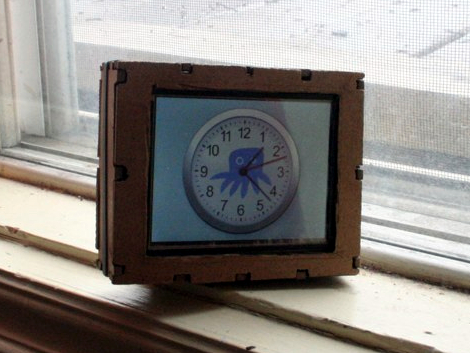
The Chumby One comes in a nice little case and features an ARM powered board with a touchscreen interface. [Bobby] thought is was a good starting point, but wanted a more portable version to use as a wireless file transfer device for photography. WFT is a connectivity enhancement for digital cameras that allows pictures to be pushed to other devices over a wireless network.
In order to improve the portability of the hardware [Bobby] ditched the power-hungry WiFi adapter that comes with the device. The newer and more efficient USB dongle that he’s using as a replacement makes switching to a rechargeable camera battery a viable option. With the battery and dongle soldered to the board he ditched the rest of the hardware (save the touchscreen) and began work on his own enclosure. You can see the version above is just a little rough around the edges, he cut it by hand from the Google Sketchup design. But since he plans to make a few more copies of this hardware for friends he will probably use a service to laser cut those cases for him.
The new hardware needs drivers, and [Bobby] has lots of instructions on how to compile your own. This includes setting up the toolchain, compiling the kernel, as well as building the drivers themselves.













i use the wireless nikon unit for most studio shoots … its not that good alone XD
i wish there was a commercial version of this!
when i transplant things that cost over $100 a tend to break them XD
It’s great people are hacking these devices as they should be, though I still haven’t found a use for my Chumby Classic I somehow ‘adopted’.
@Haku Do you at least use for it’s original purpose? I hope it’s not eaing dust somewhere :). You could turn it into a wireless drive? Hell, I shall make one! Like the wi-drive.
@BiOzZ Well, I can make you one as well, once I’ve made a more sturdy version (at least a bit more weatherproofed)
I should soon realese the driver for the server, since the kernel is not changing that much on the Chumby 1