
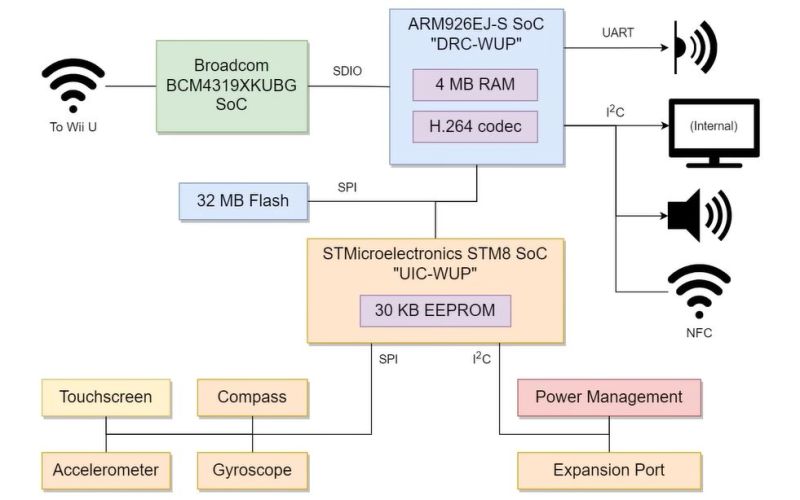
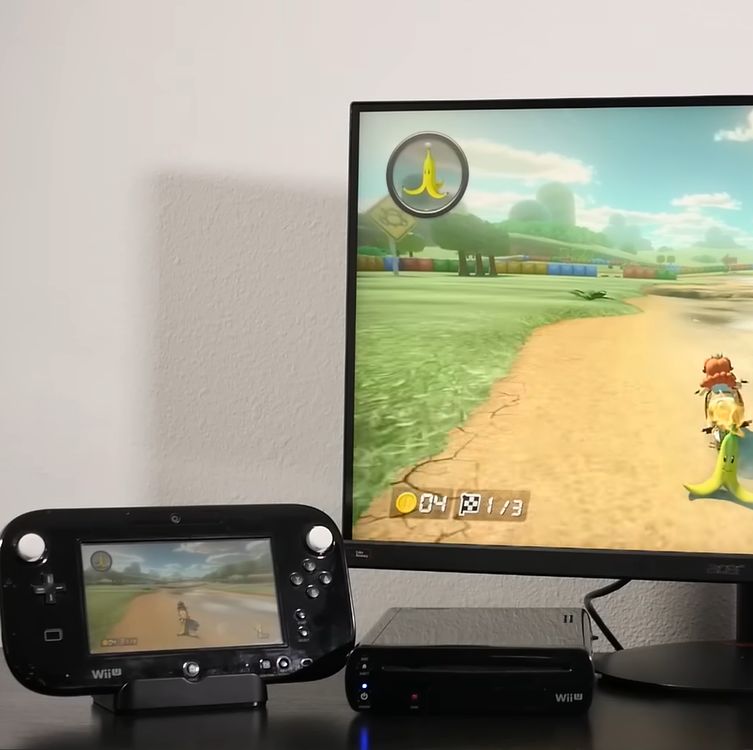
How hard would it be to clone the Wii U gamepad, the quirky controller with its unique embedded screen? This is the question that [MattKC] faced as he noticed the complete lack of Wii U gamepad replacements from either Nintendo or third-parties, leading him down the rabbit hole of answering said question.
Although unloved and even despised in compared to the Nintendo Wii, the Wii U was a solid system in its own right. One of its interesting additions was the gamepad controller, whose screen games used for features like a private screen during multiplayer and 3DS-like map screens. Its main weakness is however that the Wii U gamepad was considered an irreplaceable part of the console, which is obviously not fun if your gamepad breaks and your console along with it.
The Wii U console and gamepad communicate via 5 GHz 802.11n WiFi, but in order to deter other parties from simply hopping onto the access point, Nintendo slightly obfuscated this WiFi standard. Specifically the WPA authentication was modified by a byte swap in the PTK, rendering every existing WiFi stack incompatible with the Wii U.
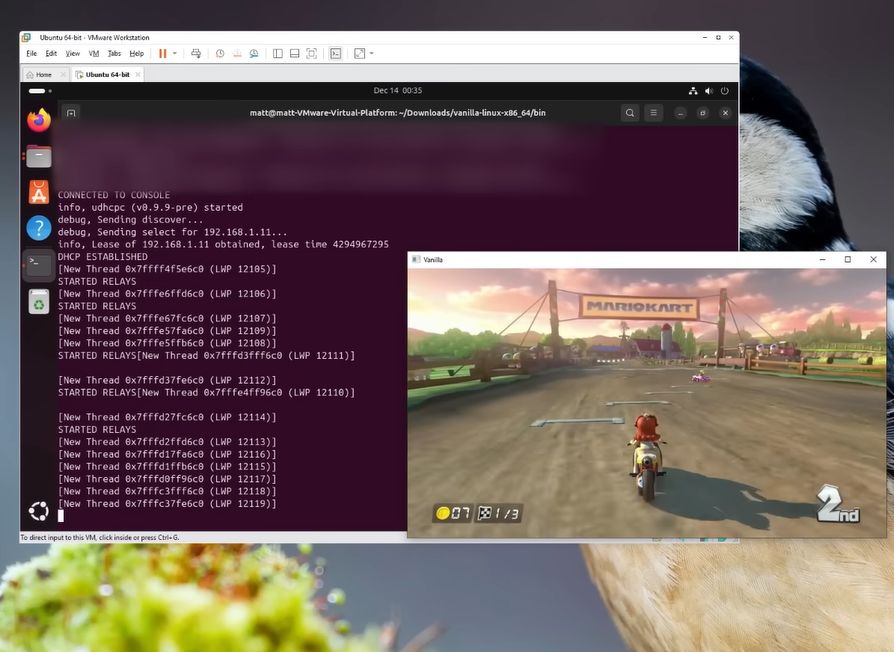
Knowing this, the key is to use a platform that allows one to pre-break WPA in a similar fashion, such as is possible on e.g. Linux and BSD. Along with the use of the hilariously insecure WPS that is triggered when the gamepad’s sync button is pressed, this enables one to connect a modified Linux system to a Wii U console. After this the console starts sending h.264 (AVC) encoded video to the ‘gamepad’, and a binary packet can be sent back with the controller inputs.
Suffice it to say that this finding was immediately turned into a GitHub project called Vanilla Wii U, that enables a Steam Deck to be used as a gamepad, as well as any Linux – and presumably BSD – system with a compatible WiFi adapter. This latter point is key, as the non-standard authentication method has to be bypassed in software. This means for example that an un-modded Nintendo Switch cannot be used either.
The technical challenges combined with the systems relatively low popularity explain why third-party gamepads never appeared. However, now that the Wii U is a retro console, these efforts are essential for keeping these consoles working. We’d love to see the PlayStation Portal get modded into being a Wii U gamepad, since it’s basically a more limited clone of the same concept.












Now that we’ve gotten to this point, hopefully someone takes this the other way to help enable gamepad use for emulation. Maybe even with a real Wii U Gamepad.
I don’t get what are you asking.
What does it mean “enable gamepad use for emulation” and then “Maybe even wit a real Wii U Gamepad”. Wasn’t the first phrase supposed to mean to use a real WiiU Gamepad?
The article means cloning the gamepad for use with original hardware.
The user means finding a more comfortable setup for Wii U emulation, as I believe that currently in CEMU, the gamepad is just a window; there is no elegant provision for using an external device, such as a network protocol and an app for a Steam Deck or mobile phne.
omnichadomnichad wants to run code on the WiiU tablet, not stream WiiU to Steam Deck (MattKC project allows for this) they want to jail break the WiiU gamepad, run code directly on this for mobile gaming – turning it into a Switch 0.5
Actually, no, they do want to link the WiiU gamepad to an emulator – I see it now.
This is wonderful news! I keep worrying that my Gamepad is going to get destroyed by the tiny human and while they do show up on auction sites, they aren’t exactly plentiful.
Yeah, and many people bid without realizing the long term costs. You have to house and feed them until they are of age to move out!
I tried Vanilla on my Thinkpad while waiting for a new gamepad charger to come, and it works quite well. Some Wii U games are quite nice on the PS5 controller through this method, although you can also use those directly on the console through a homebrew plugin whose name currently escapes me.
I’ve looked at the hurdles for a dedicated Gamepad, and another surprising hiccup is hardware H264 decoding; these days, it seems every microcontroller and their dog’s grandmother has hardware H264 ENCODING, but decoding is very rare. Considering the relatively low resolution of the gamepad, I wonder if some of the faster microcontrollers could keep up with software decoding. Of course, you could use a fuller MPU and run a Linux stack, but I feel that’s starting to get overkill.
I’d like to see a Raspberry Pi Zero 2W used as a dongle for other computers to run the client on; the Pi would handle the modified WiFi handshake and setup a network proxy using an Ethernet gadget over USB. Then you could run it on Windows, Android, macOS, probably a modded Switch, whatever you feel like.
Rpi Zero 2W is 2.4GHz only wireless module, so not possible.
ESP32-C5 on the other hand ….
Then use a raspberry pi zero with a usb otg hub and a 5GHz wifi adapter.
I’ve been hoarding Wii U controllers waiting for the right time to sell them to fund my eventual run at world domination.
If any old handheld can perform the function, my plans have been foiled.