
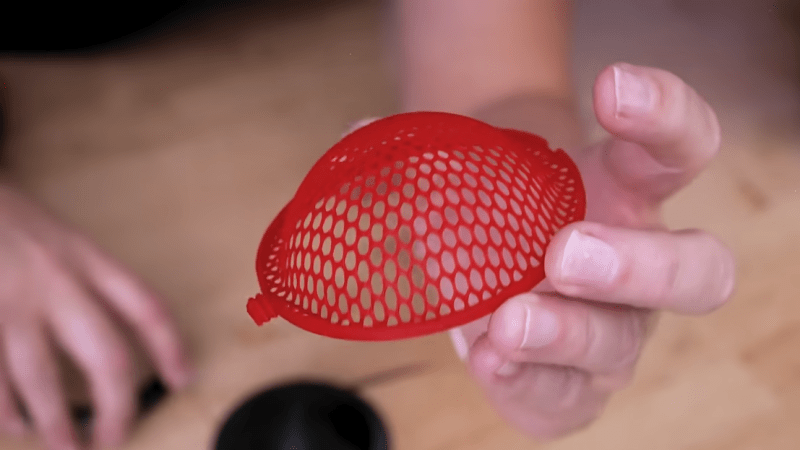
Need a plastic mesh in a custom pattern? 3D print it, no problem. But what if one needs a curved plastic mesh? That’s considerably harder to 3D print, but [Uncle Jessy]’s figured out a simple approach: 3D print the mesh flat, then break out a mold and a heat gun.
Of course, there are a few gotchas, but [Uncle Jessy] shares his tips for getting the most reliable results. The important part is to design and 3D print a mold that represents the final desired shape. Then print the mesh, and fit it into a frame. Heat things up with a heat gun, and press into the mold to deform the mesh while it’s still soft. It’s much easier seen than explained, so take a few moments to check out the video, embedded below the page break.
Because the plastic in a mesh is so thin, [Uncle Jessy] says to keep the heat low and slow. The goal is to have the mesh stretch and deform, not melt.
Speaking of heat, when thermoforming, one usually needs to make the mold out of heat-resistant material. But the thermal mass of a mesh is so small that it really doesn’t matter much — there just isn’t enough heat trapped in the mesh to really damage a mold. As long as the mold is reasonably dense, there’s no need to go overboard with making it heat resistant.
The whole process takes a little practice, but since the meshes are so fast to print and use so little plastic it’s easy to experiment a little.
As for the meshes themselves, a simple way to print a mesh is just to print a disc with no top or bottom layers, only infill. Set the infill pattern to honeycomb, for example, for an easy hexagon mesh. We’ve seen a variant of this “exposed infill” idea used to create a desiccant container, and using it to print a mesh pattern easily is a neat trick, too.
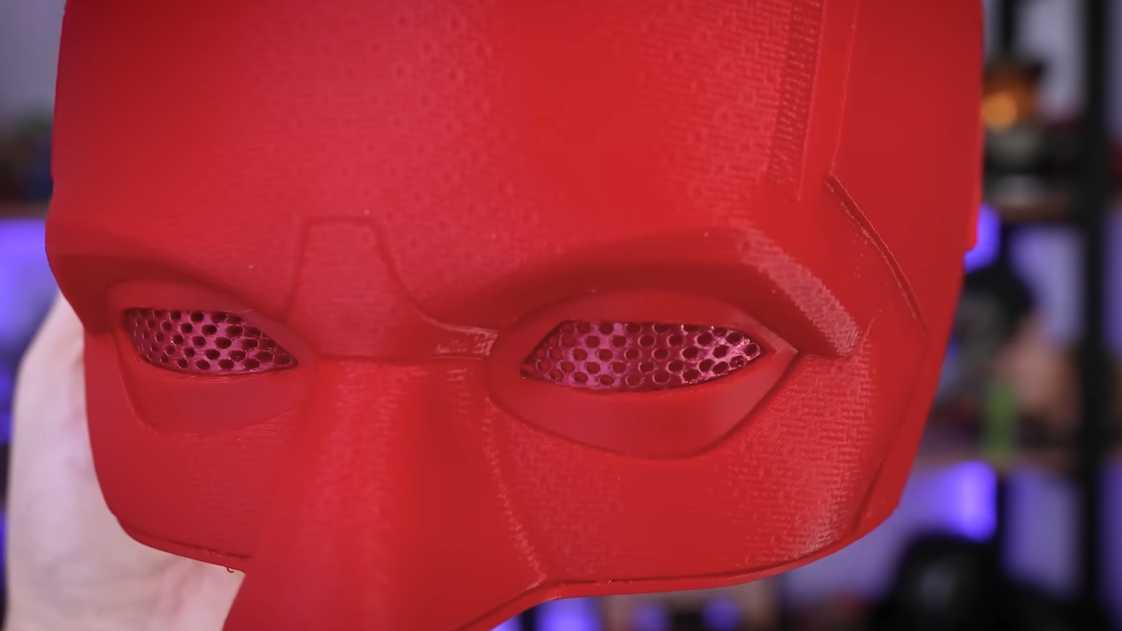
Why might one need to reshape a mesh into a curve? Perhaps to custom-fit a costume piece, or make custom eye inserts for masks, as shown here. In any case, it’s a good technique to keep in the back of one’s mind, and if you put it to good use, drop us a tip!









“simply print infill without top and bottom layers” seems a bit of handwaving where handholding might be more appropriate.
That aside, excellent! Love the idea and results. This would even work if you could find something the shape you want already, say a large spoon or small hemispherical bowl or cup. And use an off the shelf plastic mesh. Hacks abound!
I mean, just set the top and bottom layer counts to zero. It really is that simple. You’ll see what it looks like.
Yes, it really is that simple! Set number of top and bottom layers to zero for the print job.
It’s one of those things you might assume would throw an error, but it does not. It’s perfectly logical from the slicer’s perspective, and prints perfectly fine.
Cool, will try it sometime 😄
Thanks, I didn’t assume it could be so simple
It’s really handy when an infill pattern is geometrically useful and you don’t want to model it manually, and/or you need it to print really cleanly. For example, I’ve used grid infill to make filter screens. Makes certain tasks way too easy.