
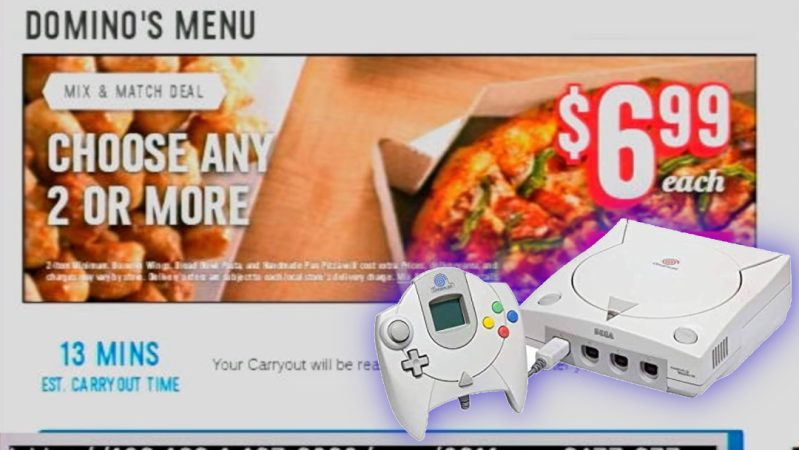
If you’re ordering pizza these days, you’re probably using a smartphone app or perhaps still making a regular old phone call. If you’re creative and a little bit tricky, though, you can order pizza right from your Sega Dreamcast. You just need to jump through a few hoops, as demonstrated by [Delux] and [The Dreamcast Junkyard] in the recent past.
You used to be able to order pizza on the Dreamcast natively, all the way back in 1999. However, the modern Domino’s website doesn’t really work on the ancient Dreamcast browser anymore. The simple fact is that web technology has advanced a long way in the last couple of decades, and Sega didn’t exactly spend a lot of time maintaining a browser on a console that died mere months after its rivals hit the market.
Thus, to place a pizza order on the Dreamcast these days, you need to work within its limitations. [Delux] uses the Dreamcast with the Broadband Adapter to access a PC on the local network via the XDP web browser. That PC is hosting Web Rendering Proxy, a tool which converts complicated modern websites into something a simpler machine can parse. From there, it’s a matter of connecting to the Domino’s website, and slowly clicking through the online ordering pages. Between the proxy delay, the Dreamcast’s glacial processing speed, and the clunky Domino’s ordering interface, it takes ages. Never before has adding coupons felt like such a hassle. Still, after 15 minutes of fuss, the order is completed… and a short time later, a hot fresh pizza arrives.
It’s a fun hack, but really it’s the PC running the proxy that’s doing the heavy lifting. In 2026, it’s far more elegant to order a pizza from your Nintendo Wii.












I think the technique here is more interesting than the achievement. Browsing the web on a 200 mhz CPU (plus GPU) isn’t very notable. But the Web Rendering Proxy is an interesting piece of tech that could be useful for people with all kinds of legacy hardware. Even e-ink Kindles have a crappy browser that might benefit from it.
Indeed, i had never heard of WRP before but it’s a very cool concept.
I went “whoa” and then “yeah i guess that’s how it SHOULD work”
The problem isn’t even the DreamCast’s processing power, but the internet connection.
There are two choices to get online, a) the standard modem b) the ethernet adapter.
Most users will probably use the modem via DreamPi, since the ethernet adapter isn’t so common.
Software support for the modem is larger, also.
Indeed! The main problem to vintage computer users aren’t just newer HTML standards and scripts and rendering issues, but also HTTPS and Cloudflare.
The latter are so processing intensive that even commercially made 90s era webservers (!) would start to sweat.
Which is sort of sad, considering that the internet was originally meant to be operated using minicomputers and terminals.
Let’s just think of Telnet or E-Mail or FTP protocol..
Even an 1980s era i386 PC used to be overkill for operating that technology.
But now here we are, using the 1980/1990s equivalent of a dozen super computers just to visit a basic, ugly website
that looks worse than if it was made in 1996 using notepad.exe but needs 1000x the storage same time.
Makes me think perhaps time to reinvent the SimplerNet, ie things that could be light enough to be sent as text-only-no-scripting and still be reliably rendered with some kind of lightweight browser rendering engine (or multiple competing engines, better yet).
A lot of stuffs don’t need gazillion add-ons to just be rendered as bland/simple page, maybe prettied up a bit to be readable (non-serif font, unencumbered page, etc). News, weather, tickler (which can be added to the other two) or local rumormill, about the equivalent of the late Teletext, which was good enough to be transmitted over both UHF and VHF sidebands, analog signal, no real compression to speak of.
Makes me think we in the US missed quite a great deal by mostly ignoring Teletext.
No, we don’t use an ‘app’ to order pizza. Don’t use an app for ordering anything for that matter! We may call and order and then pick up when they say it will probably be ready. Come to think of it, it has been years since we ordered pizza (or any food) this way. We simply go to the establishment and order. Simple. Easy. Gets you out of the house… Speaking of Pizza, today we just went and sat down at the local Pizza place for lunch. Visit over Pizza and salad. :) Back to work.
I assume a Sega Dreamcast is a gaming device of some sort from above picture. That probably explains the ‘ordering in’ mentality :) . No timeouts when gaming :D .
That said, it appears to work, but not very well for the ‘now’ generation! Patience grasshopper. Patience. Almost there… one more step ….
I guess you’re missing the context that the Dreamcast is a ~30 year old device. It is not from the “now” generation. I was in middle school when the Dreamcast pizza feature launched, and I now have gray hair.
Hey, that’s cool! You’re a witness of history then! 😎
Speaking of the Dreamcast, the earlier (not so succesful) Sega Saturn had a web browser, too!
There also were various on-line services for Sega MD/Genesis, too!
Maybe you’re curious to learn about it – if so, have a look for Sega MegaNet or XBAND. It’s very 90s.
About gray hair, please don’t despair, try to think positive.
The effects of bad food industry aside, modern people tend to live longer and happier than they used to.
In medival ages, many people age 30 looked like 90 but weren’t as healthy (if they were still around).
Keeping your mind fresh through hobbies or learning stuff (second language, solving puzzles etc) is an option, too. 🙂
Lol, thank you. I remember the Sega Saturn well; I wanted one so badly when I was a child but I could only afford a used SNES. In hindsight, the SNES was a MUCH better buy.
I am not sad about being old now. I’m actually looking forward to retiring soon and getting back into childish hobbies again. There are so many great video games being made these days. And now I have enough money to buy them all :)
BTW there were actually plenty of elderly people in ancient times. When you see statistics that life expectancy was ~30, that is an over-simplification of the data. The average is dominated by very high infant mortality. If you survived birth and early childhood, you had a good chance of living into your 60s. Ancient Greek writings talk about 40-year-olds basically the same way we do: people who are just starting to lose their physical and mental power.
Hi. There’s another implementation on the Wii.
https://hackaday.com/2026/01/22/ordering-pizza-on-the-nintendo-wii-again/
I think ordering Pizza online is a reference to PizzaNet from 1994.
https://thehistoryoftheweb.com/postscript/pizzanet/
The 1995 movie “The Net” also had a Pizza ordering scene.
https://www.smithsonianmag.com/history/ordering-pizza-online-in-the-retrofuture-5871048/
I remember to get my Dreamcast with a 56K modem online via my DSL, I turned an old Windows NT 4.0 machine into a server. The Dreamcast was connected via RJ45 to the computer and dialed it as you would have any ISP back in those days. Then the computer translated everything to work on a modern network. I remember reading some strategy guides on Game Revolution. I had a keyboard and such to make it easy. I got a used VMU and found a copy of an email someone had written to their grandmother. Some people really did use the DC as a rudimentary computer.
Well done! 😃👍
Doing that sounds easier than done, I assume. Glad it worked! 😁
Because, thing such ad the RAS service and the dial-up server must be running etc.
Then there’s the issue with different authentification/encryption settings for dial-up login of the time (SLIP, PPP and PAP, CHAP, MS-CHAP etc).
Windows 95 had some optional RAS software, I vaguely remember.
Windows 98SE had it built-in, but that was released years after.
Windows NT probably was best for that purpose, it had so many settings to tweak!
PS: About the modem thing.. I guess in the US it’s a bit easier than elsewhere.
Modems there use pulse dial (DTMF) and don’t rely on line-voltage so much.
So it’s possible to hook up two modems directly, maybe using a voltage induced by a pair of 9v batteries.
Over here in parts of good old Europe, impulse dial lasted well into late 90s and early 2000s.
Our modems assumed power to be present on the landline,
some mini modems for COM port even drew their power directly from it (they rectified about 60v DC down to 5v DC).
Then, they assumed a prower dial tone one the landline, otherwise they wouldn’t start dialing.
Others waited for a proper ringing signal before picking up a call (60v AC, 25 Hz or so)..
Sure, it was possible to workaround this by using the right AT commands (Hayes commands).
Such as ATDP/APDT to force a dialing method, or use some other commands to ignore dial done, to operate in auto-answer mode etc.
But some modems simply were stubborn and kept default settings.
Or required non-standard commands printed in the footnote of the supplied manual.
Then by turn of millennium, certain V.92 era modems had dropped the relays used for pulse dial.
Perhaps to save 50 cents of production costs, not sure.
They caused issues with older PBX systems installed in our homes, because DTMF (tone dial) wasn’t understood yet sometimes.
Sorry for the long reply, I just meant to share some of the issues that might occur over here when simulating a dial-up connection nowadays.
Using a real vintage PBX (with DC/AC and proper dial tone) and two same or similar modem models might make things easier.
Some DSL modem routers such as Fritzbox series from Germany have two analog phone ports, too, but I don’t know how authentic they are.
They may do A/D and D/A conversion all time for VOIP reasons, too, which perhaps causes trouble with modem or fax signals.
A real, fully analog PBX from the 80s or 90s might be more compatible.
Analog in the sense of the connection, there’s a microcontroller in charge, of course.
Except for the very basic models, maybe, that wire up two standard phones as a “house telephone” (kids of the 1960s might remember them).
A vintage PBX is the landline equivalent to using a CRT monitor, maybe.
Anyway, just saying. Nowadays it’s perhaps best to consider buying a specific modem that is known to handle communication with Dreamcast modem or othet vintage consoles.
The vintage community has some information about it. There are tutorials, videos etc. 😃