Why Some S3 Videocards Have A Brightness Issue

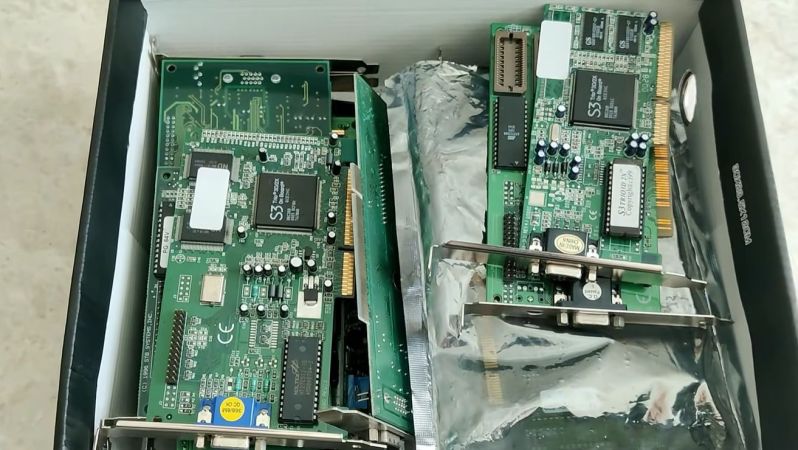
Once a pioneer in videocards, S3’s legacy is today mostly found in details like texture compression as well as the strong presence of S3-branded videocards in the retro-computing world. There’s however a bit of a funny issue with some of these S3 cards in what is often called a ‘brightness bug’, but which as [Bits und Bolts] covers in a recent video was actually a hardware feature that we can once again blame composite video for.

This issue appears with AGP cards like the Trio 3D, Trio64 and ViRGE, where the brightness on the output signal is set too high, easily seen with the washed out look on boot, where especially on CRTs you’d expect to see the nice deep black background. Using an S3 Trio 3D 2X card that was saved from the e-waste pile this so-called Pedestal Bit responsible is investigated and tweaked to show what difference it makes.

At the core is adjusting the black level to make scanline changes easier to detect for TVs, which is no longer relevant for CRTs, LCDs, etc., while adjusting the brightness for one videocard in a system can cause issues elsewhere, such as when using said card alongside a 3dfx Voodoo II card or with inconsistent brightness levels inside 3D games.

Fortunately S3 provided in-depth datasheets on their chips, including how to address the responsible bit. After demonstrating the principle, the BIOS is then patched to set this Pedestal Bit to the value of 0 on boot, solving the issue once and for all.

Continue reading “Why Some S3 Videocards Have A Brightness Issue”
Using A Videocard As A Computer Enclosure

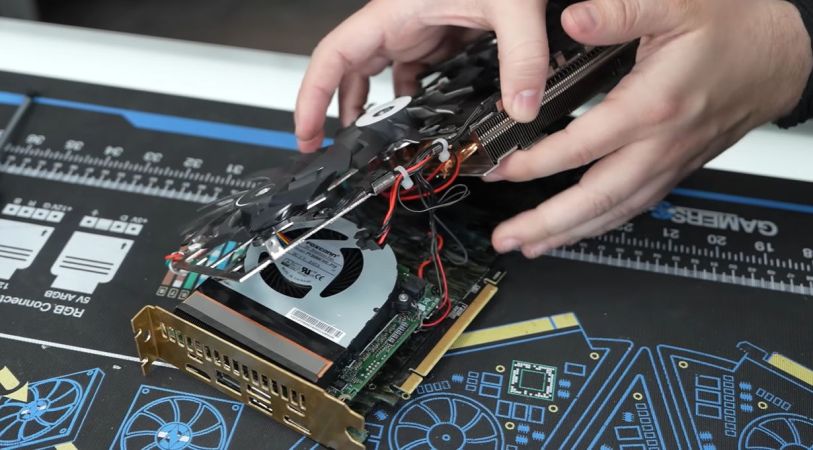
The CherryTree-modded card next to the original RTX 2070 GPU. (Credit: Gamers Nexus)

In the olden days of the 1990s and early 2000s, PCs were big and videocards were small-ish add-in boards that blended in with other ISA, PCI and AGP cards. These days, however, videocards are big and computers are increasingly smaller. That’s why US-based CherryTree Computers did what everyone has been joking about, and installed a PC inside a GPU, with [Gamers Nexus] having the honors of poking at the creatively titledĀ GeeFarce 5027POS Micro Computer.

As CherryTree describes it on their website, this one-off build was the result of a joke about how GPUs nowadays are more expensive than the rest of the PC combined. Thus they did what any reasonable person would do and put an Asus NUC 13 with a 13th gen Core i7, 64 GB of and 2 TB of NVMe storage inside an (already dead) Asus Aorus RTX 2070 GPU.

In the [Gamers Nexus] video we can see that it’s definitely a quick-and-dirty build, with plenty of heatshrink and wires running everywhere in addition to the chopped off original heatsink. That said, from a few meter away it still looks like a GPU, can be installed like a GPU (but the PCIe connector does nothing) and is in the end a NUC PC inside a GPU shell that you can put a couple of inside a PC case.

Presumably the next project we’ll see in this vein will see a full-blown x86 system grafted inside a still functioning GPU, which would truly make the ‘install the PC inside the GPU’ meme a reality.

Continue reading “Using A Videocard As A Computer Enclosure”

ASUS GPU Uses Gyroscope To Warn For Sagging Cards

It’s not really an understatement to say that over the years videocards (GPUs) — much like CPU coolers — have become rather chonky. Unfortunately, the PCIe slots they plug into were never designed with multi-kilogram cards in mind. All this extra weight is of course happily affected by gravity.

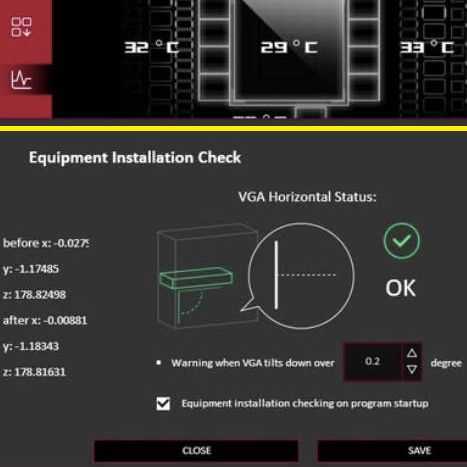
The dialog in Asus' GPU Tweak software that shows the degrees of sag for your GPU. (Credit: Asus)

The problem has gotten to the point that the ASUS ROG Astral RTX 5090 card added a Bosch Sensortec BMI323 inertial measurement unit (IMU) to provide an accelerometer and angular rate (gyroscope) measurements, as reported by [Uniko’s Hardware] (in Chinese, see English [Videocardz] article).

There are so-called anti-sag brackets that provide structural support to the top of the GPU where it isn’t normally secured. But since this card weighs in at over 6 pounds (3 kilograms) for the air cooled model, it appears the bracket wasn’t enough, and active monitoring was necessary.

The software allows you to set a sag angle at which you receive a notification, which would presumably either allow you to turn off the system and readjust the GPU, or be forewarned when it is about to rip itself loose from the PCIe slot and crash to the bottom of the case.

Render Your Next Render Farm


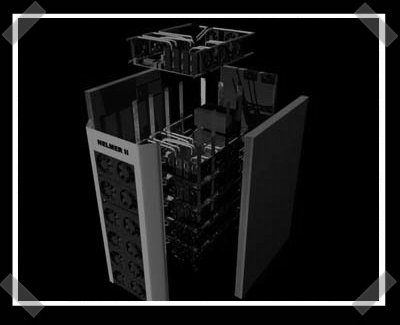
You might remember [Janne]’s IKEA cluster. Now he’s got a couple of dream rigs in mind, so he started doing 3D renderings of them. Helmer 2 is designed to contain 24 video cards attached to six motherboards with quad core CPUs. (AMD has even taken enough interest to send him some cpus to get started) The rendering really comes in handy for designing the custom copper heat pipes and the aluminum cooling fin enclosure. Still bored, he put together a rendering of a 4 PetaFLOP machine using 2160 video cards.
Update: The Helmer 2 link is fixed.