

[VWestlife] purchased all kinds of USB video capture devices — many of them from the early 2000s — and put them through their paces in trying to digitize VHS classics like Instant Fireplace and Buying an Auxiliary Sailboat. The results were actually quite varied, but almost universally bad. They all worked, but they also brought unpleasant artifacts and side effects when it came to the final results. Sure, the analog source isn’t always the highest quality, but could it really be this hard to digitize a VHS tape?
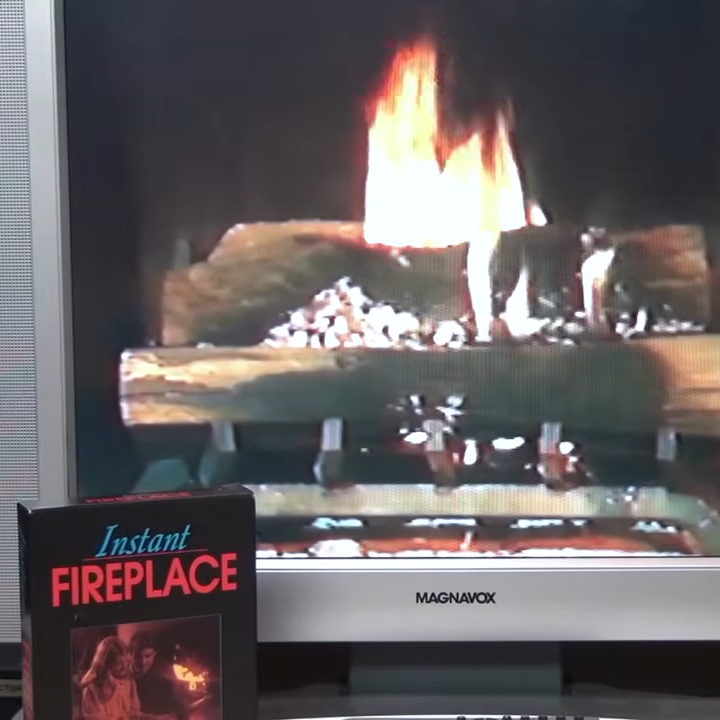
It turns out there’s an exception to all the disappointment: the Sony Digital Video Media Converter (DVMC) is a piece of vintage hardware released in 1998 that completely outperformed the other devices [VWestlife] tested. There is a catch, but it’s a small one. More on that in a moment.
Unlike many other capture methods, the DVMC has a built-in time base corrector that stabilizes analog video signals by buffering them and correcting any timing errors that would cause problems like jitter or drift. This is a feature one wouldn’t normally find on budget capture devices, but [VWestlife] says the Sony DVMC can be found floating around on eBay for as low as 20 USD. It even has composite and S-Video inputs.
For an old device, [VWestlife] says using the DVMC was remarkably smooth. It needed no special drivers, defaults to analog input mode, and can be powered over USB. That last one may sound trivial, but it means there’s no worry about lacking some proprietary wall adapter with an oddball output voltage.
The catch? It isn’t really a USB device, and requires a FireWire (IEEE-1394) port in order to work. But if that’s not a deal-breaker, it does a fantastic job.
So if you’re looking to digitize older analog media, [VWestlife] says it might be worth heading to eBay and digging up a used Sony DVMC. But if one wants to get really serious about archiving analog media, capturing RF signals direct from the tape head is where it’s at.
Thanks to [Keith Olson] for the tip!












As someone who digitises a lot of VHS tapes – that got me excited – Something with time base correction that’s not stupid expensive!
Then I saw it was NTSC only, and I deal mostly with PAL :(
I’ve been getting deep into the vhs-decode project (as linked in the article) – the results are amazing and the time base correction is done entirely in software – I’ve moved most of my digitising efforts over to that in the last few months.
Only downside is it requires a bit of technical knowledge, soldering onto your VHS players and a good chunk of time (and space) to decode the videos from the raw captures.
https://hackaday.com/2022/12/13/vhs-decode-project-could-help-archival-efforts/
Some time back I bought a Canopus “ADDV” (I think) digitiser. It does PAL. It too is firewire. It too does timebase correction. It can even handle really unusual quirks with the VHS tape… like when you “punch in” to a recording and the fields swap. If you only do bought/hired tapes that is not a problem, but certainly can be for home videos!
I loved it, and still have it – and even dusted it off a couple of months back to digitise a tape.
It only outputs DV, and I used to use ‘VirtualDub’ and a DV capture utility… I think it was ‘DVcam’ or something (for windoze). I’ve long since moved to linux, and there are both CLI and GUI programs that do a mighty fine job for capturing DV from firewire.
I’ve heard firewire/DV support for the linux kernal is on the chopping block. Sad. It’s not as if pulling support for it is going to make even a slight dent in the already huge “base” packages you get for Ubuntu or Mint or choose your flavor… except maybe Puppy Linux.
The digitising quality is on-par with most other DV captures. Not awesome, but certainly not crap.
SONY DVMC-DA2 MEDIA CONVERTER FIREWIRE ILINK IEEE1394 DVPORT
Pre-Owned. $254.00 not $20 on ebay
Amazing how a glowing review can bring out the mosquitos sucking blood.
The useful information is, however, that Sony named it i.LINK™.
So there are at least three names for same thing! :)
Must have been fun to confuse ordinary users by refering to it using different names! :D
Had a Pinnacle card that did all that and yes it came with a firewire port. Presumably for the firewire camera I didn’t have. It was nice otherwise but OS version and other things left it behind. Now I have a much smaller card for that if I want to go that route. But the simplest is a VHS deck that burns to DVD.
$300 something as of this moment……… sigh
Yes, this was where firewire really shined. It’s a shame it’s gone.
It’s not gone, just retro.
Yup. Anyone who still has a great use case for it (e.g. does a lot of analog capture of videotapes) can just grab a cheap used Mac Mini and be set.
Or a PCI-Express card
Or a plain PCI card. They can be used on PCIe slots via adapter PCB sometimes.
In other cases, old PCI chips are installed on new PCIe cards (via bridge chip).
In case of Macintoshs, there various Hackintosh sites have a list of FireWire chips that work out of box on Mac OS X.
Ah. I thought the catch would be that the Sony device installs a rootkit on your PC.
I also have a firewire digitizer (don’t remember the exact name), which works reasonably well. The real catch is that firewire is no longer supported on the latest versions of MacOS or only partially supported on Windows 11.
Linux does support it. And even if your kernel doesn’t, it’s just a make menuconfig away.
The question is whether or not there is Linux software that supports this device.
Firewire camcorders were standardized so now Linux is the ideal OS for transferring your old MiniDV tapes, but this device is not so clear cut.
ah the days of video toasters….
.. in the US.
Over here in Europe, the kinds of the NewTek Video Toaster weren’t that popular I suppose.
The Amiga’s Video Toaster was NTSC-only, there was no PAL support as far as I know.
So unless PAL<>NTSC transcoders were used, it was pretty useless over here.
In addition, NTSC has a lower resolution than PAL, which degraded image quality.
That being said, I think that over here similar equiptment to the Video Toaster was used at the time.
Albeit not as fancy and with lesser special effects, maybe. But with proper PAL support.
https://en.wikipedia.org/wiki/Video_Toaster
https://forum.amiga.org/index.php?topic=23187.0
How about that VHS/DVD Players that output HDMI? There were a few of them made. Or dub to DVD first on the VHS/DVD combo.
I’ve done that, VHS to DVD-RW, it works well enough. The only problem is that VHS/DVD Recorders are getting long in the tooth and the laser in the DVD Recorder might not work.
The main thing that makes capture devices really good is time base correction (TBC) – A lot of the VHS/DVD players that record to DVD have these and are recommended as a good way to record old analogue footage. Some are even used just for the TBC, so you pass AV in and then back out into your capture card.
That’s a simplistic answer – there’s a bunch of different types of TBC though – some works better than others.
The point of the TBC though is for keeping the video frames straight and in time (as demonstrated in the video in the article).
The VHS/DVD players I’ve got that output HDMI/Component, only output the DVD through the HDMI port. This saddened me when I found out. :P I’m sure there’s some out there that do both though!
TLDR: Yeah the VHS -> DVD things are good.
Aldi sold a couple of PCs under the Medion brand that had pretty decent video digitizers and from the artifacts they produce when there’s… let’s say… severe dropouts, I’m pretty sure they have a TBC too. I remember the BT878 was next to abysmal compared to it.
The catch? They’re either part of the video card and thus only usable in AGP machines or worse, they’re combined with the phone modem in a special blue PCI slot that only those Medion machines had and thus unusable in anything else. And the Pentium 4, an absolute beast at the time, is woefully underpowered at real-time compressing the videos in anything else but MPEG2 (unless you choose an even worse codec), so the gains from having a great digitizer are ruined by compression artifacts. Uncompressed, 1 minute at highest quality is 1GB and here’s the next catch – the machines are IDE only, no SATA, and IDE drives over 200GB are hard to find. So you could record one movie or two, then compress them to another drive, then delete it and record another. At least NTFS allows more than 4GB file sizes.
The best way to digitize analog formats is to find a DVD recorder in the dumpster that supports DVD-RAM and doesn’t stop working after just a few hundred RAMs.
DVD is also MPEG2. You might as well just stick with the Pentium 4 for capture and use a modern machine to transcode to a better format.
I vaguely remember that DivX/Xvid were popular in early 2000s, which were derived from MPEG4.
And that was in a time when Pentium IV and Athlon XP processors were still around.
Back then I did real-time 384×288 encodings on a 500 MHz Pentium III using ffmpeg’s MPEG4/ASP encoder in SP mode. But for full resolution I had to use something simple like huffyuv.
Later, on a VIA Eden, I used MJPEG to capture PAL at full resolution.
Beware! PCs that old might still have LBA28 instead of LBA48 for IDE!
So the BIOS and OS (Windows 98SE) or the IDE controller itself need an update or patch to overcome 128 GiB (137 GB) limit.
Otherwise, data corruption might occur.
How hard could it be to directly capture VHS video packets with something like Rigol Scope and then translate them into MP4 or WMV? Then you’re not wasting quality with some USB ADC.
That’s what the VHS-Decode project is for.
You’re skipping all the processing from the VHS player, reading the diagnostic/RF Tap connections from the VHS player into a CX Capture card, which records the raw signal, then feed that into the vhs-decode program to process it all and translate it into whatever video format you like.
It makes me feel like a real nerd when I do it!
I’ve been noodling what a ‘universal’ tape play might look like. Just sweep a head across the entire tape area and then use software to rebuild the tape scanning method and digitize.
How do you want to handle the different azimuth angles of the different helical scan standards?
I’m greatly summarizing a bunch of things with this, but
MP4 (mp4 is a container, the codec usually used would be something like AVC) and WMV (family of codecs) are generally lossy
VHS does some (frequency) modulation on the video signals (for things like chroma & luminance)
The video signals on VHS are field based, not frame, and would generally require some sort of detelecining or deinterlacing (software is usually bad at either of these if left to autodetection methods)
long short, it would not be an ideal solution.
oh my first thought was modern capture devices. And i just wanted to say, i got an HDMI to USB converter that is awesome. Now every laptop is a (poor) monitor, for when your headless server just won’t boot today. I’m sure if i used it for video i’d be disappointed in the quality, but as an emergency way to interact with the terminal it’s brilliant. And very cheap now.
I’m so glad NTSC is entirely behind me :)
That’s an idea. Why don’t they make laptops for professionals with HDMI input as well as output? Could use the screen directly.
but “they” do.
I use a GPD pocket 3 with the HDMI input module…
Have to look into this- so far as I know, “The Avengers” was only uncensored on VHS… No disc has all of “Castle De’Ath” or “The Hellfire Club”, and there are possibly others…
I’ve mostly dubbed VHS to DVD using an old Samsung player/recorder which has this function. It won’t break copyprotect on VHS tapes, it can be gratuitously picky about the DVD recordable media, and there seem to be a few tricks to convincing it to accept even non-protected commercial VHS tapes… but it has handled most of my pile of videotapes, and I’m still hoping to persuade it to copy a few of the ones it hiccuped on.
Wait a moment. There’s one shown up there, the EASYCAP device. Turns out its only problem is that the software is for Windows 7SP1 only. Supposedly people have gotten it to work under Linux, but then there’s another problem, what software to use there, that does that via the usual penguin clusters? I’ve gotten it to work on my other laptop. Of course the recording software they supply smells bad but that’s just that one.
Alec from Technology Connections made a pretty good video about this, hi solution uses a cheap AV to HDMI converter and then an HDMI capture dongle or box, I don’t know how it stacks up next to this but he’s nothing if not pedantic about details so it’s worth a look if you can’t find retro hardware.
https://www.youtube.com/watch?v=ZC5Zr3NC2PY
and
https://www.youtube.com/watch?v=pQioCb4KUHM
For the curious.
I remember seeing this sometime ago not here and wondering if it’d show up here. The results were great.
exactly what came to my mind. i knew i saw a Technology Connections video about this once, and that he used a different and better solution.
What about PCI/ISA-based TV tuner cards?
Or PCMCIA/PC Card/CardBus and ExpressCard-based cards?
I remember using an full-size Hauppauge WinTV board for ISA bus! Made in 1994 or so!
It had software/drivers written for Windows 3.1 and didn’t like Windows 9x (perhaps opetation had required an update that I didn’t have).
So I used Windows 3.1 on MS-DOS 7.1 in order to have FAT32 and larger disk space for recording.
The ISA bus is too slow for uncompressed analog video at full resolution, but some cards had an MJPEG or MPEG1 encoder. Don’t expect the tv decoder on them to have a time base corrector. They are usually ancestors of the SAA7113H tested at the end of the video.
The Brooktree/Conexant bt8xx and cx2388x PCI chips were advertised with a feature called UltraLock that sounds a lot like a time base corrector.
I have one of the Matrox Marvel series of TV capture / video display cards, which saves in the Motion JPEG format. The quality of the recording was set by user control, but the hardware encoder wasn’t fast enough to provide full quality. Under Windows 98, the quality control was limited so that the encoder would never screw up. There was no such limit in the Linux software, so Linux captures could be better but ran the risk of screwing up. I don’t remember the way the screwups occurred; probably frame dropping or losing the bottom few lines of a field.
“My daddy used to say that if you wish to insert a nail into a piece of wood, you don’t need to do anything high-tech or fancy, you just need to take a hammer and hit the thing until it goes in.”
I’m pretty sure I used to run one of those Pinnacle devices back on Windows 98.