
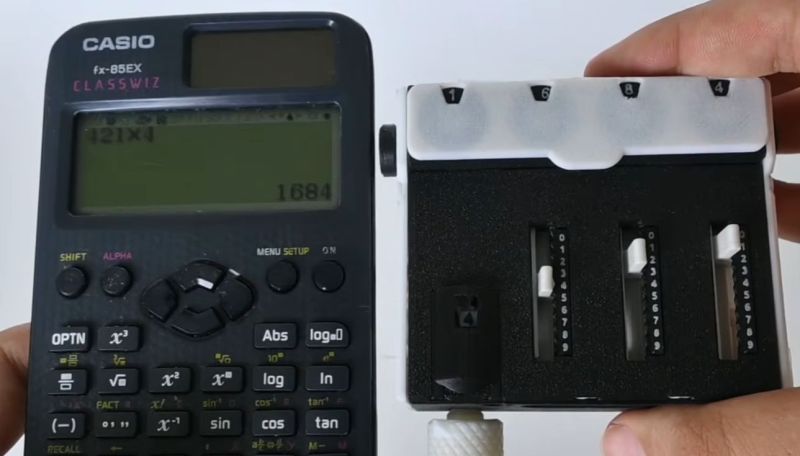
Even if almost tragically impractical in a world where digital calculators are cheap as chips, mechanical calculators and their big mechanical computer brethren remain an absolute marvel of engineering. Using nothing but elements like simple gears their motion is used to calculate everything from a simple multiplication to the proper targeting instructions for an Iowa-class battleship’s guns.
This fascination, along with the mind-bendingly high prices for commercial digital calculators led [3D all Workshop] to spend 2 months on designing his own mechanical calculator. Fully FDM 3D-printed, of course.
In the video the design process and troubleshooting step are covered along with the workings of the mechanisms for both addition and multiplication. While this may seem simple, basically converting numbers of rotations into a final indicator position, aspects like carrying a digit and adding a multiplication feature to the mechanism require some proper engineering.
Of course, using FDM printing for tolerance-sensitive things like gears meant that a lot of time was spent redesigning aspects of the mechanism, going through about a hundred design iterations until it worked, with the help from a bit of lubrication.
Naturally this isn’t the first 3D-printed mechanical calculator, not to mention ones made from wood, but always it’s pretty cool to see one made from first fundamentals.












I hear someone made a 3D printed Curta “math grenade”, though it’s three times the size of an original one.
Yes – the 3D printed Curta is here. He used the original blueprints for most of the design. Making it 3X the size eliminated a lot of the tolerance and mechanical issues this design had to work out. The Curta replica also used a handful of metal parts (springs, bolts, etc.)
https://www.instructables.com/Build-a-3D-Printed-Curta-Calculator/
BTW, I looked into printing the Curta project, and decided it was easier to simply purchase an actual Curta off of Ebay.
What about Datapoint 2200? It was one of the first digital calculators and became a foundation for IBM PC after Intel turned its CPU made of 7400 chips into the famous 8086.
That’s quite a nice toy, probably great to teach mechanical engineering as well. However, it’s not a practical calculator.
3 main problems are 1 – if you wanted to add more digits, you probably wouldn’t be able to turn the crank anymore. The Pascaline has a mechanism to sort this issue. 2 – multiplication is also impractical. Multiply by 4, like in the video, ok. If you want to multiply 2 numbers, you’ll still have to turn the crank as many times as the lowest number (and if you are a bit of a air head, the largest number!). Multiply 56 x 78 and it’s probably quicker to do the calculation mentally, and given the backlash issue (you could already see the 6 misaligned in a x4 multiplication), you may not even get the correct answer. The Curta allows to process the digits separately, so if you want to multiply by 123, you can do hundred 1 turn, tenth 2 turns, units 3 turns, so 6 turns instead of 123. 3 – resetting to 0 manually is a pain, the Curta has a nice (and satisfying!) way to reset all digits with the rotating ring.
But given this is filament 3D printed, let’s be honest, there’s no way you can get a 1 to 1 size Curta replica working, so still kudos for probably the best you can do with what you have, and as stated at the beginning, a nice project for a kid wanting to learn mech eng.
… good thing you warned me; was about to toss the HP
Why?
Strange question to ask on hackaday 🤷♂️
It looks like those three transporter slides Scotty used on Star Trek for teleportation.
Hmm….