Bike Trainer Computer: Speed, Cadence, Heartrate, Trainer Temp

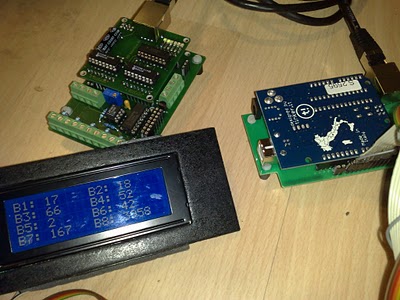
[Kurt] was using a bike trainer to get in shape for warmer and dryer biking months. Unfortunately it’s pretty hard to train if you don’t have reliable data concerning how hard you’re working. There’s commercial solutions for trainer computers but he’d read some rough reviews about them and decided to build his own trainer computer. He’s done a great job of integrating a lot of different data collection sources. He picked up two replacement bike computer sensors to use on the back wheel for speed (the front wheel is stationary with this type of trainer) and on the crank for cadence. He also wears a heart rate monitor and sourced a SparkFun heart rate module to gather that data. Finally, an LM235 analog temperature sensor was combined with a spring clamp to detect the temperature of the trainer’s resistance module.

Data from the sensors is collected with a PIC16F73 microprocessor and fed to a computer over a serial connection. He’s got a screenshot of the realtime graphs that he’s using for feedback while on the bike. This is a useful and practical setup but when he get’s tired of exercising he’s just a few lines of code from converting this into a gaming controller.

[Thanks Justin]

Computer Learns From Tic-tac-toe

menace-tic-tac-toe-computer

MENACE, the Matchbox Educable Noughts And Crosses Engine, is a fancy name for a machine that plays Tic-Tac-Toe. The concept is a product of Professor [Donald Mitchie]’s work in the 1960’s and was featured as an example in the “A New THEORY of AWESOMENESS and MIRACLES” talk given at this year’s UK games conference.

[James Bridle] built this fascinating example of how a computational system can learn from its successes and failures. Each box corresponds to one of 304 different board layouts. The operator uses an index sheet to locate the box that corresponds to the current state, shakes the box, then looks to see which bean has randomly fallen into a partition in the box. The color/type of bean corresponds to a space that the machine has “chosen” for that move. If MENACE won the game a bead matching the move that was played would be added to each box used. If MENACE lost, a bead would be removed from each box used. This way the machine cannot make the exact same mistakes twice, and is more likely to repeat successful solutions.

[James] notes that he couldn’t find any evidence of this machine actually being built before. It is possible that this was always a theoretical device but now we’ve seen an actual build. We consider this to be a computer because it is calculating moves based on probability of success but what do you think? If you’re thirsting for more pictures there’s plenty to see in the Flickr set he’s posted.

[via BoingBoing]

Passively Cooled Computer

This came in on the tipline: [Ville ‘Willek’ Kyrö] wanted to build a fully passively cooled computer. That means no fans at all. He started with scrap aluminum heatsinks, ripped apart a cpu heatsink to get the copper heat pipes, and began surrounding the boards with heatsinks to form a case. Cooling down the powersupply was the hardest part, as it did not lend itself to the flat surfaces of heatsinks. Any passive case with powerful components will inevitably be huge and heavy; this one weighs over 20 kg. He says, “It might not have been worth it, but it sure was weird watching the computer boot up with no sound at all”.

Toaster Computer

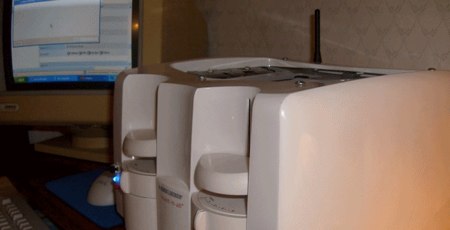
[Gordon Johnson] recently completed part 1 of his toaster computer project. He used a standard four slot toaster as the enclosure and cut holes for access to the ports and a wireless antenna. While the specifications of the components used are not mentioned, the build is well documented on his site, complete with lots of pictures and a video. While he used a traditional fan based cooling method for part 1 of the build, he plans on using a special cooling method for part 2 that uses aluminum and mineral oil to create a thermoelectric cooling effect.