
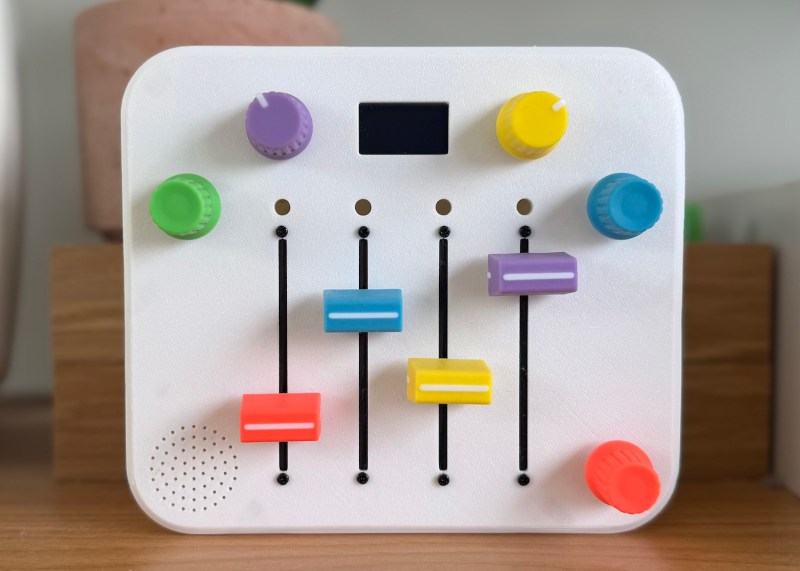
We absolutely adore inspired labor-of-love tales such as this one. [Alastair] wanted to build a synth for his daughter’s third birthday in spite of having no prior hardware knowledge. It became the perfect excuse to learn about CAD, microcontrollers, PCB design, and of course, 3D printing.
So, why a synth for a toddler? Aside from plain old ‘why not?’, the story goes that she received a Montessori busy-type board which she seemed to enjoy, and it reminded [Alastair] of the control surface of a synth. He wondered how hard it could be to build something similar that made sound and didn’t require constant button presses.
[Alastair] began his journey by dusting off a 15-year-old Arduino Inventors Kit. The initial goal was to get potentiometer readings and map them to 12 discrete values, and then emit MIDI messages. This was easy enough, and it was time to move to a synth module and an Elegoo Nano.
The full adventure is definitely worth the read. Be sure to check out the pink version in action after the break. You really don’t wanna miss the lil’ panda bear. Trust us.
Thanks for the tip, [dole]!












Love the project! Can’t wait to see V2 with drop mode :)
fantastic, the suspense was killing me by the end of the video :-D
That is amazing, but I have to ask does anyone else think it looks like a prop from the original Star Trek or is it just me?
NEEDS 👍😎🚀🙏⚡
The next synthwave star – Childish Bambino?
Is there any way to get the schematics? I’m new to making pedals and noise instruments, but I’d love to make one of these for my nephew.
There is a fritzing type schema thingy in the middle of his blog post that should get you on the right path. If you look at the code, the pin definitions should tell you where things go. Here is a webp of the schema https://bitsnpieces.dev/assets/posts/2025-11-10-a-synth-for-my-daughter/wokwi.jpeg