
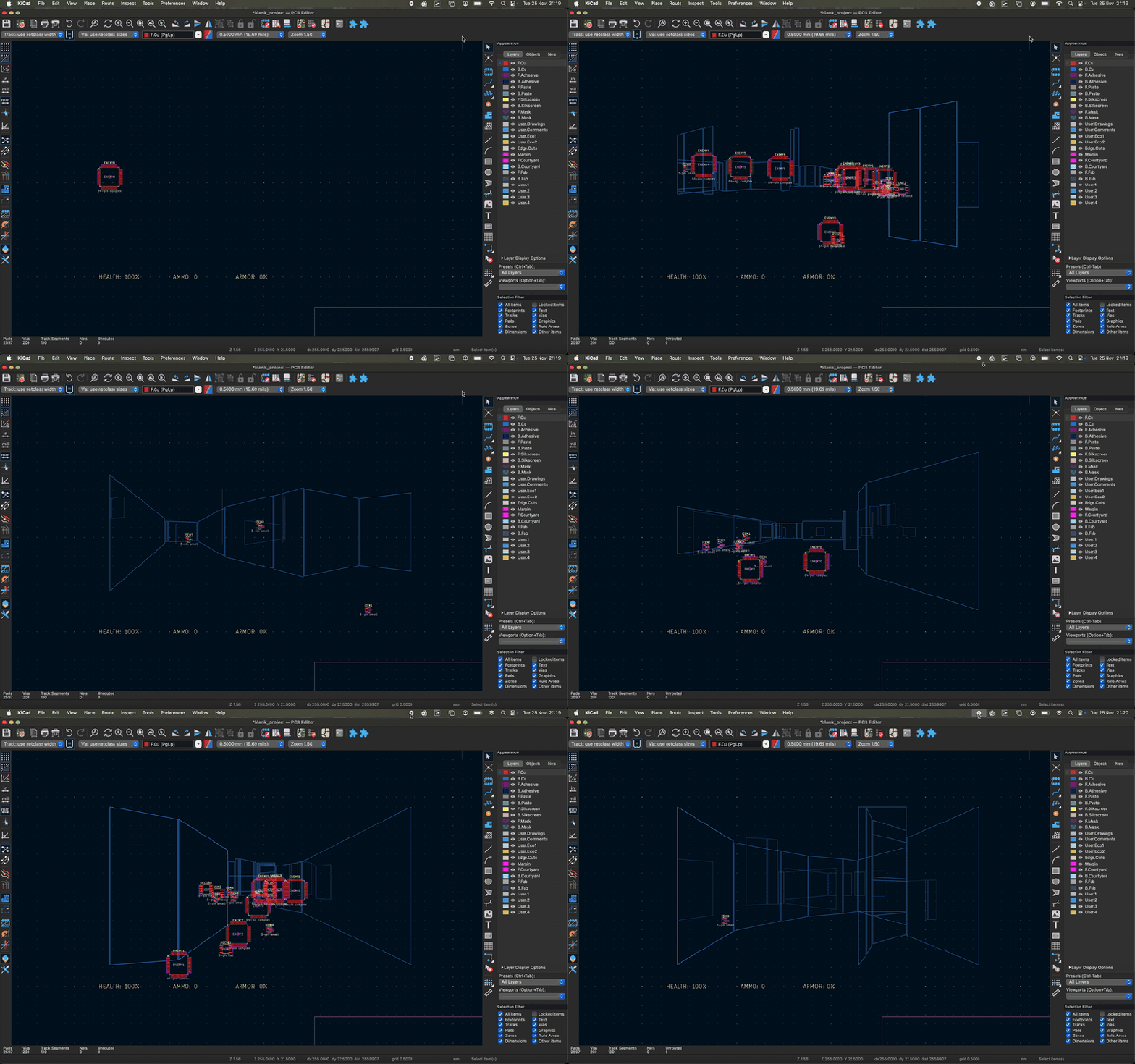
As the saying goes: if it has a processor and a display, it can run DOOM. The corollary here is that if some software displays things, someone will figure out a way to make it render the iconic shooter. Case in point KiDoom by [Mike Ayles], which happily renders DOOM in KiCad at a sedate 10 to 25 frames per second as you blast away at your PCB routing demons.
Obviously, the game isn’t running directly in KiCad, but it does use the doomgeneric DOOM engine in a separate process, with KiCad’s PCB editor handling the rendering. As noted by [Mike], he could have used a Python version of DOOM to target KiCad’s Python API, but that’s left as an exercise for the reader.
Rather than having the engine render directly to a display, [Mike] wrote code to extract the position of sprites and wall segments, which is then sent to KiCad via its Python interface, updating the view and refreshing the ‘PCB’. Controls are as usual, though you’ll be looking at QFP-64 package footprints for enemies, SOIC-8 for decorations and SOT-23-3 packages for health, ammo and keys.
If you’re itching to give it a try, the GitHub project can be found right here. Maybe it’ll bring some relief after a particularly frustrating PCB routing session.












But will it run Crysis?
It only runs Component Crisis
What the…
Cryostats? Maybe. Crystals? Sure!
No judgement on the author of the project, but it does seem like the project was made with AI, based on the CLAUDE.md and the writing style of the documentation.
A couple of the work logs list the author as Claude + Mike’s username.
Author Here: Correct, Claude Code did a lot of the boilerplate. There’s a little more detail in the article on the Register:
https://www.theregister.com/2025/11/26/doom_kicad/
They should have made the enemies BGAs, or leadless flat packs. Something you probably hate if you build and test PCBs by hand.