DOOM On A Fancy Smart Toaster

Although toasters should be among the most boring appliances in a household – with perhaps just a focus on making their toasting more deterministic rather than somewhere between ‘still frozen’ and ‘charcoal’ – somehow companies keep churning out toasters that just add very confusing ‘smart’ features. Of course, if a toaster adds a big touch screen and significant processing power, you may as well run DOOM on it, as was [Aaron Christophel]’s reflexive response.

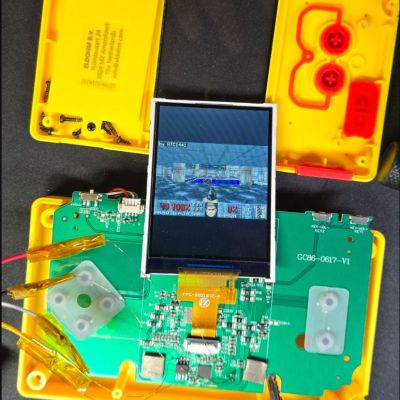
While unboxing the Aeco Toastlab Elite toaster, [Aaron] is positively dumbfounded that they didn’t also add WiFi to the thing. Although on the bright side, that should mean no firmware updates being pushed via the internet. During the disassembly it can be seen that there’s an unpopulated pad for a WiFi chip and an antenna connection, making it clear that the PCB is a general purpose PCB that will see use in other appliances.

The SoC is marked up as a K660L with an external flash chip. Dumping the firmware is very easy, with highly accessible UART that spits out a ‘Welcome to ArtInChip Luban-Lite’ message. After some reverse-engineering the SoC turned out to be a rebranded RISC-V-based ArtInChip D133CxS, with a very usable SDK by the manufacturer. From there it was easy enough to get DOOM to run, with the bonus feature of needing to complete a level before the toaster will give the slice back.

Continue reading DOOM On A Fancy Smart Toaster”

The D In DNS Stands For DOOM

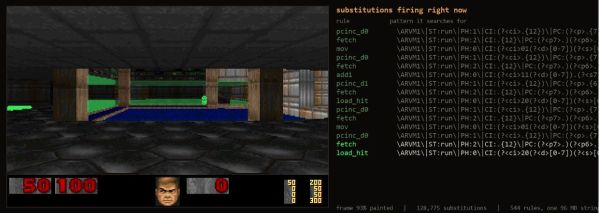
As literally everything ought to be able to play DOOM in some fashion, [Adam Rice] recently set out to make the venerable DNS finally play the game after far too many decades of being DOOM-less. You may be wondering how video games and a boring domain records database relate to each other. This is where DNS TXT records come into play, which are essentially fields for arbitrary data with no requirements or limitations on this payload, other than a 2,000 character limit.

Add to this the concept of DNS zones which can contain thousands of records and the inkling of a plan begins to form. Essentially the entire game (in C#) is fetched from TXT records, loaded into memory and run from there. This is in some ways a benign form of how DNS TXT records can be abused by people with less harmless intentions, though [Adam] admits to using the Claude chatbot to help with the code, so YMMV.

The engine and WAD file with the game’s resources are compressed to fit into 1.7 MB along with a 1.2 MB DLL bundle, requiring 1,966 TXT records in Base64 encoding on a Cloudflare Pro DNS zone. With a free Cloudflare account you’d need to split it across multiple zones. With the TXT records synced across the globe, every caching DNS server in the world now has a copy of DOOM on it, for better or worse.

You can find the project source on GitHub if you want to give this a shake yourself.

Thanks to [MrRTFM] for the tip.

ESP32-P4 Powers Retro Handheld After A Transplant

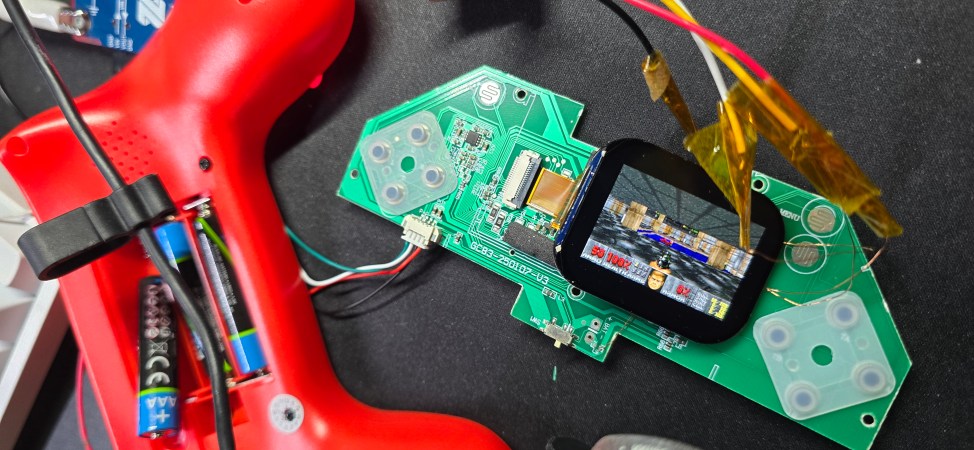
The ESP32-P4 is the new hotness on the microcontroller market. With RISC-V architecture and two cores running 400 MHz, to ears of a certain vintage it sounds more like the heart of a Unix workstation than a traditional MCU. Time’s a funny thing like that. [DynaMight] was looking for an excuse to play with this powerful new system on a chip, so put together what he calls the GB300-P4: a commercial handheld game console with an Expressif brain transplant.

Older ESP32 chips weren’t quite up to 16-bit emulation, but that hadn’t stopped people trying; the RetroGo project by [ducalex] already has an SNES and Genesis/Mega Drive emulation mode, along with all the 8-bit you could ask for. But the higher-tech consoles can run a bit slow in emulation on other ESP32 chips. [DynaMight] wanted to see if the P4 performed better, and to no ones surprise, it did.

If the build quality on this handheld looks suspiciously professional, that’s because it is: [DynaMight] started with a GB300, a commercial emulator platform. Since the ESP32-P4 is replacing a MIPS chip clocked at 914 MHz in the original — which sounds even more like the heart of a Unix workstation, come to think of it — the machine probably doesn’t have better performance than it did from factory unless its code was terribly un-optimized. In this case, performance was not the point. The point was to have a handheld running RetroGo on this specific chip, which the project has evidently accomplished with flying colours. If you’ve got a GB300 you’d rather put an “Expressif Inside” sticker on, the project is on github. Otherwise you can check out the demo video below. (DOOM starts at 1:29, because of course it runs DOOM.)

The last P4 project we featured was a Quadra emulator; we expect to see a lot of projects with this chip in the new year, and they’re not all going to be retrocomputer-related, we’re sure. If you’re cooking up something using the new ESP32, or know someone who is, you know what to do.

Continue reading “ESP32-P4 Powers Retro Handheld After A Transplant”

Hacking The Krups Cook4Me Smart Cooking Pot For Doom

With more and more kitchen utilities gaining touch screens and capable microcontrollers it’d be inconceivable that they do not get put to other uses as well. To this end [Aaron Christophel] is back with another briefly Doom-less device in the form of the Krups Cook4Me pressure cooking pot with its rather sizeable touch screen and proclaimed smarts in addition to WiFi and an associated smartphone app.

Inside is an ESP32 module for the WiFi side, with the brains of the whole operation being a Renesas R7S721031VC SoC with a single 400 MHz Cortex-A9. This is backed by 128 MB of Flash and 128 MB of RAM. The lower touch interface is handled by a separate Microchip PIC MCU to apparently enable for low standby power usage until woken up by touch.

The developers were nice enough to make it easy to dump the firmware on the SoC via SWD, allowing for convenient reverse-engineering and porting of Doom. With the touch screen used as the human input device it was actually quite playable, and considering the fairly beefy SoC, Doom runs like a dream. Sadly, due to the rarity of this device, [Aaron] is not releasing project files for it.

As for why a simple cooking pot needs all of this hardware, the answer is probably along the lines of ‘because we can’.

Continue reading “Hacking The Krups Cook4Me Smart Cooking Pot For Doom

M8SBC-486 Is An FPGA-Based “Kinda PC Compatible” 486 SBC

[Editor’s note: We got this one wrong! The computer uses an actual 486: the FPGA is running essentially as the chipset, interfacing the RAM and the ISA bus with the CPU. And since this went to press, [maniek-86] put out a nicer writeup of the project, which you should go check out, in addition to the GitHub link below.]


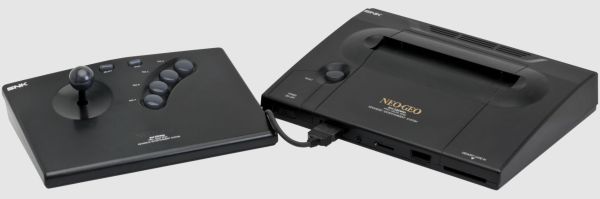
Given the technical specs of the FPGAs available to hobbyists these days, it really shouldn’t be a shock that you can implement a relatively-modern chipset on one, like one for a 486 system. In spite of knowing that in the technical sense, we were still caught off guard by [maniek-86]’s M8SBC project that does just that– the proas both CPU and BIOSducing a 486 FPGA chipset with a motherboard to boot.

Boot what? Linux 2.2.6, MS-DOS 6.22 or FreeDOS all work. It can run DOOM, of course, along with Wolfenstien 3D, Prince of Persia, and even the famous Second Reality demo– though that last without sound. [maniek-86]’s implementation is lacking direct memory access, so sound card support is right out. There are a few other bugs that are slowly being squished, too, according to the latest Reddit thread. Continue reading “M8SBC-486 Is An FPGA-Based “Kinda PC Compatible” 486 SBC”

a torn-up printer with a very long image of different frames

Playing DOOM On A Receipt Printer

Gaming is a wonderful thing. Unfortunately for many of us, work takes up our valuable time, which should be allocated to our gaming. What if there was a better way? Well, printers can print an image quickly, and receipt printers can print a lot of images. This sounds like an effective display for DOOM in a pinch. [Bringus Studios] managed to find such a printer and got the classic shooter running.

Getting the printer’s attached computer, which was only designed for printing the cost of your chicken sandwich, to run Half-Life was far from easy. [Bringus] struggled through the process of swapping operating systems from Windows 7 to Linux just to return to Windows 7 after a painful process of maintaining compatibility between 32 and 64 bit software. Driver issues followed through the entire process just to get anything running at all.

But we can’t play DOOM while at work on a normal screen. The printer MUST display our glorious 480p gameplay. To achieve such a workflow, [Bringus] implemented a script to print out a frame of the display, allowing for “visible gameplay”. Along with some heat issues from the nature of thermal receipts, eventually the printer displayed the glory of DOOM.

Playing games on a thermal printer might be one of the weirdest things you’ve seen today, but what if we could reverse the script a bit and create a printer from something else? Here at Hackaday, we have exactly the thing for you: a printer made from a vintage typewriter!

Continue reading “Playing DOOM On A Receipt Printer”

KiDoom Brings Classic Shooter To KiCad

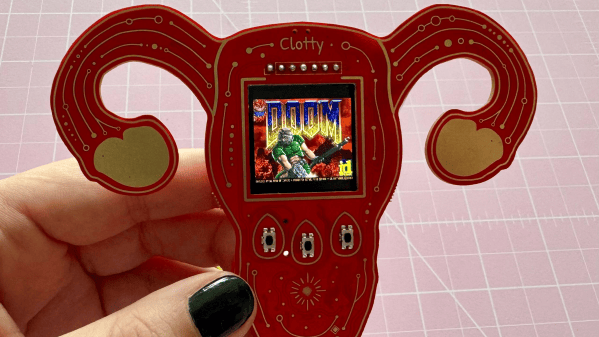
As the saying goes: if it has a processor and a display, it can run DOOM. The corollary here is that if some software displays things, someone will figure out a way to make it render the iconic shooter. Case in point KiDoom by [Mike Ayles], which happily renders DOOM in KiCad at a sedate 10 to 25 frames per second as you blast away at your PCB routing demons.

Obviously, the game isn’t running directly in KiCad, but it does use the doomgeneric DOOM engine in a separate process, with KiCad’s PCB editor handling the rendering. As noted by [Mike], he could have used a Python version of DOOM to target KiCad’s Python API, but that’s left as an exercise for the reader.

Rather than having the engine render directly to a display, [Mike] wrote code to extract the position of sprites and wall segments, which is then sent to KiCad via its Python interface, updating the view and refreshing the ‘PCB’. Controls are as usual, though you’ll be looking at QFP-64 package footprints for enemies, SOIC-8 for decorations and SOT-23-3 packages for health, ammo and keys.

If you’re itching to give it a try, the GitHub project can be found right here. Maybe it’ll bring some relief after a particularly frustrating PCB routing session.