
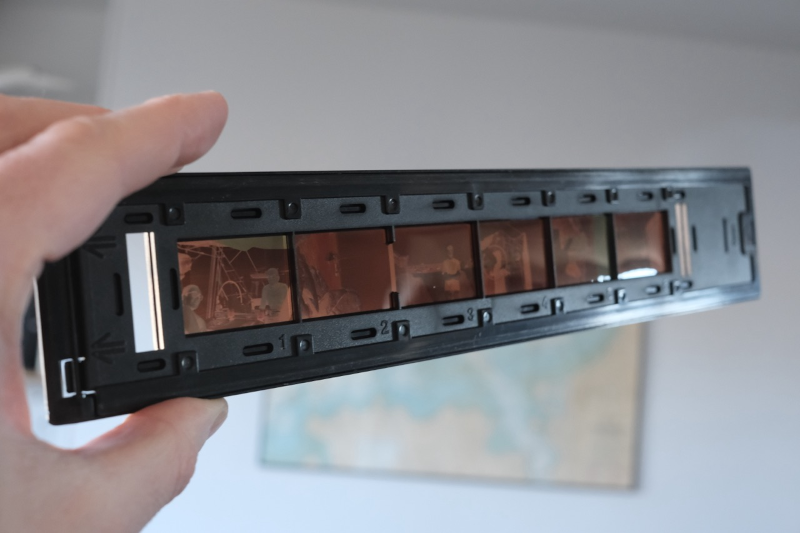
[Ronan] likes 35mm film photography, but the world, of course, has gone digital. He picked up an Epson FilmScan 200 for about €10. This wonder device from 1997 promised to convert 35mm film to digital at 1200 DPI resolution. But there was a catch: it connects via SCSI. Worse, the drivers were forever locked to Windows 95/98 and Mac System 7/8.
In a surprise twist, though, [Ronan] recently resurrected a Mac SE/30 with the requisite SCSI port and the System 7 OS. Problem solved? Not quite. The official software is a plugin for Photoshop. So the obvious answer is to write new software to interact with the device.
First, of course, you have to figure out how the device works. A service manual provided clues that, as far as the SCSI bus knew, the device wasn’t a scanner at all, but a processor. The processor, though, used SCSI as a simple pipe to handle Epson’s standard “ESC/I” protocol.
Armed with that information and a knowledge of the Mac’s SCSI Manager API, the rest is just coding. Well, that is until [Ronan] tried to scan the other five negatives in the six-negative film carrier. He was frustrated until he found an old patched SANE driver for the scanner from 2002. By looking at how it worked, he was able to figure out how to switch to the other negatives.
Color scanning also took a little coaxing. The scanner returns three monochrome images, one for each color channel. Some assembly, then, is required. In the end, though, the project was a complete success. Can’t find a FilmScan 200? Don’t have a SCSI port? There’s always the roll-your-own approach.












i have a film scanner still that stopped being useful after i upgraded to WindowsXP — i think it is USB-based, which would make writing a driver for it easier than SCSI
I’ll bet VueScan supports it.
Indeed, along with anything else that might vaguely be called a “scanner”. That app is the greatest thing since, um, sliced printer models, and has been in my best-of-the-best software arsenal for decades.
Notably Vuescan has it’s own generic “driver” file that allows USB scanners to be detected and then communicates to them raw last I checked.
So many post about scanning/digitizing slides and you go with that one?
https://hackaday.com/blog/?s=slide+scanner
The Vuescan product from Hamrick has supported the Epson Filmscan 200 on Windows, Linux and Macs for years.
https://www.hamrick.com/vuescan/epson_filmscan_200.html#technical-information
Why even bother with 1200 DPI? That’s woefully inadequate for film. You can buy adapters for flatbed scanners that do at least double that.
That’s worse than just using your smartphone. I still have a working Nikon LS-1000 that scans 2700dpi and the scans don’t look as good as copies shot with macro lens and slide holder.
I still use a SCSI Canon slide scanner and it is supported by Vuescan. Vuescan is still being updated and supports a massive amount out scanners. It’s really good software. Supports Windows, Mac and Linux.
After inverting and fixing the color, it looks like quite a nice bot party on the left there.!
while vuescan does support this filmscan 200, you would need the pro version which isn’t that cheap (though worth it if you are going to do a fair bit of scanning).
But I can see the appeal of doing it yourself – I must admin I’ve written my own scanning software that I’ve used for years – it’s just so much easier if you are doing bulk things and want a lot of standard auto things done with each image.. And if you need a new feature you just open the source code.. Though I normally (but not always) use the manufactures twain drive, as that makes it easy – the trouble with doing it direct is to get the $^%$& documentation.. You would think that these HARDWARE manufactures would like it if people could write software for the devices, but no…
“Problem solved? Not quite. The official software is a plugin for Photoshop.”
So install the required oldware version of Photoshop? I don’t understand, why is this a problem that requires reverse engineering to solve? Author says he “wanted something simpler”, but I still don’t get how writing a whole driver is simpler than running that plugin.
Im running a version of photoshop 3.0.5 from 1995 on windows 7/10/11 and works with old scanner plugins (yes, i have the physical disc)
There are plenty of times when rolling your own makes sense, but scanning software is unlikely to be one of them unless you have extremely esoteric needs. Just use VueScan, and spend your time on something more interesting.
I lot of scanners support TWAIN which works with a lot of software. Plus i have a nikon coolscan 4000 with the 50 slide autofeed tray. Hard to beat that going the camera route