
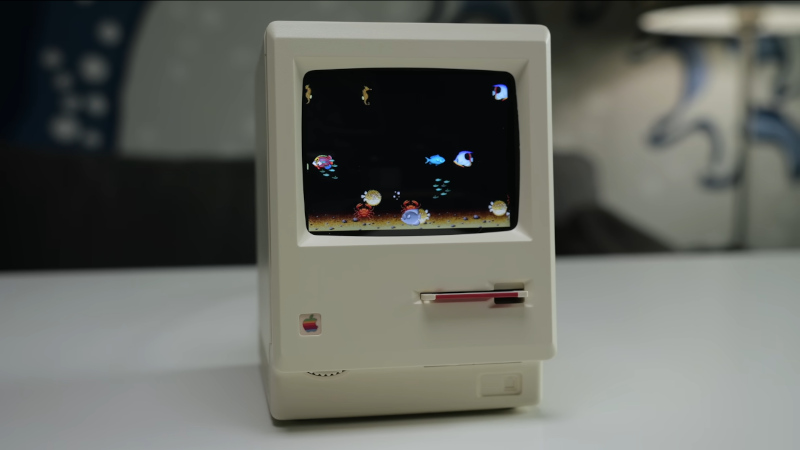
We’re lucky enough in 2026 to have cheap single-board computers fast enough to emulate machines from the 1990s, touching on the 32-bit era. We’ve seen a few projects as a result, emulating the Apple Macs of the 68000 era, but even with the best 3D printing, they can disappoint when it comes to the case. So when [This Does Not Compute] saw a novelty alarm clock using a very well-modelled mini replica of an early Mac, putting a Mac emulator in it was the obvious way to go.
The project uses a Raspberry Pi with a small colour LCD. The video below the break takes us through the process of gutting it and mounting the Pi and display on a custom 3D-printed bracket. In an unexpected touch, parts of the original LCD are used to give the curved corners, which owners of an original Mac will remember. It may have a little further to go in that its fake floppy drive is begging to be converted to an SD card slot, and it has a now-unused brightness dial. But we’d say it’s one of the best little Mac emulators we’ve seen so far, if perhaps not the smallest.












Does anyone know what’s going on with Tindie?
There is virtually no support and it’s getting quite concerning.
Cool!
I’m no soldering expert but OP’s should learn to use some flux because their solder joint are awful. But the project is really nice!
Good point. There’s “solder honey”, for example, based on colophony solved in alcohol.
It’s a paste that I think is less aggressive than ordinary rosin or that industrial “fish paste” (the smelly solder flux).
I just use rosin-core solder. Has worked well over the years.
It looks great. Next step of course would be to install xdaliclock through macports and have it display the time.
The quality of the injection molding and attention to detail is surprisingly good for a $25 desk toy.
I prefer normal emulator. why noone not produce a real emulator.
BTW Apple will open a system mac os 1-7.1