

In theory having a single device that combines the features of multiple dedicated devices is a great idea, saving a lot of space, time and money. However, in reality it mostly means that these features now conflict with each other, force us to deal with more complex devices that don’t last nearly as long, and become veritable vampires for your precious attention.
Whereas in the olden days a phone was just used for phone calls, now it’s also a video and photo camera, multimedia computer, pager, and more, but at any point an incoming phone call can interrupt what you are doing. There’s also always the temptation of doom scrolling on one of the infinite ‘social media’ apps. Even appliances like televisions and refrigerators are like that now, adding ‘smarts’ that also vie for your attention, whether it’s with advertisements, notifications, or worse.
Meanwhile trying to simply do some writing work on your PC is a battle against easy distractions, leading people to flee to the digital equivalent of typewriters out of sheer desperation. Similarly, we increasingly see ‘dumb’ phones, and other single-task devices making a comeback, both as commercial options and as DIY projects by the community.
Are we seeing the end of the ‘everything device’ and the return to a more simple time?
Bored Is Good
In the before times, when the iPhones hadn’t yet flooded the planet and Facebooks weren’t even a twinkle yet in some bloke’s eye, your attention wasn’t nearly as much preyed upon as it is today. Spending time on the World Wide Web wasn’t that prevalent, people weren’t yet walking around with displays practically glued to their faces, and if you wanted to do any task it took real effort.
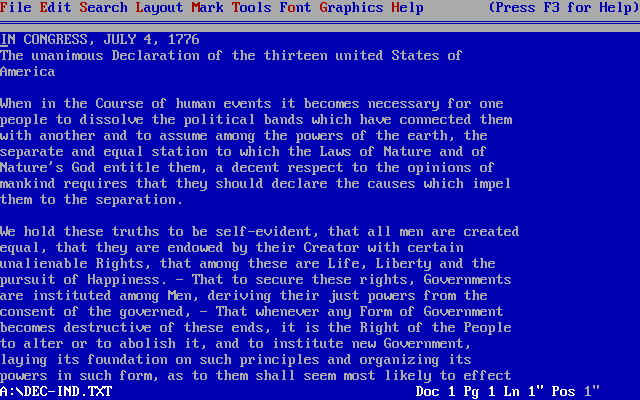
Although I learned to touch-type on an electric typewriter and briefly owned a Brother typewriter, I was already using PCs and word processor software most of the time. Of course, this was initially on MS-DOS with WordPerfect 5.1, running first on the family 286 PC and later the IBM PS/2 386SX system that my father’s work had sold off for a pittance. Back in the single-tasking MS-DOS days it meant that once you were running WordPerfect, or games like Stunts 3D or Doom, that was all you did.
Later I’d run Microsoft Office on Windows, but with only dial-up internet available the temptation from distractions were minimal. Not until the arrival of always-online broadband internet would you have to suffer through notifications from IRC, MSN, ICQ and whatever else you had running in the background, but even then you’d not be on the PC all the time.
When it came to entertainment, such as watching TV, playing a movie or music, it would be just that one thing with zero interruptions on the HiFi set, a Walkman or TV. Along with only landline phones that you were usually not within hearing distance of, it was easy to be ‘bored’ and do some quiet reading, drawing or prod at some small wildlife in a puddle outdoors. Even game consoles were still fully offline, so couch-based gaming – optionally with split-screen – was as multiplayer as things got.
Although even during the 1990s many people had email, you weren’t expected to check your mailbox more than once a week, perhaps a few times a day for serious nerds.
The Online Cacophony
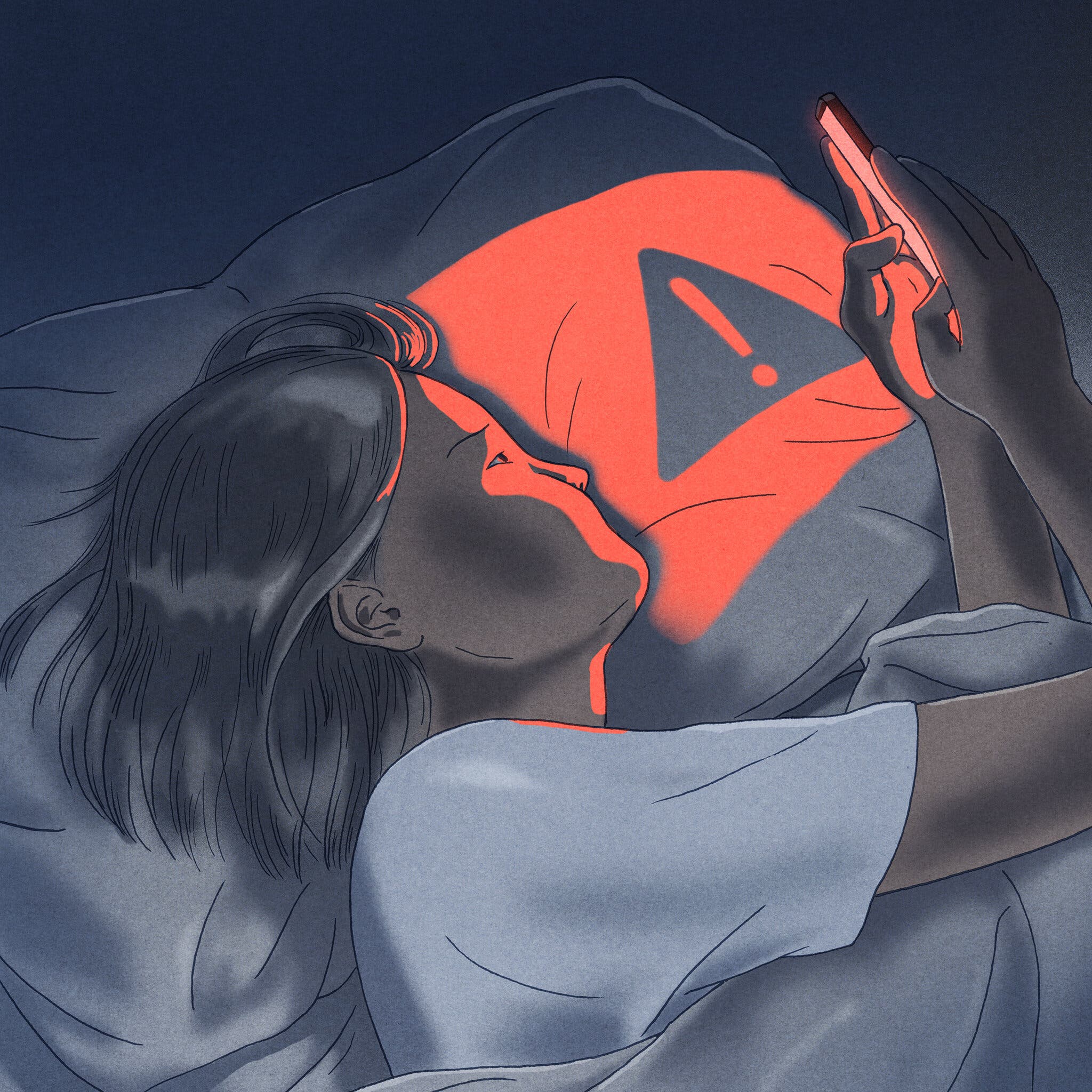
Much of the curse of the ‘everything device’ can be reduced to the fact that everything has to be connected to some remote service or a dozen. Just imagine not having internet on your smartphone, smart TV or PC, and how it almost instantly plummets you into chronic anxiety as only just about everything is connected to some online service, or depends on data stored on remote servers.
Getting away from all this is hard, as signing up for a dozen social media services is part of social pressure, and each of these services make sure to incessantly pull you in with updates and notifications. Then there are advertisements that have become the main financing model for websites and even online services in the 21st century, which ever more intrusively barge into whatever it is that you’re trying to do.
Here the term ‘chronically online‘ along with similar terms has previously been pitched and would seem to be rather apt. Ever more people have to check their smartphone for new notifications and updates, and are constantly occupied with what is happening on social media, rather than in the real world.
Worse, you’re no longer just taking snapshots on your photo camera or recording video on a camcorder, but everything goes straight into the Cloud™, from where you get pushed, harassed, and cajoled into sharing every single bit of content with everyone else, lest someone misses out on your Amazing New Experience.
Out Of Focus
 The main problem with all of these chronically online everything devices is that you are never left alone with your thoughts, and thus never get ‘bored’. Everything wants a slice of your attention, with social media platforms being practically engineered to hoover up every last crumb of it, while counting on your inability to control your impulses and relying on your innate fear of missing out (FOMO), courtesy of you being a very social type of monkey.
For example, a 2021 study in Frontiers in Psychology by Christina Koessmeier and Oliver B. Büttner investigated the causes behind the distracting effect from social media in particular. FOMO is a big reason, as we are social monkeys who generally like to be part of the group rather than excluded. Self-regulatory issues are many, such as preferring to pop over to a social media app or site rather than complete an unpleasant or difficult task. It feeds the reward center of your brain, even if you’re not actually accomplishing the task you set out to do.
One could argue here that the demise of the third place alongside the rise of ‘everything devices’ like smartphones has led to a situation where being chronically online is a way to compensate for the lack of real-life connections, albeit in an environment that’s mentally rather toxic due to how social media in particular works. By providing a sense of belonging – whether false or not – these online places become an important part of our identity.
That a lot of unhealthy behavior is associated with such a chronically online existence ought to be self-evident. Meanwhile the push towards ‘everything devices’ like smartphones isn’t due to corporate benevolence, but rather to trap all of us into endless subscription services, accessed via a terminal device explicitly designed to siphon off every last drop of our attention, focus, and money.
Escape The Trap
Rather than hapless insects, caught in the slowly solidifying tree sap that will inevitably doom them, we humans like to brag about our intellect and ability to innovate. Thus, at least some of us are trying to get out of this veritable tar pit of FOMO and social manipulation, even as we try to figure out what exactly went wrong down this path of Future Technology™.

The question is: how far exactly should we go back in time? This is a question that’s been on the minds of many, with a wide variety of solutions offered. The most extreme is of course the digital detox approach, whereby a person completely removes all smartphones and similar technology from their lives for a set period of time. Although showing positive effects on people’s mental health, this can of course only ever be a temporary intervention.
For many people the allure of switching away from smartphones and to feature phones (‘dumbphones’) is an appealing one. Personally this is a step that I have also taken, switching from a regular Android smartphone to a KaiOS-based TCL Flip 3 feature phone that’s slightly more full-featured than a Motorola Razr V3, but also equally as user-friendly and devoid of most non-phone functionality. Photos you take also are saved to internal memory, with no cloud storage unless you jump through serious hoops.
When you’re on a PC, it is of course much harder to escape the pull of FOMO and easy ‘rewards’ by doomscrolling or watching funny cat videos on YouTube. Here you can either focus on training your self-control, or by using a zero-distraction typing device that removes all temptation.
On the training side of things, the Pomodoro Technique can be done using a bog-standard kitchen timer to set the intervals, any of a number of online timers, special YouTube videos, or by building your own physical timer, with even just recently a few examples already popping up here on Hackaday.
Back To WordPerfect 5.1
It’s hard to argue with simply installing good ol’ WordPerfect 5.1 or equivalent on some DOS flavor in a system of your choice and typing away there. We have recently seen a SvarDOS-based environment that comes preloaded with a range of word processors and kin to get you started. Since you won’t even have networking, you won’t be distracted by anything. This can of course be replicated in a variety of freely available software, with FreeDOS and any word processor available from Archive.org being fair game.
You can also go down the ‘digital typewriter’ route, with some commercial options even being available here, such as the Zerowriter Ink. Alternatively you can go fully minimalistic with an ESP32-based writer deck, or opt for something vaguely more laptop-like. A lot here depends on how much you require in terms of formatting and editing features. Although sometimes you really just need to hammer out lots of words, in which case the portable equivalent of Notepad is fine, you may want to add at least some formatting.
Personally I’m quite the fan of the calming white-on-blue text with full word processing capabilities alongside the deafening noise of the buckle-spring keyboard of an IBM PS/2, but everyone has their own preferences. Maybe that is another benefit of breaking away from the Everything Device: you get to find out what works best for yourself.












If you’re a little older, you might enjoy the long-abandoned WordStar 7.0 for DOS: https://sfwriter.com/ws7.htm . Despite the years, my fingers still remember most of the arcane commands.
I still prefer speedscript
And then there was Electric Pencil….
It’s hardly a do everything device. Sometimes I wonder how phones would have turned out if there was a way to easily make one’s own apps that was built in and tightly integrated with the OS. Something like BASIC or even Scratch. To be fair, it hasn’t been this way in a very long time. Even though most computers ran windows 2000/xp when I was a kid, a self-contained 80’s PC is where I wrote my first programs in Basic – there was nothing like it built in to Windows.
It’s really disappointing that they decided phones should be the opposite.
I couldn’t possibly disagree more strongly, at least for android. If you want a language on your phone, there’s an overabundance of options. Which is its own problem but it’s definitely not a desert.
Its not really about there being options (which there are probably more than any other platform ever), but about developing tech literacy.
Phones solved the problem of tech illiterate (or literally illiterate) people using technology, but they did so without encouraging users to become literate. Now, gambling ads are on every video, but Alan Kay’s Dynabook concept is a 50 year old dead end. This was a bad choice.
How is the dynabook dead?
I have a curve in my spine from the 100 pounds of textbooks I backpacked home from middleschool in the 80s.
My youngest daughters textbooks are all on their ̶D̶y̶n̶a̶b̶o̶o̶k̶ Ipad. And she reads a book or two a week with free checkouts through our library’s free hoopla portal.
My older daughter got a Fujitsu lifebook with wacom digitizer in high school, got a student subscription to adobe creative cloud, and learned enough graphic arts, 3d modelling, and webdesign that instead of going to University, she went to work.
At 50 Ive only been free from my student loans for a few years. She avoided them entirely.
Some people take the tech and watch cat videos while their brain rots. Others use the tools in their hands to build skills and a life for themselves. Cant blame the tech for some peoples shortcomings.
Can you prove that curve in your spine has anything to do with carting textbooks around in the 80s?
You know as opposed to whatever you’ve been doing for employment in the meantime or just plain getting old. Correlation still isn’t causation, you know.
I’m not proposing that we should return to making kids haul around a bunch of textbooks, per se, but there’s more to this whole picture than the potential benefit of a tightly locked down iPad from school.
@Jermey H
Its called hyperlordosis.
It certainly wasnt from my work. I was 17 when I started developing an occasional shooting pain in my back. The doctor did a spinal imaging scan and an exhaustive question and answer session.
In the 7th grade I was assigned a locker by the art room despite almost all of my classes being on C hall, at the opposite side of the school. So I carried all of my book around all year. Due to the weight I would arch my back and let the bag rest on my butt. Over the course of that year I grew a total of 6 inches, reaching the height I am today, just over 6 feet tall. I also developed a pronounced posterior and a sharp curve in my lower back.
The doctor said the strain from the backpack, bad posture, and its coinciding with a major period of growth was the most likely cause of my hyperlordosis and told me that I would probably always have bouts of the pain I was experiencing. Neither the curve nor the frequency of flareups has gotten any worse over the years. As long as I wear good shoes, avoid standing on hard surfaces for prolonged periods of time, I usually only get a flareup once or twice a year and its usually just a but of spinal pain and/or lower back spasms. It doesnt stop me from working out, or engaging in any other physical activities. Im not disabled by it in any way.
Google says
“Heavy backpacks, especially those weighing more than 10% of body weight, can cause or worsen hyperlordosis by forcing the lumbar spine into an increased forward curve and pulling shoulders forward.”
My back profile is an exaggeration of the lordosis example shown in this article discussing backpack related spinal issues.
https://www.norwalksportsandspine.com/qanda/could-my-backpack-be-causing-spinal-problems
Perfect! How nicely put as we, “the children of 3rd millennium” try to find our place and whether history will mention us at all.
Thanks for the insight.
I just repaired and replaced the dead battery of an awesome Phillips Gogear mp3 player. 2G of music to go to sleep, no more laptop or phone or an obscure streamed service from nowhereland. The second goal is a very old Sony walkman :)
Many years ago I asked myself “how does this (Google Plus and Twitter) make my life any better?” When I couldn´t come up with a good answer I logged off and delete the accounts. There are two things left: whatsapp and Signal. And as soon I have convinced enough people to come over to Signal, whatsapp will be gone too.
I’m zuckershit free since 2020. If people don’t want to use Signal, that’s fine. They can send an email, call on the phone, or send an actual letter. I’m not going to pander to their dependence on zuckershit, googleshit or appleshit.
Hear hear
I have an air gapped computer exactly for this. No faraday cages or anything but no hardware to connect. Sometimes I just do not want to be online but I still want to create or think in a word processor. The mental noise of knowing all the ways all of my interactions with tools are monetized, copied and monitored gets in the way of my creative flow states. Lately I’ve been a big fan of pencil and paper too.
I have recently rediscovered the joy of wearing a simple watch that does nothing but display the current time, constantly. No notifications, no need to charge it every night (mine needs a battery change every few years). No need to push a button or to flick the wrist in a specific way to coerce it into showing the time.
I second that. My trusty Casio GMW (If I remember right it is 5600, the first in the series) has been at it since 2008 or so.
I’ve been wearing the massive “90s” style Walmart $8.88 special for going on 20 years. I’m only on my 3rd or 4th one because the band will eventually snap (I used to wear them while wrenching and they would get beat up and soaked in all kinds of chemicals). Vaguely reminds me of a Timex, numbers are big enough to read by starlight if your night vision is good, and keeps decent enough time. I have a Pebble around that I picked last year for $30, but I lost the charger and the screen zebra strip has intermittent issues. It was more of a dress thing, I kept the radio off to save battery, it was loaded with clock faces. When I got it the firnware even let you set the time without Bluetooth. Refreshing to handle a decent product designed by a (presumably) sane human.
I used these for a while, I considered it a “fee for knowing the time” but I got sick of the straps dying before the watch battery. In 2014 I coughed up for a Citizen Eco-Drive solar watch. It cost about 100USD at the time and since then has required zero maintenance. I have broken even financially and it shows no sign of dying any time soon.
There are probably cheaper solar-powered options from Casio et al which would put you in front financially even earlier.
My main trick is aggressively disabling notifications. A lot of apps have no notification permissions. Group chat notifications get a shorter quieter sound. Do-not-disturb mode is scheduled for sleep and work hours.
The temptation to open an app is still there. But I’m realizing that junk food is only satisfying for a few minutes. My brain needs something heartier to chew on.
This.
I cannot understand why people allow so many apps and websites to hit them with notifications. Why? Do they actually make your life better?
My Android phone rings when someone calls, and pings when I get a text. And that’s IT. My phone is in another room when I go to bed. I resist installing apps that aren’t genuinely useful. If an app or service is free, then YOU are the product that’s being sold.
Yes there’s a lot of social pressure to be online in so many venues, and I still waste too much time doomscrolling or peeking at sites of interest (cough – HaD – cough) when I crave a distraction, but I accept that the onus is ON ME to to make the right choices. And I’ve discovered that it’s actually OK for me to be unreachable or offline once in a while.
Don’t install apps and crap you don’t actually need, DO NOT allow notifications for anything that’s not mission-critical, and leave your phone in a drawer once in a while, and you will find that your smartphone is still pretty useful.
Because we have to. Case in point: I have bills to pay and they must be paid on time. I used to get bills by the mail, so when one drops in I put them in a pile on my desk in order of their due date. Then when the first one is due I pay the whole bunch. Simple, efficient, effective. Can’t ignore because they’re there under my nose every day.
Now the mail has stopped coming, bills arrive by email, by text message, by online billing systems. I’m relying on notifications to see whether I’ve got bills to pay. If I don’t react to the notifications and swipe them away, I’ll soon forget which bill I haven’t paid.
What’s worse, the phone puts the apps to sleep if I haven’t logged in for a while, so the notifications stop coming. I have to keep logging in and checking, over and over, running through this checklist of apps and accounts several times a month to see that I haven’t missed anything. Did I check my electricity provider, did I forget rent? When was my phone bill due? Last month it was 25th, this month it’s 20th, or 28th… why do they keep changing it? The system is dead. If I go offline, I have no idea.
Minimal notifications here. I allow fraud alerts by text from my bank and credit cards but thats about it.
I dont keep banking/credit card/bill apps on my phone.
I know the due dates of my bills. Some are beginning of the month bills, some are middle of the month bills. Doesnt matter what EXACT day they are due, as long as the payment is sent/authorized BEFORE the due date.
Twice a month I open my laptop and log into the payment portals of the bills that are coming due, look at them, make sure theres nothing strange/wrong, and pay them.
I have a few bills that are paid once a year. They email me when the bills coming due, and I just go pay them.
Adulting isnt hard and doesnt require a dozen apps, or notifications.
It gets worse with some companies deciding to do “rolling billing” where they don’t necessarily send you a bill every month if it’s less than some amount. The dates jump around, so you never know when the next one is coming.
Oh, and another peevee… some companies still send bills by mail, but the mail has become unreliable. They cut the delivery days to 3 per week to save money, yet they regularly “misplace” the mail and carry it up to a month late. Fear not, the post office has an app! It notifies you when they’ve logged a delivery, and if it’s a bill they can give you a scanned version immediately.
Only problem is, there are five different private carriers that the companies can choose from, whichever is the cheapest (and most unreliable), and only one of them has the app…
So for things like the electric service and other utilities, you’re pretty much forced to install their app to keep receiving the bills on time, which is the whole point. They want to push you away from paper bills and onto their service platform, or the “e-bill” which means you have to keep logging into your online bank to see whether you have any bills to pay, or turn on the notifications.
@Dude. You can log in on the 1st and the 15th and pay the amount currently due, REGARDLESS of the rolled date. Ive not had a single late payment in the last 30 years.
And what goes for the bank’s online services, they did have one useful notification feature: when you paid with your card, you got the reservation notice in seconds so you could see that the purchase went through, or if someone stole your card and was making purchases with it.
They took that one away.
I just dont get it, You know you have a bill that is due every month. You log in and pay the bill every month. Due dates arent the date you have to pay, its the last day you have to pay a bill before it becomes OVERDUE. I log into whichever bills I need to pay’s websites on the 14th and on the last day of the month and pay my bill. Easy peasy.
I get it if you are a 20 something kid living paycheck to paycheck barely scraping by. Adults shouldnt be paying this months bills with next months paycheck. If you dont have a 6-12 month reserve you need to take a serious look at your finances and start trimming until you do.
@dude Re: bank notifications
My daughter had an Exgf “borrow” her card and run up some charges so she her account setup to notify her for every use of her card.
If you need that either check your bank’s notification settings more closely, or if in fact they havent got that anymore, switch to Chase. I know for sure that they do.
Doesn’t work that way here. It’s entirely up to the company when they decide to drop the bill and how much time they give you (past the 14 days legal minimum). If there’s no bill this month, I don’t see anything to pay – I would just be logging in for nothing.
If I log in on the 15th and there’s no bill, and the bill comes on the 16th I would get a text message on the 1st next month saying “Bill overdue, pay now or else”.
@dude Ive never seen a bill that you cant pay ahead of the due date. Can you give an example of what sort of company decides “nah no payment due until some random date in the future when we get around to billing you” Thats a new one by me.
In any case if they did such strange things in my part of the world I would log into that bill every other saturday instead of my current practice of doing my bills on the 30/31st and the 15th.
I don’t. That’s the point. The “rolling bill” means the company doesn’t bother sending the bill until they decide it’s big enough to send, so it may skip a month entirely and then you get a double bill at some random date next month when they decide to tally the amount. The time is variable for both if they send the bill and when they count it, so you never know when it’s coming.
It’s not a problem of whether I can pay the bill, but whether I have to keep milking the information about whether or not I owe them money.
That’s exactly the objection. With different companies sending their bills on different and variable rotations, that becomes every saturday, instead of just stacking all the bills and paying them once a month on average.
Example of a variable bill: phone company charges a flat rate plus calls and texts and other services. Electric company changing their rates by the hour combined with variable use on my end.
Their billing systems are obviously outdated and run up with delays gathering all the information and correcting for errors, so they push the problem on to the customers by running variable billing intervals and sending the bills “whenever”.
I agree with you, but I feel that the end is coming. My bank requires that I have their app on a smartphone in order to do any online banking. No, I can’t use a proper web browser, unless I “verify” with the app every time. No, they have closed all the physical bank branches near me. The only reason I keep this old smartphone around is for their stupid app.
I have no idea why the bank thinks putting the same password into TWO devices makes things safer – it seems to me that they have just doubled my attack surface. But there’s not an awful lot I can do about it, except start looking for a new bank, which will undoubtedly have some other stupidity to deal with.
For bill reminders, appointments, etc, I use the event calendar in Thunderbird, running on my laptop or office computer. I get reminders when I start the email client, and that’s the same computer I’m going to do the banking and pay them from.
(For bonus marks, align your billing dates to hit at about the same point every month so that you can, in one monthly session, review and pay all the bills)
I don’t have billing reminders on my phone, but I appreciate that more active people than me are away from their desk more often, so something on the phone makes sense. Still, these can all hit at the same time daily for bill reminders, at a time when you’re free to pay them, and appointment alerts as required.
It’s all the other notifications that people also allow – news sites, social media, online merchants, etc – that can interrupt you at any given moment, without any purpose other than attention-stealing. Why? Can people not make it through the day without knowing instantly when someone commented on their casserole recipe?
I often use my phone without contacts or glasses and end up accidentally allowing notifications thinking Im allowing cookies or location every now and then. I get so annoyed, with myself, when I get a notification and realize that mistake, and have to go remove the permission to maintain my peace.
i miss the bill paying ritual. it was an opportunity to evaluate the ins and outs in one sitting, and cut things like parasitic subscriptions. idk when it became acceptable for subscription services to have a revolving door into your bank account. the deal was i pay you, i get my stuff, i dont pay you it gets turned off. but that wasn’t good enough, now they get to grab’n’go and you are wondering where $100 went. if its in front of you, you can say maybe i dont need this and cancel it on the spot.
I (in the US) miss the times when one could pay all the bills at any local USPS – and some offices worked into the wee hours for that reason – ESPECIALLY in april when all kinds of Sammies-come-lateys, myself included, would be mailing their tax returns.
USPS at some point doubled as MoneyGram/WesternUnion, you stopped by, hand your cash, write down the address/name, presto, money sent. It was actually very convenient, you get a real human to talk to, not some “service rep” in overseas sweatshop, 100% USPS Employee who would do Real Work for you, if you are elderly/unfit with fading eyesight, etc. Real Help, not imitation thereof USPS had became as of late.
Bank accounts, no, USPS didn’t care about that. If your relative in Nebraska God forbid, got into a car accident and needs quick cash, you wire the cash directly, USPS office number, name, that’s it. Actually, there were talks that USPS accounts for Real People should do banking as well, but if I remember right nothing of a kind ever materialized. For-profit banks didn’t like that, so now we are brainwashed into believing we absolutely NEED a for-profit bank account. To what merits is unclear to me too, but now it is technically impossible to pay any bills without relying on SOME kind of bank account. Sad.
I am recently looking into ADHD, I feel this should be ADA protected and I should be allowed to use the web without pop ups. Recently wandered by a food place in the Salt Lake airport and saw an ADA option. Upon clicking it I was greeted with a plain white screen and black lettering. Amazingly the whole menu fit on the screen at one time, no longer would juicy sesame seed buns need to burst off every page as I selected some simple fries.
McDonald’s kiosks are the absolute worst, I have to look and click almost 3′ (1M) up and down to pick my food, even at almost 6′ tall it is a bit ridiculous. Wendy’s has the simplest menu on their kiosk. Also the best deal at $4 for a meal locally. (I’ve seen it up to $6 in larger cities). Burger, fries, chicken nuggets and a vanilla/chocolate ‘frosty’. Good deal all things considered.
That’s what I do too: no notification sound. It’s me who checks if there is a WhatsApp or a mail when I want. If it’s urgent, call me. If not, I’ll check it when I have some spare time.
My phone is perpetually on silent and I disable notifications for most apps.
You can always just have two (or more) phones. Then put your “communications” phone into a sound proofed drawer when you don’t want to be distracted.
A phone would be quite a nice interface for my Electronics Workbench. Log data, draw graphs of the logged data, use it as a display for various instruments, etc. But I’m not going to write such software. Partly because of concentration problems, but also because I don’t like the whole android platform. It would be so nice if phones just ran a regular Linux distribution (but still be capable to run all the android applications too).
Another point for the list of downsides of the Everything Device is that it does almost nothing as well as single-purpose devices it is meant to replace. For example, taking a photo using one hand with my phone is a tricky move, whereas it was easy with my old Canon point-and-shoot. That old camera had real optical zoom, too, instead of just making pixels fatter with digital zoom. It just did a better job. Why did I switch? The old camera broke.
What’s preventing you from buying a new camera? Then you can also play with bokey, pan & tilt real telephoto and macro lenses and other fancy features.
They took away all the good features from the cheap entry level cameras, because they would compete with camera phones. Now you have to pay hundreds of dollars extra to get back features like RAW files or even low-compression JPEG.
That’s right: they made point-and-shoot cameras intentionally bad in order to pump up sales of higher end models.
Buy an older camera instead of a nerfed new one then. My daughter just replaced her Canon EOS 5D Mark II with an identical one after hers went missing from her hotel room. She paid $220, a bargain compared to the $1500 I paid for her old refurbished one as a high school graduation gift in 2015.
I still have mine, so no need.
I did buy a newer one thinking it would be better because it had 20 Mpix instead of the old 12 Mpix and otherwise better specs, on paper, but after using it for a while I realized it was a waste of money. In good light it can do better, but overall it wasn’t.
Then this year I started looking again if they had improved, but found out that the price segment I was previously at had gone even more downhill and the features had moved up to twice the price. Now the reasonably priced point-and-shoot camera is essentially a cellphone sensor in a different box.
Oh, and another weird thing: no more charging by the USB port. Something to do with the EU charging standard requirements, so instead of changing design they simply removed charging and now you have to charge the battery outside of the camera.
See:
https://www.sony.co.uk/electronics/support/articles/00358104
Why are they still making these things, no clue.
Why not a micro 4:3?
It’s a much more competitive space.
Also, not sure if still running, but.
Apparently, there are a number of camera nuts in Japan that have to have the newest and best.
They sell their 6 month old 0.7 f prime lens to buy the newer 0.6 lens (difference is how they round the #).
I got the old lens for less than half (Amazon, also same place a high frame rate ‘point and shoot’).
Put together a mirrorless flash-less candle-light camera for $600 in 2010 money, (w zoom from kit in bag).
Don’t recall the CCD chip in body, but did my research at the time, is fast AF Sony. (Accepting that it’s not a select chip as would be in a Sony body).
Assload MP, RAW, 4K30fps, silly specs from where I’m coming.
Could be better camera then anything Kubrick ever owned (no, he shot in 70mm w 100k$/month multifocus lenses).
Not better glass, obviously.
Recently bought 4 new batteries.
Suspiciously cheap.
Also, recently found a Chinesium lens with large format/architectural tricks for $250…pondering.
Because I’m not into that whole buying and swapping lenses thing. My camera has to fit in a small hardcase in a belt loop and I’ll carry nothing else. Compact superzooms are excellent all-around cameras for that, but you have to pick carefully because the trend there became ridiculous with up to 40X zoom. In fact you can’t pick at all, because they’ve all gone off the far end.
The problem is, a long superzoom lens on a point-and-shoot frame has a tiny aperture, and the cellphone derived CMOS sensors don’t work in low light, so they push the sensitivity up by amplifying which results in noise, and then noise reduction algorithms which ruin the result. My newer Sony gets around the problem by photo stacking, which means it detects low light and then fires off a rapid five burst of shots and combines them, which has its own issues.
These cameras work worse than my old 2009 Canon 12X superzoom, which is admittedly a little soft but it can actually take a reasonable photo at night under street lights.
I paid something like €250 for the Canon. For $600 you could get a “good” superzoom today, but it won’t be better and it comes gimped in all sorts of ways. The next step up would be double the price with something like Sony RX100 VII and that does exactly what the new superzooms don’t – a reasonable zoom at 8.3X and a larger maximum aperture at F2.8 versus F3.4 or worse.
But still CMOS… no CCDs around anymore, so expect crusty low light behavior, and no USB charging in the EU.
. They took away all the good features from the cheap entry level cameras, because they would compete with camera phones. Now you have to pay hundreds of dollars extra to get back features like RAW files or even low-compression JPEG.
I am v. happy with my Olympus TG7. Proper optical zoom, it charges from USB (see the comments below about cameras that don’t) and it doesn’t matter if I drop it into the sea.
I have mixed feelings about the distraction aspect. Deep down, i think of it as a ‘skill issue’ rather than a technological one.
But i have really come to resent devices that are too complicated. And i mean that in an objective sense. They are so complicated that they never got debugged. My top-of-the-line (though now aged) nvidia shield android TV box comes to mind. It has had persistent bugs since day one, which have not been fixed even as i have endured a long sequence of updates. People have had a number of philosophical / economic objections to streaming but all along the thing that made me uneasy is that i figured it simply couldn’t work and people laughed at me for that, but now, even though streaming has almost completely replaced synchronous TV, it still doesn’t really work! My fiber internet performance is amazing but it still has a bug where it drops half of DNS packets, even after that’s been widely discussed on forums for two years now.
Recently, i had a phonecall where i simply couldn’t understand the guy on the other end. Some sort of squelch function was silencing half his speech. And he said “oh i might have a wifi problem” – WIFI??? Whatever over-complicated mess people are using simply can’t make a phone-call anymore. Cellphones of a decade ago were already barely able to replicate the intelligibility of the old fashioned closed loop analog POTS, and it has only went downhill as things like google fi and voip have come to dominate. Video conferencing seems great but they never solved the fact that it has too much latency to be usable by humans, and yet everyone uses it!
And don’t get me started on websites. It’s not that things have too many functions, it’s that they no longer do even a single one of them well!
It’s not really a ‘skill issue’ at the end of the day because everybody’s brain is a little different.
That includes differences in attention regulation, responses to stimulus, ability to shut out unimportant noise (filtering, basically, and more or less neural plasticity.
There is room for improvement, but baseline variations can make the difference between all these smart devices being a mild, continual nuisance vs really screwing up your productivity, ability to focus, etc.
I think app design nowadays is straight-up malicious. The infinite scrolling pages bring no closure. Videos auto-play once they appear on-screen, and more auto play after that. Every website wants notification access to feed you garbage. The reaction-face thumbnail metagame stresses me out, I can feel the fakeness through their smiles. It’s all intentional. It’s emotionally manipulating users on-par with casinos.
I second that, too many functions, and there doesn’t seem to be a single one done well/properly.
Where I live (in the .au national capital) proper cellular reception has been abysmal since they shut off 3G. Wifi is the only option for a cell phone… unless the weather is wet or windy, or the neighbours are watching netflix, because the last mile is shitty 1970s copper and falls over all the time. If there’s ever a real emergency at my house that requires someone to phone for help I will be screwed.
A similar effect is having devices with extra features that are unnecessary simply because everyone else has them. They do everything, whether anyone wants it, or whether they’re any good at it. Like when camera phones started to become a thing and even the dumbest little candybar phone had to have a camera even though it was completely useless. Smudgy little VGA sensor and memory for one photo.
I was looking at building a simple reasonably priced stereo stack for my living room. An amplifier, equalizer, radio tuner, CD player. Didn’t need to be very hi-fi, just something simple that looks nice, something small to fit on the shelf.
What happened? Found a nice amp. It has bluetooth, fine… found a fitting equalizer, it has bluetooth, okay… the radio tuner, bluetooth, what… CD player, bluetooth again, okay now it’s getting ridiculous. Now I have four different bluetooth receivers I could connect to, or which could send audio to bluetooth speakers. Why? Three of them also have a USB port and a tiny remote, so I can also play MP3s like I couldn’t do that by connecting my phone to any one of the bluetooth receivers.
Stereo stacks are obsolete.
Any modern surround amp will do everything you listed except the CD player…and fit nicely on shelf above the TV with the file server.
I never play CDs anymore, just rip.
Don’t even ask the person w the disk, assumed.
I use my obsolete (free from PHB) old Swedish wood stereo stack/TV cabinet (6 ft tall) to hold my 3d printer, micro CNC and measuring tools.
Butterflied veneers are very nice, but it’s mostly particle board.
I’m sure it was very overpriced when new.
So am I, your point?
More to the point, a modern mini-hifi lacks the equalizer which is necessary to get the cheap and cheerful bookshelf speakers sounding half-way decent. If you want that, you have to build a stack.
Plus, the modern mini-hifi comes with software and apps. It runs some godawful Android touchscreen system. All I want is a power button and a volume knob.
No.
They (surround amps w video switching) usually come w pink noise generator and microphone for room tune.
Plus a way to adjust the tune w 100 button remote and lots of patience.
Adequately replaces the old ‘equalizer’ that came w my 901s (no highs, no lows…)
Admittedly, some room tuning w Subwoofer and presence speakers next to screen.
Maybe not ‘mini’, but if you want a physical volume knob (heheh, he said knob) just spend the $299-399 and buy an old school formfactor Sony or Onkyo, on sale.
A little more if you want more than 250W.
Too complicated and fancy. My demand is more in the 20-50W range, A cheap Chinese D-class amp will do that for $50 and a Beheringer mini EQ costs the same.
https://doukaudio.com/products/nobsound-eq9-hifi-9-band-stereo-eq-preamp-analog-equalizer-audio-processor-for-home-car
But seriously, the point I’m aiming for my living room stereo is to look fancy and modern without falling for that LED gamer look, while being as cheap as possible, and faking hi-fi by forcing it with the EQ to the point that the casual visitor won’t know the difference. It’s meant to play more like a background music system, not loud enough that somebody would notice the high noise floor or the distortion.
A rack-unit sized head units and modules stacked up would look old-school and not modern-retro neat.
“Stereo stacks are obsolete”
Let me guess you think bluetooth speakers pump your burned mp3s with theater grade quality.
If you grew up only listening to MP3s on portable devices, or are of the walmart electronics budget, youre basis for evaluation is as lacking as someone who has only drank boone’s and box wines opinion of what makes a good wine.
Stereo stacks are NOT obsolete. If you want quality sound, and the ability to balance and shape that sound to your space, amplifiers and equalizers are mandatory and as important as your choice in speakers.
In ear monitors are pretty nice, assuming your phone still has a 3.5mm port on it.
MP3 has for a long time been at a reasonable bit rate to enjoy a quality experience. Also there are high quality streaming codecs for Bluetooth.
Basically no.
‘Stereo stacks’ had:
Amp w radio
Eq
CD player
Tape Deck(s)
Phono
Preamp (optional)
Optional:
Real to real
TV
8 track
VCR(s)
DVD
Home laser show.
‘Stereo stacks’ are dead as disco (which still sucks).
Rack isn’t dead.
(Component amplifiers aren’t either. Edge case where there is ‘a stack’. If you can see it, it’s for showing off.)
Old school form factor isn’t dead.
It doesn’t have a stack of components on top and a secret decoder to tell you how it’s wired.
Discrete equalizers are pretty dead.
They were always noisy and are unneeded, considering you’re running a DSP already.
Analog interconnect was never great.
No matter how much you spend on cables. (Truth, still use RCA to the sub amp).
You sound like an audiophile. (not a compliment)
NERD FIGHT!
“Stacks” are only as good as their matching of the amp to the speakers. If they match, they sound well. It is THAT simple. If they don’t match they sound like crap no matter what, even with mega-uber-sub-woofers.
The rest (EQ, etc) are making them match slightly better smoothing out the inevitable non-linearities that add up the more things are added to the sound chain. Every analog board that takes some kind of sound input and passes it along introduces some kind of distortion; the stacks of things were needed to keep those distortions at bay or drowned in something else that would compensate for these, or just plain vanilla tuned down (cancelling in the analog sound world is impossible; tuning out or tuning down is what does cancelling).
(Grammar nazi sez “reel-to-reel”, but that wasn’t the main reason for my reply; reel-to-reel consumer-grade wares had better headroom, lower chance of distortions, and if one is lucky enough, fairly good chance of keeping the original within the tolerances, ie, fairly high above the magnetic tape noise level; obviously, none of this applied to the digital recordings, though, some of them were really remixes from the analog sources, thus, dragging with them all kinds of artifacts in the process; reconstructive DSP was next to impossible, so it is only fairly recently that good/excellent re-mixes of the originals started appearing; in the pure analog sound world this was about as affordable as ticket to the Moon and back – only few could)
Spoiler – at some point I’ve part-time moonshined as apprentice to the stage equipment gurus, this was BEFORE digital era where literally EVERYTHING was analog, 1980s to be exact, so cabling was a big deal, proper ground, etc etc.
We’ve set up shop with stacks of speakers in all kinds of places, small damp basements, school auditoriums, stadiums, etc. Every place was unique, and tuning was always what took inordinate amount of time, AND inevitable dampening that happens every time enclosed space is filled with people. Add to that unexpected surprises, sound interference whilst reflecting off, say, ceiling chandeliers or wall scones (not to mention all kinds of loose parts within those happily resonating to certain frequencies), while loosing some of the steam inside the wall panels or unoccupied seats. Also, say, fund raising event, people shuffle in and out at random times, standing to chat, etc. Sitting concerts are easier, but standing crowds dancing to a tune is random exercise in tedium, especially when it is NOT forced-closed with some kind of reflective backstage surface, ie, 1950s/1960s “stage half-shell” thingiemabob.
Also, wonders of sounds that went out, got reflected off, say, a fountain pedestal and returned delayed and folded, lest those find the nearest frontend mic to fly through and return through the stage monitor speakers and multiply into a feedback loop : – ] Joy joy joy : – ]
I did consider getting a DSP but those cost real money, usually come in stupid form factors meant for studio or stage equipment, and the interface to change the settings is usually obtuse. On the best systems you’re relying on the microphone picking up the sound and doing it’s magic, but then that may or may not be what you like. On the bad systems you’re using some idiotic software on a computer typing in filter values and now knowing what you’re doing. The software is something that is half-translated from Chinese or German and only works on Windows XP, so you have to set up a virtual machine to even run it – and then a few years later it disappears from the web and you can’t download it anymore if you lost it. The whole thing becomes a boat anchor without the software support.
The value of the EQ is that you can fiddle with the sliders and hear immediately if it sounds better or worse.
Dude there is a DSP in every consumer surround system.
Every one of them I looked at included an equalizer, and a crappy microphone (but with the microphone’s frequency response cooked into the test) so you could tune to the speaker/room you had.
At this point, you can find an old one at a thrift store, but it will only do HDMI 1.
I bet a micro sized equalizer is nothing but a cheap DSP.
W input and output stages for extra noise!
He said “rack.”
It reminds me of USB sound cards vs AC97 on-board sound vs real sound cards.
The mainstream solutions of today look so superior in terms of sampling rate, bit-ness etc but their analog part is lacking.
The signal-to-noise ratio (SNR) makes a big difference when listening to good source material.
Such as chiptune, MOD and MIDI files which are synthesized/interpolated.
Back then, a good DAC had an SNR of 116 db (Asus Xonar PCI sound card) rather than, say, 75 db (early SB16) or 90 db (cheap USB or on-board sound chips).
And it showed. A pair of good studio headphones and a dedicated soundcard made a difference.
It was worlds apart from those cheap USB headsets or DJ headphones and on-board sound.
Btw, audiophiles now can use dedicated USB or SPDIF DACs (D/A converters) that come in a metal chassis,
rather than those cheap USB “sound cards” (those USB dongles; not the real external soundcards in a box with various i/o ports).
Ironically, adding a bit of noise tricks the brain into hearing sounds that aren’t there, so the music sounds like there’s “more” to it. It’s kinda like dithering on crummy early computer displays that blends into more colors and apparent detail when rendered on a soft CRT. Listening to a perfect rendition of a MOD or a MIDI file on a perfect sound system sounds off – too clinical.
If you go on the web, there’s apps to add simulated vinyl hiss to the music you’re playing to give it that nostalgic ambience.
@Dude To my experience, using a pair of good headphones, the higher SNR was really great.
The sound was wider, clearer. Stereo separation was better.
It was like standing in a wide open space, as opposed to sitting on WC in the bath room.
About the MOD files.. There’s a common misconception that harmonics make the sound richer.
Users who think that propably didn’t experience a MOD on a real Amiga yet (the harmonics are mostly absent here).
The Amiga can play back the individual samples at their native resolution,
while PC soundcards must mix the whole thing together at a common sampling rate (higher the better) and at 16-Bit.
That’s how IDO came to be. It’s an 90s era algoritm of MOD4Win that tries to fix the issue on PC platform of its time.
And it works very well, actually.
i found a set of small bose speakers in a free box on the side of the road. i think il use those. they sound better than the chinese amp and side of the road speakers im currently using. i had an amp from the ’70s awhile back, but i lost a channel, couldn’t fix it and ended up using it for salvage parts. caps were good back then.
Bose is mostly terrible.
Even 901s (the founders product) will start arguments, I like them and got mine for cheap (from a classical music fan, so unblown. Should have bought the double Denons too. Is regret.)
They’re not going to rock the room by themselves.
Edge foam needed replacing when I got them, might need it again, should look.
You can almost certainly find free speakers better than the tiny Bose satellites if you keep your eyes open.
im a metal head so noise is kind of a bonus. i still have my huge rca full range speakers but the subs are starting to sound weak. think maybe the crossovers are going, but they are sealed and idk if i can reseal them. but as you say you can get free speakers everywhere so its not even worth the hassle.
Much more likely the voice coil is burnt (‘Fing an animal…Had a great time at the zoo…’).
Good speakers are worth reconeing.
Is easy.
Weigh them. Bass driver quality is directly related to magnet strength.
Who sounds like an audiophile now LOL
I’m an EE.
About as far from an ‘audiophile’ as possible.
e.g. Good thick copper cables, not super expensive ones.
FYI google ‘Double Denons’.
They were awesome.
In the early days of Geocaching, I’d carry a small flip phone, brick-sized GPS, a blackberry (where I’d downloaded cache info — and though that model blackberry has a GPS, Verizon put a $10/mo lock on it), a digital camera, and sometimes a small portable MP3 player and wired earbuds.
Ironically the fact it does everything is what allows it to exist at all. Amortizing the feature set across users who don’t want or need features means a cellphone which could realistically cost 5k, 10k or 20k in Euro, dollar, £ (or whatever) can be had for $300-1,000.
Meanwhile the advertising is so bad I needed to download Firefox on my device so I could use reading mod on websites trying to load 5 video ads on me while I look for one piece of technical advice on a forum 🤦🏼♂️
When applied to humans it is called “mile wide and one inch thick”. Meaning, jack of all trades, master of none : – ]
I’d say the moment marketing decides it needs to sell more hammers, everything looks like a nail now, even philips/torx screws, staples, rubber bands, etc.
Oh, on the topic of rubber band, modern cell phone sure resembles a gigantore rubber band ball, with as many rubber bands as possible stretched in every which way, each with its own unique way of setting, unrelated to other bands, and adding unknown weight and heft. I am quite sure the billions upon billions lolcat video churning apps / rubber band apps, running pretty much non-stop worldwide, and requiring additional power draw, cause no less than few hundred tonnes of coal soot in the lower atmosphere at night.
The expression is:
When your only tool is a hammer all the world looks like SKULL.
Also:
If builder built like coders coded, the first woodpecker would destroy society.
Good article, a minority view though I think, the vast majority of people won’t give up their smartphone now, and that is a feature not a bug. It amused me to see public pushback about digital IDs when in fact they already carry something around with them that is essentially a digital ID on steroids, and so do their kids. As someone who for many years was a tech enthusiast and early adopter, for about the last decade I have become increasingly jaded about the direction tech is going and how it is becoming increasingly mandatory – money, health, government, and other organisations demand it. But at the same time people seem increasingly dissatisfied – it isn’t making us happier. Convenience always comes at a cost, and for me the price often isn’t worth paying, I have ditched windows and mac, and ios is next, I never have been big on social media BS like showing strangers photos of my dinner or vacation etc. I think that the creeping “you will own nothing and be happy” agenda is upon us, but a lot of people are walking into it with their eyes shut, every location they visit, interaction they have and money they spend tracked, monetised and used against them. Maybe some of them are unaware, maybe they don’t care, convenience. But, as far as the tech itself – wonderful, battery life is vastly improved, phone cameras better than ever, realtime translation and navigation, information always on tap, the list goes on – I think the next few years will see some alternatives which are aimed at people who don’t want vast monolithic corporations holding vast amounts of data on them, forced advertising, everything in the cloud etc, we are already starting to see a shift, so it will be interesting to see where it goes. As for me, I still use a fair bit of obsolete tech, but some modern tech in limited ways too, mostly out of necessity (banking, business and so on) I listen to music mostly on physical media or mp3 or occasionally YT, for writing I use purpose built devices that are not connected to the internet, I like and enjoy vintage computers and PDAs and still get daily use from them. TL;DR it is entirely possible to use a blend of old and new tech, and it is possible to not let yourself be distracted by notifications without really sacrificing much, in my opinion.
That’s right, that was a typical MS-DOS experience.
However, multi-tasking on DOS was possible if needed!
Software developers and other professionals used it.
MS-DOS 5/6 had DOS Shell, which allowed multi-program operation.
You could switch between applications, the inactive application was halted.
(Many advancements were introduced after DR DOS 5 shocked Microsoft.)
Novell DOS 7 introduced a real task-manager in addition to the older application-switcher.
It also featured enhanced DOS services for Protected-Mode.
The Novell DOS task-manager is being supported by PC GEOS (Geoworks Ensemble, NewDeal Office etc).
It has an entry in the settings (control panel).
Then there were DESQview, DESQView 386 (80s) and DESQView/X (90s) which allowed multitasking DOS applications.
DESQView even introduced APIs that applications could use for better multitasking.
It was the successor to IBM’s TopView, which was available since mid-80s.
The BBS operators often used DESQView (or OS/2) to run multiple copies of the BBS software (for multiple modem logins).
Also available were DOS-like multitasking OSes that were able to run DOS applications preemptively.
Some of which were available since the mid-80s.
Concurrent DOS, Wendin DOS, PC-MOS/386, Real/32 etc.
And that’s not counting the many DOS boxes in other operating systems.
Windows/386 could run multiple DOS applications in a window.
Unix systems ran Merge or DOSemu, for example.
Doom was developed on an NextStep system that had DOS emulators available, if memory serves.
Anyway, just saying. Because the world of DOS was very diverse! 😎
A lot of DOS-compatible OSes, such as DOS Plus or PTS DOS or DR DOS. Or PalmDOS, ROM DOS, DIP DOS.
There were small shareware and freeware versions of DOSes, too..
In principle, it was like with Linux distros. A lot of DOSes had been around.
True enough, I also used DOS Shell a fair bit back in the day, along with GeOS or something like it. I was just a kid back then of course, so I mostly just used whatever my dad had installed on the family computer. Later for school work, the IBM PS/2 MS-DOS with WP5.1 was also plenty.
I rather missed out on all the nerdy stuff back then, being just a 90s kid, but it’s cool to think that we can now just pillage Archive dot org and kin for software that used to cost thousands back then :)
Now to get FreeDOS on that dedicated system…
“…Now to get FreeDOS on that dedicated system…”
FreeDOS appears to be an outstanding modern-day alternative OS.
I’m a FreeDOS ‘lurker’ (i.e., gathering up all the info I can before dedicating a laptop to it, with maximum results and minimum problems), and would like to know if you are having–or have identified–any problems getting FreeDOS installed on your system. (?)
Thanks.
I also recommend checking out Novell DOS 7 and its utilities.
It has a fine setup program, adds DPMS, multitasker and built-in networking.
Not as a replacement to FreeDOS, but for sake of curiousity.
Back in 1994, NVD 7 was praised for its sophistication.
Even OS/2 people recommended NV DOS 7 as a good DOS.
Then there’s Helix Netroom and Helix Multimedia Cloaking.
Helix software did take a more elegant route at freeing conventional memory than MS-DOS or FreeDOS do take.
Instead of fiddling with UMBs, it uses VMs (Netroom) or uses cloaked device drivers that take up very little conventional memory (below 10KB).
That Logitech mouse driver is the most popular example, maybe.
Please note that this doesn’t exclude use of FreeDOS whatsoever.
Many utilities are interchangeable between the DOSes.
And I too like the FreeDOS kernal and FreeCom interpreter!
And I think the whale mascot is cool, too! 😎
Some infos:
https://en.wikipedia.org/wiki/DR-DOS#Novell_DOS
https://en.wikipedia.org/wiki/DOS_Protected_Mode_Services#Multimedia_Cloaking
https://www.robohara.com/?p=8565
PC-MOS/386 v5.01 is now open source, too!
It’s MS-DOS 5 API/ABI compatible and worth a try!
It has virtual serial terminals, too and can switch between applications,
even graphical ones (using ADDTASK [kbyte] [task nr] and then ALT+numeric key)..
Real serial terminals can be used, too. Norton Commander runs, too.
So it’s basically the kind of “DOS” that Linux users would enjoy to work with. :)
https://en.wikipedia.org/wiki/PC-MOS/386
Again?
No PC-MOS was not ‘worth a try’…
Never, not even when it was new.
It’s a useless, buggy POS that only ever ran on very select hardware.
If you bought the whole system from them, it sucked big wet donkey balls.
If you tried to make it run on generic PC hardware, you were into getting kicked in the balls.
Their tech support was ‘you should buy the whole system from us’.
It made genning sys on Netmare 2, off 360k floppy, seem like fun.
Yes, I once had a PHB that dreamed of running a room full of schlubs on one PC and a bunch of ‘almost free dumb terminals’.
Was gullible AF, assumed labor was a sunk cost because ‘salary’.
He found out.
Reading the PC-MOS BBS made me realize it was hopeless turd polishing, so I milked it for slack.
After a couple of months of me ‘phoning it in’, even he gave up, I had to resume working.
Sorry to hear about your negative experience.
Personally, I never had troubles with PC-MOS/386 years ago..
May I ask what kind of version were you using? PC-MOS or PC-MOS/386? And which release?
A DOS-based or -inspired machine for distraction free writing is a fine idea, but it got me thinking how it might be possible to allow easy and seamless backups.
I did enough worrying about unreliable floppy disks back in the day, if we’re in a future with cheap and plentiful storage, we should take advantage of that.
I remember you used to be able to get SD cards for cameras, which also incorporated a wifi hotspot and file server, so you could immediately copy a picture to another device as soon as it had been taken. (eg https://en.wikipedia.org/wiki/Eye-Fi). Something like this, but maybe IDE, would allow you to have a distraction free computer, whilst having a backup of your files, just in case.
Um.. Many DOS users a CF to IDE adapter nowadays.
XT-IDE Universal BIOS does break the 504 MB barrier and supports LBA.
My phone is always on silent. The problem is that modern phones have very weak vibrators. If your phone is in a case you don’t feel or hear the vibration. The old Nokia phones would shake its way across the table when vibrating. So I’m forced to periodically check if someone called or texted.
I feel like I’m constantly playing whack a mole with notifications. Even if disabled they sometimes come back. Unsubscribing to newsletters works, but because of dark patterns sometimes they make you accidentally enable them again. Or companies don’t care and illegally send you emails anyway.
And phones seem to have recently lost the coloured led that told you you had missed something. Apparently it takes up too much space or something.
I wonder why such useful innovations get silently killed.
“we are social monkeys” No, apes. “Apes with car keys” as used to be said.
I’d hardly consider WordPerfect 5.1 simple! It required a course to learn it for most people! WordStar was much more simple.
And today, there’s a much better tool, if someone wants a simple computer for writing. Use WordGrinder on a RasPi. It’ll work on a RasPi 3 just fine. (and probably older models, it’s just the oldest I’ve used it on). You don’t even need a GUI, just do a minimum install of the OS, and add it. That’s just for writing of course.
But what about VGA text-mode? It’s part of the experience.
720×400 pixels, 80×25 characters and 9×16 pixel font..
Back in the 90s, sitting on your DOS PC and running EDIT or one of the advanced PC-Tools/Norton Utilities programs was special.
You had a high-quality text-mode, you felt like you could see inside your PC.
Especially on a CRT monitor, where you could see the fine stripes between the characters.
PC-Tools and Norton Utilities also used the soft font feature to draw a TUI,
custom characters resembling icons (folder icons, arrows etc) were uploaded into the character set.
MS-DOS Shell of MS-DOS 5/6 featured that too, if plain text-mode was switched to EGA or VGA text-mode in the options.
Linux world never did feature that, to my knowledge. It lacked elegance, the magic.
Which I sadly missed. I never hated Linux, I rather wished it was more polished back then. And not so crude.
So how about booting into a DOS environment on a Raspberry Pi instead of using Linux?
Faux86 can boot directly from bare metal and supports VGA standard.
https://github.com/cttynul/f86-dos
I miss my low-tech youth.
Three month vacation from school…my Dad got six weeks of paid vacation from the railroad (L&N/Seaboard System/Family Lines/CSX).
Having allocated times for certain things was nice….Saturday morning cartoons…going outside to play..to re-create scenes.
Let me tell you all how I invented the laptop:
Anytime I woke up hearing my parents fussing—-that meant we were going to get a new appliance…and I got the box.
I cut out a second with the fold flap, and used a black marker to draw a grid for a keyboard: ABC…QUERTY who.
I got in trouble using up a black marker to blacken the “screen.”
I pretended it was a replacement for Spock’s tricorder.
Now that I am grown and could actually get a laptop…I don’t want it.
That piece of cardboard had a much better operating system…called imagination.
No idea.
About 1990.
386 version.
IIRC I wasted time w two versions, they both sucked balls but the rewrite could stay up for 30 seconds-5 minutes w two ‘sessions’, so much better.
IIRC I once had a single session stay up for a couple of hours, lucky I guess.
Never could get it connected to a Novel server.
Maybe if it wasn’t constantly crashing.
The thing got a maximum of something like 1000 installs worldwide (bet that # included me).
I doubt it got better, rather worse, as less and less hardware was compatible.
What kind of tightly spec’d VM does the current version want?
The math was just awful.
Maximum of 4 terminals per PC.
Only worked with their special, insanely priced 4 port RS-232 board and select MB chipsets w select bios versions.
Complete waste of my time, which they were paying for, but still idiotic PHB who couldn’t do MBA type math.
It was just a bad idea/implantation that should be left to rot in peace.
At least Netmare 2 ultimately worked.
I wouldn’t really care if LanTastic had made a final version that didn’t suck.
That’s just some aspi working on a zombie product long after it mattered.
There were many.
I’d sooner use TempleOS, learn to code in loonie.
Ah, okay. I had experienced PC-MOS/386 v3 in the.. 25 user version?
Anyway, v3 could run Norton Commander. I remember that bit.
Earlier versions had still their issues with that,
because NC wrote directly into video memory for performance reasons (bad coding practice).
That also had caused trouble on non-IBM platforms and required patching of NC..
I think I had used Norton Commander 2.0 or 3.0, not sure.
The PCs I had used merely ordinary AT class systems, 286 and 386.
Serial ports had standard UART FiFo (16550).
Please everyone note that PC-MOS/386 wasn’t really supposed to use DOS single-tasking/single-user device drivers of any kind.
I can imagine that anything beyond loading a simple TSR for mouse support had caused some issues.
But that wasn’t exactly the purpose of PC-MOS/386, either, I think.
It belonged more into the realms of Wendin DOS or Concurrent DOS, I suppose.
These DOSes too had issues with MS-DOS drivers and needed their own drivers.
PC-MOS/386 was comparable to MP/M, rather.
It was meant to run multiple DOS programs on one machine and allow multiple users using one machine.
It was not meant as a drop-in replacement to MS-DOS at any given time.
That’s what DR DOS was better at.
That being said, it’s possible to play EGA/VGA DOS games on PC-MOS/386.
So it’s another DOS open source alternative, besides FreeDOS.
It’s a matter of using the correct settings, I assume.
https://www.youtube.com/watch?v=5vYtgj7z1U4
I have trauma from Novel DOS. I had graduated from uni, but wanted to get into the “PC Revolution” with a cert, my prior experience was Apple IIe, and wifey bought a 68k Mac, but the course transitioned from Banyan Vines to Novel, so went from “no knowledge of DOS necessary”, to Novel trying to make Netware independent, integrating DOS every step of the way, which after all they recently bought from Digital Research. It would have freed them from Microsoft, but Microsoft was coming out with Win95, leveraging their de facto monopoly status. To this day I refer to “DR-DOS” maybe with GEM/3, not “Novel DOS”. Plus DOOM had just come out, which we could play networked! Then I transferred to a Digital Graphics course, dooming myself to no real career at all. I’m learning Tandy WP-2 at the moment, trying to forget my failures. :(
I’ve been trying to determine how to stuff the WP-2 into this thread; thanks.
The WP-2 is an outstanding machine for absolutely non-distracted writing; is light, very portable; easily very expandable with memory cards and still-obtainable 32K and 128K static RAMs (“Tandy Radio Shack WP-2 Word Processor”, for those of you who want to look it up).
Just be aware that this is an OLD machine which means that, though still very heavily, and very well, supported, you’re on your own, and at the mercy of those people who, though providing outstanding support today, might decide to shutter their business tomorrow. It happens all the time.
“Verbum sedes sat sapientiae”
(Translation: you, unquestionably, need a product, and not a project)