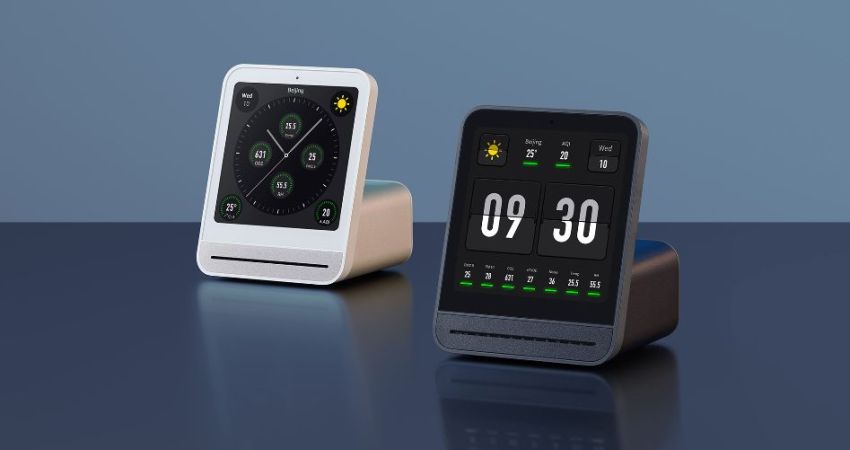
The QingPing Air Quality Monitor 2 is an Android-based device that not only features a touch screen with the current air quality statistics of the room, but also includes an MQTT interface that normally is used in combination with the QingPing mobile app and the Xiaomi IoT ecosystem. Changing it to report to a local MQTT server instead for integration with e.g. Home Assistant can be done in an official way that still requires creating a cloud account, or you can just do it yourself via an ADB shell and some file modifications as [ea] has done.
By default these devices do not enumerate when you connect a computer to their USB-C port, but that’s easily resolved by enabling Android’s developer mode. This involves seven taps on the Device Name line in the About section of settings. After this you can enter Developer Options to toggle on Debug Mode and Adbd Debugging, which creates the option to connect to the device via USB with ADB and open up a shell with adb shell.
From there you can shoot off the QingSnow2 app and the watchdog.sh that’s running in the background, disable IPv6 and edit /etc/host to redirect all the standard cloud server calls to a local server. Apparently there is even SSH access at this point, with root access and password rockchip. The MQTT configuration is found under /data/etc/ in settings.ini, which is used by the QingPing app, so editing redirects all that.
Of course, the device also queries a remote server for weather data for your location, so if you modify this you have to provide a proxy, which [ea] did with a simple MQTT server that’s found along with other files on the GitHub project page.