Making A Hidden Door Status Sensor

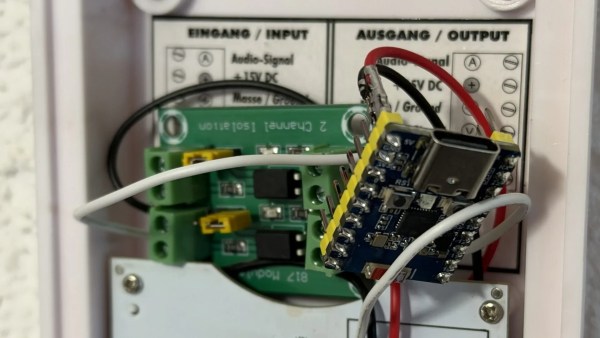
The door sensor in its new enclosures. (Credit: Dillan Stock)

A common sight in ‘smart homes’, door sensors allow you to detect whether a door is closed or open, enabling the triggering of specific events. Unfortunately, most solutions for these sensors are relatively bulky and hard to miss, making them a bit of a eyesore. This was the case for [Dillan Stock] as well, who decided that he could definitely have a smart home, yet not have warts sticking out on every single doorframe and door. There’s also a video version of the linked blog post.

These door sensors tend to be very simple devices, usually just a magnet and a reed relay, the latter signaling a status change to the wireless transmitter or transceiver. Although [Dillan] had come across recessed door sensors before, like a Z-wave-based unit from Aeotec, this was a very poorly designed product with serious reliability issues.

That’s when [Dillan] realized that he could simply take the PCB from one of the Aqara T1 door sensors that he already had and stuff them into a similar 20 mm diameter form factor as that dodgy sensor unit. Basically this just stuffs the magnet and PCB from an existing wart-style sensor into a recessed form factor, making it a very straightforward hack, that only requires printing the housings for the Aqara T1 sensor and some intimate time between the door and a drill.

Continue reading “Making A Hidden Door Status Sensor”

Smart Home? Make It Smart Quarters With This LCARS Dashboard

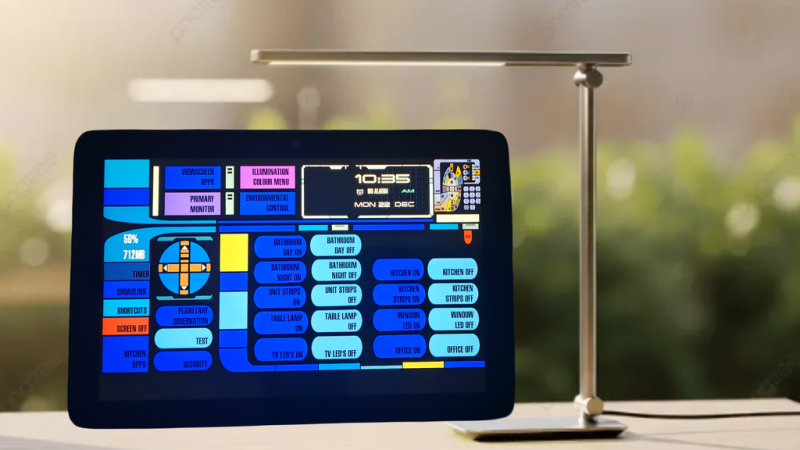
At the risk of starting a controversy: is there anyone who goes to the effort of setting up Home Assistant who wouldn’t really rather be living on the Enterprise-D? If such a person exists, it’s not [steve-gibbs5], who has not only put together a convincing LCARS dashboard on an Android tablet, but has also put together an easy-to-follow Instructable so you can too.

Continue reading “Smart Home? Make It Smart Quarters With This LCARS Dashboard”

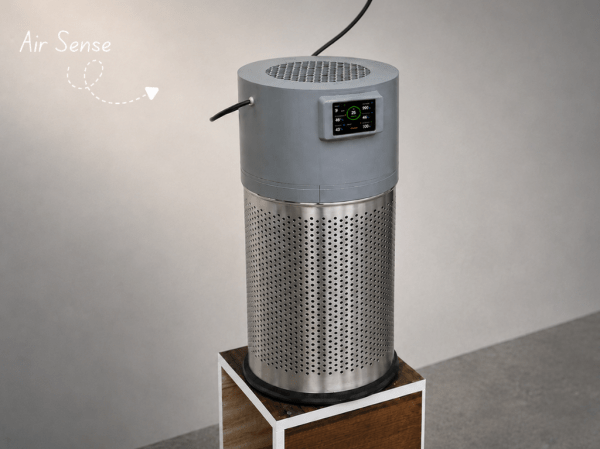
Modifying A QingPing Air Quality Monitor For Local MQTT Access

The QingPing Air Quality Monitor 2 is an Android-based device that not only features a touch screen with the current air quality statistics of the room, but also includes an MQTT interface that normally is used in combination with the QingPing mobile app and the Xiaomi IoT ecosystem. Changing it to report to a local MQTT server instead for integration with e.g. Home Assistant can be done in an official way that still requires creating a cloud account, or you can just do it yourself via an ADB shell and some file modifications as [ea] has done.

By default these devices do not enumerate when you connect a computer to their USB-C port, but that’s easily resolved by enabling Android’s developer mode. This involves seven taps on the Device Name line in the About section of settings. After this you can enter Developer Options to toggle on Debug Mode and Adbd Debugging, which creates the option to connect to the device via USB with ADB and open up a shell with adb shell.

From there you can shoot off the QingSnow2 app and the watchdog.sh that’s running in the background, disable IPv6 and edit /etc/host to redirect all the standard cloud server calls to a local server. Apparently there is even SSH access at this point, with root access and password rockchip. The MQTT configuration is found under /data/etc/ in settings.ini, which is used by the QingPing app, so editing redirects all that.

Of course, the device also queries a remote server for weather data for your location, so if you modify this you have to provide a proxy, which [ea] did with a simple MQTT server that’s found along with other files on the GitHub project page.

Bridging RTL-433 To Home Assistant

If you’ve got an RTL-SDR compatible receiver, you’ve probably used it for picking up signals from all kinds of weird things. Now, [Jaron McDaniel] has built a tool to integrate many such devices into the world of Home Assistant.

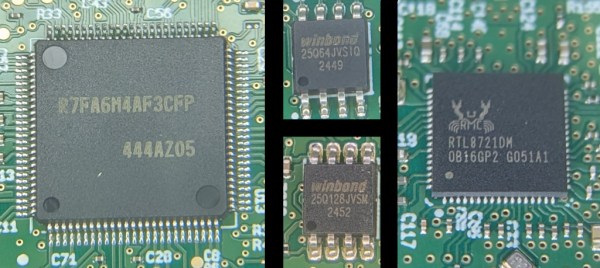
It’s called RTL-HAOS, and it’s intended to act as a bridge. Whatever you can pick up using the RTL_433 tool, you can set up with Home Assistant using RTL-HAOS. If you’re unfamiliar with RTL_433, it’s a multitalented data receiver for picking up all sorts of stuff on a range of bands using RTL-SDR receivers, as well as a range of other hardware. While it’s most closely associated with products that communicate in the 433 MHz band, it can also work with products that talk in 868 MHz, 315 MHz, 345 MHz, and 915 MHz, assuming your hardware supports it. Out of the box, it’s capable of working with everything from keyless entry systems to thermostats, weather stations, and energy monitors. You can even use it to listen to the tire pressure monitors in your Fiat Abarth 124 Spider, if you’re so inclined.

[Jaron’s] tool integrates these devices nicely into Home Assistant, where they’ll appear automatically thanks to MQTT discovery. It also offers nice signal metrics like RSSI and SNR, so you can determine whether a given link is stable. You can even use multiple RTL-SDR dongles if you’re so inclined. If you’re eager to pull some existing environmental sensors into your smart home, this may prove a very easy way to do it.

The cool thing about Home Assistant is that hackers are always working to integrate more gear into the ecosystem. Oftentimes, they’re far faster and more efficient at doing this than big-name corporations. Meanwhile, if you’re working on your own hacks for this popular smart home platform, we’d probably like to know about it. Be sure to hit up the tips line in due time.

Making Quinetic Gear Work With Home Assistant

There are lots of switches that you can use with your smarthome. Some might not be compatible with the wiring in your house, while others are battery powered and need attention on the regular. [Willow Herring] came across some nice self-powered versions that were nonetheless locked to a proprietary hub. Reverse engineering ensued!

[Willow] was using a range of smart home products from Quinetic, including the aforementioned self-powered switches. However, she couldn’t stand using them with the Quinetic hub, which was required to get them functioning with the brand’s relays and in-line switch relays. It all came down to the buggy smartphone app that was supposed to lace everything together, but never worked quite right. Instead, she set about deciphering the language the switches speak so they could be paired with other smarthome systems.

[Cameron Gray] had done some work in this area, which proved a useful starting point, though it didn’t enable the use of the switches with the various types of Quinetic relays. [Willow] decided to try and learn more about the system, starting with a CC1101 radio module hooked up to a ESP8266. Some tinkering around with expected message lengths started bearing fruit, and soon enough the format of the messages became clear.

Before long, [Willow] had figured out how to get the whole system talking to MQTT and Home Assistant, without compromising their ability to operate independently. Code is on Github for those eager to tinker further.

We’ve looked at a number of self-powered switches before, too. If you’ve found your own neat way of interfacing these devices, don’t hesitate to notify the tipsline!

[Thanks to Jess for the tip!]

DIY Light Panels Work With Home Assistant

There are a few major companies out there building colorful LED panels you can stick on your wall for aesthetic purposes. Most commercial options are pretty expensive, and come with certain limitations in how they can be controlled. [Smart Solutions For Home] has whipped up a flexible DIY design for decorating your walls with light that is altogether more customizable.

In this case, the DIY light panels ape the hexagonal design made popular by brands like Nanoleaf. In this case, each hexagon panel runs an ESP32 microcontroller, which controls a series of WS2812 addressable LEDs. This allows each panel to glow whatever color you like, and they’re arranged in an XY grid to enable you to light individual panels with a range of different geometric effects. The benefit of having a full microcontroller on each panel is that they can act quite independently—each one able to be used as a smart light, an notification display, or even as a physical button, all integrated with Home Assistant.

If you’re a fan of DIY smart home products, these might be right up your alley. They’re supremely flexible and customizable, and can do a lot of things that commercial versions can’t easily replicate. Just don’t ignore the fact that they require a considerable amount of assembly, what with the custom PCBs, 3D printed enclosures, and front diffusers to deal with. That’s just the way the LED wall crumbles.

We’ve seen other similar builds before, too. Why? The simple fact is that a lot of people want cool glowy panels on their wall without having to pay through the nose for them.

Continue reading “DIY Light Panels Work With Home Assistant”

Smart Bulbs Are Turning Into Motion Sensors

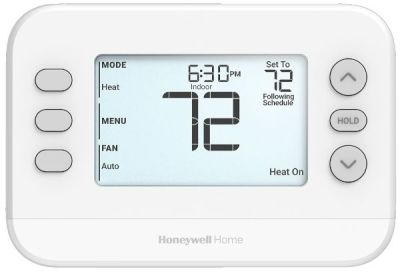
If you’ve got an existing smart home rig, motion sensors can be a useful addition to your setup. You can use them for all kinds of things, from turning on lights when you enter a room, to shutting off HVAC systems when an area is unoccupied. Typically, you’d add dedicated motion sensors to your smart home to achieve this. But what if your existing smart light bulbs could act as the motion sensors instead?

Continue reading “Smart Bulbs Are Turning Into Motion Sensors”