Illustrated Kristina with an IBM Model M keyboard floating between her hands.

Keebin’ With Kristina: The One With The RollerMouse Keyboard

I just love it when y’all send in your projects, so thanks, [Kai]! But were do I even begin with this one? Okay, so, first of all, you need to know that [Kai Ruhl] built an amazing split keyboard with plenty of keys for even someone like me. Be sure to check it out, because the build log is great reading.
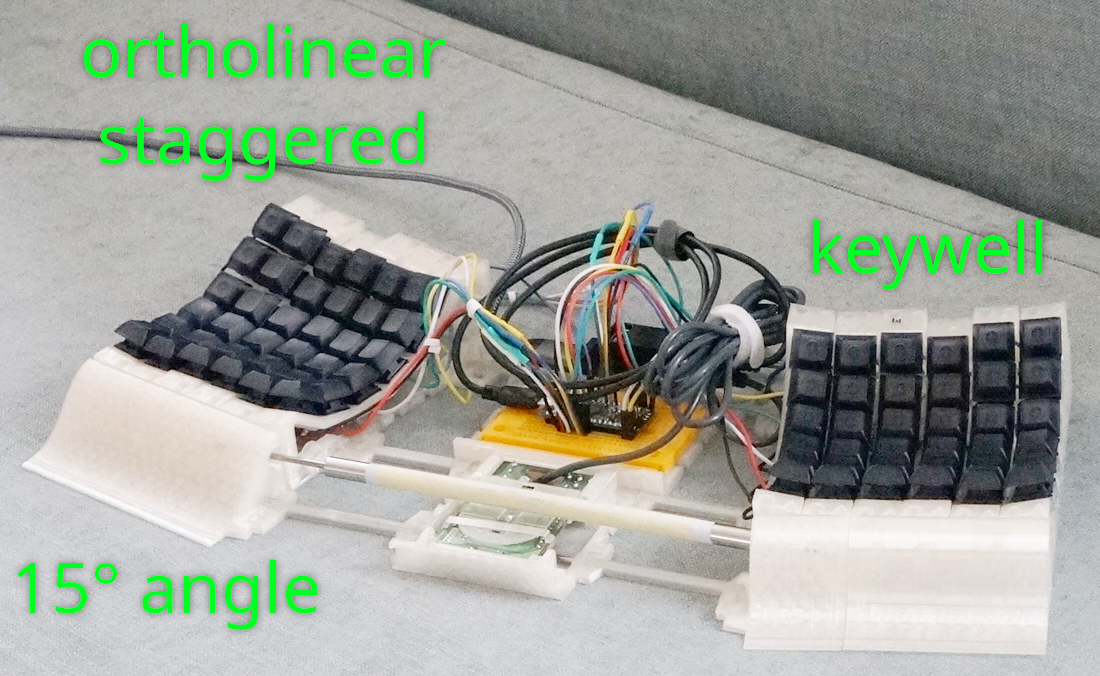
A lovely split keyboard on a pair of rails that doubles as a mouse.
Image by [Kai Ruhl] via Land of Kain
But that wasn’t enough — a mousing solution was in order that didn’t require taking [Kai]’s hands off of the keyboard. And so, over the course of several months, the RollerMouse Keyboard came into being. That’s the creation you see here.

Essentially, this is an ortholinear split with a built-in roller bar mouse, which basically acts like a cylindrical trackball. There’s an outer pipe that slides left/right and rolls up and down, and this sits on a stationary inner rod. The actual mouse bit is from a Logitech M-BJ69 optical number, and [Kai] operates the roller bar using thumbs.

[Kai] found it unpleasant to work the roller bar using thumbs, so mousing is done via the palm rests. You may find it somewhat unpolished with all that exposed wiring in the middle. But I don’t. I just worry about dust is all. And like, wires getting ripped out accidentally.

Continue reading “Keebin’ With Kristina: The One With The RollerMouse Keyboard”
Illustrated Kristina with an IBM Model M keyboard floating between her hands.

Keebin’ With Kristina: The One With The Keyboard-Mouse, Again

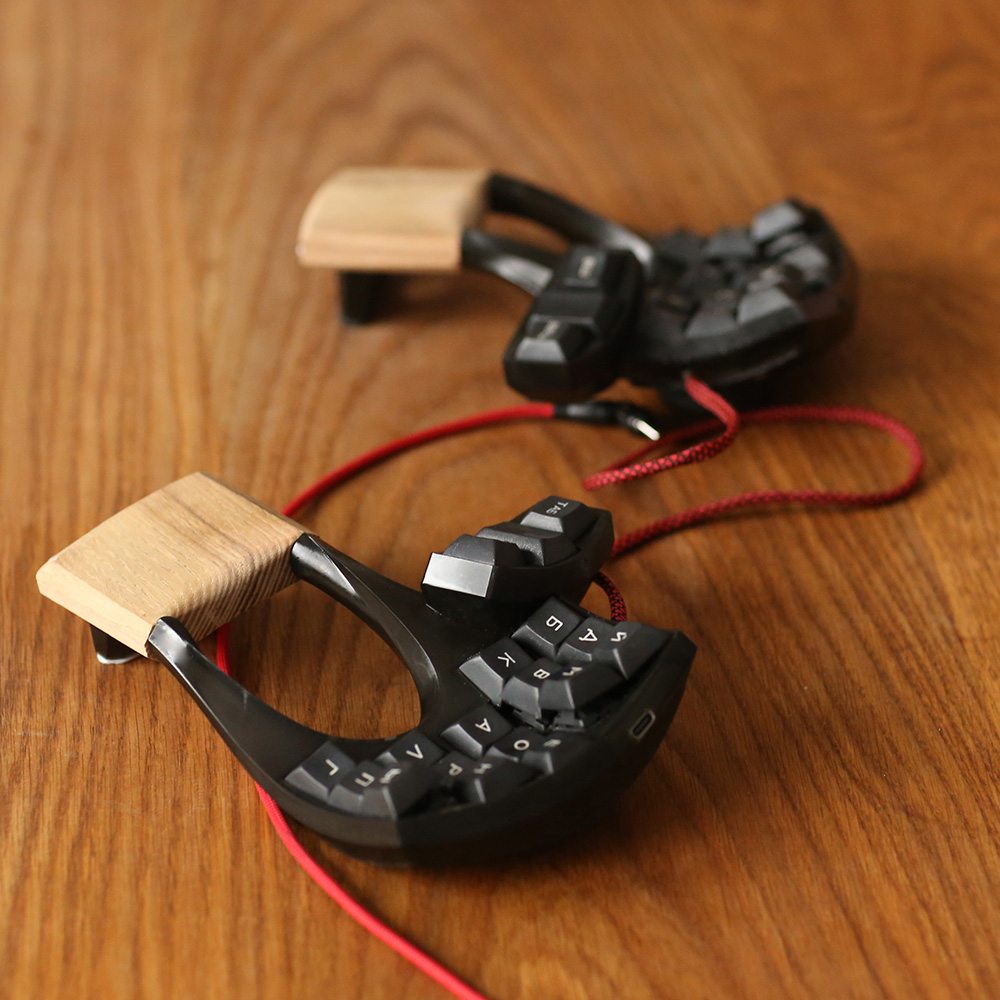
The astute among you may remember an earlier version of this Russian beauty, the Lapa, which I featured last year around this time. Creator [lemosbor] claims that the worry was less about visual beauty and more about ergonomics. Way more. Well then, let this serve rather nicely as a textbook definition of that old form-follows-function principle.

A splendidly ergonomic split with few keys, large openings under the palms and wrists, and mouse control on the thumbs.
The lovely Lapa.

See, [lemosbor] believes that the keyboard must adapt to the hands and not the other way around. The main goals were to minimize hand and finger movement as well as the visual attention required of the keyboard itself. No, there were never going to be any screens or RGB, and there likely never will be.

But I refuse to sidestep the obvious beauty in this keyboard, which from the side resembles a stylish and expensive pair of slightly-heeled shoes that were tailored to the contours of the human hand. And let’s not forget those handmade, oval keycaps, which again are a product of form-follows-function.

Continue reading “Keebin’ With Kristina: The One With The Keyboard-Mouse, Again”

Illustrated Kristina with an IBM Model M keyboard floating between her hands.

Keebin’ With Kristina: The One With The Keyboard-Mouse

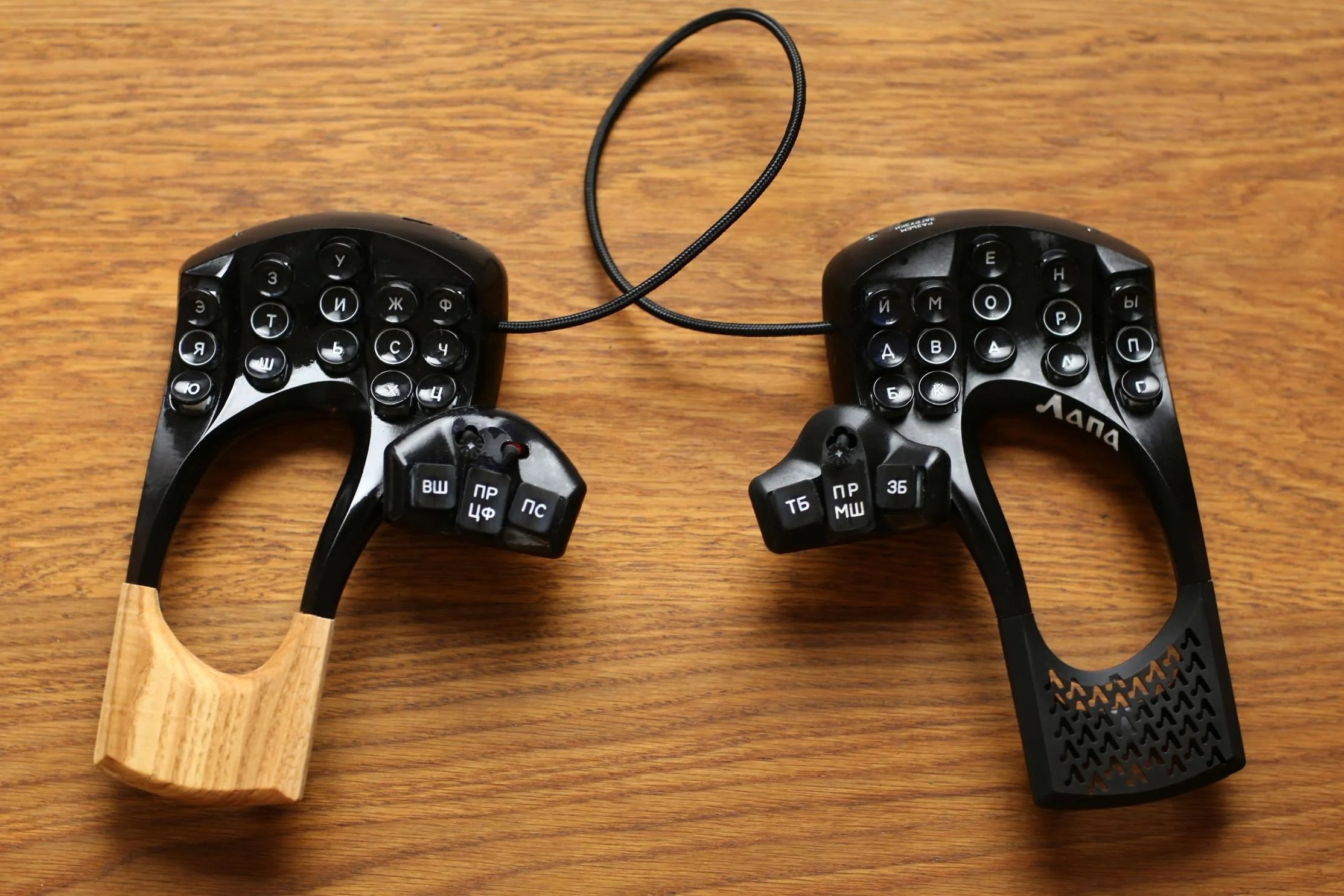
One of the most annoying things about keyboard and mouse input has got to be the need to constantly switch between the two. Ever wish there was a single solution that combined them with elegance? Then you should definitely check out [lemosbor]’s Lapa keyboard, where the right half includes a mouse sensor.

A 36-key split board where the right half also operates as a mouse.
Image by [lemosbor] via reddit
Lapa, which is Russian for ‘paw’, certainly has that type of look. This hand-wired keyboard uses a pair of Pro Micros and an ADNS9800 optical sensor for mousing around. Under those ‘caps are MX blues, the OG clackers.

Let me just say that I love the look of this keyboard, and I don’t normally like black and brown together. But that oak — that oak is classy, and it looks good with the resin-and-varnish case. If you can handle a 36-key board — I myself cannot — then this would probably be a game changer. There are even slots for your palms to breathe.

Unfortunately it’s not open source, but a girl can dream, right? In the reddit post, [lemosbor] says that they would be interested in selling the next version, provided it’s the final one.

Continue reading “Keebin’ With Kristina: The One With The Keyboard-Mouse”