Local LLMs Can Work Better Than Claude, At Least For Some

This is going to be a very personal question, because when you’re talking cloud vs local anything, it comes down to this: how much are you willing to pay for independence? The local option might save you long term, or it might never pay off the capital investment. It will almost certainly cost you your time to set up and maintain your own system — but what you get back is independence. With LLMs, traditionally you lose quite a bit of performance, but as [Anurag Singh] points out on XDA Developers, a lesser model might actually let you get more done, depending on your workflow.

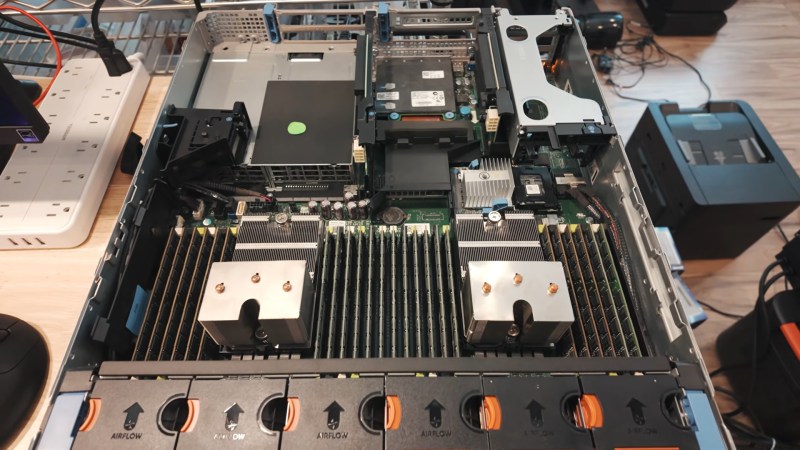
[Anurag] had been on the 20$/month plan with Anthropic when he decided that the scratch just wasn’t worth the sniff– he was hitting usage limits he couldn’t stand at that level, but couldn’t justify a higher tier of access. So he decided to try a local LLM, even though all he had was a 16 GB MacBook Air M5, not a beefy workstation. Since his workflow isn’t so much ‘vibe code the whole thing for me’ as ‘help me find where I went wrong here, electronic rubber duck’, Qwen2.5 Coder 14B proved more than adequate for his use case.

It can’t understand all the moving parts of a large project as well as Claude can — not surprising given how old it is and how much memory it has to work with — but that’s [Anurag]’s job. He’s the programmer, it’s just the assistant. For his use case, he can make use of his existing hardware and having the the LLM right in VS Code is allows for a speedy workflow.

Your millage may vary, but if you want to get into locally running LLMs, we can point you at the easy ways to get started. Depending on your hardware, you might want to grab another GPU.

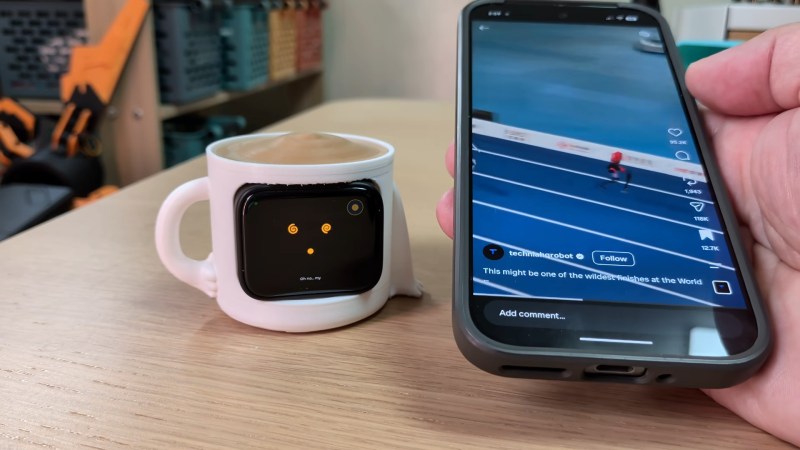
The virtual pet showing a distressed face while a phone is in use

Anti-Doomscroll Tamagotchi Only Lives If You Do

The odds are, you have a device deliberately designed to be addictive in your pocket or on the table next to you if you aren’t staring at it right now– your smartphone. We’ve seen a number of projects that try and help people control or moderate their phone usage using a variety of techniques; this vitual pet by [brenpoly] does it by weaponizing human empathy, and our bizzare ability to pack-bond with literally anything.

The virtual pet itself is based on an ESP32 in a cutesy 3D-printed case, and we think it would probably work well enough if it just had hard-coded behaviors based on hooks in what you’re doing on your phone– the “my little buddy is sick because I’m doomscrolling” should be effective enough on its own, and that part is hardcoded on the ESP32 along with the regular virtual pet behaviour–but this is the year of our Llama 2026, so there has to be an LLM in there somewhere, right?

Some people would leave this part out, but we think [brenpoly]’s use of a local LLM on the phone does improve the project. The local agent doesn’t just have access to his screen time, but his notifications, too, and runs a whisper model linked to a microphone in the virtual pet via bluetooth. So you can get the contents or a summary of your notifications without looking at your phone, or just ask the little guy to tell you a joke. Giving the pet a voice with a the local piper model is also more effective at getting you to put your phone down when you hit the limits.

They’ve put the whole thing up on GitHub if you want to make your own– and if we can keep one person from strapping themselves to a shock collar, then this project is doing good in the world. If helps [brenpoly] or any of his fans do less scrolling and more hacking, that’s even better. Of course there’s a whole spectrum between “electrocute yourself” and “lovable virtual pet” when it comes to controlling your phone use, a spectrum that includes phone stands or even smart vaults for your device.

Thanks to [brenpoly] for the tip! Remember, all of your doomscrolling is justified if you find something to send to our tipsline. 

Continue reading “Anti-Doomscroll Tamagotchi Only Lives If You Do”

Industrial GPU Adapted For The Desktop

As technologies change and adapt, we’re often left with seemingly useless junk that has nowhere to go. Certainly anyone still sitting on a pile of floppy disks feels this way sometimes, but odds are anyone who owns a mining ASIC or an NFT can attest to that as well. The trillions of dollars flowing into GPU-based data centers will likely become the next victim of this trend, so if you want to capitalize on the losses of some venture capitalist you’ll want to figure out a way to get GPUs meant for a server into your desktop doing useful work.

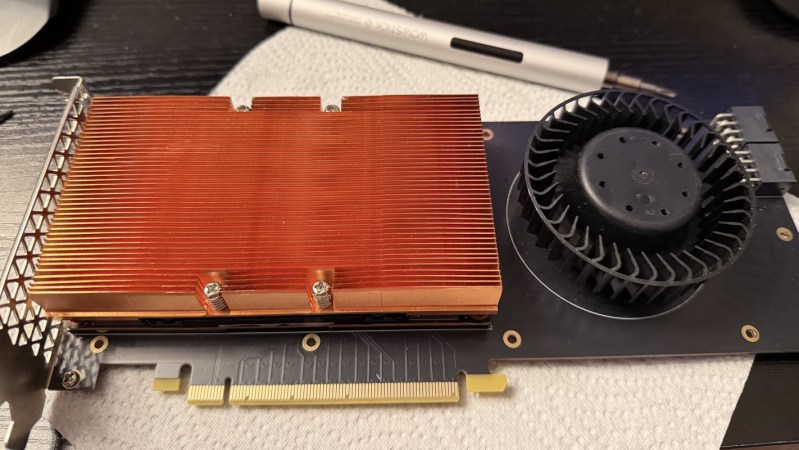
Of course, calling these devices GPUs is a bit of a stretch compared to the Radeon and GeForce cards many of us are used to using for gaming. These don’t even have a PCIe slot or video output, after all. But, as [] notes, the VRAM and GPU cores are very real and can still do useful work. An adapter board is able to mate a Tesla V100 SXM2 16 GB GPU to a standard PCIe slot, which solves the first problem, but the major downside from there is that the cooling fan for this unit was literally deafeningly loud. At 82 dB it was about as loud as a lawnmower, which is fine in a server rack but not great in a bedroom. [Oscar] found a way to tamp down the fan speed, making it usable in a home.

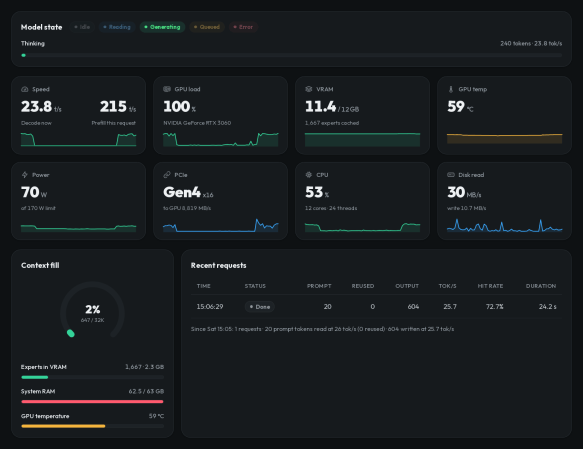
Without video output, the utility of these cards mainly comes from adding VRAM and compute for tasks that benefit from parallel computing. Using tensor splitting, [Oscar] is running a local LLM with this card alongside his RTX 4080, providing 32 GB of VRAM on his NixOS system. With his benchmarking tests, the LLM sports impressive stats for a self-hosted model, ranking somewhere around Claude Sonnet 4.6. What’s even more impressive is that this is all done for around £200, and with the rate the various LLM companies are ratcheting up pricing could pay itself back very quickly. If trading off performance for cost is acceptable, though, it’s possible to run local models on much less powerful hardware as well.

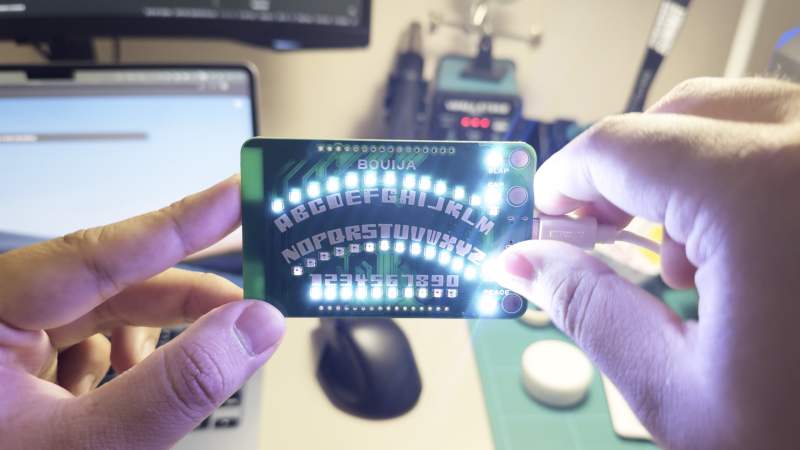
Business Card Ouija board

This Ouija Business Card Helps You Speak To Tiny Llamas

Business cards, on the whole, haven’t changed significantly over the past 600-ish years, and arguably are not as important as they used to be, but they are still worth considering as a reminder for someone to contact you. If the format of that card and method of contact stand out as unique and related to your personal or professional interests, you have a winning combination that will cement yourself in the recipient’s memory.

In a case study of “show, don’t tell”, [Binh]’s business card draws on technological and paranormal curiosity, blending affordable, short-run PCB manufacturing and an, LLM or, in this case, a Small Language Model, with a tiny Ouija board. While [Binh] is very much with us in the here and now, and a séance isn’t really an effective way to get a hold of him, the interactive Ouija card gives recipient’s a playful demonstration of his skills.

Continue reading “This Ouija Business Card Helps You Speak To Tiny Llamas”

Sony PSP, Evan-Amos, Public Domain.

Llama Habitat Continues To Expand, Now Includes The PSP

Organic Llamas have a rather restricted range, in nature: the Andes Mountains, and that’s it. Humans weren’t content to let the fluffy, friend-shaped creatures stay in their natural habitat, however, and they can now be found on every continent except Antarctica. The Llama2 Large Language Model is like that: while it may have started on a GPU somewhere, thanks to enterprising hackers like [Caio Madeira], who has ported Llama2 to the PlayStation Portable (PSP), the fluffiest LLM can be found just about anywhere.

The AI, in all its glory, dooming yet another system.

Ultimately this project has its roots in Llama2.c by [karpathy], a project we’ve seen used on Pentium II under Windows 98, DOS machines running 486 processors, and even the venerable Commodore 64, of all impossible things. Now, it’s the PSP’s turn. This implementation uses the same 260K tinystories model as the C64 port, upon which it is based. Of course the PSP’s RAM has room for a much larger model, but [Ciao] apparently prefers to run the tiny model faster on this less-ancient gaming hardware.

Its getting to the point that it’s harder to find systems that won’t run LLMs than those that do. Given that Llama2 seems to be the new DOOM, it’s probably only a matter of time before their virtual fur is all over all our old equipment. Fortunately for allergy sufferers, virtual fur cannot trigger a histamine response.

If you know of another system getting LLMs (Alpaca-adjacent or otherwise), send in a tip.

AI Helps Make Web Scraping Faster And Easier

Web scraping is usually only a first step towards extracting meaningful data. Once you’ve got everything pulled down, you’ve still got to process it into something useful. Here to assist with that is Scrapegraph-ai, a Python tool that promises to automate the process using a selection of large language models (LLMs).

Scrapegraph-ai is able to accept a URL as well as a prompt, which is a plain-English instruction on what to do with the data. Examples include summarizing, describing images, and more. In other words, gathering the data and analyzing or formatting it can now be done as one.

The project is actually pretty flexible in terms of the AI back-end. It’s able to work with locally-installed AI tools (via ollama) or with API keys for services like OpenAI and more. If you have an OpenAI API key, there’s an online demo that will show you the capabilities pretty effectively. Otherwise, local installation is only a few operations away.

This isn’t the first time we have seen the flexibility of AI tools like large language models leveraged to ease the notoriously-fiddly task of web scraping, and it’s great to see the results have only gotten better.