

To the surprise of almost nobody, the unprecedented build-out of datacenters and the equipping of them with servers for so-called ‘AI’ has led to a massive shortage of certain components. With random access memory (RAM) being so far the most heavily affected and with storage in the form of HDDs and SSDs not far behind, this has led many to ask the question of how we will survive the coming months, years, decades, or however-long the current AI bubble will last.
One thing is already certain, and that is that we will have to make our current computer systems last longer, and forego simply tossing in more sticks of RAM in favor of doing more with less. This is easy to imagine for those of us who remember running a full-blown Windows desktop system on a sub-GHz x86 system with less than a GB of RAM, but might require some adjustment for everyone else.
In short, what can us software developers do differently to make a hundred MB of RAM stretch further, and make a GB of storage space look positively spacious again?
Just What Happened?
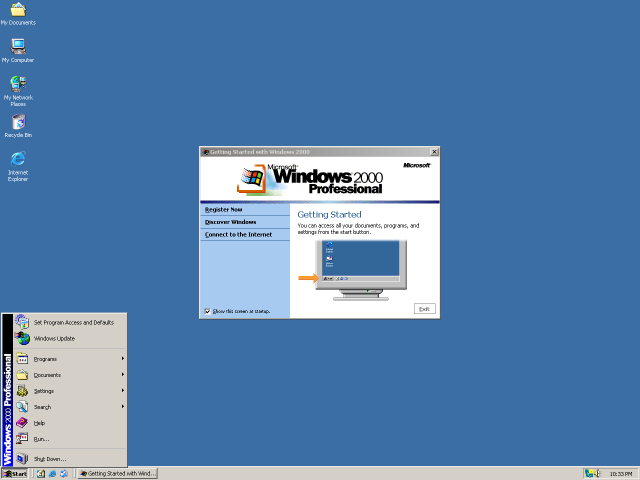 At the risk of coming across as an ‘in my day’ rant, around the year 2000 I was using an AMD Duron 600 system with probably about 256 MB of SDRAM that succeeded my previous Intel Celeron 400 system with an amazing 64 MB of SDRAM. With Windows 2000 (arguably still the best version of Windows) on its own roomy 1 GB HDD partition there was still plenty of room on the rest of the HDD for applications, documents and some multimedia content like music and videos.
On these systems I could run a browser with many tabs open, alongside an office suite, an IDE, chat applications like IRC and ICQ, an email client, filesharing applications, and much more, without the system breaking a sweat. In the Duron 600 system I would eventually install a Matrox G550 AGP videocard to do some dual-monitor action, like watching videos or consulting documentation while browsing or programming at the same time.
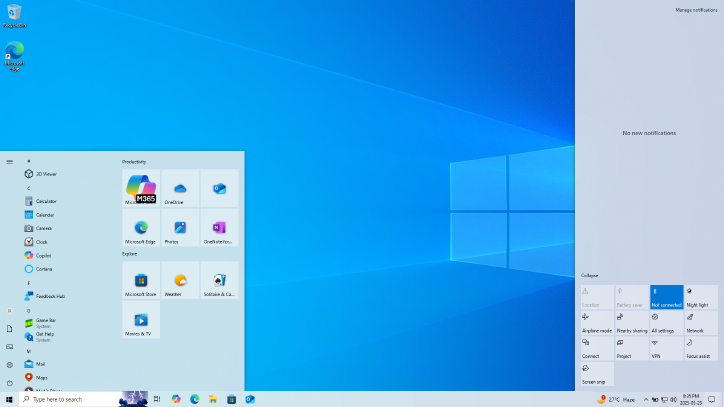
Fast-forward a few decades and you cannot even install Windows on a 1 GB partition, and it requires more RAM than that. A quick check on the Windows 10 system that I’m typing this on shows that currently the Windows folder is nearly 27 GB in size and just the Thunderbird email client is gobbling up over 150 MB of RAM by itself. Compare this to the minimum Windows 2000 system requirements of a Pentium 133 MHz, 32 MB of RAM and 1 GB of free HDD space.
This raises the question of what the reason is for this increase, when that email client in the early 2000s had effectively the same features in a much smaller package, and Windows 2000 is effectively the same as Windows 7, 10 and now 11, at its core when it comes to its feature set.
The same is true for ‘fast and light’ options like Linux, which I had once running on a 486DX2-66 system, a system on which the average Linux distribution today won’t even launch the installer, unless you go for a minimalistic distro like Alpine Linux, which requires a mere 128 MB of RAM. Where does all this demand for extra RAM and disk storage come from? Is it just all lazy waste and bloat that merely fills up the available space like a noxious gas?
Asking The Right Questions
Storage and RAM requirements for software are linked in the sense that much of an application’s code and related resources are loaded into RAM at some point, but there is also the part of RAM that gets filled with data that the application generates while running. This gives us a lens to find out where the higher requirements come from.
In the case of Windows, the increase in minimum storage space requirements from 1 GB to 32 GB for Windows 10 can be explained by something that happened when Windows Vista rolled around along with changes to WinSxS, which is Windows’ implementation of side-by-side assembly.
By putting all core OS files in a single WinSxS folder and hard-linking them to various locations in the file system, all files are kept in a single location, with their own manifest and previous versions kept around for easy rollback. In Windows 2000, WinSxS was not yet used for the whole OS like this, mostly just to prevent ‘DLL Hell’ file duplication issues, but Vista and onwards leaned much more heavily into this approach as they literally dumped every single OS file into this folder.
While that by itself isn’t such an issue, keeping copies of older file versions ensured that with each Windows Update cycle the WinSxS folder grew a little bit more. This was confirmed in a 2008 TechNet blog post, and though really old files are supposed to be culled now, it clearly has ensured that a modern Windows installation grows to far beyond that of pre-Vista OSes.
Thus we have some idea of why disk storage size requirements are increasing, leading us to the next thing, which is the noticeable increase in binary size. This can be put down for a large part on increased levels of abstractions, both in system programming languages, as well as scripting languages and frameworks.
Losing Sight Of The Hardware
Over the past decades we have seen a major shift away from programming languages and language features that work directly with the hardware to ones that increasingly abstract away the hardware. This shift was obvious in the 90s already, with for example Visual Basic continuing the legacy of BASIC with a similar mild level of abstraction before Java arrived on the scene with its own virtual hardware platform that insisted that hardware was just an illusion that software developers ought to not bother with.
Subsequently we saw .NET, JavaScript, Python, and kin surge to the foreground, offering ‘easier programming’ and ‘more portable code’, yet at the same time increasing complexity, abstraction levels, as well as file sizes and memory usage. Most importantly, these languages abandoned the concept of programming the underlying hardware with as few levels of indirection as possible. This is something which has even become part of languages like C and C++, with my own loathing for this complexity and abstraction in C++ being very palpable.
In the case of a language like Python, it’s known to be exceedingly slow due to its architecture, which results in the atrocious CPython runtime as well as better, but far more complex alternatives. This is a software architecture that effectively ignores the hardware’s architecture, which thus results in bringing in a lot of unnecessary complexity. Languages such as JavaScript also make this mistake, with a heavy runtime that requires features such as type-checking and garbage collection that add complexity, while needing more code to enable features like Just-In-Time compilation to keep things still somewhat zippy.
With Java we even saw special JVM processor extensions being added to ARM processor with Jazelle direct bytecode execution (DBX) to make mobile games on cellphones programmed in J2ME not run at less than 1 FPS. Clearly if the software refuses to work with the hardware, the hardware has to adapt to the software.
By the time that you’re a few levels of abstraction, various ‘convenient frameworks’ and multiple layers of indirection down the proverbial rabbit hole, suddenly your application’s codebase has ballooned by a few 100k LoC, the final binary comes in at 100+ MB and dial-up users just whimper as they see the size of the installer. But at least now we know why modern-day Thunderbird uses more RAM than what an average PC would have had installed around 1999.
Not All Hope Is Lost
There’s no need to return to the days of chiseling raw assembly into stone tables like in the days when the 6502 and Z80 still reigned supreme. All we need to do to make the most of the RAM and storage we have, is to ask ourselves at each point whether there isn’t a more direct and less complex way. What this looks like will depend on the application, but the approach that I like to use with my own projects is that of the chronically lazy developer who doesn’t like writing more code than absolutely necessary, hates complexity because it takes effort and whose eyes glaze over at overly verbose documentation.
One could argue that there’s considerable overlap between KISS and laziness, in the sense that a handful of source files accompanied by a brief Makefile is simultaneously less work and less complex than a MB+ codebase that exceeds the capabilities of a single developer with a basic editor like Notepad++ or Vim. This incidentally is why I do not use IDEs but prefer to only rely on outrageously advanced features such as syntax highlighting and auto-indent. Using my brain for human-powered Intellisense makes for a good mental exercise.
I also avoid complex file formats like XML and their beefy parsers, preferring to instead use the INI format that’s both much easier to edit and parse. For embedding scripting languages I use the strongly-typed AngelScript, which is effectively scriptable C++ and doesn’t try any cute alternative architectures like Python or Lua do.
Rather than using bulky, overly bloated C++ frameworks like Boost, I use the much smaller and less complex Poco libraries, or my NPoco fork that targets FreeRTOS and similar embedded platforms. With my remote procedure call (RPC) framework NymphRPC I opted for a low-level, zero copy approach that tries to stick as closely to the CPU and memory system’s capabilities as feasible to do the work with the fewest resources possible.
While I’m not trying to claim that my approach is the One True Approach™, for me half the fun of programming is to do the required task in a very efficient and low-resource manner, which is why I ported for example FFmpeg to the ESP32 so that I could run the same project code on this MCU, rather than deal with the complexity and documentation Hell of Espressif’s ESP-ADF framework.
Sure, I could probably have done something with MicroPython or so, but at the cost of a lot more storage and with far less performance. Which gets us back again to why modern day PCs need so much RAM and storage. It’s not a bug, but a feature of the system many of us opted for, or were told was the Modern Way™.












the coercion of Windows users to switch to Windows 11 (and thus, for most people, brand new hardware, since they either don’t know better or are using 15 year old equipment) couldn’t come at a more obnoxious time
I am still hoping to switch over entirely to Linux soon. There are just a few major applications holding me back. Plus laziness, of course.
And WSL was finally starting to become a decent Linux platform, too. Sigh.
I understand that Microsoft really wants the new security instructions which are the main thing older machines cannot provide. But since 11 demonstrably can run without them, making old hardware unsupported rather than deprecated does still seem gratuitously arrogant.
lack of time is my problem. linux can be a time hog.
Win11 is an absolute time killer. Want a file’s properties? You need to right click and then open the menu, to click a show more button to open another menu to click the Properties option. Win11 makes computing atleast 2x slower lol.
That is indeed an annoyance I do not understand why they put that in. It makes me wonder if the programmeurs who made that silly decision use Windows themselves. It feels so unnessescary.
Alt + enter or use a registry change/script to restore the old context menu as the first option. I understand the motivation, the majority of users barely understand what a file type is these days, let alone are interested in the properties.
That was a thing of the olden Windows 11 days.
Now you just right click and press Properties. Yes, the future is here now :D
Learning Linux can be slow. Using it, cI disagree.
Can? Sure. But does it have to be? Do you adjust know how to use PowerShell with all of its modern functionality in Windows? If not, claiming you need to do the same in Linux is misleading yourself.
You should want to learn ila bit though. Take your time and use a regular, supported, distribution if you want less technical expectations.
Waiting for Windows to actually do things is still more of a time sink than the very few manual configuring of things that a modern Linux might need. Fedora on my dinky-but-very-portable Dell laptop and my workout-to-carry-and-will-melt -your-legs-off ThinkPad “mobile workstation” is so much faster at literally everything than Windows 11, and required zero effort to get all hardware working.
Even just getting started sucks on Windows. Fedora installed in single digit minutes, another few minutes to fully update after the first boot, and took up single digit gigabytes even with a bunch of tools installed; while Windows 11 took over an hour to install and update, and took over 30 GB with just Windows!
I also spent a good chunk of time trying to configure Windows’ power management to eke out more than a couple hours battery on either, and never really succeeded at anything but convincing it to actually fully utilize the cooling system when on AC power. Meanwhile, I spent literally zero time configuring anything to get triple the battery life with Fedora. Just not having to fetch a power cable all the time has saved me tons of time. And it completely avoids the bullshit of dealing with disabling Always-On-Always-Connected “sleep” mode, which is just horrible and munches battery so fast.
And with my browser tabs and settings synced (Vivaldi), all my code on Github/etc, and even IntelliJ settings synced, it was fairly painless to move over full-time.
Now only 2 of my 7 machines runs Windows: the gaming rig connected to the TV (Proton is awesome, but I’m not dealing with the X/Wayland/Nvidia BS), and family computer (that sometimes needs to remote to my wife’s office and needs Windows-only VPN stuff). The laptops, the Proxmox/HomeAssistant box, and the Steam Deck all run a Linux, and the file server is on FreeBSD. And all together they idle at barely more power than the 2 windows machines!
Just use Ubuntu LTS, Debian or Solus, it just works you don’t need to do barely anything
Exactly! Ubuntu LTS or Mint are just plain easy. There is no learning curve, you click the buttons and open your apps just like with Windows except the apps load faster
The rumour that Linux is hard to use, install or configure is so pervasive but ultimately I only ever hear it from people who have not ever tried Linux themselves or at best tried it decades ago.
I switched over my wife and my parents over to Linux when I was sick of having to repair or do work on their machines when I barely use Windows myself (only at work when on others machines). Not one of them have had an issue nor were they unable to figure out how to use something.
There is a reason even Microsoft, Google and all the big companies integrate Linux. It just works.
Give EndeavourOS a try: all the goodness of Arch Linux, but none of the hassle of manually installing it. It works “right out of the box” with very little if any fiddling with settings. I’ve been using it for nearly five(?) years and haven’t had any problems with it. It plays every Steam game I throw at it, although some require a little diving into settings and files, but nothing daunting.
“There are just a few major applications holding me back.”
https://www.linuxtrainingacademy.com/reddit-linux-alternatives-for-windows-applications/
The KDE desktop environment comes with a whole bunch of apps pre-installed that replace much of Windows’ offerings. For example, it’s GUI text editor is called Kate, and I found it to be a worthy successor to Notepad++.
The problem with this suggestion is that it ignores what this user actually wants. Endeavour mashed Arch look like it’s a bit less of a playground than it actually is, but don’t recommend unsupported distributions to people who will compare with corporate consistent behaviour and experiences. This is just a basic understanding of behaviour and user needs.
Remember, just because you like your things doesn’t mean it’s what everyone else needs or wants. That goes triply for anything that modifies workflow in a fundamental way, teaching users to think of “workflow I’m used to” and “getting the thing done” as different things isn’t easy.
All my systems are running on Linux already, except my gaming PC.
I was planning to finally switch that over this weekend, but a bit of checking looks like VR support on Linux is still shaky. I’ll probably hold out for SteamVR to get Linux support when the Steam Frame releases.
I updated even before all this was a thing, and it wasn’t the latest and greatest either. Yeah, still get nagged my hardware is compatible.
And here I sit, with my limux machines, not caring. Why care when I already have multiple pc’s, all maxed out in RAM already?
In a way this could be the best time, because it showcases the gaping rift between public statements about how Microsoft has more hardware than it can even use for “AI”, while they force end users who just want to check email and do their finances to buy a brand new computer that might be double (or more) in price directly because of that hoard.
Obviously Microsoft isn’t the only, or even biggest, culprit, but we don’t need to make excuses for them. Help your people get off of Windows while it’s looking attractive and marketing hasn’t caught up with the actual markets.
Speaking as one who worked on some of the XML Recommendations, the best use of XML is as an interchange and tooling format, sometimes as a development and debuggability/human-facing format, and of course as a document markup format (it did, after all, inherit from SGML), rather than as a primary representation. Ditto JSON. Simply because text is an inefficient way to store non-textual data.
In fact, the best answer may be to map the XML Fata Model over non-xml data as an abstraction layer. One of the improvements in IBM’s XTQHP XQuery implementation that didn’t get contributed to Apache (though the idea was mentioned on Apache’s mailing lists) was my XML Cursor Interface, similar to the cursor abstraction in later versions of the DOM but with navigation operations designed for XPath. I wasn’t given time to pursue it, but adopting this layer would have permitted plugging in proxy implementations of this interface to run XQuery fairly directly over any tree – structured data format (or any that a tree-based mapping could be set up for). Since XQuery introduced non-text data types, this could even have avoided most of the cost of rendering values into text.
I wish I could find cycles to make that change to Apache Xalan. DTM was a specific solution to a specific problem (minimize code and document size on machines and networks where 32 Meg was still considered big), but was intended primarily as implementation rather than interface, and is painful to map over other data structures… including DOM. XCI could also serve as a “lingua franca” common interface between XML and JSON. One can even argue that XCI should be given first-class interface alongside DOM.
Unfortunately, when I can get organized again, there are higher priority things to do to Apache Xalan. (I haven’t even found time to run a release.) But this is one of the things I would still like to see happen.
This is not a problem because xml is dead.
MS never implemented xpath2. Libxml is looking for a maintener on Linux. And the implementation of namespaces is the worst I’ve ever seen. And you can’t open a local xml+xslt in a browser because of security issues.
Dead. Period.
Not really. Despite the desperate efforts of its creators to draw a distinction, JSON is essentially a stripped down version of data (as opposed to markup) XML. JSON doesn’t even try to have namespaces (which, yes, are ugly in XML because they were delayed and had to be essentially non-breaking). JSON didn’t try to have schemas, though there may have been later efforts to add them. JSON wasn’t trying to mark up human written text, and so didn’t need to avoid having to delimit every block of text. By dropping some of those features, JSON became easier to parse. But it still has most of the weaknesses of XML, and has dropped some strengths to gain others.
I am not dogmatic about the XML versus JSON decision. In fact, I consider the antipathy between the two communities to have been a major list opportunity. JSON could have worked with XML to establish official mappings, and immediately have gained access to the many man years of effort that had been put into XML tools. It was entirely too long before transformation became available for JSON, for example. But the JSON camp was too heavily focused on justifying JSON as beating XML (for data applications) to be willing to work with XML to get us the best of both worlds.
By the way: we had to argue TB-L out of relative namespaces. I understand what he was trying to achieve, as part of his vision of using name spaces to freely intermix document fragments of different types, but having an element whose meaning would change depending on what context it was used from would have been a real problem, and the absence of a way to completely normalize URIs to compare and recognize them would have been a challenge. Hence, the unavoidable compromise that namespace names were URI structured but compared as strings.
Namespaces are one of several features which could have been done better if XML had been being fully architected before being built. But there was a real need to be addressed, and a real need to establish something usable and incrementally improve it thereafter. That’s why SGML syntax was leveraged, after all.
The thing that personally drives me crazy is that the HTML community rejected the proposal to go back to the original plan and separate content from style. If they had been willing to let us do that, we wouldn’t have to create separate pages for devices of different screen sizes, we could have let users pick their own rendering styles, we would have been able to do much more for folks using adaptive technology as a result of that last… But we couldn’t sell the community on the advantages. Partly, I think, because it would have required fixing too much sloppy HTML.
Yes, I am a standards geek. Why do you ask?
One problem with XML is that it doesn’t scale down easily. Once something has been edited in a tool with full support for something complicated, it is hard to read (let alone edit) as plain text.
JSON does much better at this. Almost any particular project can support a reasonable mapping to/from XML, but any single “official” mapping would have to accommodate enough special cases that the resulting JSON would cease to be lightweight.
Embedded in nearly everything for the foreseeable future ≠ dead.
I haven’t thought about this in ages, interesting. I hope you’re able to find some time for anything really, I’m coming up empty when on holidays.
I don’t think just because something at some point experiences a quick collapse it should be labeled a bubble. One of the criteria of a bubble is that it (relatively quickly) grew to a point of collapse but had no substance (important bit of the definition), I’m not sure we can definitely say that about this so-called AI. I mean it has uses and some of those won’t go away, it’s just over-hyped to a ridiculous level.
Maybe we should call it ‘foam’, bubbles on top of stuff.
Or maybe we can call it ‘current capitalism’, because it’s just everybody trying to ride a gravy train.
AI isn’t a bubble in the sense that it doesn’t have any substance behind it, it absolutely does. In fact it does! It feeds so, so many people. Chip fabs, software people, water purification plant employees, everyone related to the power grid etc.
It’s useful and very cool, but the problem is, it’s not as useful and revolutionary as the marketing claims… A lot of it is speculative. “If we needed 50k GPUs this year, next we’ll need 100k, and 200k the year after that…”, yet they’re buying VP money and earning none of their own
Someone once told me, LLMs and AI rush of the current times is more impressive from a finance perspective than a tech perspective. You would be hard pressed to find another “product” that produces so little value yet is so valuable and has high evaluation based on future growth or groundbreaking results….
Not an alarmist, but the crash is going to be ugly.
None of those things are stuff AI actually does, you could instead have a Hitchhiker’s Guide supercomputer with the same amount of silicon and it would do exatthe same things.
It’s the same as any of the other overcompetitive useless fields like marketing or social media, all we’re doing is shoveling sharp minds and mountains of capital into systems that have minimal positive (and debatable net negative) benefits for society. We could (yes this is an oversimplification) instead choose, as a society, to redirect this to actually useful things, like maintaining infrastructure, reinforcing education or healthcare, doing more fundamental or applied research, or just deciding to let go of some productivity and have 4 day workweeks without any other changes to quality of life.
AI is just the latest shiny thing to distract us from the things that actually matter to us and our communities as humans. I won’t argue that there are zero benefits to it, but even working in a field with “bleeding edge AI” where the C suite is very strongly insisting that AI is changing every way we do work, it has limited useful applications, and definitely not on the scale that the tech sector is building out for.
A-effing-men
Agree…. And consuming a ‘lot’ of energy to boot which will probably drive up cost for the rest of us. You’d think the C C people would be crying the blues over this, as with bit coin….
It’s difficult to get people to follow the rainbow, even if you’re very likely to get a pot of gold at the end of the rainbow. Such is the case with spending on public services and education.
We as a society collectively took the ill informed decision (under misleading marketing, but still) to invest in AI. Not for altruistic reasons, but for personal monetary greed.
Still, there is no better way to synchronise the productive, intellectual and financial output of billions of people together than this. “Let money do the talking”, or so to speak.
tell me why
Exactly, though you forgot to mention the sales pitch that really got CEOs and investors to drink the koolaid, that they don’t have to hire professionals (or maybe even anybody at all!) any more.
What?
‘AI’ is neither useful or cool.
At best it is a toy.
But that’s only if you can somehow ignore the ethical bankruptcy it REQUIRES to build the models. All current models are built with nonconsensual data collection, if not outright stolen data.
As a search algorithm where the user is going to verify results from vetted sources it MIGHT be okay.
Anything else is just playing with a toy built with stolen parts.
Yeah, it’s a “toy” that can do this in 10 minutes:
Let’s Create a Commodore C64 BASIC Interpreter in VSCode!
Dave’s Garage
94,537 views – Dec 15, 2025
https://www.youtube.com/watch?v=PyUuLYJLhUA
AI is one of those subject that gets discussed in extremes. From “toy” to hype there doesn’t seem to be a middle position.
AI didn’t create that interpreter. There were already many source codes of interpreters taught to the AI, there was C64 BASIC language syntax taught to the AI, there were C64 BASIC programs taught to the AI. All written by many people.
Then the AI was asked to mine that knowledge and mash it all up to form a new interpreter out of it.
There was no creation. Just data mining, deconstructing and recombining existing knowledge into something that already existed a hundred times over. All the AI did was make a new, distinct, generation of something that has been done a hundred times by real people.
Without the work of those hundreds of people, the AI would not even know where to begin.
I really thought an engineer would know better.
A much more compelling test (if it works, otherwise it’s just useful counterevidence):
Ask an ai for something novel but relatively simple. Something that a human who could write a basic interpreter could do, but that hasn’t already been done and wasn’t in the LLM’s training set.
there’s a reason the llm geeks make such a point about “out of distribution”. If there’s no relevant patterns for this thing in training, the static function that the LLM embodies won’t have any appropriate outputs. Doesn’t mean it won’t have outputs, just that they won’t be “useful”.
The llm is a static function between input domain and output domain, and training is to tailor that function to be “more useful” than random output. (A function can be static and not deterministic; a six-sided die is a static, stochastic function).
Adding on RAG and other stuff just conditions the input to skew a bit more value; it doesn’t change what the thing can do. What it can do is quite impressive enough and has real actual value.
The problem is that the value it demonstrably possesses is not the value that it was sold as possessing, and LLMs come at a high opportunity cost. If the same resources could have devloped more usefulness when used in some other way, LLMs might have been a net loss of opportunity, but that’s the kind of call that can only really be made in significant hindsight.
A feedforward LLM (transformer architectures are all fundamentally feedforward) has certain limitations on the behavior it can exhibit, and the amount of complexity it can achieve per neural parameter. In exchange, it’s much simpler to accelerate, and thus more amenable to providing commercially at scale. (it’s just simple dense algebra, very amenable to vectorized acceleration)
Feedforward designs fundamentally cannot capture any problem with hidden state or algorithmic complexity (although, if you want to spend enough of your neural complexity budget, you can memoize the problem space). 16-bit integer addition/subtraction/multiplication/division for mixed equations, for example, is an input domain plausibly small enough to generally memoize in a reasonable number of parameters. but a symbolic solver for the same equations involves state not captured in the token statistics alone.
For things within its capability, it’s often a better use of the complexity budget to just train a narrow specialist model by providing full-coverage synthetic input and output (including error cases). You can, in many cases, fully memoize a very complex problem domain in a reasonably sized llm, if you leave off all of the conversational training (natural-language handling is an extreme consumer of complexity budget).
And, while training a specialist may not involve fewer overall training tokens, it comes with a much-reduced difficulty, and can be bruteforced from only synthetic input and with only automated scoring.
Unlike common conversational LLMs, where most of the training complexity is the need to struggle to force it to exhibit the specific emergent behavior you need, when your expectations are inherently more complexity than the network’s complexity budget, training a specialist, if the problem is suitable, is quite trivial.
Need conversational capability too? There’s nothing stopping your conversational llm from being combined with tool-calling to delegate to the specialist llm, or the other way around (you could send structured data to a tool-caller, some of which is natural language to be forwarded to a conversational specialist).
There’s one notable toolcall specialist llm that, for tool calling and structured-data only, shows more reliable capability than cloud-model general conversationalist llms, in only a couple of hundred million (not billion) parameters.
The jack-of-all-trades/generalist problem is worse with LLMs, because it’s the equivalent of passing classical music into a twelve-sine synthesizer. For what it is, you can get remarkable sound, but nobody will mistake it for a good orchestra. Arbitrary waveform synthesis via sum-of-sines is a good comparison, because llms show similar fidelity/complexity tradeoffs, and “incomplete fidelity can be useful” in both cases.
The llm itself is the equivalent of enough parameters for a certain number of summed-sines. A generalist makes use of these to vaguely approximate an orchestra. A specialist makes use of these to closely approximate one single instrument. Both have their place, and neither is “better”, because that’s a domain-specific judgement call :)
You don’t realise it, but you are painting a broad brush here that doesn’t make sense. It’s not your fault though, it’s a result of marketing.
Since “AI” doesn’t exist, you need to be specific about the actual techniques and technologies being used, and how they are being used.
Right now Bayesian filters are “AI”, and so it’s any other statistical optimisation structure applied to solving real questions, but at the same time LLMs marketed on those successes and in fact many of the improvements of proprietary systems are in their layers of “agentic” processing and filters, most of which use those simpler statistical technologies to make things work.
This confusing mess is very much on purpose, just look at how circular speculation has given the owners the ability to make any claim and buy anything. They want it to be impossible not to use their systems.
So, statistics are cool, AI is cool (we think, given it doesn’t exist), but rich douches and their marketing are uncool and verbally awful.
It really is the “popping” that describes a bubble. No asset is more real than real estate, and still real estate can suffer bubbles.
Its a bubble just like every other new tech boom – the something underneath is always of some value, as even pretty stupid ideas have some value (and usually the tech booms are actually pretty nice ideas as that is why they latched on to). The bubble comes from the markets going crazy pumping that thin skin of “valuable” soapy liquid so full with money it creates a rapidly growing and entirely unrepresentative value till the bubble bursts and lets out all of the money…
This is different. Not because of the technology, but the timing, consolidation of extreme wealth, and the lies they are able to tell. These are all escalated beyond anything that has happened previously.
The tricky part is defining what counts as “Substance”.
Take the Dotcom bubble. Though we often only think of the web-part of it. A lot of the economic damage actually came from reckless infrastructure expansion. Companies like Cisco who made communication devices were producing immense amounts of cables, routers, etc. Speculating that the internet was going to expand at an almost exponential rate. These devices where of real substance and utility… then the bubble popped, the demand did not manifest, all that hardware became unutilized and Cisco lost 90% of its value. Despite being tangible, if it ain’t used, it ain’t of substance.
And THAT is what really concerns me. Once again there is a reckless amount of expansion happening and a Cisco like company (Nvidia) that is literally hundreds of times more valuable than it was before, creating a LOT of specialized hardware. All of which that can turn absolutely worthless if the speculated extreme demand does not manifest.
The AI Bubble Explained in 99 Seconds
“Nvidia’s customers have bought tens of billions worth of AI chips. But where is all that money coming from? The whole AI bubble has been inflated by an old accounting gimmick called roundtripping. They called it vendor financing in the dot com bubble. Now they call it strategic investment. Big tech is giving money to their customers just so their customers can hand the money right back to them. And then they report it as revenue. On paper, it looks like a booming business, but it’s fake. Nvidia invested in 49 of their own customers last year. Microsoft did it with OpenAI. Google and Amazon did it with Anthropic and sleazy Wall Street firms are doing it too. Now investors are wising up and demanding big tech start showing AI PROFITS which none of them have because not a single AI startup is profitable. Microsoft and Amazon have already started cutting their data center plans indicating this game is almost over.”
https://www.youtube.com/watch?v=w1T0SjELfVo
Mostly ok, there’s a lot wrong here and there, but I won’t nitpick it as the generality is correct. There are exception sthough, the “AI” startup actually making money are Google and Facebook. Google, because they did it in house, and Facebook because they monetize users directly and sell out citizens of authoritarian states en mass.
You don’t know that.
I doubt AI is making either money.
It’s all how things are supposed to work.
Old, dumb money going to new money, chasing returns.
Nice job ‘redistributing the wealth’, Nvidia, MoneyStore, AOL, Netscape etc etc.
I for one cheered when ‘what his name’ (Hanoi Jane’s simp, CNN’s once lead commie) lost shitloads of money on AOL.
That was cool!
Those are some interesting and compelling replies that are intelligent (I think) and include good arguments.
Thanks guys, it’s nice to see there still seem to be thinking people.
I’m well on my way of being convinced that maybe bubble IS the right word.
Still, that Maya seems to uncertain and talks about years makes it feel Maya isn’t completely convinced. If it is a bubble and you see the growth level and investment you would think they can’t keep that up for that much longer, and years seem a lot, at this pace in say 3 years they will have reached an investment level that exceed the global GDP :)
And you can expect they will have removed the people from planet earth to replace them with datacenters.
I don’t need to survive no apocalypse. In 2019 I built myself a PC with 64 GB of DDR4 RAM so I’m indifferent to what goes on now. Windows works, games work, VirtualBox works. If you were too stingy to upgrade, too bad.
I mean same, but that last sentence is really gross my dude
Timing is everything. Right near my upgrade time, AM5 was barely out, small selection, and cost like it too.
Especially the bit that says ‘Windows works’.
Those be fighting words.
Yeah, it simply works.
I know those Linux neophytes have their fantasies of Windows users suffering from non-stop BSODs, crashes, data loss and crapware being pushed their faces with every update, but somehow it doesn’t happen here. Maybe I’m just not an idiot.
In 2019, after doing an offline install I used Autoruns and BCUninstaller to make sure when the OS boots, it’s runs only what’s needed. I also checked
gpedit.mscto change a couple of settings. In total it took me about 8 hours to fully set up my computer (incl. installing all the software I need for work and hobbies). CrystalDiskInfo indicates my SSD is at 28404 Power On Hours. Therefore, as of now, the initial setup took about 0.03% (not 3%) of the time I spent using this machine.Compared to Windows XP where it was almost a ritual to create fresh DVD using nLite and reinstall OS every 6 months, I’m pretty pleased with my rock-stable Windows 10 install.
Religions prey on broken people and “solve” their issues by introducing a delusion that masks their problems or re-frames it in a way that makes the person cling onto the delusion.
Kinda like AA making people swear that they’re powerless against alcohol, and there’s a “higher power” that can keep them away from it, and that can be anything – but we all know it’s Jesus.
You may have a person with a cheap supermarket brand PC that keeps crashing because it’s simply low quality, with a bunch of adware installed, and the user doesn’t know any better and keeps on clicking “yes” to every download request. Enter the Linux evangelist who claims “Windows is the fault, it is the great SATAN”, then installs the person an alternative operating system that doesn’t let them do anything because they don’t know how, and it doesn’t crash because it doesn’t do much anything with the hardware they’ve bought (generic drivers everything), but the user can browse the web and write a document in Libre Office – Hallelujah! It works!
Point in case. I used the same install of XP SP3 for almost a decade, even across different motherboards and CPUs, well past its prime simply because it worked so well and I knew how to work it. Other people had crappy motherboards with shoddy capacitors, weird chipsets with buggy hardware that occasionally corrupted RAM once in a blue moon by random bad luck, overclocked CPUs up the wazoo, and their go-to remedy for when it started crashing was “Welp, time to reinstall Windows!”.
Also, every nerdy kid assembled their own computers, nobody wore ESD wrist straps when assembling them. One kid even handed me his RAM wrapped in a vinyl freezer bag that crackled with static electricity. Of course it was broken.
The hardware was constantly broken by incompetent people, and the solution to the problem was “Damn Windows keeps crashing, I have to reinstall my Windows!”.
Not to mention the fact that the Windows in question was usually a pirated copy full of malware anyways. “Gotta keep re-installing Windows!”.
Not my time to upgrade. The AM4 platform is still way more than I need. That said, I was thinking about upgrading one of my Linux Workstations to AM5 just for ‘fun’ in early 2026… But with DDR5 prices skyrocketing, I’ll wait. Years if I have to or forced to (like a system failure). And no Windoze bloatware here. All Linux here.
Lucky you, in my case I was already rather overdue – I’m already running what amounts to a backup system with rather less RAM than I need at times – as the older but vastly more capable workstation let out some magic smoke a while ago…
Finding the time, money and mostly space to work in and do anything about it on the other hand…
Note that one of the trade-offs that has been deliberately made by the computer industry as machines have gotten larger and more powerful is to accept code inefficiency in exchange for lower development cost. “Software expands to consume the resources available to it.” It was less expensive for both company and customer to throw hardware at the problems rather than man hours. Optimizers can only do so much; getting really tight code involves selection of algorithms and architectures.
Microcontrollers pushed us back in the direction of more finally tuned code… But they too have gotten big enough and fast enough that it is often less expensive to go with quick but sloppy code. I built a set of networked interface cards around Pi Zero W cards simply because that was the easiest way to prototype them, despite the fact that running Linux just to handle device communications can’t be called efficient by any means. Even Arduino would have been overkill, but would have had a learning curve and delayed implementation, and while I need to spend that time at some point this was not the right time to make that investment.
It’s all trade-offs, picking where you want to spend your resources.
Quality! Service! Price! (Pick any two.)
People are writing more towards the API than anything else. One can write an app that crosses platforms more easily.
I think we needed this reset
Software engineering is so bloated, it’s unbelievable. And make no mistake, the majority of that bloat is abstraction. Programmers of the past had to write 100% of a programs’ code themselves, this let them write MVP code which was by nature, light. I wouldn’t be surprised if it’s 5% now, the rest being libraries, auto generated code, boilerplate etc.
SURE you may only need 1% of the features the library provided but you need to pack it in its entirety. Even worse there are apps which ship entire browsers to run their code! Wasteful! But nothing in comparison to applications which ship entire ubuntu images that you must run in a VM to use the software…. Ludicrous
COVID was a wake-up call for hardware guys. Using jellybean parts is always better than that fancy ST or TI or AD part. This one is for software guys, especial high level software, webdev etc
Time is money. So the quickest way to a product with the least amount of work is always going to be the route for companies. Why do you think some are gaga over AI? Who cares if generated code is harder to maintain down the road, or slower, or uses more disk space, memory … as long at sorta works in least amount of time, go with it…. Remember, a companies biggest expense is usually the personnel, so use it wisely.
You’re unfortunately correct. Labor costs more than hardware, it’s going to be skimped. There’s a shred of hope – we can use AI to program UIs that aren’t Chromium-in-a-box
Directly. Indirectly, displaced labor costs more, because you’re ultimately paying both.
Because, if people are not employed doing the things they consume, they will find employment doing things that nobody consumes: things that nobody needs just for the excuse of getting paid. That means more bureaucracy, longer value chains with more middle-men taking money in between, higher taxes, more “services” that waste primary resources and drive up costs…
Thank the gods! I shudder to think of a world where I’m less valuable than a laptop or piece of software. The human right abuses would be otherworldly!
So far … But remember … that is the first place a company looks for cuts (income – expenses == gross profit) …. So if you can be replaced? If a robot can flip a burger better than a human? And guaranteed for 20 years? No benefits like medical, time off needed? Answer your questions better than a human? Dig ditches better than a human? etc. Sure someone has to maintain the robots and AI computers…. But it isn’t going to be the burger flipper (just an example), so where does he/she fit in to the scheme of things?? Our garbage is now picked up by one man and a truck with a special arm to lift garbage can and dump. Used to be two guys and a truck… Next, a self driving truck? Expenses are expenses…. Food for thought.
Wrong metric. If the robot costs one cent less than the human, the human gets fired by the bean counters.
They use short sighted math that assumes they won’t lose the same difference in paying higher taxes for the higher social costs, or that they can lobby the government to exempt them from taxes, or de-fund unemployment and the police – except when it comes to protecting their businesses.
That part made me smile lots, thanks for the article!
Two words: kill Electron.
So you kill the Mac too ?
You can still get dirt cheap used servers with 64 to 256G of older RAM. Everything in them is slower but you make up for it with 28 cores/56 threads, etc. Depending on your task, they can be great. Build a Linux kernel mighty quickly.
I have done this and it is great. The hardware is also much more reliable than the consumer level stuff in the elevated temperature environment I have it in.
It basically runs the whole network (dns, dhcp, netboot, caching, ids, fileserver, monitoring, etc) plus security cameras with object classification and barely breaks a sweat.
I have thought of doing this. Can you recommend any good resources on how to do it? What do you look for on ebay?
I like the HP 1U size. There are neat brackets that mount on a wall and the server hangs vertically. You can put it anywhere, like a garage. Which is nice if you ever really run it to capacity, because it will sound like a jet aircraft taking off :-) I have a buddy with one too. He basically uses it for financial analysis and research with big data-sets and loads of math. SSH with an old laptop.
I have one and I use it from an 11 year old iMac and a couple Linux systems and a few people use it remotely for embedded system builds and experimenting. It runs Debian Server and TrueNAS. I added SSD on an internal PCIe card and use only two small HDD of the 15K RPM type. Most of the time it is silent.
eBay example: https://www.ebay.com/itm/236519063523
But you can find them a lot cheaper on Craigslist and Facebook Marketplace, etc.
Before going down that route need to decided how important compute thread performance is – as a rule server processors have many more threads, and will keep them all at a similar relatively low frequency. Which means they often are less snappy than the consumer/gamer stuff of the same era especially on that single or only lightly threaded task. So if this is a computer you are going to general purpose use, game on etc it might not be a good fit from the start.
Next question is how much work are you willing to do – servers tend to be very very very loud and/or need need rather odd cooling setup in the chassis. So if you are not willing to transplant it or can’t hide your computer away in a rack where the noise won’t matter it might not be a great idea.
But really any of the relatively recent AMD platforms are pretty darn good and you probably won’t have real issues performance wise – might be a touch disappointing on those poorly threaded tasks, but it should work well enough. Note I’d avoid Intel (or do some serious research) as I know there was a really huge failure rate on some recent(ish) generations of their CPU, can’t recall how wide the effected models went though.
There’s not many single-thread critical tasks any longer. Some older games, perhaps, but those were made for much slower machines anyhow.
I remember the time when decoding 1080p successfully meant overclocking your dual core CPU from 3.2 to 3.4 GHz because the codec only ran on a single core, but nowadays the whole thing is offloaded to the GPU and made parallel a thousand ways anyways.
Even now games still tend to be relatively light on threading and find bigger performance gains from a few faster cores. Its better than it was certainly, but still not something games are great at, and to some extent the same is true of any user facing graphical interfaces. The “FPS counter” might not change much, but the reactive snappy feel input to output tends to still be improved by that faster thread.
Obviously we are starting to get to the point on modern server CPU where their slower cores as still faster than the screen refresh, have such fast access to the memory with a larger cache etc to make it less noticeable to us slow meatbags, but going back to slightly older server stuff its quite likely to be noticeable (at least to some of us)
As far as I am concerned, I can totally live with a system with a single 4 GiB RAM stick IF it does not have to run web browsers or Electron apps. Those are the main offenders; micro-optimizations, like changing an XML parser to an INI parser, are unlikely to make significant changes, when a single browser tab is eating away all the resources that the machine can offer.
(Okay, I definitely screwed up a terminology here – I meant “small optimizations”, not “micro-optimizations”)
100% agreed! Although, unless you’re talking about a server (or a gaming system), how useful is a system that doesn’t run a web browser these days?
Speaking of servers, I still run a few Linux servers (VMs) with as little as 1 GB of RAM, which is still enough to run several services (even through Docker) without breaking a sweat. I would say even down to 512 MB is doable for simple things, although 1 GB + is definitely better.
Add in a GUI, and all of a sudden 2 GB seems to be about the minimum, with 4 GB + being noticeable better.
Add in a web browser, and now even 16 GB feels tight, with 4 GB being the absolute minimum and can only handle a couple of modern tabs/pages.
In addition to layers of abstractions, I think part of the exploding RAM problem with web browsers is the security model. In the early days, all web pages ran in a single process, sharing memory space. This used less RAM, but caused potential stability and security problems. So, they introduced sandboxing and split each tab/page out into its own process, which improved stability and security but caused a RAM usage explosion.
Additionally, back in the day, web browsers were simple front-end display engines and most of the processing happened on the back-end. A web page was mostly independent of previously viewed pages (from the server) and just rendered what the server sent it. That all changed a decade or so ago. Now web browsers have to run single page apps, where the server may do very little other than return static assets and respond to data requests, and the browser does all the ‘processing’ and has to maintain state between virtual ‘pages’.
This is made worse by all the different high abstraction level web frameworks, like React that are used on modern web apps. Every different web page / tab may be using a different web framework and/or version. So, each one brings its own bloat along with it. This is different than typical GUI apps on a desktop where likely there are fewer frameworks being used, and usually far fewer active versions of said frameworks in play.
I don’t know the solution, but as the article ponders… I have also long wondered why we now require 32 GB + systems but don’t seem to be all that much more productive than a few decades ago where we got along just fine with 100’s of MB of RAM or even a GB or two. In addition to the switchover to web 2.0, we also have much higher resolution displays, and faster internet connections. I’ve often wondered how much those advancements have contributed to the bloat (in addition to higher level languages and frameworks).
Higher res displays… That does increase RAM usage, but not in proportion to the increase in software requirements. Buffering a whole 1920×1080 image at 32bpp is only 8.1MiB.
Oh gawd. I still must have a floppy of RamDoubler somewhere…
Back when a gig of RAM was a lot (a simpler time) a friend and I tried to make a “RAM drive” adapter that would allow multiple stacks of 128 or 256 k sticks plug into a single RAM slot on the mother board.
Needless to say, it did not work. This also about the time I gave up on becoming a computer hardware engineer. Juice was not worth the squeeze.
What is used to write the code is not very important. Yes, VSCode takes a lot of resources, and syntax hints (or spicy autocomplete) need even more resources. That will not have any impact at runtime. Use them.
Not culling imported code, using inefficient runtime data structures (JSON as a live structure!) and stupid, roundabout coding ( doing anything repeatedly for no reason) is the hardware waster.
Premature optimization is a real error, but not thinking at all about efficiency is even costlier. Any code written for eventual production should at least have a reasonable big-O complexity from the first version. You know nobody will rewrite that code if it’s not broken.
Then, back to compilers: no need to generate unused code, or load it in RAM. Even if the programmer included a whole library to use only one function, the compiled executable should only include the parts that are really used. Compilers are multi pass for that and other reasons. Separate testing and runtime versions are there for a reason.
Choose your runtime wisely for interpreted languages. The regular Python interpreter works well, but I got incredible speedups just by switching to Intel’s distribution (on an x86 machine). And that’s before I integrated any Intel specific code or libraries. Python (and theoretically any interpreted language) can be compiled, and production code does not need to be interpreted. You will gain performance and memory that way.
Those are all structural reasons for bloated software. None of those solutions demand genius coders to implement. Just a little forethought and cleaning up before shipping.
Someone should make a USB 3.x+ drive that can accept all the lower capacity RAM sticks that you removed in order to upgrade your system. Then it can be used as reasonably fast swap.
There’s a YT video out there where one uses an adapter and laptop memory. Course even that is going up.
All of them?
You realize where you are?
There be packrats here.
I’ve got 30 pin sims in my obsolete RAM bag.
Loose RAM chips in some of my old computers, Apple, Amiga etc.
I am running Windows 2000 on Thinkpad X61 with 3GB of RAM.
It is a beast. Does everything one needs. Retrozilla has been just released and works with most websites reasonably well.
I mostly use it to compile my Windows 2000 NVMe driver.
Win2K was the best Windows ever.
I need to finish building my Phenom II X6 system dedicated for Win2K.
There’s the concept of the cyber-amish. They won’t use an operating system beyond Windows XP.
The article misses software bloat as a cause as well. Windows has tons of “Apps” that are preinstalled that aren’t used by everyone, but are baked into the OS.
Even linux does this and its super annoying. Look at the gnome-core apps that are part of a meta package that will uninstall all of gnome if you try to remove a single one of them. WHO THE HELL USES Gnome Browser???? Nobody and there are many more examples in all DE’s.
Gnome calculator as a Snap was even worst than electron app.
I believe financial scalability, and scaling from an engineering viewpoint, tend towards higher complexity. Which is a unique goal, imagine a world running on more efficient 6502 and z80 systems.
What’s the scale of this apocalypse? Like, i’m looking and 18 months ago i bought 32GB corsair vengeance ddr4 3200 for $82 and now it’s $171 for the same product? That’s a pretty big step backwards but it’s not exactly an apocalypse…seems like RAM returned to 2022ish prices? Is that across the board? Is it expected to get much worse?
To me, 16GB vs 64GB in my PC doesn’t seem like a big deal. The question in my mind is, will budget smartphones go back to having 2GB instead of 4GB of RAM? If that happens, it would be a pretty big blow to Android…the good news is there’s a dev team positioned to single-handedly solve that problem. The bad news is, they’re at Google and pointlessly wasting RAM has been their favorite hobby for a decade.
The other thing is, this is a bubble, and the fact that it will pop is the one thing i’m confident of. So “soon” it will become an unimaginable glut. I’ve lived long enough to know patience will bring that to me easily.
At the moment it is expected to get much much worse than that – the AI bubble has basically bought in advance most of the capacity for years to come from what I’ve been reading. So while I agree when the bubble bursts prices should just crash down with enough availability for all if it doesn’t happen sooner rather than that ill defined but we know its going to happen “soon”…
Heck if it goes on long enough the shortage for us regular folks might just be so bad that even as the bubble bursts the prices and availability don’t really get into that expected unimaginable glut – its just now actually possible for us to get some.
I doubt smartphones will go below 4GB, budget or not, stuff simply won’t run anymore with 2GB very soon, if not already.
In fact I think the ‘low’ standard will settle at 6GB for a while.
Now the question is at what speed will that RAM run? Maybe there might be a risky area for budget phones in that area.
Unfortunately we have never had a bubble like this one.
The investment in the bubble has reached basically every corner of the public and private sector at this point.
It’s not going to be like when the lending bubble burst and housing/loan prices were weird and a few industries churned for a while.
When this one bursts, it’s going to be apocalyptic, because every sector is going to have a bad day all at once. It’s going to hit everything from food production, transportation, to the internals of every government.
I don’t think it’s going to start wars or cause a global famine or anything. But it might.
More likely it will just cause massive inflation, massive job loss, record unemployment in most sectors, and people loosing big chunks of investments(especially retirement ones) because every “fund” is already deeply invested either directly in AI or big companies that rely on it(as an investment/market) or use it as a tool hoping it will eventually work(it currently does not and cannot).
It’s going to be bad for everyone, no matter how distant you are from it.
Which sucks.
How old were you during .com 1.0?
I don’t think you have a clear memory of it.
It was everywhere.
This shortage could have been avoided if ram was mandated by law to use the same socket and be backwards compatible between versions.
Although some will say the protocol is different, that’s true but it has been mostly unchanged since the introduction of ddr ram. the voltage changes to a ram stick could be negotiated similar to how usb c functions.
hardware manufacturers should not be allowed to hold our economies hostage through planned obsolescence.
For something like networking, USB, display outputs a degree of backwards compatibility is very sane as the peripherals are very very likely still good enough to be worth using with a wide range of hardware ages.
But a low level very performance influencing part just has no purpose connected to a more modern system – why buy something new that is effectively a supercar only to put the 1950’s moped engine in it? Or would you buy a ‘smart’phone with the brains from a C64…
Also that would solve the shortage anyway – we the little people can’t compete with the AI bubble money, so if old ram was still useful for them (and it would be more useful for AI despite being slow than it is for us) they would just gobble all that up too..
It’s not simply the AI using up specific RAM, it’s about the whole industry using up fab capacity, at some point there are no fabs that don’t have back-orders from the big companies.
So invest in fabs, use the profits to buy expensive RAM I suppose?
Indeed, from what I’m reading it appears we are already at the point existing fabs won’t have capacity for anybody else. But as fabs are very slow to make I rather doubt they would be up and running by the time the bubble bursts, and you’d need a pretty giant fortune to actually throw at that initial investment – the ones already part way through construction might be online soon enough though.
The only point I was making there is there wouldn’t even be old slow RAM for us little people if it was still so easy to use for the AI bubble – faster RAM is good, but more capacity is better when it comes to ‘AI’.
This is why you limit government power.
‘bob’ doesn’t think he’s stupid, but hasn’t thought anything he says through.
Thank dog, we’re not suck with individual ram chips.
1 bit per chip, arrange them in rows, it’s the law.
It’s like DC halfwits wanting to fix network neutrality, by banning QoS.
They have NO CLUE!
Each generation of RAM has to be faster; even if the official access time hasn’t changed (and it should; memory is slower than compute), you will want to push through twice as much data in the same time. Doing that requires either (at least) twice the physical space, or far more precise drivers and receivers, which in turn requires better signal Integrity. Better signal Integrity requires either more space or much better precision in manufacturing. Which means paying the premium price for top end stuff, rather than cheap commodity stuff. (Admittedly, the socket is not usually the weakest link in the connection.)
For a few years, commercial pressure keeps compatibility. But laws tend to be updated on a scale of decades. Relying on speeds from the 1990s might be painful even if developers were forced to test on similar equipment.
It’s funny to think that we might get better optimized software because of RAM costs. In essence we have that already due to the need to support mobile platforms. Software there is already more frugal than desktops.
On the other hand if you want to build Android, you have to pretty much rent a cloud platform.
So maybe that is where things go, you just rent the RAM as you need it.
I’m applying efficiency tactics from the embedded world, but the biggest issue I see is simply that most of our data storage options don’t align with what we’re doing with that data.
This is diving into the hardware, deep down, when you do a call to a function, you load the parameters onto the stack, and when you return from the function, you get the data at the top of the stack. The way the hardware works, to write into memory or read from memory, you can only do that in the “chunk” that the bus width mandates. Yes, your function may return a true/false (1/0) but don’t you still need a full system word transfer over the internal busses to know this? Worse if you have to consult RAM outside of the core (cache hits, etc.).
Rarely do we need the fidelity of the entire device word, but that is the chunk we get. We are lulled into thinking things are faster simply because we can transfer words faster. You don’t get 2X speed increases for simply using a 64 bit bus when you previously used a 32 bit bus.
I expect that making sure data is stored efficiently is the first step- make sure you don’t store a 1/0 as a full device word if you don’t need to access it quickly (such as in a configuration that is only run once, at startup). Pack the bits with the knowledge of how you will access them in the future.
There is like exactly one place that builds the lithography equipment and basically only one or two countries that actually make chips. Why is this? Electronics are such a huge part of our modern world, why bottleneck things like this? Why allow strategically crucial things to be made only in one foreign place? The RAM shortage really feels like a pathetic late empire falling apart thing, one more for the pile I guess.
There are more than one that builds photolithographic equipment I think, not many, but more than one.
It’s just that making that stuff is getting more and more complicated and requires a great deal of expertise. Plus there are patents of course.
And unless you are Chinese or Russian you should be OK with your (subservient) ‘foreign’ places.
As for Chip making, you mean the latest few nm scale ones right? Well although there are few companies, they do have fabs in lots of places all over the world, including the US (I assume you are US based). And your concern is also a reason why the US government is investing in Intel right?
Back to the future :)
Small Memory Software by Weird and Noble, 2000.
PDFs online here https://smallmemory.charlesweir.com/
Makes me think the final straw of the mad outsourcing (US) has finally broken the camel’s back not in one, but in many places simultaneously.
Whatever happened to the feeble “insourcing”? With gajillion profits there are none left to invest in the homegrown complete cycles?
Abstraction can be nice. So much is achievable with simple CRUD application. You don’t really need to be optimized for that. It’s nice to have a bit of abstraction so you can write once to multiple OSs and hardware types. I love collection types that are not fixed length arrays and so hide the complexities of linked lists or re-dimensioning an array behind them so all you have to do is add, pop, dequeue or set/access an item by index.
But once that goal is achieved it is achieved. Every few years the market seems to just HAVE to add another layer of abstraction even when it serves no purpose. Hardware complications get replaced with software complications that are no easier to code to yet require even more hardware to execute.
For example… ever try to consume a 3rd party soap service via Mickeysoft’s WCF? OMFG they make it so unnecessarily hard! There are all these SOAP extensions that might provide something you need, like validation for example. But then they have all these other hoops to run through for no obvious reason. But once you know the names of the industry standard extensions the 3rd party uses you have to somehow translate that to Mickeysoft binding type names that do not in any way indicate what SOAP standards they implement in their own naming. And even then… there are fiddly issues like “3rd party expects you to use an alias or a full namespace here and WCF wants to do the opposite…” So you have to find out what WCF method to overload so as to change it…
I think reading and writing hex codes to/from a socket in C is more reasonable than that!
Web Browser, Document Editor, Instant Messenger, MP3 and streaming audio Player (RealAudio). That was my requirement for a successful destkop. I used to build them for friends and relatives, 8MB RAM was a good one, 4MB would work in a pinch. If there was money to go beyond am 80486 then we could add streaming video (RealVideo) and voice chat (used to be build into Netscape Communicator).
These were my college days and if the recipient was another Computer Science student… any of these desktops were far more than what was strictly necessary to run gcc and compile the simple commandline programming exercises most classes required.
I still remember the first time I ever saw a computer that had a whole GB of RAM. It was in a totally normal looking case but I thought it should have been shining or light should have warped as it passed by it or something. I couldn’t comprehend what so much RAM would be used for. This was an email server.
So.. yah. It is DEFINITELY possible to do a LOT with a whole lot LESS!
That had over 9000 security holes and didn’t support SSL.
Latex compiler that took ages to build a couple of pages. Sucks when you have to try new settings until it something actually works.
Yeah, that worked… but it also had no encryption.
Typical bitrate was something like 32 kb/s? It sounded like music played over a telephone.
just buy a ram doubler bro
Just use zram, it cuts in half ram requirements. Even 4gb can be usable with zram.
We did not opt in to “this”. The only reason I have bought a Windows machine is because the software I needed to run required it. The only reason I updated my laptop was because the software I needed to run required it. Since I’m retired and have quit mentoring robotics the only reason I need to update from Win 10 is because its no longer supported. After updating my newest 8 year old Win 10 laptop to linux all my systems will be off of Windows.
How i see AI’s future…
With the proper use of AI systems, applications will become obsolete… AI will be the engine to do all tasks current apps are used for… Existing UI is requried for data entry or task execution, but in reality what’s important is ‘data’ and ‘what to do with that data’, in other words – data and execution…
So, in the forseeable future, what I see are interconnected AI systems of all sizes manipulating datasets and bringing results based on user requests… GUI and text queries will become less used, while voice commands will become more and more common… Programming languages will also be for less important as there will be no need to develop new applications, whole focus will be on improving AI technologies… LLM is just start, as Yann LeCun stated – Broca field in brain, size of a wallnut, while future AI will be far more powerful…
However, it will always be limited with the training set due to the nature of how neural networks work… But, this limitation might be lifted when newer structures far more intelligent than neural networks become developed…
I remember when Java came onto the scene (around 1994).
Some of us were saying “Compile once, run anywhere… mkay but it eats all my RAM and it’s way slower than a C or C++ program.”
The response was “it doesn’t matter, in a few months, CPUs will be twice as fast and the RAM will be doubled”.
They were right, but it’s always been wrong.
Keeping old versions (as you described for WinSxS) will use more long-term storage, but it shouldn’t affect the working set in RAM, let alone cache. The problem is that we’re asking the computer to do far more, but the extra value seen by users is tiny compared to the extra effort.
Instead of saying “do the 7th option from this menu”, we’re saying “figure out what pixel (716, 243) currently delegates to, what that delegates to, etc, then run that, while doing a keep-alive dance with 15 services that keep checking to see whether they got a new message”. That is more valuable, it just isn’t 1000 times as valuable.