
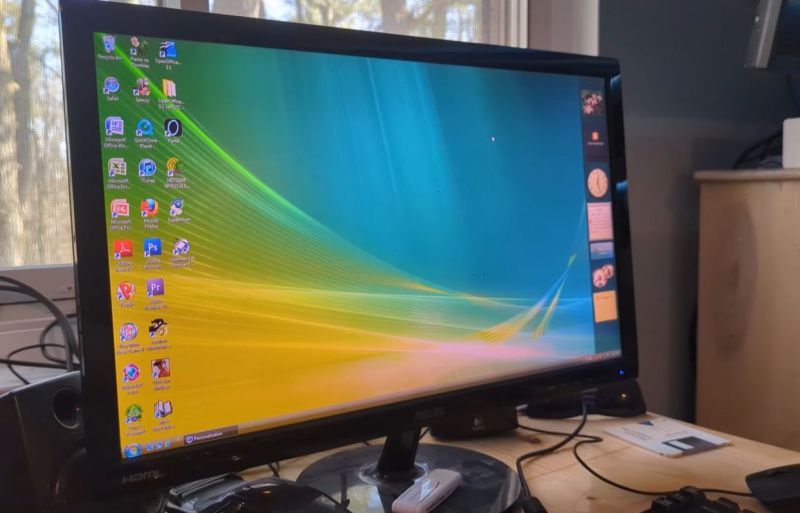
It’s a bit of an understatement that at release Windows Vista rather fell flat. Much of the problem was due to how rushed of a release it was, with incomplete driver support and various glitches in the OS that ought to have been ironed out prior to release. In a retrospective, [SteelsOfLiquid] takes a look at what used to be the most infamous Windows OS until the arrival of first Windows 8 and subsequently the popcorn-fest that is Windows 11.
After a brief re-run of the development history and initial release of Vista, the OS is installed on a Core 2 Duo E8400 with 4 GB of DDR3 and a Geforce 310 card. This being the first NT6-based Windows version (with Microsoft jumping up to version 10 with Windows 10), it’s still got a lot of working software for it in 2026. Some have argued that Windows 7 is basically Vista SE in the vein of Window 98, so it doesn’t face the same software and driver hurdles as e.g. Windows XP does.
Thus the video focuses mostly on the software that was provided with the OS, giving a detailed look at an OS that many of us skipped in favor of sticking to Windows XP to the despair of Microsoft who had to push back that OS’s EOL by a few years as a result. For those of us who joined in the hate-fest against Vista it feels somewhat nostalgic to look back at an experience that in 2026 terms would have been less rough than trying to use Windows 10 or 11 until years of updates made at least the former not entirely terrible to use.
Here’s hoping that Windows 12 will be more of a modern Windows 7, especially in the GUI department, as it’s so nice to have a colorful OS interface with some tasty skeuomorphism rather than monochrome, flat icons.












Here is the Thing…..
Microsoft is OUT, After shutting down the activation service, Who would ever get into another Microsoft product?
Things are going to change.
Windows 12 can get BENT. That crap is too invasive for common use.
Windows Vista was pre Nadella era, still. Different Microsoft from now, basically.
After Windows 7, Windows became a touch OS with software-as-a-service model, rather than a serious Desktop PC OS.
Speaking of activation.. It can be done locally, too.
In addition, Windows Vista has lower system requirements than a modern standard Linux distribution (hello Ubuntu!).
And it’s also more visually appealing and offers significantly more features and helpful wizards that provide optimal user support.
If someone had to guess, Windows Vista would likely be considered the more modern OS here.
Also in comparison to the minimalistic Windows 10/11.
“In addition, Windows Vista has lower system requirements than a modern standard Linux distribution (hello Ubuntu!).”
It also has lower system requirements than modern standard Windows.
I have been using Ubuntu on my Lenovo R61i until Ubuntu 16 with zero trouble and probably would use it until now if I didn’t donate it.
The grief with Vista was partially due to Microsoft naively certifying PCs with only 1GB RAM as “Vista ready”.
Even worse than that, 512 MB was bare minimum.
There were “Vista capable” certified PCs that even ran XP SP3 badly.
By late 2000s, my own XP PC had full 4 GB of RAM, of which ca. 3,5 GB were visible to XP x86.
It was an AMD Ahlon 64 X2 4800, I think. With an nForce mainboard anf GForce 6200 or something.
Anyway, my point is that Vista was a power user OS or gamer OS at the time.
It had latest DirectX support anf it worked okay if the hardware was up to it.
(After Windows 7 was out, Vista got the Platform Upgrade which brought Vista on same level as 7.
Except for lack of WDDM 1.1 support, among other things.)
Main RAM had to be on eye level with GPU RAM, for example, because of how rendering worked with WDDM 1.0 drivers and that Composition Manager.
A copy of the video RAM was basically held in memory.
By disabling Aero Glass the CPU itself had to render the GUI,
which wasn’t exactly better or prettier.
The “recommended” requirements for Vista were the real minimum requirements, also, I think.
In practice, by 2007/2008, a dual-core and 2GB of RAM (better 3 or 4 GB) made more sense.
A RAID config or SSHD drive or other kind of SSD/HDD hybrid (Momentus XT type of thing) might been helpful in terms of HDD performance.
The minimum requirements for Vista were not realistic, at all.
However, MS probably mentioned them because of the vast number of existing XP PCs.
And with the minimum requirements, Vista did just boot to desktop.
The GUI was very sluggish on low RAM.
In essence, it was just like with Windows 98/Me PCs before.:
Back in early/mid 2000s, Pentium to Pentium III PCs with 64, 128 or 256 MB of RAM were still in wider use.
However, XP SP2 wanted about 256 MB minimum to be smooth (by my definition IMHO).
I had 384 MB at the beginning (128+128MB, 64+64 MB), after I ran it on a humble 64 MB first time (XP SP0).
Back then, I’ve upgraded many PCs to have a more realistic RAM expansion.
CPU wise, a Pentium MMX or Pentium II was still capable enough.
Yes. My point here is that back then Vista was considered bloatware.
And now, today, Linux distros are even worse in this respect and Linux users are fine with it.
They can’t even boot up anymore on “low” RAM (say 2GB),
while Windows technically still can. Albeit with horrible performance.
This is somehow of an unreal situation, I think.
Especially if thinking of Damn Small Linux (DSL, once 50 MB in size) or of Wirth’s law.
https://en.wikipedia.org/wiki/Wirth%27s_law
With Vista, the memory consumption was still sort of understanable or explainable, though.
It was more than just simply bloated code, as with other large OSes.
The switch to use of .Net Framework and Windows Forms, how GUI is rendereed (via Direct 3D now instead of GDI or GDI+)..
Vista also did online compression/decompression during copy operations, because it was meant for internet age.
Great for using network drives on fast PCs in principle,
but same time that caused poor performance on local file operations on slower PCs.
Then, the built-in DRM that constantly probed the graphics driver and tried to reset it if it timed out..
Or lack of hardware acceleration for sound (Direct Sound 3D)..
Speaking of graphics drivers, they now ran in user mode again, like they did in Windows NT 3.x once.
That was slower but more stable, also.
Years before Vista, Windows NT 4 had moved graphics drivers from user mode into kernel mode for performance reasons.
That’s why servers ran with plain VGA driver most time – it was tested and stable.
You are mistaking “absolute minimum requirements” with “recommended requirements”. Ubuntu works perfectly in a device with 4GB. Vista… well…
Vista can be installed on a PC with 512 MB of RAM.
It also boots up with less RAM after that, but neither configuration is enjoyable here.
With 1 GB of RAM Vista is usable, but not smooth.
With about 2 GB or more it starts to behave normally.
Modern, “normal” Linux distros (not the crippled XFCE vsriants) start to crawl at 4 GB instead of running smooth as silk as they should.
To put things into perspective, a few years ago, the “to RAM” option worked with about a Gigabyte of RAM, still.
And that included a whole RAM drive, not just RAM needed to run the kernel (now consumes 700 MB all alone?) or the whole OS.
With a whoppin’ 4 GB of RAM in total, any modern Linux live distro or Linux live+installer distro should still be able to run off a RAM drive to this very day.
That was possible a few years ago, still, after all.
I remember how Knoppix ran that way on much humbler specs.
Vista was a horribly misunderstood OS. Most of the issues were the completely underpowered prebuilts (Running Vista on a Pentium 4 with 512 MB RAM and Intel GMA graphics is a horrible idea), incompatible drivers, and the original UAC dialog that would go off if look at your computer funny.
By the time Vista SP1 rolled out, all the issues were fixed, but the reputation was already ruined.
If Intel GMA was a bad idea, how about those with built-in SiS Mirage 3 graphics? It was hideously slow it couldn’t even play 1080p 24fps H.264 video on a Pentium Dual Core T4500 (2.3GHz) laptop, whereas a Core 2 Duo T7100 (1.8GHz) with GMA X3100 could do so without issues.
My father bought a windows vista image after a year it was launched, for the family computer. It was really slick looking and the first OS that looked “modern”, even though our iGPU couldn’t support all the nice transparent windows features that it had.
It wasn’t too slow, perfectly usable for the 2GB of RAM we had
A brother gave me a windows vista machine, which was then a few years old, but still current. I started it up and saw a lot of blue tiles and clicking on them did not do much. I did not have normal access to programs or a desktop. There was no clue at all of how to start a file browser or install new software. I fiddled with it for about 5 minutes, then gave up and installed Linux. After that I never used windoze again. Later I bought a new PC in parts (Mobo, Processor, Memory, SSD, Power supply) and getting started with Linux is extremely easy these days. You just boot from an USB stick and the OS starts up and you can try it out. If you decide to install, you run the install program from the desktop, and a few minutes later you do a reboot from the freshly installed OS. After that you do an update, which updates all installed programs (many programs are already installed by default (web browser, office suite, text editor and more).
There is no scrolling though endless pages of EULA garbage (which is probably not enforceable anyway, but who knows…) No stupid activation procedures, no advertisements, no spyware. It “just works”.
The linux distribution I use is Linux Mint 22.3 with XFCE desktop. There are many others that probably also “just work”, but Mint is a very user friendly distribution and easy on maintenance. My heart goes out to Debian as a base distribution, but Mint is much easier to maintain. Nearly everything “just works” and it is a good starting point for everybody curious to what this “Linux” thing is.
Most people remember Vista SP0 (TRM), installed in PCs and notebooks built for XP but sold (forcefully) with Vista preinstalled. Which was terrible to say the best.
I got a living being paid to remove Vista and upgrade to XP, I did that so many times that I even made a badge with the writing “authorized Vista uninstaller” :)
Vista SP2 and post SP2, is really an usable system to this day, but when SP2 was released Win7 was already a thing and no one noticed.
Windows Vista required a lot of tweaking to make it usable. I remember it took a big portion of my 64GB HDD. I periodically had to delete temporary OS files to prevent it from filling my disk. I even deleted some wallpapers the OS came with to save a few MB. I had to disable services and start up programs I did not use. I disabled some graphical effects and disable popup delays to make the OS feel snappier. It honestly was not bad. But I had many driver issues at the beginning.