BASIC On A Calculator Again

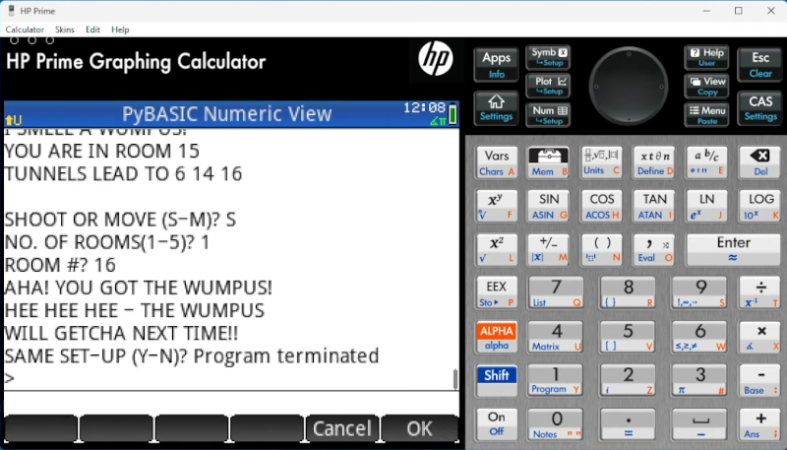
We are always amused that we can run emulations or virtual copies of yesterday’s computers on our modern computers. In fact, there is so much power at your command now that you can run, say, a DOS emulator on a Windows virtual machine under Linux, even though the resulting DOS prompt would probably still perform better than an old 4.77 MHz PC. Remember when you could get calculators that ran BASIC? Well, [Calculator Clique] shows off BASIC running on a decidedly modern HP Prime calculator. The trick? It’s running under Python. Check it out in the video below.

Think about it. The HP Prime has an ARM processor inside. In addition to its normal programming system, it has Micropython as an option. So that’s one interpreter. Then PyBasic has a nice classic Basic interpreter that runs on Python. We’ve even ported it to one or two of the Hackaday Superconference badges.

Continue reading “BASIC On A Calculator Again”

Graphing Calculator Gets USB-C Upgrade

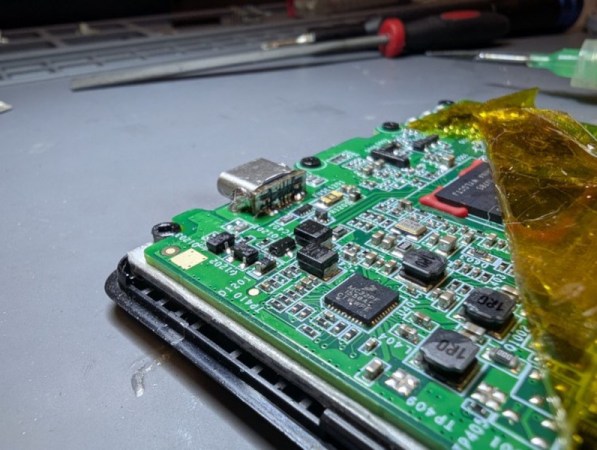
Unlike Texas Instruments, whose graphing calculators have famously not made technological improvements in decades despite keeping the same price tag, HP has made a few more modern graphing calculators in the last few years. One of which is the HP Prime which boasts hardware from the mid-2010s including an ARM processor, a color screen, and rechargeable lithium battery. But despite this updated hardware it’s still using micro-USB for data and charging. [David] wanted to fix that by giving this calculator a USB-C port.

The first steps were disassembling the calculator case and removing the micro-USB port. The PCB is glued to the LCD screen which isn’t ideal, but he was able to work on it with everything attached. The parts are small enough to need a microscope, and with a hot air station he was quickly able to remove the USB port. His replacements from a generic online retailer were able to be soldered without much effort, but there was one major complication. The new USB-C ports didn’t account for the “On The Go” mode supported by micro-USB and were shorting a pin to ground which put the calculator into “host” mode instead of acting as a device. But using the microscope and cutting a trace on the PCB disabled this mode permanently and got the calculator working properly.

As far as modernizing calculators go, it seems like the HP Prime checks a lot of boxes, with the major downside that the LCD screen and more powerful processor means that the battery needs to be charged more often than the old TI calculators. Rather than carry a dongle around everywhere, [David] found this to be a much more efficient change to his trusty HP. If you’re still stuck using TI calculators, though, there are a few ways to modernize those as well like this build which adds a lithium battery or this one which ports a few Game Boy games to the platform.

The Last Scientific Calculator?

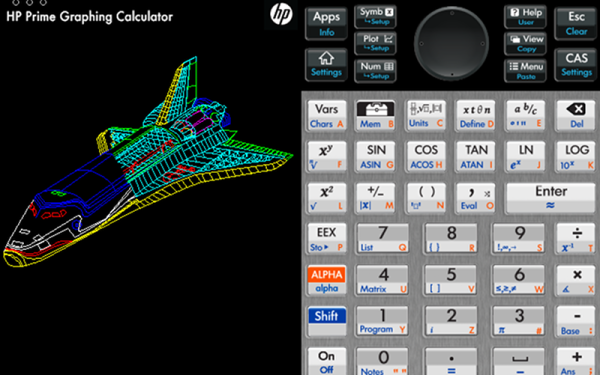
There was a time when being an engineering student meant you had a sword. Well, really it was a slide rule hanging from your belt, but it sounds cooler to call it a sword. The slide rule sword gave way to calculators hanging from your belt loop, and for many engineers that calculator was from HP. Today’s students are more likely to have a TI or Casio calculator, but HP is still in there with the HP Prime. It is hard to call it a calculator since the latest variant has a 528 MHz ARM Cortex A7, 256 MB of RAM, and 512 MB of ROM. But if you can’t justify a $150 calculator, there are some cheap and even free options out there to get the experience. To start with, HP has a free app that runs on Windows or Mac that works just like the calculator. Of course, that’s free as in no charge, not free as in open source. But still, it will run under Wine with no more than the usual amount of coaxing.

You might wonder why you need a calculator on your computer, and perhaps you don’t. However, the HP Prime isn’t just your 1980s vintage calculator. It also has an amazing number of applications including a complete symbolic math system based on xCAS/Giac. It is also programmable using a special HP language that is sort of like Basic or Pascal. Other applications include plotting, statistics, solvers, and even a spreadsheet that can hold up to 10,000 rows and 676 columns.

Portability

It is easy to think that HP provides the free PC software so you’ll go out and buy the real calculator, and that may be part of it. However, you can also get official apps for Android and iOS. They aren’t free, but they are relatively inexpensive. On iOS the cost right now is $25 and on Android it is $20. There are also “lite” versions that are free.

Continue reading “The Last Scientific Calculator?”