Refill UV Printer Ink Cartridges Like It’s The Late 90s

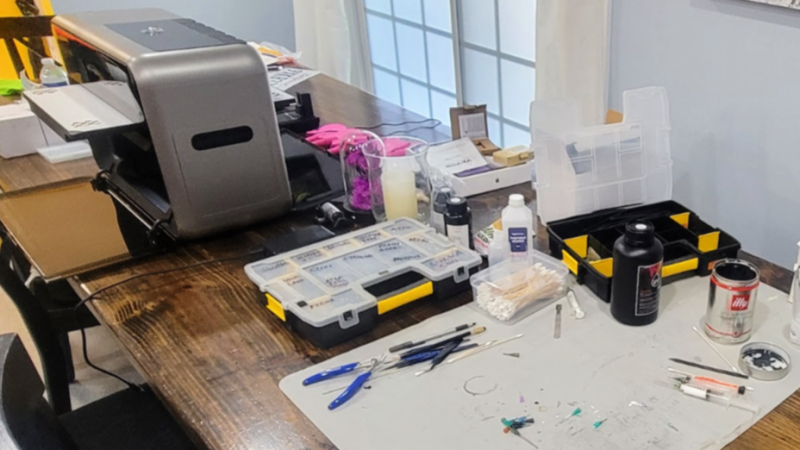
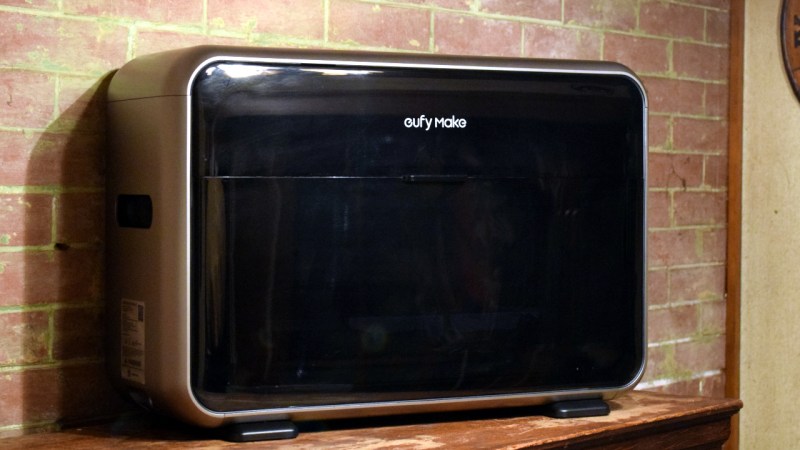
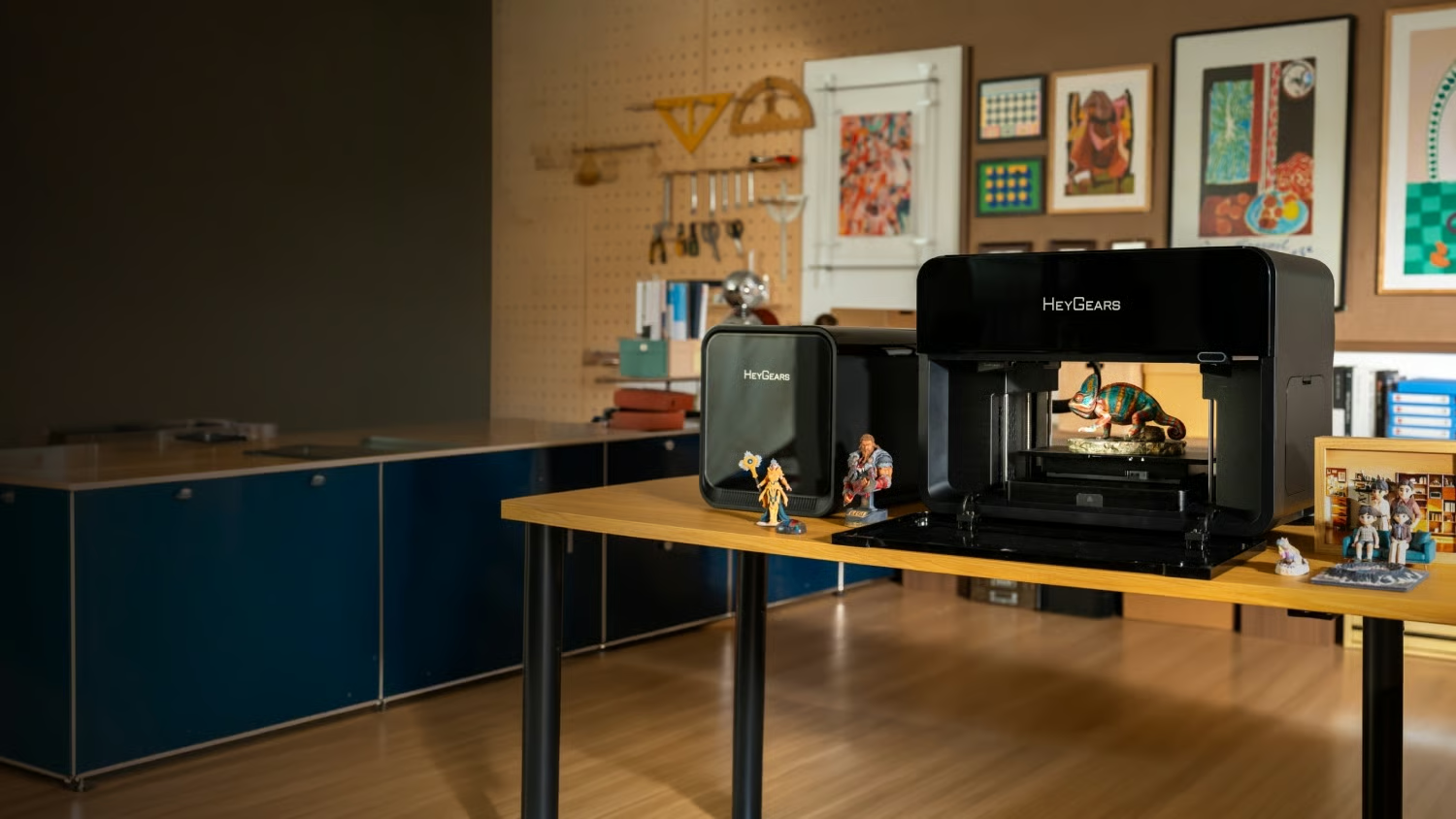
The Eufymake E1 is a recently-released prosumer UV printer that can print high-resolution color images onto pretty much anything. It also uses proprietary ink cartridges (which integrate a magnetic stirrer, nice) which are far more expensive than UV ink in bulk. So [charliex] set out to figure out how to refill the ink cartridges, including the cleaning cartridge.

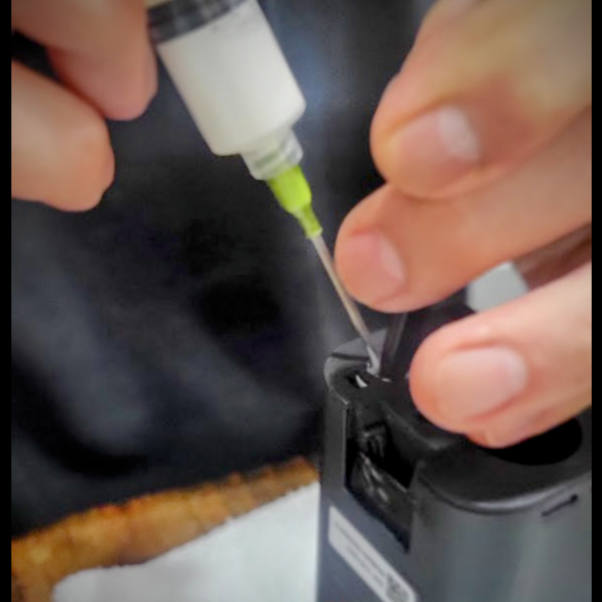
If one doesn’t mind a bit of fiddling, cartridges can be refilled without having to add any new holes.

UV printing in general is a bit of a maintenance hog, which has helped keep it from hobbyist use. UV ink doesn’t really like sitting idle in a machine, but the E1 automates cleaning and flushing of the print head as well as having swappable cartridges for each ink. This makes it a lot more user-friendly than UV printing has historically been.

The cartridge hardware can have a longer serviceable life than the ink inside, so it makes sense to try to refill them. There are more reasons to do this than just limiting costs. What if one wishes to print and the parent company is sold out of cartridges? What if they shut down? Refilling cartridges, and emptying waste from the cleaning cartridge, would become imperatives — lest an expensive prosumer UV printer turn into a paperweight. Thankfully software DRM control of the cartridges seems limited, at least so far.

Refilling cartridges can be carefully done with syringes combined with manual bypass of spring-loaded valve mechanisms. Emptying the cleaning cartridge can similarly be done by syringe, and it even has a hidden refill port under some plastic at its top.

[charliex] approaches all of this from a reverse-engineering perspective, indeed, he has a whole separate blog post about the software for the printer. So his solution is much more informed and elegant than, for example, just melting a new refill hole in the side of the things. It’s an interesting read, so check it out.

Our own Tom Nardi took a close, hands-on look at the E1 printer last year and came away pretty impressed with its capabilities. The cartridges are a big part of the user-friendliness of the system, but we hope there remains a viable option for manual refill for those of us who want to control costs or don’t wish to be locked in, and don’t mind violating a warranty or two in the process.

Hands-On: EufyMake E1 UV Printer

The modern hacker and maker has a truly incredible arsenal of tools at their disposal. High-tech tools like 3D printers, laser cutters, and CNC routers have all become commonplace, and combined with old standbys like the drill press and mini lathe, it sometimes seems like we’ve finally peaked in terms of what the individual is realistically capable of producing in their own home. But occasionally a new tool comes along, and it makes us realize that there are still avenues unexplored for the home gamer.

After spending the last few weeks playing with it, I can confidently say the eufyMake E1 UV printer is one of those tools. The elevator pitch is simple: with a UV printer, you can print anything on anything. As you can imagine, the reality is somewhat more complex, but the fact that you can toss a three dimensional object in the chamber and spray it with a high-resolution color image with a few button presses holds incredible creative potential. Enough that the Kickstarter for the $1,700 printer has already raised a mind-boggling $27 million at the time of this writing, with more than a month yet to go before crossing the finish line.

If you’re on the fence about backing the campaign, or just have doubts about whether or not the machine can do what eufyMake claims, I’ll put those concerns to rest right now — it’s the real deal. Even after using the machine for as long as I have, each time a print job ends, I find myself momentary taken aback by just how good the end result is. The technology inside this machine that not only makes these results possible, but makes them so easily obtainable, is truly revolutionary.

That being said, it’s not a perfect machine by any stretch of the imagination. While I never ran into an outright failure while using the eufyMake E1, there’s a fairly long list of issues which I’d like to see addressed. Some of them are simple tweaks which may well get sorted out before the product starts shipping this summer, while others are fundamental to the way the machine operates and could represent an opportunity for competitors.

Continue reading “Hands-On: EufyMake E1 UV Printer”

Bringing Full Colour PCB Art To Production

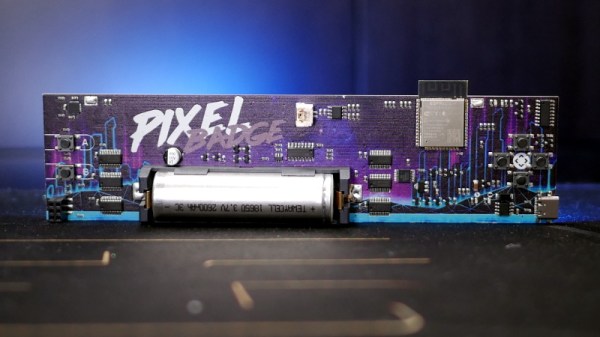
One of the Holy Grails in the world of electronic badges has been full-colour PCB art as a logical progression from the limited palette of traditional PCB artwork. In the progression towards achieving this goal there have been a variety of techniques applied, and it’s become an expensive commercial possibility rather than an unachievable dream. Has it become practical for mere mortals then? [Tom Clement] has put together a write-up of his progression towards achieving full-colour PCB artwork on a limited production run , and it makes for a fascinating read.

The board in question is the Pixel badge, an improved commercial version of the CampZone 2019 I-Pane badge we reviewed last year. It’s a very bright large multicolour LED matrix that has caught the eye of campgoers at events ever since the original, and has generated enough demand for a new production run. As well as a few electronic enhancements it replaces the original’s dithered monochrome silkscreen rear art with a full-colour design, and it is that with which the write-up is concerned.

It starts with UV printing, and goes through the various iterations of the process until a satisfactory result is achieved. We learn about the effect of reflow temperatures on UV printing inks, it seems that white ink discolours with temperature and the inventive solution is to transfer all the whites to the PCB silkscreen layer. He closes with a discourse on alignment, and we start to appreciate the achievement behind producing this badge. A colour print isn’t necessary for the Pixel’s eye-searing light show, but the point of badges is as much to show off the cutting edge of the art.

As the regular Hackaday reader will know, colour PCB art is a long-time topic of interest here at Hackaday.

Hackaday Links Column Banner

Hackaday Links: July 14, 2019

The M5Stack is a plastic box loaded up with an ESP32, a display, some pin headers, and a few buttons. Why does this exist? It’s a platform of sorts, and we’ve seen people adding LoRa to the M5Stack as well as thermal cameras. Hot from random online retailers is the M5Stick, a smaller version of the ~Stack that still has a screen, still has pin headers, and still has an ESP32. It’s a new development platform that’s using a USB C plug (hot trends 2019), and it still has all the features of an ESP32.

Ever wonder how they put designs on skateboard decks, or graphic designs on luggage? That would be a UV printer — it’s basically an inkjet that uses UV-curing ink, but the print head has a Z axis, and the bed is usually huge. [Scotty] of Strange Parts recently took a look at a factory that makes UV printers. Yeah, there’s a lot of wiring that goes into these machines, and yeah, you can do a lot with them. Remember: the cheapest UV printers are about $3k, and yeah, you can print designs on PCBs with them.

Virgin Orbit is the Branson-branded take on the Stratolaunch; this is a rocket that uses a single 747 to loft a small rocket into the stratosphere and send it off into a sun-synchronous orbit. This week, Virgin Orbit has completed drop tests to characterize how the rocket falls away from the 747. This is also called ‘a bombing run’, and we could have used a few GoPros on the rocket itself.

Last weekend was ‘LeHack’, a French hacker/infosec conference. There was a coffee vending machine there, complete with touch screen and an offer to pay via your smartphone with an app. You know what happened. It turns out, you can take over all the accounts using the app. You can also brute force the user’s pins. Lesson learned? Why the hell does a coffee machine need an app?

The New Pallet Wood! First off, don’t make anything out of pallet wood unless you know what you’re doing; there’s some nasty chemicals in pallet wood. That said, you can make a fortune with pallet wood furniture on Etsy, and that’s doubly true if you make a pallet wood resin river table. This is the new pallet wood. Hollow core doors are easy to disassemble with a table saw, and provide two large sheets of plywood, and enough sticks to make a frame for something. What can you do with all this wood? Build a guitar, of course.

Get Your PCBs Made At The Mall

As we’ve seen with some recent posts on the subject here at Hackaday, there seems to be a growing schism within the community about the production of PCBs. Part of the community embraces (relatively) cheap professional fabrication, where you send your design off and get a stack of PCBs in the mail a couple weeks later. Others prefer at home methods of creating PCBs, such as using a CNC, laser engraver, or even the traditional toner transfer. These DIY PCBs take some skill and dedication to produce, but the advantage is that you can have the board in hand the same day you design it. But there may be a third option that seems to have slipped through the cracks.

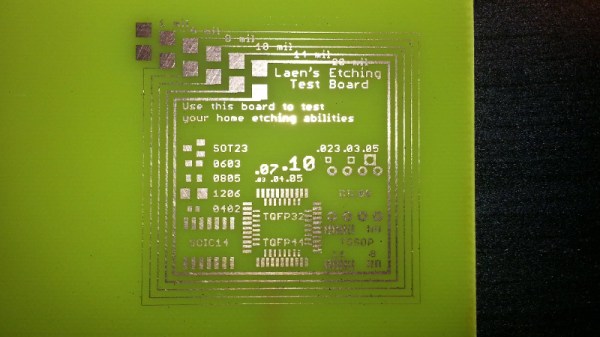
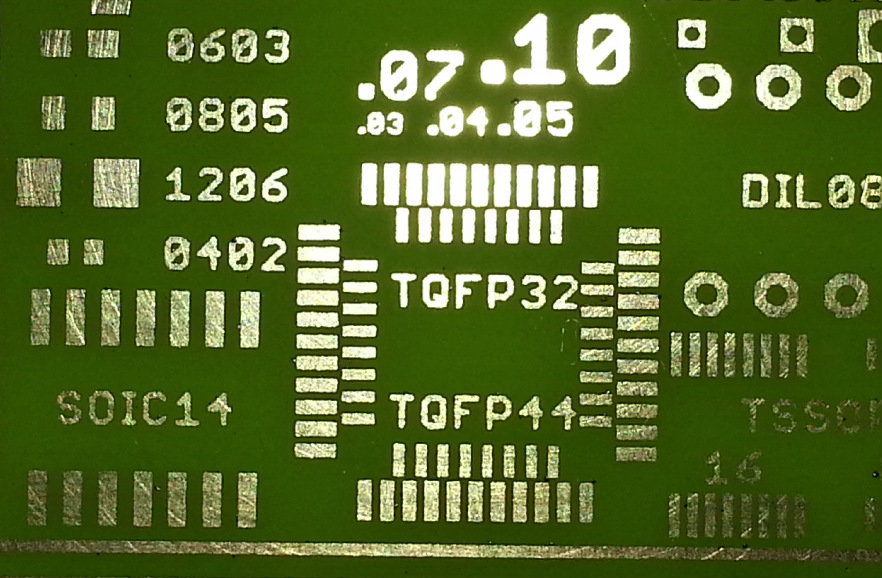
[Virgil] writes in with a very interesting method of producing professional looking prototype PCBs that doesn’t involve weeks of waiting for the results, nor does it require any complicated techniques or specialized equipment. In this method, a UV printer is used to deposit your mask directly onto the copper clad board, which you then etch with whatever solution you like. Don’t have a UV printer you say? No worries, there’s probably somebody at the mall that does.

As [Virgil] explains, the little kiosks at the mall which offer to personalize items for customers generally use a UV printer which allows them to shoot ink on nearly any material. Instead of asking them to put a logo on the back of your phone, you’ll just be asking them to put the vector file of your mask, which you can bring along on a USB flash drive, onto the bare copper board. They may tell you they can’t guarantee the ink will stick to the bare copper, but just tell them you’re willing to take the risk. It’s one of those situations in which your money will be glad to speak on your behalf.

After the UV printer does its thing, the mask might be somewhat fragile. [Virgil] likes to wrap the boards in plastic for the ride home to make sure they don’t get damaged. Then it’s a quick dunk in the etching solution followed by a rinse and some isopropyl alcohol to get the remainder of the UV ink off. The results really do speak for themselves: nice sharp lines with exceptionally little manual work.

We’ve covered some relatively easy ways of quickly producing nice PCBs at home, as long as you don’t mind spending a couple hundred US dollars to get the hardware together. This seems to be the best of both worlds, though it does have the downside of requiring you speak with another human. We’d love to hear from any readers who give this particular method a shot.

Continue reading “Get Your PCBs Made At The Mall”