The Complex Transformations Underlying MC Escher’s Works

Self-similar images are rather common, which are images in which the same image is repeated on a smaller scale somewhere within the image that one is looking at, something which is also referred to as the Droste effect. Yet in [MC Escher]’s 1956 Prentententoonstelling (‘picture gallery’) drawing, this self-similar image is somehow also the foreground image, from where it just keeps looping around in an endless dance. How this effect is accomplished and what the mathematical transformations behind it are and how they work is explained in a recent video by [3Blue1Brown].

The video uses previous work by [B. de Smit] and [H. W. Lenstra Jr] whose 2003 paper detailed the underlying transformations, as well as the mystery of the center of the work.

Although [MC Escher] created a transformation grid with square rectangles into which a non-transformed image could be copied verbatim, he left the center as a void with just his signature in it, leaving many to guess how one might be able to fill in this area with something that made sense. In the work by [Smit] et al. it was postulated that by treating the work as having been drawn on an elliptic curve over a field of complex numbers this might be possible.

While the transformation is simple enough at first, with just four rectangles at different zoom levels to make up the corners, the trick is to connect these rectangles. Using the demonstrated complex method this can be automated, with the central void now filled in and creating its own Droste effect. This once again demonstrates the beautifully complex mathematics in [Escher]’s works, despite him never having had any formal mathematical education.

Continue reading “The Complex Transformations Underlying MC Escher’s Works”

an animated gif of the eye in motion.

Bending Faux-Neon LEDs Make For Animations Glass Tubes Can’t Match

Odds are, if you like neon lights, you’re not thrilled with the LED faux-“neon” strips that are supposed to replace them. They’ve got their advantages, but the light quality of RGB LEDs lacks something compared to the emission spectrum of nobel gas, at least to purists. On the other hand, you cannot create an animation by bending glass tubes, like [David Hamp-Gonsalves] has demonstrated with his Neon Animated Eye.

Back in the day, you’d have needed dozens of tubes for a flickery animation, but [David] figured that since these LED strips are flexible, why not flex them? He’s using addressable LEDs — WS2812s, specifically — so activating and deactivating the pupil of the eye is easy-peasy. Opening and closing the lid is accomplished with a geared motor driven by a TB6612 driver turning a barrel cam. The ends of the stiff LED strip being brought together and pulled apart result in the blinking effect here, but as [David] points out you’re hardly limited that specific motion. There’s a whole world of Tron-like glowing animatronics that can be created with this technique. Code and STLs are available on GitHub, though, if you want to replicate the eye exactly.

[David] says he’d like to see this in a storefront someday, but given that fatigue life is a thing, it might be something to keep in your back pocket for seasonal displays like Christmas and Halloween rather than something that’s going to run 24/7. On the other hand, if you’re careful about limiting flexion and which faux-neon strip you buy, you might be able to create an animation that can last for years.

This is hardly the first time we’ve seen these faux-neon strips , but it is the first time we’ve seen them animated. We can’t help but think the Hauntimator software we featured before would be a good paring with this hack.

Pixel Camera Puts Lo-Fi Images In The Palm Of Your Hand

Some things have an undeniable appeal, and lo-fi, pixelated Game Boy-camera-like images are one of them. In service of this, [Raul Zanardo] created his handheld pixel camera that goes the extra mile. It implements slick real-time pixel art filters and a number of other useful features.

A live preview with real-time filters makes capturing just the right image easy.

For hardware, [Raul] uses a LilyGo T-Display S3 Pro which is an ESP32-based development board, camera, and color touchscreen display in a handheld form factor that vaguely resembles a chunky smartphone. The only change is swapping the stock camera for an OV3660-based camera module. It’s a drop-in replacement, but necessary because some of the features and settings his software uses are not available on the stock camera.

The camera captures 240 x 176 images, but the really neat part is the real-time filter pipeline. There are many configurable choices to play with, including pixelation, dithering, edge detection, CRT scanline effect, and color palette presets. Captures are saved to a local micro SD card and there’s all kinds of handy features like a photo gallery that takes full advantage of the color touchscreen. There’s also USB Mass Storage functionality, so downloading photos is as simple as plugging in a USB cable.

The Game Boy camera’s charming lo-fi imagery has inspired many pixel-camera projects, and this one makes great use of an inexpensive handheld development board and includes truly useful features.

Do you have your own pixel-art inspired camera project? Hit up our tips line and tell us all about it!

LED Matrix Clock Proudly Shows Its Inner Wiring

Some projects take great care to tuck away wire hookups, but not [Roberto Alsina]’s Reloj V2 clock. This desktop clock makes a point of exposing all components and wiring as part of its aesthetic. There are no hidden elements, everything that makes it work is open to view. Well, almost.

The exception is the four MAX7219 LED matrices whose faces are hidden behind a featureless red panel, and for good reason. As soon as the clock powers up, the LEDs shine through the thin red plastic in a clean glow that complements the rest of the clock nicely.

[Roberto]’s first version was a unit that worked similarly, but sealed everything away in a wedge-shaped enclosure that was just a little too sterile, featureless, and ugly for his liking. Hence this new version that takes the opposite approach. Clocks have long showcased their inner workings, and electronic clocks — like this circuit-sculpture design — are no exception.

The only components, besides the Raspberry Pi Zero W and the LED matrices, are the 3D-printed enclosure with a few hex screws and double-sided tape. Design files and code (including the FreeCAD project file) are available should you want to put your own spin on [Roberto]’s design.

For Art’s Sake

Hackers can be a strange folk. Our idea of beauty, for instance, can be rather odd. This week, Hackaday saw a few projects that were not just functional – the aesthetics were the goal. I don’t think we’ll be taking over the fine art world any time soon, but I’m absolutely convinced that the same muse that guides the hand that holds the paintbrush sometimes also guides the hand holding the soldering iron.

Take “circuit sculpture”, for instance. Heck, we even give it an art-inspired name that classifies it correctly. This week’s project that got me thinking about the aesthetics of hand-bent wire circuits was this marvelous clock build, but the works of Mohit Bhoite or Kelly Heaton are also absolute must-sees in this category.

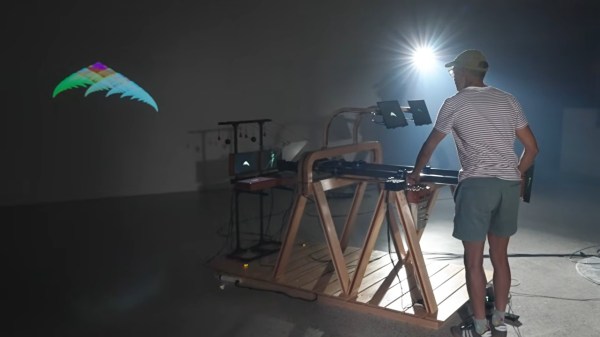
Outside of the Hackaday orbit, one of my all-time favorite artists in this genre was Peter Vogel, who made complex audience-reactive sound sculptures that looked as good as they sound.

Is a wireframe animated moving jellyfish art? It was certainly intended to be beautiful, and I personally find it so. Watch some of the video clips attached to the project to get a better sense of it.

In the sculpture world, there is a sub-genre of kinetic art pieces where the work itself is secondary to the beauty of the motions that the pieces pull off. Think ballet, but mechanical. Perhaps my absolute favorite of these artists is Arthur Ganson. If you haven’t seen his work before, check out “Thinking Chair” for the beauty of movement, but don’t miss “Machine with Concrete” if you’re feeling more conceptual.

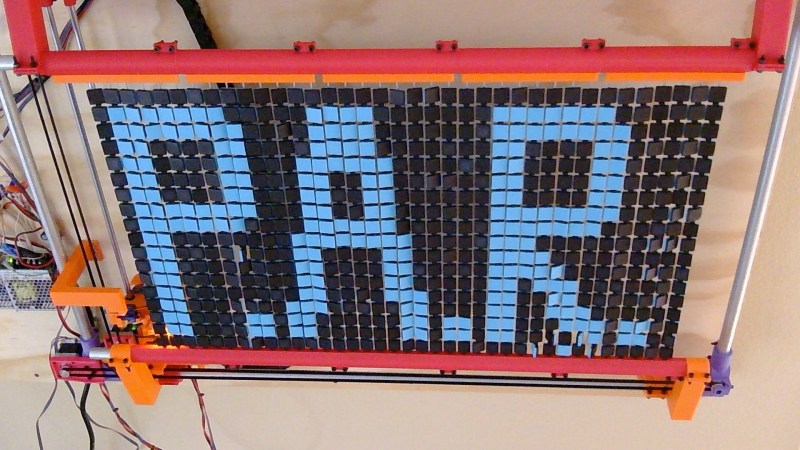
If you’re willing to buy an insane geartrain as art, what about these 3D printed wire strippers? Is this “art”? It’s clear that they were designed with real intent and attention to the aesthetics of the final form, and am I wrong for finding the way they move literally beautiful?

What’s your favorite offbeat hacker artform?

Laser Welding Helps YouTuber Get Ahead With Aluminum Sheet

Laser Welding is apparently the new hotness, in part because these sci-fi rayguns masquerading as tools are really cool. They cut! They weld! They Julienne Fry! Well, maybe not that last one. In any case, perhaps feeling the need to cancel out that coolness as quickly as he possibly could, YouTuber [Wesley Treat] decided to make a giant version of his own head.

[Wesely] had previously been 3D scanned as part of the maker scans project, which you can find over on Printables. Those of you who really hate YouTubers, take note: finally you have something  to take your frustrations out on. [Wesely] takes that model into Blender to decimate and decapitate– fans of the band Tyr may wonder if the model questioned his sword–before feeding that head through an online papercraft tool called PaperMaker to generate cut files for his CNC. There are also a lot of welding montages interspersed there as he practices with the new tool. [Wesely] did first try out his new raygun on steel in a previous video, but even knowing that, he makes the learning curve on these lasers look quite scalable.

While we’re not likely to follow in [Wesely]’s footsteps and create our own low-poly Zardoz– Zardozes? Zardii?– using a papercraft toolchain and CNC equipment with sheet aluminum is absolutely a great idea worth stealing. It’s very similar to what another hacker did with PCBs— though that project was perhaps more reasonable in scale and ego.

We are no strangers to papercrafts that use actual paper here, either, having featured everything from model retrocomputers to fully-mobile strandbeasts. 

Continue reading “Laser Welding Helps YouTuber Get Ahead With Aluminum Sheet”

There Are No LEDs Around The Face Of This Clock

This unusual clock by [Moritz v. Sivers] looks like a holographic dial surrounded by an LED ring, but that turns out to not be the case. What appears to be a ring of LEDs is in fact a second hologram. There are LEDs but they are tucked out of the way, and not directly visible. The result is a very unusual clock that really isn’t what it appears to be.

The face of the clock is a reflection hologram of a numbered spiral that serves as a dial. A single LED – the only one visibly mounted – illuminates this hologram from the front in order to produce the sort of holographic image most of us are familiar with, creating a sense of depth.

The lights around the circumference are another matter. What looks like a ring of LEDs serving as clock hands is actually a transmission hologram made of sixty separate exposures. By illuminating this hologram at just the right angle with LEDs (which are mounted behind the visible area), it is possible to selectively address each of those sixty exposures. The result is something that really looks like there are lit LEDs where there are in fact none.

[Moritz] actually made two clocks in this fashion. The larger green one shown here, and a smaller red version which makes some of the operating principles a bit more obvious on account of its simpler construction.

If it all sounds a bit wild or you would like to see it in action, check out the video (embedded below) which not only showcases the entire operation and assembly but also demonstrates the depth of planning and careful execution that goes into multi-exposure of a holographic plate.

[Moritz v. Sivers] is no stranger to making unusual clocks. In fact, this analog holographic clock is a direct successor to his holographic 7-segment display clock. And don’t miss the caustic clock, nor his lenticular clock.

Continue reading “There Are No LEDs Around The Face Of This Clock”