
If you have a Nest thermostat of the first or second generation, you probably noticed it recently became dumber. Google decided to pull the plug on the servers that operate these devices, turning them into — well — ordinary thermostats. Lucky for us [codykociemba] has been keeping up with various exploits for hacking the thermostat, and he started the NoLongerEvil-Thermostat project.
If you want to smarten up your thermostat again, you’ll need a Linux computer or, with some extra work, a Mac. The thermostat has a DFU-enabled OMAP loader. To access it, you have to plug it into USB and then reboot it. There is a narrow window for the loader to grab it, so you have to be running the software before you reboot or you’ll miss it.
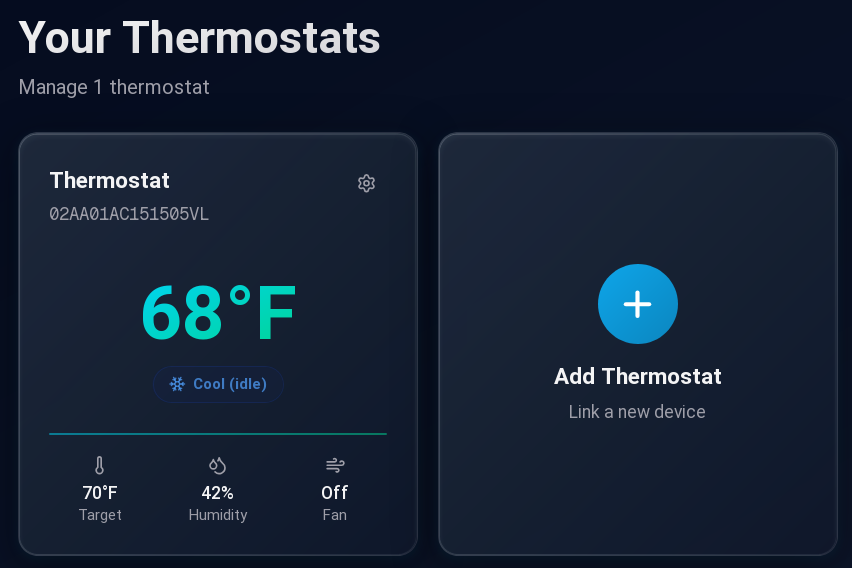
After that, the flash is relatively fast, but the Nest will look dead for a brief time. Then the No Longer Evil logo will show, and you are in business. We wish the hack simply replaced the Google software with a local website, but it doesn’t. It redirects all the network traffic to a custom URL. Then you can control your thermostat from the nolongerevil.com website. So we don’t know what will happen if they decide to stop hosting the remote server that powers this. You can also run the code locally if you’ve got a server up.
If you get another year out of your trusty thermostat, that’s a year you wouldn’t have had otherwise. We do worry a bit about putting an odd device on your network. In theory, the project is open source, but all the important bits are in a binary U-Boot image file, so it would take some work to validate it. To get you started, the command to dump the content is probably: dumpimage -T kernel -p 0 -o kernel uImage. Or, you could watch it with Wireshark for a bit.
We were happy to get some more use out of our Nest.












Regarding the comment about controlling the new firmware over the website: As far as I understand from the linked website and its documentation, you can run the complete stack on your own hardware (self-hosted).
Yes, I pushed a new branch called open-source-prototype for those who want to self host it themselves, but it’s still a work in progress. This was all thrown together in a few days, so I’m trying to push out as fast as I can, while still maintaining the original NoLongerEvil endpoint for non-technical folks who just want their thermostats working again.
…is there any way to get the flasher to work on the V2 UK versions? Discussion here: https://github.com/codykociemba/NoLongerEvil-Thermostat/discussions/157#discussioncomment-15468803
I got an opportunity to take a look at a nest thermostat a year or so ago. The most impressive thing was the build quality. Nice metal body, actual glass front. Looked really classy.
I didn’t actually use it thought, it was broken
LOL trying to read the docs on their website about self hosting and get nothing but
404
Page Not Found
We couldn’t find the page. Maybe you were looking for one of these pages below?
Let’s all install turn over our devices to the “nolongerevil” botnet pretending to be open sourced!
Seems rather “AnotherEvil” than open sourced…
Maybe you have to self-host the docs to read them.
https://github.com/codykociemba/NoLongerEvil-Thermostat/discussions/34
There’s a branch with the current state of the self-hosted stack:
https://github.com/codykociemba/NoLongerEvil-Thermostat/tree/open-source-prototype
The announcement of the branch:
https://github.com/codykociemba/NoLongerEvil-Thermostat/discussions/34
The repo for the documentation:
https://github.com/codykociemba/NoLongerEvil-docs
Pretty clear this is just a young project, not a scam.
Hey, I’m the creator of the project. This was all thrown together in a few days, and it blew up and received a bunch of attention, so I’m playing catch up. I’m in the process of creating docs for self hosting, but there is a branch called open-source-prototype where you can throw it together. I’m still working on some bugs to make the firmware builder 100% plug and play as well as the flashing.
So not 100% less evil.
I have 4 affected stats. I will NEVER buy another Nest!
This definitely should not win the FULU bounty.
Binary blobs and a random website scream danger.
According to the GITHUB home assistant and Home bridge support (as a server for nest) is planned, so future usage shouldn’t be an issue.
Oh well – open source plastered all over the page and than thy are in violation of GPL – where is kernel source? Nowhere. So is anything else.
Hmmm.. I wonder if they actually wrote any custom kernel code. I’m pretty sure that if you use a stock kernel then the continued existence of kernel.org has you covered.
Somebody pointed out there is other branch
From there the sources are from this repo https://github.com/exploiteers/NestDFUAttack.git
So no, it is not upstream, but sources are available.
I’m not doing anything super cool, the https://github.com/exploiteers/NestDFUAttack.git wrote the original firmware to root it, and Google open sources most of it. This repo just RE’s their API and replaces the config on the device to talk to a hosted/self hosted API instead of theirs.
I don’t think he ‘plastered [open source] all over the page’.
Yet, yes he makes that claim and despite sharing something, he does not seem to share the uimage sources. That would not put this project in the malicious bin for me.
Actually, it made look up prices for v2 Nests, might be a interesting thing to hack on. But: No time, not now…
There is a branch called open-source-prototype that builds out the uImage, x-load and u-boot, however the latter are open sourced by Google (we download them directly from Google).
It’s released under the MIT license, not the GPL
Go to the open-source-prototype branch on GitHub, it has more code:
https://github.com/codykociemba/NoLongerEvil-Thermostat/tree/open-source-prototype
A real upgrade would be to make these nodes for a local Home assistant server (no data round trip outside the house thanks). I’ve been eyeing up some old Hive gear with the same thoughts on making it all work locally with HA. Not sure on all the how, but it seems like a worthwhile project.
This is being worked on, someone already integrated Home Assistant and is going to submit a PR soon. I’ve also setup a branch called open-source-prototype for self hosting it locally, so no data leaves your network.
This is great, thank you!
Double thumbs up
Cool, it’s always good to have the chance not to turn this sort of stuff into e-waste.
But if you don’t already have a Nest… just wanted to point out…
You could get a Zigbee enabled thermostat for about a 10th the cost of any of the big brands. Seriously.. I just skimmed the top Google results and found a Sonos for less than $8.
Skip buying the proprietary hub and instead buy a $20 Zigbee USB stick. Put that in that always-on Linux box you call a server, old Desktop, Raspi, whatever that you doubtlessly have since you are on this site. Install Mosquitto and Zigbee2MQTT. (might want to go over to Zigbee2MQTT’s site and check the hardware compatibility before you buy).
That’s how far I have gotten at my house so far. I control stuff via my phone with any one of a number of MQTT apps that let you build up a pretty UI just by dragging things around. I set up automated tasks by following a Python MQTT tutorial and just modifying it to what I want to do.
There is also Node Red which I briefly used on the job years ago. I think it will let you build up a nice web based control panel by click and drag.
Or there is “Home Assistant” which I haven’t played with yet. Looks like it brings Mosquitto and Zigbee2MQTT with it as plugins though and gives you the UI already built.
Of course.. some people like the commercial cloud stuff because it means someone else is in charge of providing secure remote access. Why though? If you are on this site just take another old PC, install OPNSense, PFSense or something similar. Then follow one of those ‘road warrior’ Howtos to set up OpenVPN.
Anyway.. I’m just saying. There is no reason to spend 10 times the money just to get something that spys on you for a few years then stops working because they turned the servers off.
Somewhere commercial tech took a very wrong turn!!!
If you just download and setup home assistant you can pay the small fee to have this added to your server. I have full control over my nests still. You can even do scripting if you wanted to gain the schedule and smart features you used to have.
While it’s nice to see Google not brick the originals so foks can build there own, I always resented having to share my house data with them. That is what drove me to build my own ‘Not Evil’ thermostat, NixieStatESP (https://hackaday.io/project/184709-nixiestat-esp). I am not nearing the completion of the 3rd incarnation of the NixieStat. As the name implies, it has a nixie display.
It does not need a server to run, it does use WIFI and the MQTT message but if present. All of the messaging uses JSON.
I will be updating the hackaday.io page and the git repository ‘Real Soon’ now.
This is more of a hacker’s project in that it still needs work. My next house will probably have central AC so that will be the most likely next major effort. I want to re-write the code for the remote sensors (which run on an ESP32 as well though with the older esp-idf).
This is good to know. Maybe in the future I will use it.
I decommissioned my Gen 1 and Gen 2 Nest thermostats last week. Really expensive, really nice quality, really annoying that poor poor Google can’t continue supporting them. My local power company sold me a low end Ecobee for $10, to encourage me to save energy. I’m trying that, and hoping for many years of support.
Says the person who doesn’t bother to start their sentences with an upper case letter.
My Honeywell thermostat is a mercury switch. Zero hassle for 45 years. The Nest struggles to have enough WiFi power thus needs a Li-ion battery, which is silly. Other thermostats need AA batteries- despite full 24VAC power present. Google, Facebook can’t manage H/W dev well.
How much IoT hype can you put in a single number/digital output?
I bought a Venstar colortouch specifically because it has a local API and supports damn near any HVAC setup that exists. It doesn’t need a battery, and I’ve never had issues with it losing connection to Wifi.
The downside it is wasn’t cheap.
Hey, I’m the creator of this project, and I wanted to clarify a few things.
First, this project was thrown together in a couple of days and randomly news stories started popping up everything. It’s fantastic, however I wish they would have reached out so I could let everyone know it very much is a new project and still in development.
Secondly, there IS an open source/self hosted solution, it’s just still being worked on/has some bugs/kinks to be ironed out. If anyone is adventurous, feel free to see the discussion here https://github.com/codykociemba/NoLongerEvil-Thermostat/discussions/34 and check out the open-source-prototype branch!
fwiw, building a smart thermostat is the very first project I ever opened eCAD for. for simple whole-home heating & cooling, it is a good and very practical starter project (just be sure to do it during a mild season and don’t immediately throw out the theremostat you’re replacing); furnaces are very expensive so it can feel high-risk, but furnace control boards do a lot of idiot-proofing and are, relative to pretty much everything else on Earth, an absolute pleasure to service thanks to admirably aggressive adherence to bulky, expensive boards primarily using 20th-century through-hole components. for logic, an ESP32C3 board from seeed is sufficient for project and will give you both WiFi and BT access.
(if starting out, I would not bother trying to rectify and convert down 24VAC to power your board; just power over USB and leave the 24VAC to the relays)
Feeded
I disconnected my original NEST thermostat from the WiFi years ago but I did notice my NEST Protect smoke detector from 2016 is not using up batteries every couple of weeks so it looks like Google is killing off another product.
NEST Protects shutdown after 7 years.