
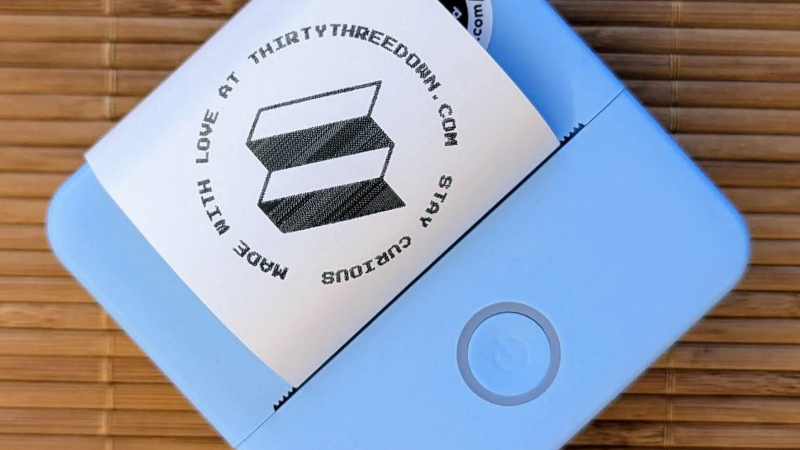
The arrival of cheap thermal printer mechanisms over the last few years has led to a burst of printer hacking in our community, and we’re sure many of you will like us have one knocking around somewhere. There are a variety of different models on the market, and since they often appear in discount stores we frequently see new ones requiring their own reverse engineering effort. [Mel] has done some work on just such a model, the Core Innovation CTP-500, which can be found at Walmart.
The write-up is a tale of Bluetooth reverse engineering as much as it is one about the device itself, as he sniffs the protocol it uses, and finds inspiration from the work of others on similar peripherals. The resulting Python app can be found in his GitHub repository, and includes a TK GUI for ease of use. We like this work and since there’s an analogous printer from a European store sitting on the Hackaday bench as we write this, it’s likely we’ll be giving it a very close look.
Meanwhile if [Mel] sounds a little familiar it might be because of their print-in-place PCB holder we featured recently.












I was looking as well at printers of this type to hack, but in the end I decided against starting another project that would most definitely end up in a drawer after I have taken the whole thing apart.
Instead I took the more simple route of buying a thermal printer module on Aliexpress that had a TTL uart interface that accepted ESC/POS commands, attached an ESP8266 board to it that effectively is just a telnet to uart bridge. I also added a mosfet module on the side that will power off the printer after a timeout or after the telnet connection ends.
The beauty of it is that all of the additional electronics fits inside the enclosure of the printer quite neatly, and the only interface to the outside is a power barrel connector.
Maybe not much of a hack, but it does the job that I need it to do.
What’s up elmesito! I absolutely relate to deciding against unfinished projects. For me, I knew sourcing all the components separately would be my doom, so I took a shot at ordering a finished product and make it do what I need to do.
I’m happy things worked out for the both of us in the end! Your build sounds great, I would love to see a picture if you have it documented somewhere!
Ah! Documentation, my Achilles heel!
I have several projects where I have a lot of photos during the development with the intention to share with the internet, but ultimately the newer projects take priority on writing a blog. Thanks ADHD!
I can’t make promises, but if I remember, later today I can share some pictures.
Thermal printers are great for printing small notes without wasting a whole sheet of paper. I use mine all the time. It’s an old receipt printer, so all I had to do was plug it into the parallel port on my desktop and write a simple script using the python-escpos library so I can send text files and images to it.
The printer is currently used just for printing out the ingredient list and recipe steps for when I brew beer. The cool part is that the recipe is automatically printed out when I change the status of the brewing batch within the brewing software from planning to brewing.
An automation inside Node-Red is triggered by this change, extracts the relevant data, and pushes it to the printer. In parallel it also sends some of the information to the label printer that will print out a label to go onto the fermentation vessel.
There are many such BLE thermal printers, a good number supported by my Thermal_Printer library (https://github.com/bitbank2/Thermal_Printer). I’m not sure why this particular model is noteworthy – it costs more at Walmart than many products with the same physical characteristics available from other vendors.
Hi Larry, Mel here! Going over my notes I can see that the Thermal_Printer library repository is in there, but it looks like I didn’t use it. Maybe I tested it and it didn’t work for some reason? Regardless, no doubt I learned a lot just from reading the notes in the repository. Thanks for putting this library back on my radar!
Hi Larry! Going through my notes I can see your Thermal_Printer library repository is in there. I don’t think I used it in the end – I think maybe I failed to get the printer to connect? – but looking at the code and your notes surely helped me think my way around this project. Thanks for putting it out there!
There’s nothing noteworthy about this device aside from being available at Walmart! And you’re right re. price, which is why I bought it off Amazon since my local store couldn’t price-match for me. Ultimately, I wanted to make something that would help people who just buy stuff from Walmart make the most of their little printer. If it helps at least one other person, I’m a happy camper!
sounds like a good justification :)
A reminder that there are quite a few thermal papers with coatings that contain BPA or BPS that does absorb with skin contact.
Thanks for the reminder Lord Binky! Good to know – I’ll make sure to look for paper alternatives when I need to refill.
Is it possible to find thermal printer paper without BPA? I didn’t think so
Actually there is, and it’s not that hard to find.
This might be the model I have
This would be great, the app sucks
There’s a new kid on the block that supports a slew of similar thermal printers besides the CTP500:
https://github.com/Dejniel/TiMini-Print
I’m not exactly a kid :P But… TiMini-Print fully supports the entire CTP-500 printer family, even though “CTP-500” is a commercial product name rather than the Bluetooth device name ;) And, for SEO, the Bluetooth device names are: CorePrint, Teal Printer, Purple Printer, B Pink Printer, Cherry Printer, Floral Printer, Check Printer, Smiley Printer, Stone Printer, P Pink Printer, and YHK