

Back in the innocent days of Windows 98 SE, I nearly switched to Linux on account of how satisfied I was with my Windows experience. This started with the Year of the Linux Desktop in 1999 that started with me purchasing a boxed copy of SuSE Linux and ended with me switching to Windows 2000. After this I continued tinkering with non-Windows OSes including QNX, BeOS, various BSDs, as well as Linux distributions that promised a ‘Windows-like’ desktop experience, such as Lindows.
Now that Windows 2000’s proud legacy has seen itself reduced to a rusting wreck resting on cinderblocks on Microsoft’s dying front lawn, the quiet discomfort that many Windows users have felt since Windows 7 was forcefully End-Of-Life-d has only increased. With it comes the uncomfortable notion that Windows as a viable desktop OS may be nearing its demise. Yet where to from here?
Although the recommendations from the peanut gallery seem to coalesce around Linux or Apple’s MacOS (formerly OS X), there are a few dissenting voices extolling the virtues of FreeBSD over both. There are definitely compelling reasons to pick FreeBSD over Linux, in addition to it being effectively MacOS’s cousin. Best of all is not having to deal with the Chaos Vortex that spawns whenever you dare to utter the question of ‘which Linux distro?’. Within the world of FreeBSD there is just FreeBSD, which makes for a remarkably coherent experience.
Ghosting The Subject

Although FreeBSD doesn’t have distributions the way that Linux does due to it being a singular codebase rather than a duct-taped patchwork, you do get a choice as far as difficulty settings go. You can always pick plain FreeBSD with its functional but barebones installer, which dumps you into a command line shell and expects you to jump through some hoops to set up things like a desktop environment. This is generally fine if you’re an advanced user, or just want to set up a headless server system.
In case you’re more into the ‘just add water’ level of a desktop OS installation process, the GhostBSD project provides the ready to go option for a zero fuss installation like you would see with Linux Mint, Manjaro Linux and kin. Although I have done the hard mode path previously with FreeBSD virtual machines, to save myself the time and bother I opted for the GhostBSD experience here.
For this experiment I have two older-but-quite-usable systems at my disposal: one is a 2013-era Ivy Bridge Intel-based gaming laptop that’s a rebranded Clevo W370ET, the other a late-2015 Skylake PC with a Core i7 6700K, GTX 980 Ti and 32 GB of DDR4. To give both the best chance possible I also installed a brand new SATA SSD in both systems to run the OS from.
Down To Bare Metal
GhostBSD offers two images: the official Mate desktop version and the community XFCE version. Since I have always had a soft spot for XFCE, that’s the version I went with. After fetching the image, I used Rufus to create a bootable USB stick and made sure that the target system was set to boot from USB media. First I wanted to focus on the laptop, but this is where I ran into the first issue when the installer froze on me.
After a few hours of trying various things, including trying a known good Manjaro Linux installer which flunked out with a complaint about the USB medium, I figured I might as well give a Windows 10 installer a shot for fun. This actually got me a useful error code: 0x8007025D. While it broadly indicates ‘something’ being wrong along the USB-RAM-HDD/SSD path, it led me to a post about USB 3.0 being a potential issue as it changed some things compared to USB 2.0. The solution? Use a USB 2.0 port instead, obviously.
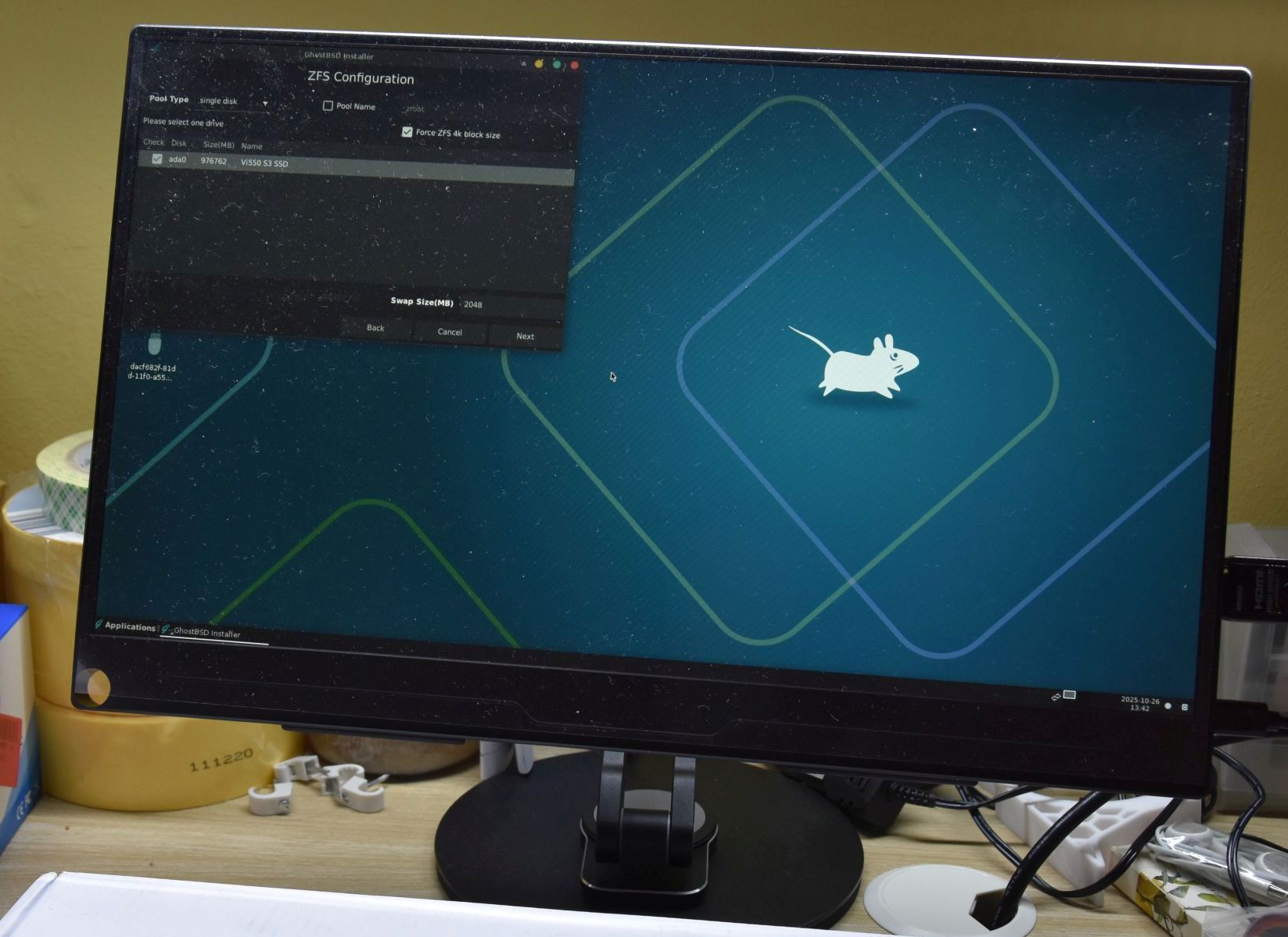
Long story short, this sort of worked: the GhostBSD installer still froze up once it entered the graphical section, but the Manjaro installer was happy as a clam, so now that laptop runs Manjaro, I guess.
A subsequent attempt to boot the GhostBSD installer on the 6700K system went much better, even while daringly using a USB 3.0 port on the case. Before I knew it GhostBSD was purring along with the XFCE desktop sparkling along at 1080p.
I’m not sure what GhostBSD’s issue was with the laptop. It’s possible that it found the NVidia Optimus configuration disagreeable, but now I have two rather capable gaming systems to directly compare Linux and FreeBSD with. There are no mistakes, just happy little accidents.
Gaming The System
Since any open source software of note that runs on Linux tends to have a native FreeBSD build, the experience here is rather same-ish. Where things can get interesting is with things related to the GPU, especially gaming. These days that of course means getting Steam and ideally the GoG Galaxy client running, which cracks open a pretty big can of proprietary worms.
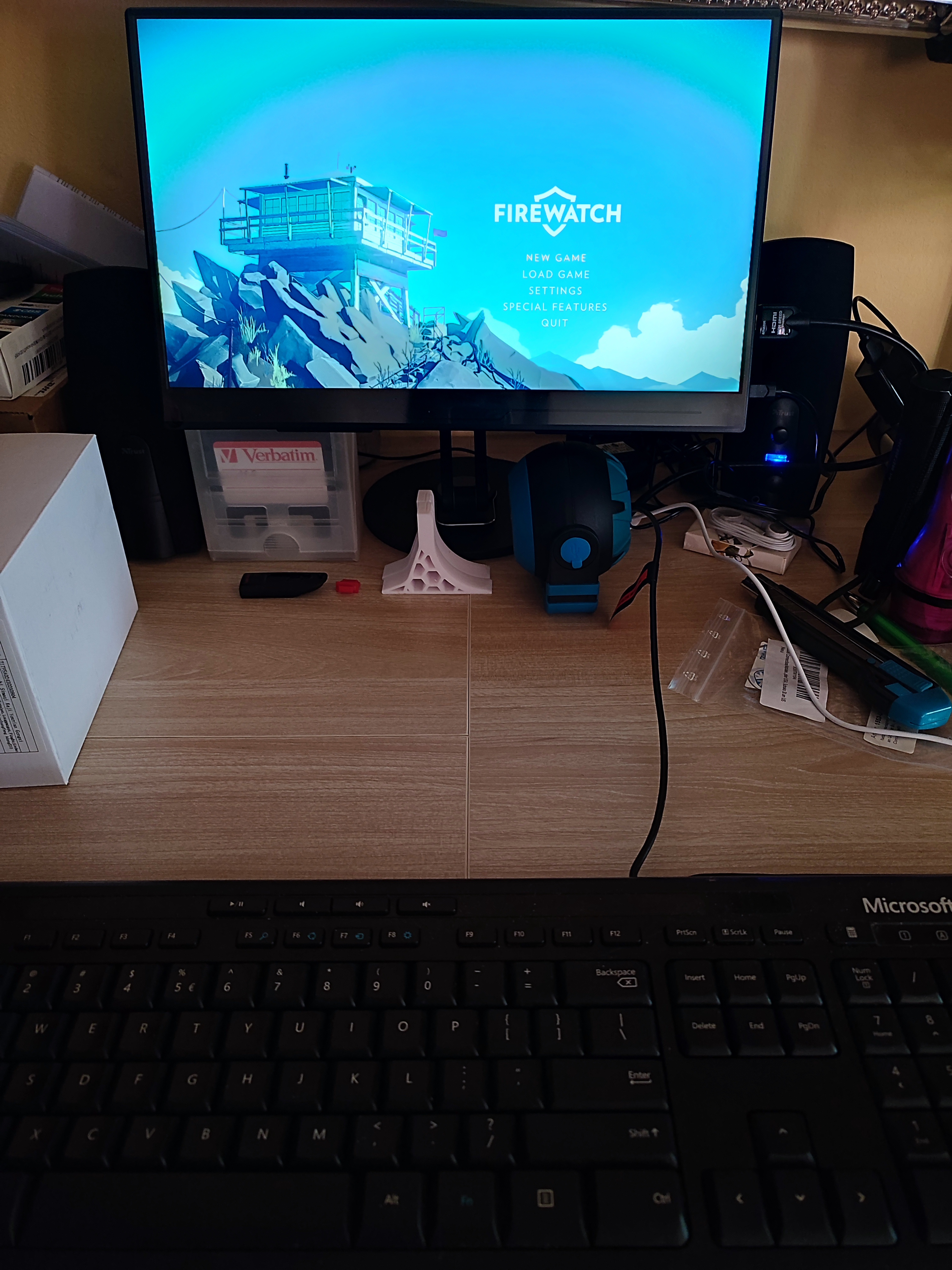
Annoyingly, Valve has only released a Steam client for Windows, MacOS and Linux, with the latter even only officially supporting some versions of Ubuntu Linux. This is no real concern for Manjaro Linux, just with the disclaimer that if anything breaks, you’re SOL and better start praying that it’ll magically start working again.
Unfortunately, for FreeBSD the userland Linux ABI compatibility isn’t quite enough as the Steam DRM means that it goes far beyond basic binary compatibility.
The two available options here are to either try one’s chances with the linuxulator-steam-utils workarounds that tries to stuff the Linux client into a chroot, or to go Wine all the way with the Windows Steam client and add more Windows to your OSS.
Neither approach is ideal, but the main question is whether or not it allows you to play your games. After initially getting the Linux tools setup and ready to bootstrap Steam, I got thrown a curveball by the 32-bit Wine and dependencies not being available, leading to a corresponding issue thread on the GhostBSD forums. After Eric over at the GhostBSD project resolved the build issue for these dependencies, I thought that now I would be able to play some games, but I was initially sorely disappointed.
For some reason I was now getting a ‘permission denied’ error for the chdir command in the lsu-bootstrap script, so after some fruitless debugging I had to give up on this approach and went full Wine. I probably could have figured out what the problem here was, but considering the limitations of the LSU Steam approach and me just wanting to play games instead of debug-the-FOSS-project, it felt like time to move on.
Watery Wine
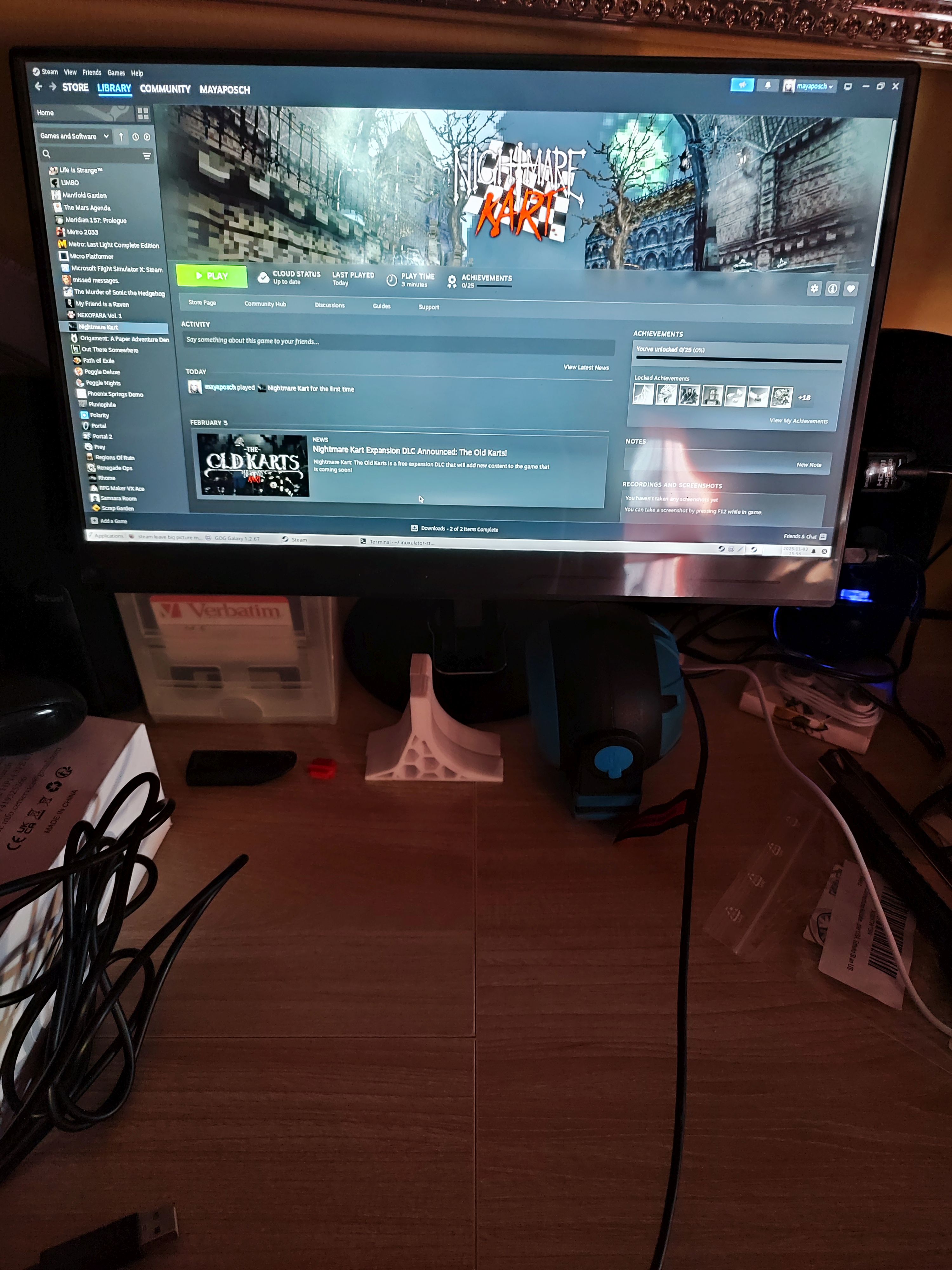
As it turns out, the low-fuss method to get Steam and GoG Galaxy working is via the the Mizutamari Wine GUI frontend. Simply install it with pkg install mizuma or via the package center, open it from the Games folder in the start menu, then select the desired application’s name and then the Install button. Within minutes I had both Steam and the ‘classic’ GoG Galaxy clients installed and running. The only glitch was that the current GoG Galaxy client didn’t want to work, but that might have been a temporary issue. Since I only ever use the GoG Galaxy 1.x client on Windows, this was fine for me.
After logging into both clients and escaping from Steam’s ‘Big Picture Mode’, I was able to install a few games and play them, which went completely smoothly, except for the elevator scene in Firewatch where I couldn’t look around using the mouse despite it working fine in the menu, but that game is notoriously buggy, so that’s a question mark on the exact cause. Between buggy games, Wine, and the OS, there definitely are sufficient parties to assign blame to.
Similarly, while the Steam client was a bit graphically glitchy with flickering on the Store page, and trying to access the Settings menu resulted in it restarting, I was able to install and play Windows games like Nightmare Kart, so that’s a win in my book. That said, I can’t say that I’m not jealous of just punching in sudo pacman -S steam on the Manjaro rig to get the Steam client up in a minute or so. Someone please convince Gabe to compile the Steam client for FreeBSD, and the CD Projekt folk to compile the Galaxy client for FreeBSD and Linux.
It should be noted here that although it is possible to use alternative frontends for GoG instead of its Galaxy client, you need it for things like cloud saves. Hence me choosing this path to get everything as close to on par with the Windows experience and feature set.
Next Steps
Aside from gaming, there are many possible qualifications for what might make a ‘Windows desktop replacement’. As far as FreeBSD goes, the primary annoyance is having to constantly lean on the Linux or Windows versions of software. This is also true for things like DaVinci Resolve for video editing, where since there’s no official FreeBSD version, you have to stuff the Linux version into a chroot once again to run it via the Linux compatibility layer.
Although following the requisite steps isn’t rocket science for advanced users, it would simply be nice if a native version existed and you could just install the package. Based on my own experiences porting a non-trivial application like the FFmpeg- and SDL-based NymphCast to FreeBSD – among other OSes – such porting isn’t complicated at all, assuming your code doesn’t insist on going around POSIX and doing pretty wild Linux-specific things.
Ranting on software development aside, for my next steps on my FreeBSD/GhostBSD journey I’ll likely be giving approaches like this running of Linux software on FreeBSD another shot, barring finding that native video editors work well enough for my purposes.
Feel free to sound off in the comments on how to improve my experiences so far, as well as warn me and others who are embarking on a similar BSD journey of certain pitfalls.












What a brilliant description – I’m still chuckling! Kudos to your command of English, your writing style, and your sheer wit.
Of course, it helps that what you’ve written is, from the standpoint of this fifteen-year-plus Linux convert, demonstrably and factually true… ;-)
I have my complaints about Linux Mint, but they’re quite minor and I’m a picky guy. If my only computing choice some Windows version beyond XP, I’m not sure that I’d still be using a computer at all.
The other line that gave me a chuckle was “…which cracks open a pretty big can of proprietary worms.”
Bravo!
laughs in Gentoo
Why make life difficult for yourself, just run Linux, it works without all the hassle.
Yep. Run Linux. Windows free for years now. I’ve try BSD in VMs now and then. But never felt I needed to go there. But each OS has its place. Pick one and a DE that fits your workflow.
I used to think that, but now update hell has come to linux, too.
To get a new application, which relies on library foo.x.y.z, but you only have foo.x.y.(z-1) installed, is now a frickin nightmare.
No, I’m not going to synch my system and take every zero day attack under the sun, thankyou very much!
Maybe I should have stuck with Minix.
That’s interesting, as I have not run into this. ‘apt update’ and all is well. The two distros I mainly use is latest KUbuntu LTS for desktop/servers/laptops and PI OS for the RPIs. Nary a problem. For the latest freeCad and Inkscape , I do use their appImage which runs fine. I run Fedora in a VM. I just updated the latest and all worked out of the box. Installed (apt install …) my compilers, editors, and off and running. My systems have been very reliable over the last few years (10?). Before that there were issues that had to be dealt with now and then.
Each of us has different experiences though. As they say YMMV.
Casual users and their little world.. 🙄.😮💨.🙂
Sorry?
What distro are you on? That just sounds like a typical rolling release issue or the common implications of trying to “Franken-Debian”; there’s nothing new about it.
My wisdom on this subject has become if you can’t get it working, shut up and use Flatpak (if you can).
Even if you’re on LTS, now you’ve got a new problem: foo.x.y.z isn’t in the update repository! Now you’ve got to upgrade the entire thing to broken edge, or start backporting the stuff yourself.
Luckily there are other options besides LTS, such as immutable distros, NixOS etc. Or even just making use of containers and Flatkpaks on a regular LTS distro that is kept as vanilla as possible.
What distro are you on?
yea that’s the crux of the issue, you could be on one of a 100 different derivatives that don’t play nice LOL
If only there was a better launcher/manager.
This is not an issue on immutable distros.
I think, the idea of pretending stability in the userland of a system with no stable kernel interfaces, by adding more layers, is fundamentally flawed. My experinece with Fedora Silverblue on a thumbdrive-then NVME-enclosure was also not stellar, especially with Bottles (to run mothers Windows-only tool).
And yes, immutable is also an issue in Android.
Check out guix, nix, or flatpaks. They remedy these sorts of issues in their own ways.
It mostly works, sometimes without the hassle. But if it doesn’t work out of the box, the experience tends to be somewhere between broken Windows 98SE and Windows ME after few hours of running.
Still, in past decade Linux became much better at being usable and even sometimes it is almost user-friendly…
Why make life difficult for yourself, just get a Mac, it works without all the hassle.
Still too complicated? Use iOS!
(If you, like I, are the unpaid tech support for your entire family, I’d recommend moving your family to using iPads and iPhones. It really cuts down on the “how do I…?” phone calls.)
Indeed. Super stable, software and hardware, and fantastic displays. I’m writing this on a 2014 iMac that does everything. Except Office. No Microsoft allowed – almost. LibreOffice runs fine. KiCAD, Inkscape, VSC, etc.
It does, once you’ve installed Linux on it.
Yeah, mine works a treat now it’s running Mint.
Your obsession with/hatred of Linux is weird and irrational… you might want to consider how that looks to the normal people you came here to try and communicate with. No need to thank me.
FYI, the code quality of BSD is usually higher than that of Linux.
It’s also a complete and respectable OS, rather than Linux, which is in pieces like Duplo.
Citation?
Why?
No systemd.
No Wayland.
Linux’s move to Wayland without window positioning is pushing me back to macOS. Key apps I need are frustrated with Wayland and not moving to it. I only use atomic versions of Linux, so kind of stuck.
I hear the same argument when people see I use Linux: Why make life difficult for yourself, just run Windows, it works without all the hassle. My recent experience with Ubuntu and PiDesktop make me look into other distros (FreeBSD will not do it) but it seems that direction is inevitable for all distros.
I’ve been using Mint for a good while, and I have yet to experience “Linux Hell”. Yes, I have had dependency issues, but they’ve been relatively rare (and nonexistent with Flatpak and such). Best of all, I don’t get the “helpful” popups I had started getting on my work Windows machine before I retired. I’m trying to do work and don’t need to be interrupted to learn that I can now “directly import photos from my Android device” (and have to click “got it”, before I can continue working. You’d think that sort of sh*t would be disabled in a corporate install, but you’d be wrong…happy Linux user at home since the 2000s.
Because FreeBSD makes life easy in terms of updates, stability and documentation.
If you enjoy constantly applying fixes from random internet tutorials and trying to get 4+ package manager to play nice together then you probably want Linux.
What a brilliant description – I’m still chuckling! Kudos to your command of English, your writing style, and your sheer wit.
Of course, it helps that what you’ve written is, from the standpoint of this fifteen-year-plus Linux convert, demonstrably and factually true… ;-)
I have my complaints about Linux Mint, but they’re quite minor and I’m a picky guy. If my only computing choice some Windows version beyond XP, I’m not sure that I’d still be using a computer at all.
i don’t really understand the frame of the things you are fleeing from, which is really only in the headline and barely touched in the article?
I can’t understand making it to 2025 before finding the straw that breaks the camel’s back with regard to microsoft’s unsuitability. For the most part, Windows still delivers on the basic promise…it came “free” with your PC and it runs the majority of software that you’ve heard of. I don’t really believe many windows users are upset about EOL of old versions because they were gonna just use whatever came with their latest laptop anyways. You can really see how irrelevant Windows is to this community — and how irrelevant this community is to Windows users — by the fact that there haven’t been many complaints about “Windows Home S” here, the pidgin windows for budget laptops that only lets you install software from microsoft’s own app store.
And i’m not sure what kind of “Linux Chaos” we’re trying to evoke. There are indeed a lot of options but FreeBSD has (IMO) a much worse kind of chaos…i’ve been using Debian since 0.93rc6 and the package management has been contiguous that whole time. The introduction of ‘apt’ in 1998 was about the only big change. And the greatest footnote here is that a bunch of other Linux distributions, under the covers, use the same package manager. But FreeBSD’s relationship with packages is the opposite. They’ve always had a diverse array of simultaneously-active packaging mechanisms, and they’ve evolved a lot of over the years. So as a FreeBSD user, you are inevitably exposed to a lot more chaos than if you just chose Debian. Especially as the decades have rolled by.
Nothing against FreeBSD. There are great reasons to use or prefer it. It just seems like the experiment in the article is entirely unmotivated, and that’s why the conclusion seems to be so empty. It seems like the article began with the premise that the author wanted to use Linux but accidentally installed FreeBSD instead and ended with the report that the author wanted ot use Linux but managed to install FreeBSD as well.
in my experience of over a decade running FreeBSD as a replacement for Solaris at my home NAS: no, I refuse to run it as a desktop OS
the problem with freebsd is that you’re supposed to read everything and be aware of everything. sometimes you want something that just works. if so then FreeBSD is not for you.
right now FreeBSD has sunset portsnap for some unknown reason. you’re supposed to use Git instead. but that’s not in the Handbook. also, packages are often old (there is no Python 3.12 or 3.13 iirc), and some are well known to just break (VirtualBox, due to its kernel module). you find yourself building from source.
when you ask “how do I accept all defaults” when building from source, you’re told you’re stupid for doing that and you shouldn’t be using a computer because you have to know what you’re doing
FreeBSD also does not work on Raspberry Pi, doesn’t support power saving (sleep, etc).
it’s not a good experience as a desktop OS. I don’t know what delusional mind is trying to sell it as such. probably what we used to call “script kiddies” back in the day, thinking they are cool for not “being mainstream”
I’m not seeing what you’re saying here, to be honest. Whether you’re going from a CLI-only Debian install or a FreeBSD CLI install to a desktop environment is about the same trouble, and my experience on Linux is that there are far more gotchas.
That said, that’s also why I recommended installing GhostBSD, as that way you don’t need to do any manual X11 setup, so I’m not sure what point it is that you’re trying to make.
“…the problem with freebsd(sic) is that you’re supposed to read everything and be aware of everything…”
Yes, that’s a serious and very real problem alright.
As a matter of fact, it’s exactly the same problem which affects (and afflicts) a large portion of the population who consider themselves ‘experts’ in most any field.
“…sometimes you want something that just works“… [without, of course, having to put in the hard work of reading to understand]…“if(sic) so then FreeBSD is not for you…”
You forgot to add, “And furthermore, there’s NO operating system for you.”
There IS an elegantly simple solution to your lack of desire to master any and all of the powerful operating systems available, which you choose to NOT read about:
get a Chromebook.
Simple as that.
“The man WHO DOES NOT READ has no advantage over the man who cannot read.” ― Mark Twain
To make the car analogy, consider the Ford Model T. You have to adjust the ignition advance by a lever in the steering wheel yourself. You have to understand the difference it makes and be aware of the setting at all times or you’ll fail to start the engine, stall the engine while running, or foul the plugs and break down.
This was done so back in the day because the fuel octane rating wasn’t standardized, the engine was crank started, and they hadn’t invented the vacuum adjusting distributor yet (or were too cheap to use it).
In modern cars the ignition advance adjusts automatically, the ECU detects bad fuel and automatically retards ignition, and there’s almost never a good reason why you should manually interfere with it. You don’t need to know what ignition advance even means unless you’re doing something out of the ordinary. If you start messing with it, it’s more likely you’ll just make things worse.
To take the attitude of the FreeBSD community as described is like taking the position that you should still set the ignition timing yourself as if you were driving a Model T – even if all you would do is select the factory defaults and let the ECU do its thing anyways – and if you don’t want to waste time on learning something that does not demand your input, you should not operate the car.
Why a model T?
You’re talking about potatoes and apples. You go from crank start to ECUs, like there was nothing between that, A crank start and a key ingition are entirely different. why not just go from crack starts to electric?
BSD isn’t a crank start. In your vernacular, it’d be a late 50s/60s model with key ignition, wiring looms(no ECU obviously.) carburetor etc etc etc. It’ll run just fine without you needing to adjust anytning(maybe the idle screw on the carbie..) If you have an issue, Not that complicated to figure out. Ya don’t need a $3,000 hand held piece of tech to tell you WHY it’s not running.
You might want to re-read the FreeBSD handbook, because it’s had git usage documented in there for awhile now.
Its under the packages & ports section.
Your second point on configuring ports when building them is odd. If you want to recursively select default configurations for a port and all its dependencies it can be a pain because you’refully customizing its configuration.
But you can just do make build and toss flags at it for accepting defaults if that’s what you want.
As far as I remember from the FreeBSD installs I’ve had on SBC like the rpi2 and pine64 the ‘powerd’ program worked fine and the sleep command ‘zzz’ seemed fine.
For your comment on desktop aspect, it reads like a personal grudge.
I run both Linux and FreeBSD desktops and the biggest differences is available userland software.
If you were to jump onto either of my main machines that both run KDE you wouldn’t be able to tell what the underlying operating system was in an average use case.
The exception being on FreeBSD I don’t have to worry about keeping 4+ package managers in a semi-functional state every update while hoping it doesn’t nuke itself into orbit.
It’s right there in the opening paragraphs. The Linux Chaos Vortex, where you are forced to choose between the worlds of Deb, Arch, RPM or something more obscure, with the fragmentary nature of the Linux ecosystem (just look at the LFS manual) meaning that every Linux distro is an island in said chaos vortex. It’s why Mint has its contingency ‘revert to Debian’ for when Ubuntu goes completely off the deep end, for example.
Meanwhile whether you’re using GhostBSD, NomadBSD or straight FreeBSD, it’s all the same codebase, with the same FreeBSD Manual applying. That’s the coherent experience, and one that I find extremely helpful in the few years that I have used FreeBSD in some capacity.
My own preferred Linux distros are Arch/Manjaro and Alpine, also for their more coherent experience. I can use plain Debian, and Mint runs on one of my laptops, but the absolutely archaic packages in especially the base Debian repos are a real bummer.
Anyway, I also linked another article I wrote with more of my reasonings, which I’m not sure you have read.
A serious, serious edit is needed here, to wit:
“…Anyway, I also linked another article I wrote with more of my reasonings, which I’m not sure you have read.”
This most definitely should be modified to be accurate. It should read
“…Anyway, I also linked another article I wrote with more of my reasonings, which I’m sure you have not read.”
the slightest effort reveals that not only did i read all the articles linked from this one when they were originally posted, but i also commented on them.
Yeah but in Linux you can chose Debian and then you’ve chosen Debian’s package system and left chaos behind you. With FreeBSD, you can’t make that choice. Because there are multiple parallel package systems that each are constantly in the state of being reinvented. Specifically what you cite as a strength of FreeBSD “it’s all the same codebase” is the thing least true about FreeBSD — the core utilities are grouped but everything else is pure chaos. FWIW i’ve used freebsd for 24 years now and that may be why i’m more sensitive to its chaotic experience.
I don’t mean to criticize FreeBSD — it is what it is — it’s just that it’s fundamentally chaotic in a way that none of the major/modern Linux distributions are. I know your intent isn’t to spread FUD but the idea that Linux is “chaotic” just because it’s possible to chose oddball distros is not really insightful.
I think this kind of points to a pervasive mindset in all of the recent Linux distro coverage here, which for all i know may show that y’all are properly targetting an audience that i just don’t relate to. But it seems like a Linux distribution to you (and some other HaD writers) is a finished user experience. If the ethernet driver doesn’t work, or if the laptop suspend doesn’t work, or if you don’t like the color of the window borders, no matter what your complaint is, your recourse is to distro-hop at random until you find one that “out of the box” does what you want. And from that perspective, the diversity of distributions is the only thing of interest to you, and you ruminate on the upsides (you can distro-hop instead of learning how to configure a system) and the downsides (“chaos”).
As if what you really want is Windows, and you just don’t like the current Windows available from MS. Which is, i imagine, a very popular perspective and a fine way to think about things. It just has nothing to do with why Linux is a better choice. Unlike on Windows, it is possible to configure things, it is possible to “get to the bottom of” most problems. But if you don’t like any of these strengths of Linux then, yes, we can say Manjaro worked on my laptop today as well as Mint worked on my previous laptop 4 years ago, as if that means anything beyond a single user’s luck of the draw.
Hmm… For someone of 24 years experience with BSD, you should know what the OP is saying. So, let’s put this simpley. BSD’s code base is the same(The only thing that is the same on a Linux distro is it’s kernal.). BSD doesn’t have 500,000(exaggerated) different package managers that all do the same thing. For example, install something from the AUR with apt.. Mmmm.. Doesn’t work does it? OH! 3rd party tools… uh huh.. that’ll end well. So let’s remake it in 500,000 different builds to suit all the linux manager variants out there. Is there a build for GhostBSD? NomandBSD? Nope.
What is that if not chaos?
Windows11 is like Android, it’s OK but you should never allow it to access the internet.
That last bit is a bit of a pain these days though.
My windows 11 has been accessing the internet since May, and i have no issues. It simply works. Granted, my hardware is not older than 2 years.
My trajectory was a bit different from yours, @Maya – I grew up using MS-DOS, so when Windows 95 came out, I decided to give Linux a try.
I started with Slackware, which worked great for me – it taught me what I needed to know about running Linux, from compiling a kernel, to far more details on configuring a monitor for X11 than I had ever wanted to know! (Fortunately, that’s a thing of the distant past at this point – no more having to remember what the ‘front porch’ value was for!). I was already comfortable with the commandline, given that I had been using DOS, but it was still a massive departure from what I had been used to (in most ways, I found, this was a good thing :) ).
I initially dual-booted Slackware and Win95, though after realizing that I hadn’t bothered to boot into Windows in 6 months, that partition was nuked with great prejudice. Linux just worked for me.
These days I’m on reliable old Debian stable – I don’t have time to muck with different distributions much, and Debian does what I need it to do, not to mention it’s huge repo means I rarely have to compile what I want to install. The kids’ Raspberry Pis (eldest has a 4, youngest a 400) are running Raspberry Pi OS, so a somewhat lightly-modified Debian, which works well with my workflow for keeping things updated.
Steam works natively. I never bothered with GOG Galaxy, but I’m happy to simply download games I’ve purchased on GOG directly and install them myself. I’m experienced enough that I can get Windows games to run under WINE or ScummVM myself, if GOG doesn’t include *nix support in the package (which seems to be the case more often than not nowadays, sigh). (As an aside, ScummVM has a surprising number of non-SCUMM game engines these days, wow!)
I’m not against running any of the BSDs – I’ve long had a soft spot for NetBSD, and have run it on and off over the years, but as you said, it’s more of a chore to get commercial software running on BSDs, so I’ll happily use Linux for simplifying some things. Perhaps, if I can scrounge up some free time (between work and family, I’m busy most of the time!), I’ll even try GhostBSD one day.
I too started with Slack … when I had to down load it onto floppies. Then moved to Red Hat…. Used up until Fedora. Got tired of upgrading ever 6 months and moved to Mint (LTS) . When Mint failed to run on the ‘new’ Ryzen 1600, moved to latest LUbuntu which did. Tried KDE again and liked it, so now on KUbuntu LTS. As you, done with moving to another distro… KUbuntu works, does what I need it to do, reliable, run any application I need, and a few years between upgrades. Love it. Last Windows OS I had in the house was Win-7. Not a gamer (well, TuxRacer gets called up now and then).
If you like KDE and you like LTS stability, consider either Fedora Kinoite or KDE Linux. They both replace LTS stability with the superior reliability of immutability and atomic updates. Kinoite 43 updates are automatic. Its upgrades are done by the rebase command, so rollback is easy.
I liked, “so when Windows 95 came out, I decided to give Linux a try.”
Windows 95 was Microsoft’s most popular and successful release ever. Says something.
Well, it was extremely popular in pop culture. Every idi*t knew about Windows 95. I was there! 🥲
But saying that Windows 95 was universally beloved and “the best” Windows there was is misleading.
Windows 95 had faced heavy criticism by experts way back in 1995.
Many compared it to NT and OS/2 at the time, and pointed out how it sucked.
What Windows 95 did was making PCs accesible to people who didn’t care about how to properly operate a PC.
It attracted the simple people, the masses.
And it could be installed on existing Windows 3.1x systems, a factor which shouldn’t be underestimated.
Tech savy people were fadcinated by Windows NT 3.51/NewShell or the upcoming Windows NT4.
Windows 95 was obsolete by year 2000, when Windows 98/98SE and 2000 were current.
In retrospect, I think, Windows 2000 had outlived Windows 95 in terms of overall time of usage.
It was used in company offices, embedded sector, machine control etc.
Also because it extreme stability and rather low requirements (fast 486, 32MB RAM)..
That being said, Windows XP did overshadow them all, maybe. It was popular for over 15 (!) years. Among users, I mean.
In integrated systems, the slightly older Windows 2000 was more widespread, maybe.
I remember installing 3.1x just to be able to install Win95… The Win95 could not install directly on that computer due to lack of disk space even though it was enough for the OS to run… But I have figured out that you could install 3.1x and start Win95 installer from it and start nuking 3.1x itself as the install was in progress and it would let you successfully install Win95.
The file manager in Raspbian never worked for me reliably.
It had issues accessing an smartphone’s internal SD card, for example.
So it required a re-boot, with the smartphone being attached/in USB media mode prior the boot of Raspbian desktop.
Also, the icons on desktop wouldn’t be updated sometimes.
It required opening desktop folder in the file manager and pressing a keyboard key for refresh, to register any changes of files (date changes, file sizes, new files created etc).
This did still happen in the Buster era, I think. On surface level, Linux is looking great.
But if you look closely, you will notice small bugs everywhere.
Or let me put it this way, Linux is like the famous “Hollywood” sign. Looks great from a distance, but the closer you get..
Don’t blame the OS because you’re too dense to use it
Considering the most common feature in modern CPUs is virtualization, complaints about OS choice should be far fewer.
when virtualization video performance stops sucking or stops requiring an extra gpu then it will be great
There’s a Reddit subforum dedicated to that particular issue.
If you want a “Windows like” Linux experience then mainly it is just about making sure Wine is up and running. And for developers wanting to make a more-Windows-like Linux distro, the thing to focus on is improving Wine… Really, the reason people use Windows is because it runs particular pieces of exe file software they need, when Linux can run these same programs then there is nothing to keep Windows users trapped. Wine is great but it isn’t quite there yet, although a virtual machine with a Windows OS guest inside can be used for software which won’t work under Wine. When people want Linux to be more “Windows like” they mean they want to run Windows programs easily… GUI stuff on Linux is already adjustable so you can make it look as similar as you want to whichever Windows version you want… the only other question of what similarity between Linux and Windows could mean is giving Linux all the disadvantages of Windows (constant crashes, settings which get changed behind your back, mandated updates, intrusive telemetry…) I don’t think anyone, anywhere, is asking for a more “Windows like” experience in that sense.
For the past decade, I’ve used Chromebooks at home. Now I use Fedora Kinoite at home but ChromeOS for mobility. Kinoite and ChromeOS both deliver: an unbeatable overall combo of reliability, stability, security, privacy, beauty, and simplicity with unmatched performance on a marginal SoC. (Kinoite runs fast and cool on the 15-yo HP laptop that msWin forced me to abandon 10 years ago due overheating shutdowns.)
Fedora atomic variants are truly the ChromeOS of Linux, augmented by Flatpak software and Distrobox containers. Like ChromeOS, Kinoite never breaks. (Believe me, I’ve tried. Immutable core file system = can’t break). Plus, the rpm-ostree rollback feature allows me all kinds of craziness with ease and impunity, like rebasing to different release versions and desktop environments, on a whim and on the fly.
These are the only two drawbacks I’ve seen so far, because they both involve using “scary” CLI apps and creating “mysterious” config files: (1) Because I prefer Kinoite over Silverblue, which includes gnome-online-accounts, configuring Kinoite to auto-start Rclone and integrate Google Drive was admittedly a real challenge for me. (2) Configuring the system to use Yubico Yubikey Bio FIDO Edition for login and sudo.
It seems like your argument is “there are so many choices, just choose this one and you won’t have to choose anything”. :)
Yeah. “There’s too much choice with Linux, therefore you need to remove the choice and pick something like Windows or BSD”
Choice and freedom are good.
Exactly the kind of hassle I remember from the time I switched from Windows 2000 to GNU/linux. It’s much better now though :D
Maybe desktop and game compatibility in BSD will get there in the future ?
That said I do not understand the title of this article as the comparative experience you describe seems much more chaotic on BSD …
The fact that everyone on this thread has a different answer for “what you should do” illustrates the Chaos Vortex that Maya is talking about.
Distros are Linux’s Achilles heel. If all of the people who have been building the competing distros, desktops, package managers, init managers, etc. over the years had instead put those efforts to building one truly usable system (rather than “taking their ball and going home” over small details) then the “Year of the Linux Desktop” would have happened years ago. But instead you have something where common tasks don’t work right and any time anyone reaches out for help they are just told that they chose the “wrong thing”.
I’ve been using Linux for servers and appliances since 1993. For my daily driver, I used Windows until it became unusable and switched to Mac several years back. I need a real product that has a critical mass of support – I don’t have time to be a player in someone’s turf war.
And I have tried to use FreeBSD as a daily driver several times, but my experiences were similar to Maya’s. It has even less “critical mass” than the Linuxes.
No it wouldn’t. The “year of Linux desktop” was prevented by 3 things back in the years where it could have happened.
1) Flash. Adobe bought Macromedia and discontinued the Linux Flash player. Yah, I know, Flash is gone now but back in the days when there was a chance to take the desktop market you pretty much needed it to use most of the web.
2) Photoshop. No, I can’t explain this one. I haven’t used it since it’s really early days and back then it suuuuucked. I was shocked that Photoshop ended up coming out on top. But by the naughts you couldn’t have a successful desktop platform without it. So yep… thanks again Adobe.
3) Games – In the early days it was a combination of bad graphics drivers and a chicken & egg problem trying to get game developers to port. Then they started blocking Wine from online play because I guess cheaters could use it to cheat or something.. I don’t know.
As far as I was concerned the year of the Linux Desktop DID happen. It was 1998 or maybe 1997, whenever I first met Mandrake. Then again when apt-get was invented and did away with “RPM Hell”. And finally a third time when Gentoo made a decent rolling release possible. No more starting over from scratch with a new release!
Another thing was, most people weren’t connected to the internet, or if they did they were on modems that cost per minute and couldn’t remain connected to a central repository at all times.
So the problem was, how do I get software into this thing? People were using CDs and diskettes to distribute anything bigger, and it was a huge pain in the butt to make sure you got all the right dependencies.
They tried to solve that by stuffing “all the software you’ll ever need” into the distro CD, but that was more wishful thinking than a real solution.
Sure. It’s no coincidence that MY “year of the Linux desktop” was my second year in college. My first actual install being the year before that but it did take a little time before I was comfortable enough for it to be my preferred OS over Windows.
I arrived at the dorms and quickly became familiar with and came to love “this fat phone plug thing” which they told me was called Ethernet. :-)
But… How did Windows not have the same problem?
Any given Distro CD typically contained a lot more software than a Windows CD.
I guess there was usually other third party stuff that PC manufacturers would add. I don’t remember any of that being anything that I used on a regular basis though. It was mostly cruft that filled up our then-small hard drives for no good reason!
Netscape Navigator
Star Office (Grandfather or great grandfather, I forget which of today’s LibreOffice)
X11Amp (Winamp clone)
Tik (AIM client)
Licq (I think that was the ICQ client at the time…)
Samba (so you could share with the roomates)
Supermount (So you could say “see, it IS easy to use”)
Those were the days!
It was standard enough that people could just shove everything into a single installer. The libraries that were probably missing on the user’s end could be included because they were not that many.
It wasn’t about how many little programs you could fit on a CD, but the fact that the same disc would work for everyone. That is what makes it possible to put that CD on the shelf of a store and have people buy it and actually use it.
Of course it made sense to distribute software in pieces, so you don’t download the same thing again and again. You collect all the pieces like LEGO and only download whatever additional stuff you need.
But then if you wanted to distribute one single program to a user who does not have all the pieces in place already, that’s not going to be efficient. It’s going to use up modem time and money to download half of an operating system for the missing dependencies.
That’s why Linux naturally clumped up into distributions that kinda-sorta share the same base so the dependencies are manageable, but with the proliferation and balkanization of different distros you can’t have a universal installer that just targets “Linux” – and you can’t put it on a CD-ROM and sell it in a shop to a bunch of people with slow or no internet connections.
That’s why “year of Linux desktop” could not have happened until everyone got on DSL and the software distribution model switched from physical media to downloads. The reason why it still isn’t happening is largely due to the same point: no standard base means the software vendors have a difficult time targeting “Linux” as a whole, so even if the distribution problem was solved, it didn’t actually become any better.
I remember waiting a day for Netscape Communicator for Windows to download via a 28.8k modem.
+1
The only current or urgent problem I see here is that dependence on US software is a dilemma.
The current geopolitical situation makes everyone being at mercy of the mood of powerful leaders for not being held hostage.
Windows and macOS could get a “kill switch” in order to “make a good deal”.
A few years ago this thought was still paranoid and absurd,
but not anymore considering the events of the recent past.
Everything is possible, all trust is gone.
Poor bastards with SAP, at the mercy of the Germans.
Could have just ended at ‘SAP’, poor bastards.
Challenge: Say something positive about SAP.
Better than Oracle apps.
Actually, I think, not all of us Germans associate with SAP or Siemens.
Well, not anymore. These companies have changed a lot since the 1980s.
They’re nolonger “German” by heart, but have mutated into international companies.
R+S can be put in same boat, maybe. It’s nolonger something we’re proud of.
So yeah, I would be careful trusting either of these companies these days.
Though the problem with US conpanies is the digital patri*t act, basically.
The US companies must obeye if the US gov tell them anything.
They have no choice to say “no”.
pshaw, Google does just as you suggest, put all their effort into a single distribution, and they did it twice (Android, ChromeOS), and overnight each one gained huge user shares. Based on a different kernel, Apple followed the same path with OS X. What it took was vendors tackling hardware support, draconian standardization of the whole software stack, and a consistent investment of $$$$ for years.
The fact that Debian was unsuccessful at preventing the rise and fall of Gentoo is neither here nor there for those developments. Those of us who use Debian or Gentoo did not want ChromeOS, so the fact that we failed to create it doesn’t bother us and doesn’t point to a flaw in our community. We never wanted to make Windows, so the fact that we didn’t produce a product attractive to people who did want Windows isn’t a mistake.
Android seems like a chaos of hell because of its fragmentation, how so many phones are out of date because Android must be customized by manufacturers for for every phone model, then its left on that version without effort from the manufacturer to update them . And even better the carriers delaying updates even if the manufacturer released an update, because they have to add their own apps and bloatware into Android.
And not sure if it is still an issue but phone variations for different regions sometimes got newer Android versions that were missing from other hardware variants of the same phone. Like, I think some South Korean model LG or Samsungs got newer Android versions than what was available worldwide. 🤣
But as far as user friendliness, at least you can pick up any android phone of recent years even if it’s outdated and download and use apps just fine. And it will have little bugs and no compatibility issues with the hardware, because the OS was baked on a certain day for that specific phone. No drivers to deal with. Just whatever minor bugs the manufacturer left by accident.
But it means you don’t have that much control over the system functions like volume. You can’t download a system volume mixer, you are stuck with the manufacturer’s design. You can’t uninstall system bloatware sometimes, though you can with debugging commands from a PC. Can’t access app data anymore to backup game save files or perform app mods.
Google once bricked some older pixel devices on the final update, and just never fixed it, and they permanently limited the performance of some pixels for battery safety issues but weren’t recalling the phones for replacement IIRC. So that’s a different kind of chaos.
Yeah i think these trade offs are intrinsic. You can chose to have a system that is flexible but you must flex it to fit the shape you desire, or a system that is rigid but at least it holds up under its own weight. I think a lot of “year of the linux desktop” discourse ignores the inevitability of these trade offs. People don’t like the downsides of Android/ChromeOS/OS X, but don’t want to admit they’re inevitable if you want to escape the downsides of “chaotic” software. When they imagine mass-adopted Linux, they imagine in their head something that’s just like Ubuntu but has all of the market share of Android. And that’s just not possible. The mass-adopted Linux looks like Android, and the niche Linux for hackers looks more like Debian. There are plenty of things in between but they can’t fully have both extremes at the same time.
What you’re basically saying is, “Works for me, if you don’t like it you can eff off.” – which is the prevalent attitude in all Linux communities. They’re insular and selfish, and uncooperative with other people. “I don’t want it, so you don’t want it.” Quite ironic for a bunch of people who describe themselves and their communities as “open”.
That’s a very obvious flaw if you’re looking in from the outside as a prospective user.
I’m sorry to directly say, no, you’re 100% exactly backwards.
Linux developers (and volunteer open source developers in general) are very likely to share what we work on. Of course what we work on, we did it for some reason that made sense to us, not that made sense to you. But if we worked on it, we probably shared it, or anyways are hypothetically willing to share it if we thought anyone would want it. And then it is the user who decides if they want to use it or not, based on their own selfish and momentary needs. The Linux developer says “This is what I have done, and if i have not done what you wanted me to do, you aren’t my boss.” There’s nothing anti-social or rude in acknowledging whose time is being spent! The Linux user says “Doesn’t work for me, eff off”. The discernment is on the consumer side, not the provider side.
Or to critique your other sentence, what i’m literally saying is “I don’t want it, so I don’t create it for free.” And that is the overwhelming attitude among volunteer open source contributors everywhere.
It’s not a flaw in our community that the things we produce out of love are only the things that we love to produce. What we did produce, we specifically produced by sharing. No one shares more than us.
And, like i said already, when people are paid to produce a Windows-like Linux environment as a commercial product, people find that to be a comfortable employment and an achievable task. When they’re given different incentives, they produce a different product.
That’s the thing. Most are not competing but doing a different thing.
Also, you act as if there were not a 100 freeware picture viewers on Windows, Android or MacOS. “If only they unified and contributed to Windows Gallery app.” Oh, wait.
So.. the author prefers FreeBSD because it is “one distro” over having a bunch of people give her conflicting answers of which Linux distro is best?
Cool.
But wrong.
FreeBSD is one flavor of Unix. There are others. Much like Linux except even less commonality between them. Or has that changed? Is FreeBSD the only one left?
To me this sounds like saying I choose Linux distro X because I don’t want to have to choose a Linux distro. You just did!
Anyway, I tried FreeBSD on an old laptop a few years back. It really gave the old laptop new life, much lighter weight than Debian had been before it.
But… I was watching a lot of Netflix in those days. I don’t know if this has changed but getting Widevine support in FreeBSD?!?! Um, Yah, no. I could get almost the same speedup anyway by just installing a lightweight Linux distro.
That “just use Linux” mantra has destroyed all OS diversity of the past decades.
The birth of Linux started the devaluation of everything else.
With all due respect (i.e. none) that’s complete and utter bollocks. Not that you have ever posted much here that isn’t.
Yeah. Real Unix-heads fork FreeBSD and spend years maintaining their own port. The author? Pshaw. Lame-o basically.
But for real, @Maya this was a good article.
Isn’t Widevine an issue with Linux as well? Last I checked, Firefox and derivatives were limited to 540p and Chrome and derivatives limited to 720p.
As far as I’m aware, the issue is that Widevine only runs at L3, but you need it to run at L1 for FHD+ content. Unless there’s been a new recent workaround.
When I saw the title, I already knew the comments section would be full of strong opinions. At least, being hackaday, it’s still a fairly civil and interesting discussion.
Even if you’re obviously ALL WRONG. The cool kids are all using NetBSD.
(Just kidding. But it’s one of the few other BSDs still being actively maintained!)
As someone who grew up on Ultrix, I love NetBSD. I can install it on any piece of junk I’ve got lying around and have a system that I know exactly how it works. None of that systemd nonsense!
Unfortunately it’s even less suited to ‘daily driver’ duty than FreeBSD.
Naw, some are using the OS built into EMACS. :-D
Unpopular opinion: For most users, computers are an appliance, not a passion. They’re used to complete particular tasks (writing/bookkeeping/Email/CAD/games/doomscrolling/cat videos etc.). Nobody (outside the HAD readership anyway) buys a microwave to take it apart and sideload a different operating protocol for the magnetron system – they just want lunch. Nobody wants to screw around with the inadequacies and frustration of Linux’s scattered user experience ( https://xkcd.com/456/ ) much as the user base glosses over them.
Where does this leave Windows as other systems (particularly Android/Chrome) go for world dominance? Whatever works right out of the box and continues to do so for a decade without much additional work. If that turns out to be Linux (or a commercial version of the same) then fine, if it’s something else…that’s probably fine for the majority of appliance users. So long as they get lunch.
This is all well and good, but how about printing (and scanning)? Can you use regular Linux printer drivers? My mum is currently using a Canon printer on Linux, which required a proprietary driver to be installed manually on Linux. Wonder how BSD would fare in that scenario.
Wait, Linux has printer drivers?
I thought the only printer type supported was “plain text”..
I haven’t had to load a linux printer driver now for a couple of years! All three of my Brother printers were automatically found and immediately ready for use. Same with my Dad’s Canon printer. And it is a USB printer. I admit a few years ago, hooking up a printer was a pain.
If memory serves Apple was suppose to use CUPS underneath.
Hi, yes. It was introduced in Mac OS X 10.2 (Jaguar) or so. Back in ca. 2002.
But I vaguely remember it was deprecated or removed quite a while ago.
From what I’ve read after searching the net, it might have been broken since Mac OS X 14.4 (Sonoma),
which was released in 2024.
I have a networked Brother laser printer and a Canon scanner that I’ll be putting through their paces for the next article. Brother printers should generally Just Work, but the scanner will definitely be interesting :)
VUEscan is still a thing. I used it on my old HP.
Nothing like the Linux evangelists to become overly defensive over someone else’s choice of operating system.
It is absolutely ok to check out other open source operating systems.
most of linux’s problems are self inflicted. they have until windows 10 ltsc goes out of service to fix those. linux is incredibly close to being good enough, perhaps with the right distro. id probibly had found a distro i like if i could find time to evaluate more distros. there are just so many. so far ive only had a good linux experience on hardware designed to run linux, like the raspberry pi and the steam deck.
“The Linux community has had mixed responses to these and other criticisms. As mentioned above, while some criticism has led to new features and better user-friendliness, the Linux community as a whole has a reputation for being resistant to criticism.[49] Writing for PC World, Keir Thomas, noted that, “Most of the time the world of Linux tends to be anti-critical. If anybody in the community dares be critical, they get stomped upon.”[49] In a 2015 interview, Linus Torvalds also mentioned the tendency of Linux desktop environment projects to blame their users instead of themselves in case of criticism.[50]”
https://en.wikipedia.org/wiki/Criticism_of_Linux
Some people react like that outwardly, but then privately accept it and fix things.
I’ve had several interaction where I thought ‘well this is hopeless’ but then it turned out it wasn’t.
I suppose you should just not push it to a point where they feel they can’t even quietly acknowledge an issue/flaw.
Accept that some folks are a bit sensitive and/or are pretty tired of a lot of idiots coming at them and will auto-react as a result.
That’s why commercial software is better for the users. If you start acting all uppity towards your users, you don’t get paid.
In before: “Most commercial software vendors abuse their users”.
Guess why they can? The alternative is worse.
OS/2 is still out there, and more importantly all the software that goes with it.
True. OS/2 Warp 4.52 was supported for very long, but there are also the successors eComStation and ArcaOS.
The latter supports USB, UEFI, SATA and other fairly modern technologies and it’s still being developed on.
With ODIN, there’s a Win32 compatibility layer that runs GDI or DirectDraw applications.
OS/2 Warp has DIVE and OpenGL for graphics, too.
Normal Win32 applications of everyday’s life such as WinAmp or IrfanView can be used on OS/2 as if it was Windows NT.
Unix applications can be ported to OS/2, too nowadays.
Firefox exists as an OS/2 application, for example.
Considering it’s age, that’s remarkable.
OS/2 and its successors are apparently still relevant enough to be alive.
Isn’t it reasuring that Windows NT’s former arch rival still manages to be around? :)
Who knows, it might be the last stand for the good old Win32 ecosystem from the Windows 98/2000 era.
And DOS/Win3.1, of course, as well.
Retro gamers are already re-discovering OS/2
because it’s more compatible on modern hardware than modern Windows or even DOS.
But that’s another story.
What’s good about OS/2 is that it is very reliable and trustworthy.
Aside from plain DOS (say PTS/Paragon DOS; mil. specced), it’s something you can run a nuc. power plant with. ;)
Also because it’s unlikely that it will have same security issues as mainstream OSes have.
Which also Lunatics, err, Linux sort of belongs to, considering it’s huge worldwide market share (servers, super computers).
If there’s an important target worth to compromise, then it’s Linux, followed by BSD. And Windows, anyway, of course.
There’s just and ‘just’, just matching a pattern and chuckling ;)
BSD is an excellent choice, but throwing shade on Linux wasn’t really necessary. Yes, there are too many distros, but diversify is what a healthy ecosystem does. Choose a distro that matches your priorities after a bit of reading, and there you go! I’ve had to switch once when half of the developer world lost its mind and Debian made its Deplorable Decision (about which Laurent (https://skarnet.org/software/systemd.html) is precisely correct). Now I run Void (and,yes, Debian/Ubuntu when I have to play in the same sandbox as the kids today). Haven’t run Windows since ’99.
Maya, excellent article! I actually tried to hop on the BSD train a year or so ago and the thing that held me up was drivers for certain proprietary hardware. Especially on my older Macbooks (shameless plug: https://hackaday.com/2025/03/10/inexpensive-repairable-laptops-with-apple-style/), most notably the 09 Macbook Pro which could really benefit from FreeBSD’s light weight, I could not get the Broadcom WiFi chipsets working at all. It seems like FreeBSD supports a narrow range of hardware extremely well, but if you’re outside of that there’s not much hope. In Linux there’s some community Broadcom drivers that work pretty well for older hardware so I ended up going back to Debian rather than figure out how to port that driver to BSD (if it is even possible at all). Not worth the personal effort in my situation. So my advice for others looking to try out BSD is to make sure their hardware is supported.
WiFi drivers always seem to be one of those big issues. On Linux you had to use ndiswrapper for so long just to have basic WiFi functionality. Currently FreeBSD seems to target mostly desktop systems, but it’ll be interesting to explore what other hardware does and doesn’t work.
I learned a lot by reading all the comments. And that, Maya, is part of the reason why this was an excellent article! :-)
What language do they speak on Distros? Say “Distros” again.
Gaming in Linux or BSD is always going to be an awful experience. Just use Windows if gaming is important. It’s a tool at the end, and if you want to play games, get an OS that will run games without fuss. Unless the incentive is tinkering and getting into rabbit holes, then by all means.
I say this as a Linux user, using Debian for the last 6 years. The only reason I still run Linux is because all I use it for is programming or browser stuff, I don’t care as much if I can’t play games on it.
However I am currently planning to dual boot Windows too, so I can play games with my fiancé when I am abroad. The irony!
On the topic of FreeBSD, I’ve always been a fan for several reasons. But it’s an awful desktop experience if you want things to work. I will use it (or OpenBSD) for a server in some side project someday, no doubt of that. But after spending a whole weekend setting it up on my computer, wanting to install VS Code, only to realise they had banned snaps, to then become victim of the Sunken Cost fallacy and spend my Monday evening trying to install the damn editor from source using ports, unsuccessfully. Back to Debian, as always.
FreeBSD does everything 90% of users need, except support modern WIFI like 6 or 7. Support for SMB3 would be nice too.
I love Super Mario Bros. 3! Especially the NES version. ^^
I’ve been using Manjaro Linux now for 3 years and it works great. Two years ago my Window 10 gaming system was down so I played my games on Linux without problems after I got through the setup. I keep the Manjaro gaming updated so I can switch easily if there are problems with the gaming system. Now with Win 10 support gone I plan to switch even that box over to Manjaro.
$ pkg sea galaxy
py311-minigalaxy-1.4.0 Simple GOG client for Linux
This time in technology is great because as users we have so many options other then Windows. Unfortunately many just stay on Windows because its what came on their device. Not to mention between Microsoft and its manufacturing partners they try and make it more difficult to install something else. UEFI is locked down many times, or creates fear in users to even try to install something else for fear the warranty would be voided. Of course most OEM’s dont support any OS other then what is installed when device is purchased. But out of warranty what’s really stopping anyone? I myself have worked past the roadblocks keeping me on Windows. I do not intend to reverse course now.
I don’t worry about warranty. Only check I make sure I can power it on. Then shutdown. Insert USB thumb drive and install Linux right over the top of OS onboard. Done. I now have a working laptop. If I ‘was’ worried, I’d buy a new SSD and replace the OEM SSD, and install linux. Then you could go back to it if a problem occurs. Never have had to do that though.
IMHO, not “Linux chaos”, rather “Chaos of opinions about Linux”. There is a difference.
I’ve tried it several times…. What always annoyed me was that the only way I could get Full Disk Encryption was to roll FBSD the “hard” way since GhostBSD & MidnightBSD don’t support it in the graphical installer (unless something has changed recently). And I don’t know about @Maya (or anyone else for that matter) but I refused to not have FDE on my systems these days.
Interesting article. I hope your experience continues to improve. I’ve been using FreeBSD as my primary home desktop for a little over twenty years. For me, it just works.
Thanks for contributing to the FreeBSD ports system, btw. Love the ports system; I compile all the stuff I use with poudriere.
I run FreeBSD with full wayland on Hyprland. Plenty of games if you like that sort of thing; Retroarch for classics and GeForce Now for modern games running in Chromium.
Where are we again? Was it Hackaday?