

Get a handle on this bad boy! Okay, so those voids are really more for airing out your palms, I’d imagine, because palm sweat sure is real — you should see the pads of my Kinesis. This kind of looks like two sawed-off machine guns kissing, and I mean that in the best possible and non-violent way.
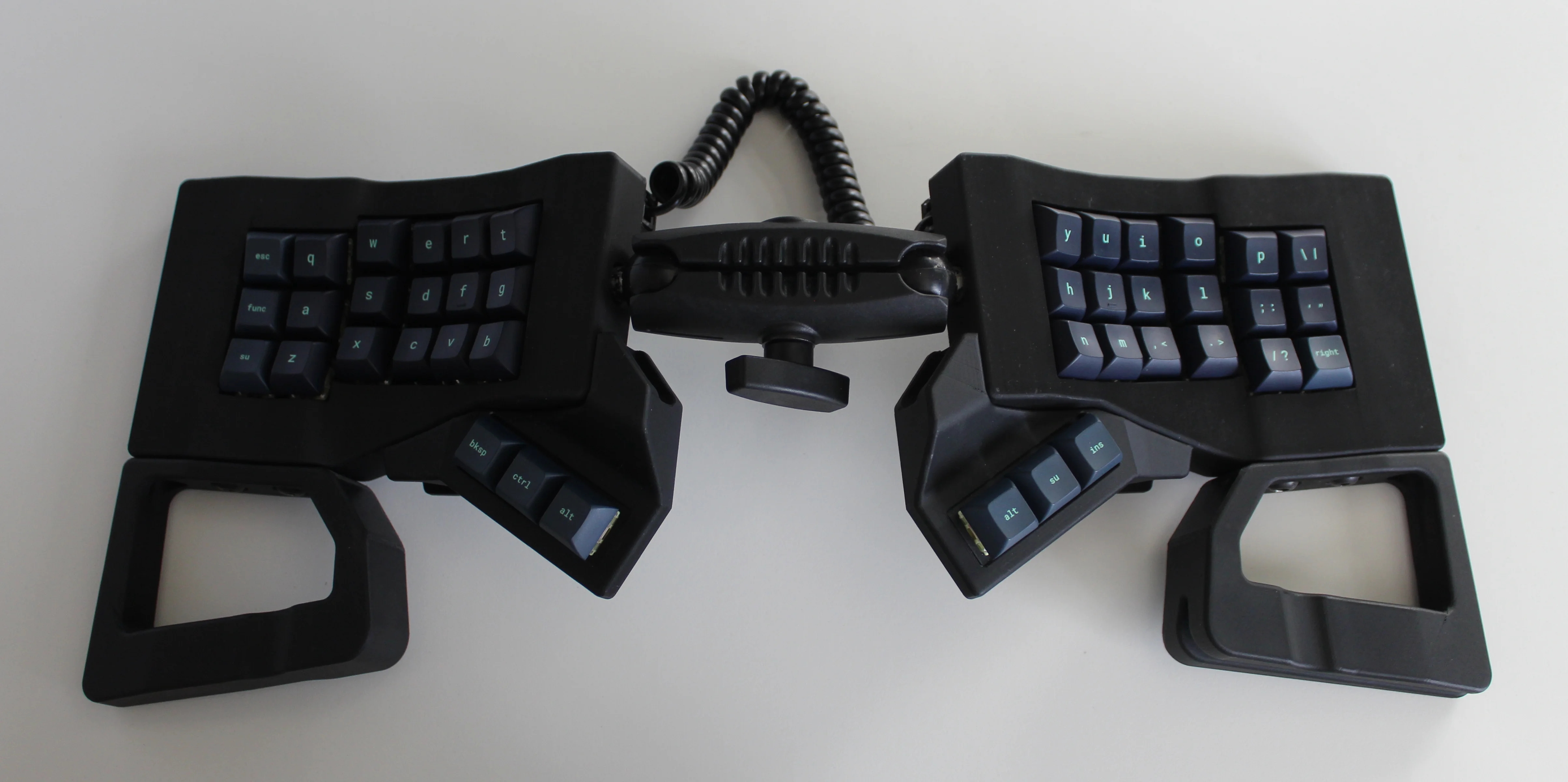
And yet, pricing (oh yeah, this is gonna be A Thing You Can Buy) will be around $115-155, depending upon whether you want the base kit, or the add-ons, too, minus switches and key caps.
So let’s get into the particulars here. As you can see, there are key wells and thumb clusters, inspired by other keyboards including your bog standard Maltrons, Kinesis Advantages and more modern, open-source takes like the Dactyl. [ntc490] loves the key well-thumb cluster combination, and I do, too (hello from the Glove80). And miraculously, the keys are hot-swappable via sockets.
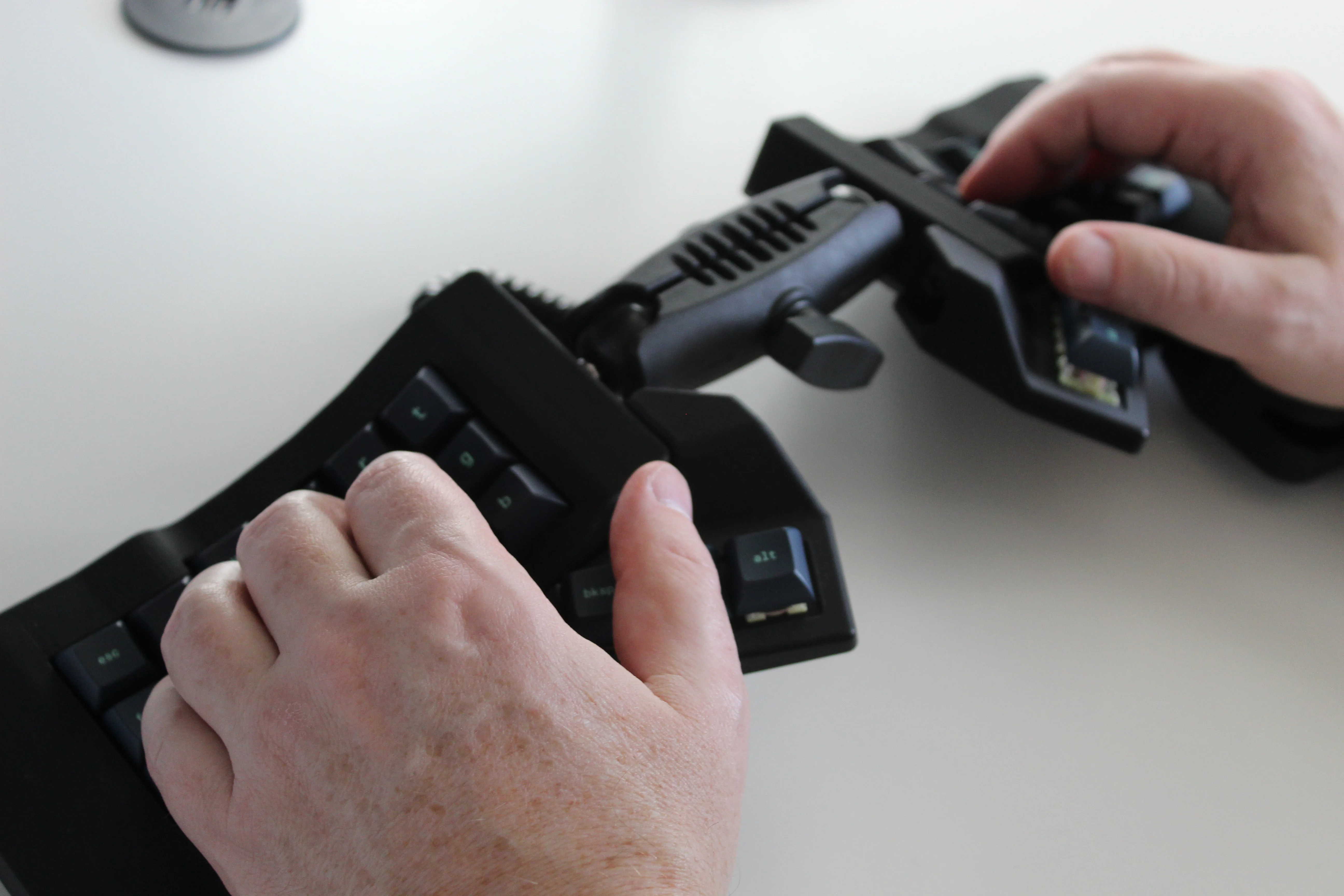
Inside, you’d find direct wiring to the GPIOs, so I’m gonna guess that those are RP2040 clones in there. There’s no PCB, no diodes, no matrices to debug.
So please do go visit the thread if this keyboard appeals to you at this price point. I love it, but I would need more rows of keys, personally. The top reddit comment mentions this as well, and [ntc490] says that because the thing is modular, it can easily accommodate more keys in both the wells and the thumb clusters. I seriously want one of these. Just with a few more keys.
Open-Sourcing the Ultimate Portable Split
Remember [kleshwong]’s PSKEEB5 from a couple of Keebins ago, right before Christmas? He was going to open-source it if there was enough interest? Well, it seems that [kleshwong] decided to do it anyway and has since provided some new videos if you want to build one for yourself.
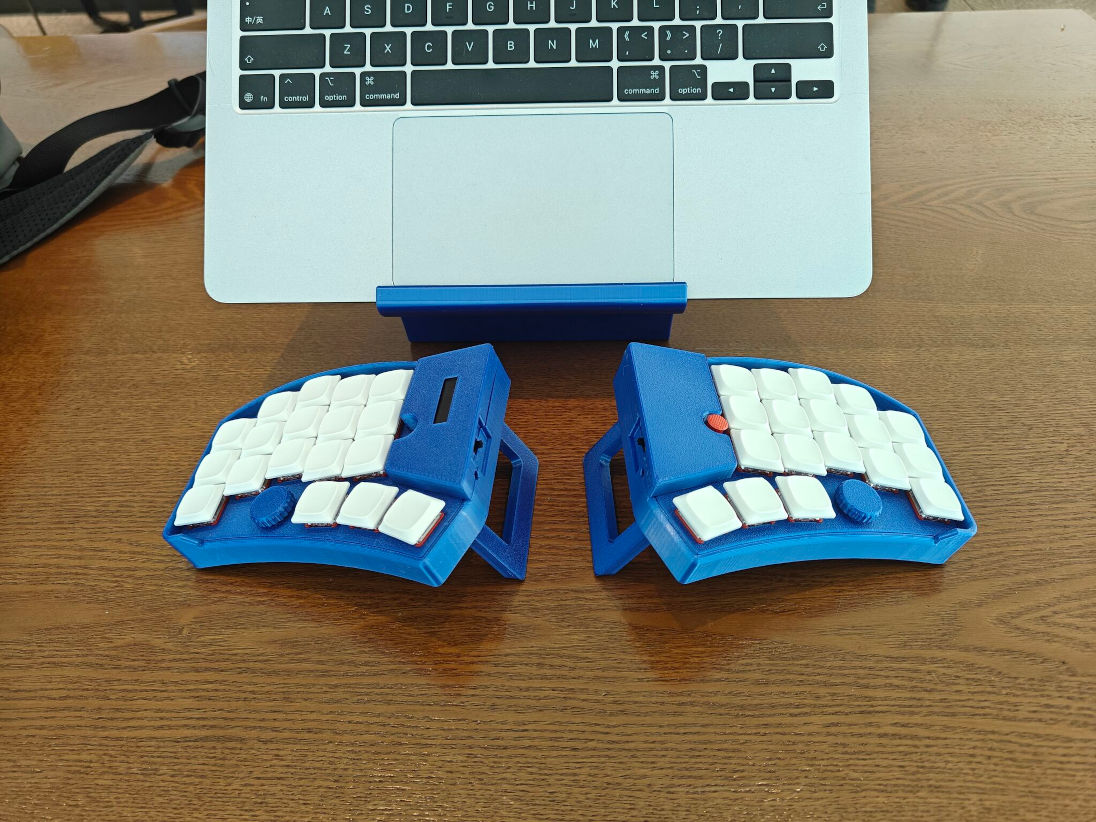
As a refresher, this thing has some really neat features like swing-out tenting feet, a pair of trackpoints, rotary encoders, and a carrying case that doubles as a laptop stand.
For the internals, any nice!nano-compatible boards will do. You’ll also need Kailh hot-swap sockets, among other things, naturally. If you have any trouble sourcing like the trackpoints for instance, you’re in luck, because [kleshwong] recently opened an online store. Go forth and build the ultimate portable split!
The Centerfold: Glove80 Looks Good In Wood
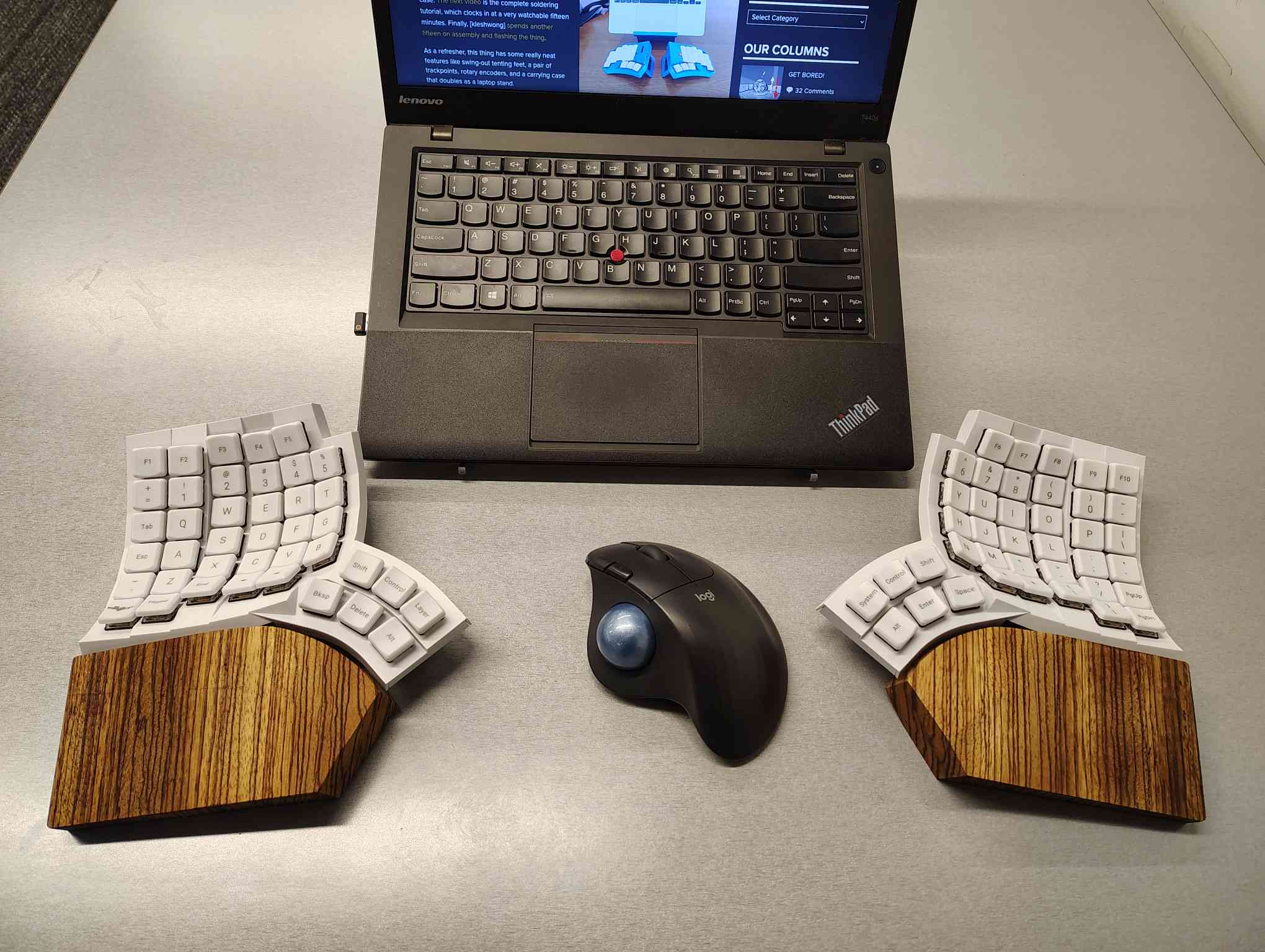
I’m using my MoErgo Glove80 pretty hardcore these days, driving them all crazy down at the library. But hey, it’s quieter than the big, echo-y Kinesis Advantage, even though they both have browns.
Once I saw the upcoming Go60 by MoErgo, though, I knew I simply needed wooden palm rests for the Glove80. So, over the course of two days, my father-in-law and I fabricated these fetching zebrawood rests, first from pink foam, then from poplar, and finally from book-matched zebra. I think we have a real conversation piece here.
Do you rock a sweet set of peripherals on a screamin’ desk pad? Send me a picture along with your handle and all the gory details, and you could be featured here!
Historical Clackers: a 3D-Printed Index Typewriter!
I was sorry to hear that [Keenan Finucan] had to submit this twice in order to get my attention. But here we are, with what is probably the world’s first 3D-printed index typewriter. So, why is this filed under Historical Clackers? Because I said so, and because it’s based on a real antique index typewriter, the AEG Mignon Model 4. This first model of Mignon was designed between 1901-1903 by German company AEG. Mignons were produced until 1932.
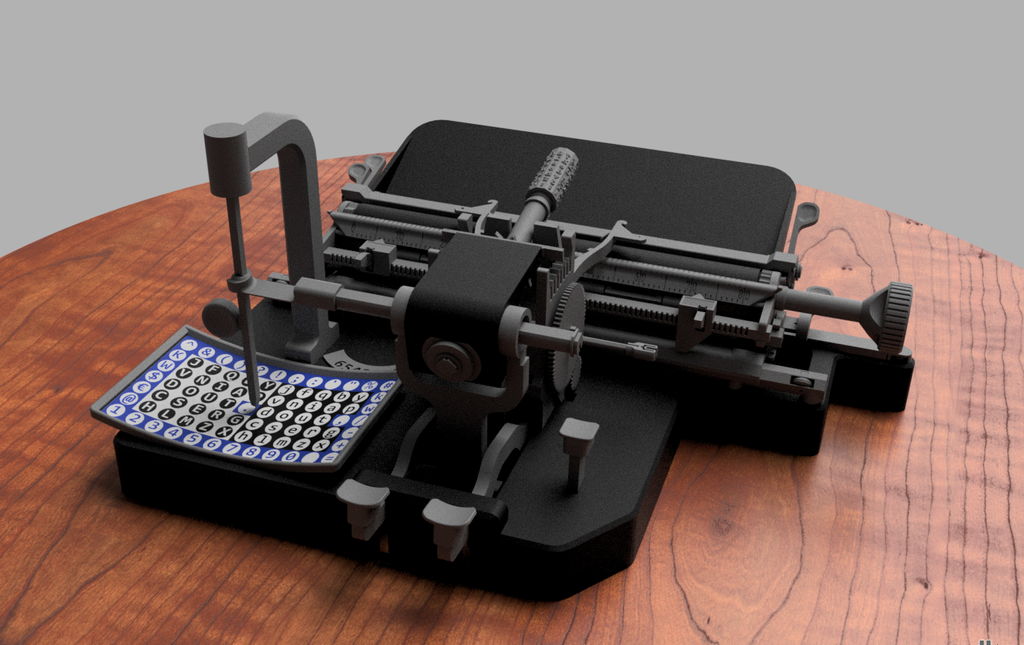
I think this looks fabulous overall, and I rather like the way the index is laid out, which is decidedly non-alphabetical and, surprisingly, does not mirror the AEG index.
[Keenan] reports that thanks to months of work and revisions, this project is as accessible and repeatable as possible. You don’t even need any glue, and non-printed items are at a minimum. You will need a minimum XYZ build volume of 250 x 210 220 mm, TPU or other flexible filament, some springs, a bit of coat hanger wire, and a universal 1/2″ typewriter ribbon, which is pretty widely available.
Finally, $2K Keyboard Computer Is a Return to Form
Alright coders, designers, and engineers: this elegant hunk of metal is for you. What we’ve got here is Caligra’s c100 Developer Terminal. Described as a “computer for experts”, this is not meant for scrolling social media, although what developer can get through the day without a reddit break or three?
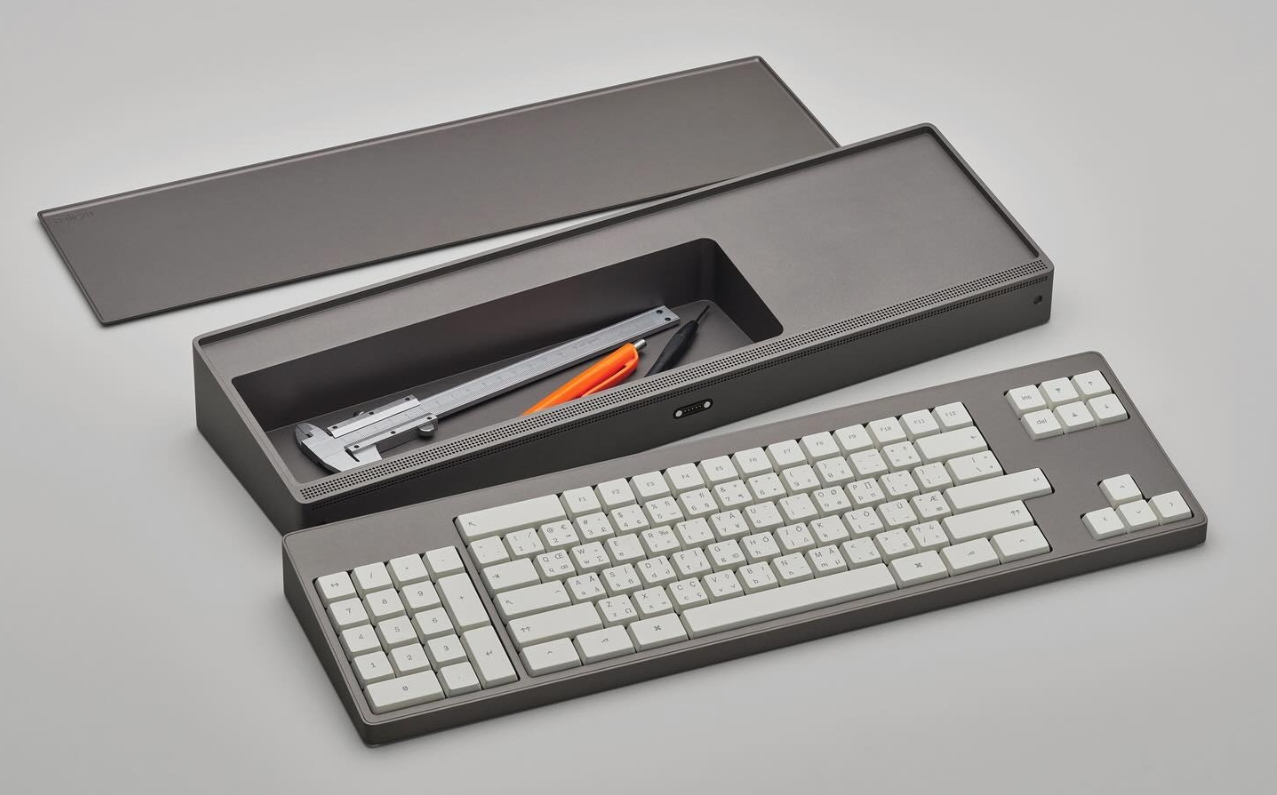
Let’s talk about that body. It’s entirely CNC-milled from a solid block of aluminium, which makes me think of the Icebreaker keyboard we saw here almost exactly a year ago. Both double as handy bludgeoning devices, but this one is decidedly more attractive. The bead-blasted finish of the c100 does simultaneously evoke modern and industrial design, so I’ll agree with Yanko on that note.
The coolest part is half-evident in the picture I chose. There’s a central magnetic pivot structure, and this lets you detach and fold the thing up even smaller, without any external hinges.
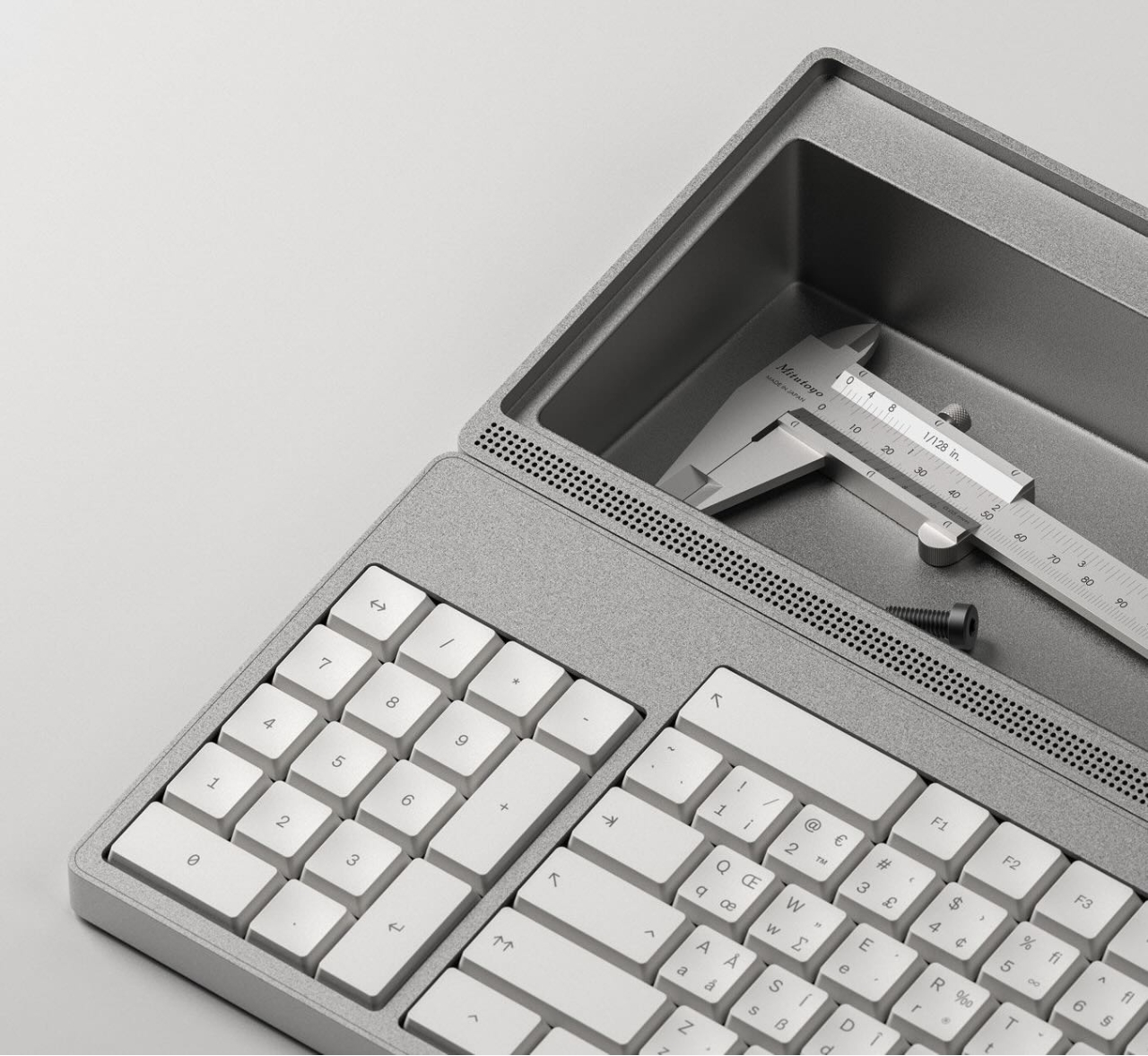
I thought the storage compartment gimmicky at first, but I’ve grown to like the idea of having a place for pens and whatnot. Yanko almost threatens to call it subversive in the face of what tech companies probably do not want you doing: opening the thing up. You are supposed to tinker with this one.
For some reason, the num pad is on the left, though I suppose this solves the distance-to-mouse problem. Yanko says the design uses Fitts’ law to accelerate task management, and this is supposed to explain why the keys are clustered the way they are. Basically, the placement of each key has been optimized for both speed an minimal hand movement. The wired mouse looks a bit uncomfortable, however.
This thing ships with Workbench OS, which is Linux-based and built specifically for technical work. There are no pop-ups in Workbench OS, which sounds amazing. So I would think that c100 is for writers, too, provided the keyboard clacks nicely.
Got a hot tip that has like, anything to do with keyboards? Help me out by sending in a link or two. Don’t want all the Hackaday scribes to see it? Feel free to email me directly.












Keeb up the good work.
Being left handed: having the numeric keypad on the left would be a boon for productivity, and show off that lefty mad-skill of data-entry and mouse pointing/clicking.
Oh man, as a right hander, I’ve actually always wanted the keypad to be on the left! I love having a keypad, but it does mean that your mouse has to be weirdly far off to the side of the keyboard, which gets uncomfortable after a while. I don’t need a $2000 keyboard computer, but I really want this $2000 keyboard computer!
Jeesh that caligra is legitimately beautiful. Very rarely do products match my aesthetic. This is on the far end of it but wow. That’s coming from someone who buys 20 dollar keyboards and breaks them faster than their wrists via repetitive stress injuries.
I won’t ever be able to justify its purchase but it makes me happy knowing it’s a thing. The whole keyboard computer thing is such a delight.