
Computers are very good at doing exactly what they’re told. They’re still not very good at coming up with helpful suggestions of their own. They’re very much more about following instructions than using intuition; we still don’t have a digital version of Jeeves to aid our bumbling Wooster selves. [Sherrin] has developed something a little bit intelligent, though, in the form of a habit detector for use with Home Assistant.
In [Sherrin]’s smart home setup, there are lots of things that they wanted to fully automate, but they never got around to implementing proper automations in Home Assistant. Their wife also wanted to automate things without having to get into writing YAML directly. Thus, they implemented a sidecar which watches the actions taken in Home Assistant.
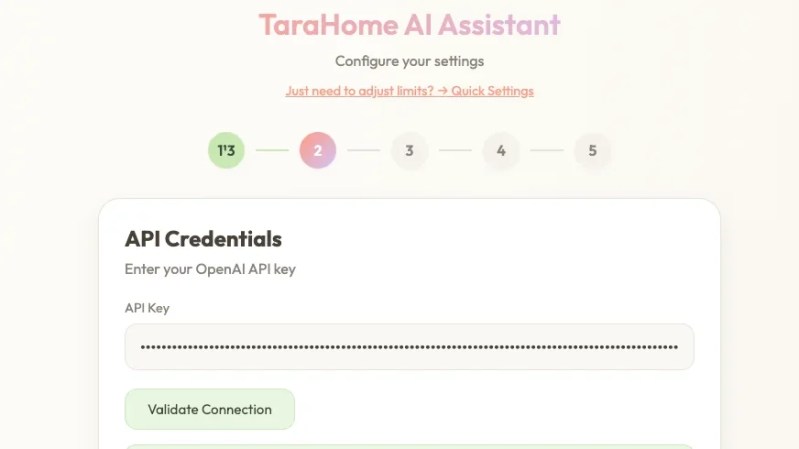
The resulting tool is named TaraHome. When it detects repetitive actions that happen with a certain regularity, it pops up and suggests automating the task. For example, if it detects lights always being dimmed when media is playing, or doors always being locked at night, it will ask if that task should be set to happen automatically and can whip up YAML to suit. The system is hosted on the local Home Assistant instance. It can be paired with an LLM to handle more complicated automations or specific requests, though this does require inviting cloud services into the equation.
We’ve featured lots of great Home Assistant hacks over the years, like this project that bridges 433 MHz gear to the smart home system. If you’ve found your own ways to make your DIY smart home more intelligent, don’t hesitate to notify the tipsline!












It would be nice if they published it as a HA App (formerly addon) it certainly sounds handy though, I don’t always have the time to sit down and automate things.
“don’t always have the time to sit down and automate things.”
I’ve found I don’t ‘need’ to automate most things. I can still open the door on the fridge, I can still turn on the stove, turn on/off the lights, flush the toilet, wife can vacuum the floor, etc. You can overdue the automation a bit :) … and a lot of times I think it adds more problems down the road trouble shooting and fixing … rather then say just swap out a light switch.
Never need AI here. Waste of energy.
but why your not feeding big corps. with data?
Your comment, however was a righteous use of electrons
in my automation system (which is not Home Assistant), i have rules that determine what devices get turned on or off — usually based on temperature and solar inverter data. but there is an override that allows me to just turn a device on. normally this would cause problems, because the automation would immediately reverse the decision. so every device gets its own manual-override time period so that automation is suspended different set amounts for every device manually changed. between that and the weather-forecast-based “prepare for the arrival of humans” presets (mostly what i control is an off-grid adirondack cabin), manual tweaks are rare but mostly consequence-free (nothing gets stuck on from a manual intercession). i’ve thought about including the ability to also take into account patterns of manual overrides to influence the simple rules-based automation. but i would be worried about things behaving unpredictably as the result of sensor failure.
clippy for home automation.
Too bad that it’s in a docker container. If it was a normal Home Assistant app I would have tried it. I’m not going purchase new hardware just to run one container. It’s not worth it. I don’t even know why people bother making containers for things like this. What is the thought process? “Let’s make it more complicated then it needs to be!”? Is that it?
If your on HAOS, its just a bunch of docker containers with different parts running on it, I have homeassistant, tvheadend, a vscode container, esp device builder and other containers that all were installed via the homeassistant gui.
You can do a docker exec and go into the shell of each component if you really want to do some dirty low level diagnostics, even install packages manually with the caveat that they’ll be gone next upgrade.
I run HAOS in its own vm on my ISP’s router…
I’ll skip the AI slop for automations though. As someone mentioned you can automate too much away and it just stacks complexity when debugging things. Its bad enough trying to balance zigbee home automation and zigbee2mqtt devices to get better coverage…
Sure it might already have docker containers, which is a problem. There are, at least for me, major usability problems with the current method that HAOS is using and a large part of it is by design. It’s quite frustrating to me and my goal is to get away from it. I’m going to migrate it over to a full hardware installation. The actual operating system lacks most of the tools I need, is a huge pain to access and barely functions.
This is an extra that could be helpful but the way it’s made it’s the exact opposite. It’s a complication. Home Assistant has apps as an option and this would have been a great app. If this was an app, I would have put it in my installation and used it as a way to advise me. Maybe there are automation’s I could use that I did not think of.
I have 68 devices on zigbee right now and don’t have mqtt installed. I use ZHA. Been working fine for me. It keeps telling me to install mqtt but I won’t. At least right now, I have no need for it. Most of my zigbee devices are connected to mains. I don’t have any coverage issues. I do have concrete and brick walls but the floors are wood.
If I recall the home assistant add on thing is pretty much a docker system with a fancy name.
If you have home assistant running on bare metal you can add it without any more hardware.
I have mine running on an old raspi 2.
It’s not overly complicated to make a docker start in it. I did it a year+ ago to get my rtl433 logging my weather data from my weather station. I also now have pi hole and ubiquity running there too. It’s a good small but handy server that also turns off my lights if I forget to when I leave for work.
The depressing thing is that this docker application is specifically for hoass but to lazy to actually add it into hoass correctly as a addon without some manual lifting by the user.
The entire point is that you don’t need to as home assistant provides an entire option to install apps. You don’t need to use docker. I got apps running inside home assistant and I won’t ever touch docker.
I just read the docs because I’ve never heard of home assistant apps. Turns out add-ons have been renamed to apps as of the latest update, so the apps you’re running are in fact just docker containers (with an additional config.yaml file for the UI)
There is already a PR for adding the repo as an app/addon: https://github.com/TaraHome/taraassistant-public/pull/10
I thought Docker was probably complicated too – until I read about it! I installed the Docker engine on my existing average Ubuntu media server (running on an old desktop) – in about three minutes. Then pulled the Home Assistant Docker container. It was really straightforward. It just worked.
I read these before starting:
https://thelinuxcode.com/steps-for-installing-and-updating-home-assistant-container-using-docker-2/
https://www.home-assistant.io/installation/linux/#install-home-assistant-container
Good luck.
Most home Synology NASes (or other branded) easily support greatly simplified versions of docker nowadays. Definitely will try it, since something like this was always on my mind. Brilliant!🤩