
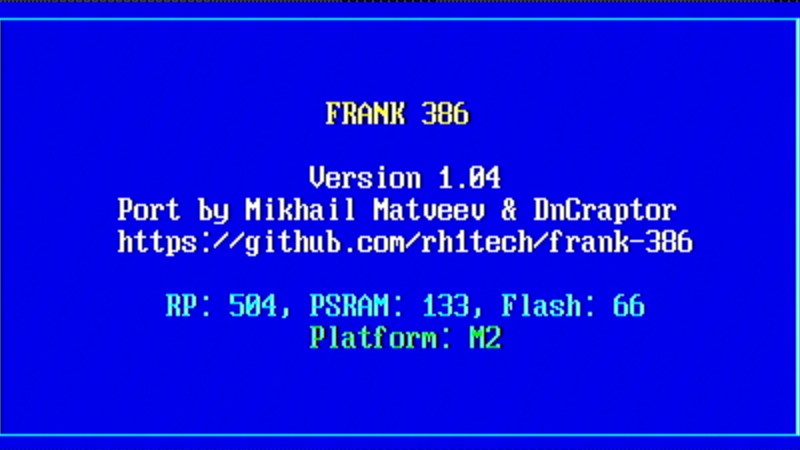
We’re at a fortunate moment: microcontrollers available at modest prices are edging into the capability level previously reserved for full-fat systems and can, through emulation, run software beyond classic 8-bit home computers, consoles, or old arcade games. A project we’ve been watching for a while is tiny386, an emulator for ESP32 boards that provides a 386 PC with just enough 486 and 586 instructions enabled to run a modern Linux kernel. Now we’re pleased to note that this platform is making it to the RP2350, with ports for both the FRANK emulation platform and the Waveshare Pi Zero boards. You can now have a 32-bit PC with all the peripherals, including VGA and DVI/HDMI, for the cost of an inexpensive development board.
Having seen tiny386 run on its minimum-spec ESP32 platform, we’ll concede that while it’s usable, it’s not the fastest experience, but the RP2350 port promises better performance. It’s not for a modern full-fat Linux distro, but should work well for running older operating systems such as DOS, or Windows 3.1 and 95, or even a lean Linux setup. This has fascinating potential: while these systems are old, they still have an enormous software library. The idea of useful general-purpose computing, 1990s style, in the palm of the hand, is interesting.
If you’re curious, you can find tiny386 here and the FRANK boards here. Maybe they’re a better route to ’90s fun and games than a 386 laptop.












1990s computing where you can easily hold tens of these things in your hands? Imagine a Beowulf cluster of these things!
With Natalie Portman pouring hot grits down my pants.
I, for one, welcome our new 1990s style, palm size general purpose computing overlords.
One of the few times I’d like to be able to award points to posts. Thanks for the memory bump!
About 25 years ago I ran emulators in my palm, on a Pocket PC (the platform supported SH3, MIPS, StrongARM CPUs).
PocketDOS was the one that emulated an PC/XT,
it was possible to run Norton Commander or Windows 3.0 in Real-Mode.
But there were also console emulators for Sega Master System/Genesis, GBC, NES/SNES, TG16
and various home computers (C64, ZX Spectrum).
The interpreters Sarien (Sierra AGI games) and ScummVM (LucasArts games) had been ported to WinCE/PPC200x too.
Besides Pocket PC (PPC), there also was Handheld PC (HPC) form factor.
It was like a little notebook/electric organizer and had a keyboard.
The Game API (GAPI, some sort of DirectX equivalent) was available to both,
but the Pocket PC 2000/2002 or Windows Mobile 2003+ wasn’t.
Pocket PC 200x was a software framework that extended Windows CE.
Normal Windows CE 2.x or 3.x applications ran on both form factors, I think.
If the screen resolutions allowed it.
There also was than one GameBoy emulator (Phoinix?) that ran on Dragonball based PalmOS PDAs (m68k).
It was slow on older palms, but good enough to play strategy/rpg games.
Awesome! All this project needs now is to be placed on a board with an LPC chip for use in a passive ISA backplane.
Cool idea!
I’d also add support for a custom version of the Lo-tech/Monotech EMS card.
Not an 1:1 copy but something that’s compatible enough with the Lo-tech EMS memory driver.
Dedicated EMS that works in Real Mode is useful to many
applications/games (EMS uses quick bank-switching, rather than copy operations).
Emulating it via V86 or via the emulator software causes a performance penalty
2 or 4 MB of EMS is a good start, I think.
Windows 3.0 in Real-Mode needs Large-Frame EMS to be useful, though,
so it’s perhaps more sensible to just run it in Standard-Mode or 386 Enhanced Mode instead.
PS: Having free UMBs in 640 to 1024 KB range would be nice, too.
So USE!UMBs can be used in MS-DOS 5/6, or in other DOSes that support UMBs (QRAM can help with older ones).
But that is a matter of the emulator and doesn’t need extra special hardware, likely.
In the early ’90s I was running DOS in a x86 emulator running on an Acorn Archimedes A310. For reference the A310 has a 32-bit ARMv2 CPU running at 8MHz with 1MB of RAM. The result was quite usable.
So no surprise that a modern 32-bit ARMv8 running at 150MHz with 8MBs of RAM can do x86 emulation fairly well.
Kind of funny the a in-house developed CPU from a mostly unknown British home computer company is powering so much of the world.
But will it run Doom?
Yes, it does. The question now is will it run Quake…
Decades from now, the question for contemporary MCUs will be ‘but will it run Crysis?’
…and the answer will be ‘yes, but only if you don’t look at grass’.
Hey Jenny, thanks, that’s one of the greatest hack news lately here!
Kudos to the project authors, this is an insane amount of work! I would love to try it out!
I like this form factor bc an actual PC is too much hardware for a humble 386 setup. I like the book86 laptop, but for $400 I’d rather use win16 runtime and dosbox. A Pi factor is perfect
this with a working ISA bus would be gnarltastic
Whelp, this might finally mark the moment I go and actually purchase a ESP32 board, as at least for now, its one of the few reasonably priced SBC’s out there.
Mind you I still have my collection of SBCs ranging from Raspberry Pi’s to boards from Pine64, odroid, lattepanda and etc…
And I still have three somewhat working IBM Thinkpads with actual og Pentium hardware for when I get a itch to mess around in DOS.
But omg I haven’t bought a new SBC ever since this whole AI data center RAM apocalypse madness started…
And I’d love to grab a new SBC to tinker around with Something…
Worth noting the esp32 is a microcontroller, not a full SBC in the way that all the others you listed are. It can’t boot Linux; it runs native compiled binaries (like any microprocessor)
That said, it’s a very capable platform, and it does have a full network stack with WiFi.
Of course there is a ESP32 which can boot Linux: The Esp32S31.
https://github.com/espressif/esp-linux-bsp
ESP32-P4 is the upper level MCU and it does things like RTOS quite well – especially when paired with ESP32-C6 inside something like M5Stack’s Tab5.
I went to the github repos for both the frank projects, and immediately got the Yellow Banner of Slop. (I have Claude and Codex blocked, and so a banner saying “A user you have prevously blocked has contributed to this repository” appears when I visit a slop-tainted repo.)
But I didn’t get it on the original tiny386 repo, so I’m hopeful that someone might one day come and port it properly to the RP2350 – by hand, without involving fascist-enriching, planet-burning fuzzy autocorrect in any way.
Meanwhile, if the LLM cheerleaders could please stop pissing on our heads and telling us it’s raining, I think we’d all be very grateful.
Also, you may review https://github.com/DnCraptor/murm386 – fork with integrated 8086-80286 emulation
+ native for RP2350 bios and freedos
+ run any native RP2350 programs (elf format and special “EZ” format)
I’ve looked at the code. It seems there’s an initial implementation of JIT x86->thumb2 recompiler in the repo, but the implementation doesn’t seem to be attached to the main code, so the actual x86 code execution is handled by an interpreter loop. This in turn means the expected performance should somewhat similar to 386SX-20 (even with the insane overclock of the rp2350), so adjust your expectations. Unless the recompiler starts working, the interpreted emulation performance will be in the same ballpark even on much more powerful hw.
Still rather impressive though.
Thanks, I was searching for performance numbers and your educated guess is the only thing I got.
The exact numbers are around 1-3 MIPS (sorry, forgot to write this in my previous comment).
original tiny386 has a demo page with video showing it boot to win95 in 3.5 minutes, too bad there is no demo of rp2350 port for comparison
i see no mention of printer port support, which is useful for cnc. however i am unsure if emulation would screw up timings, requiring a full port of the os and software.
Hi Bob,
Neither tiny386, nor frank-386 seems to have parallel ports implemented.
Even if it had, unless you want to run some custom low-level code for CNC control (or a DOS program), it would be orders-of-magnitude slower than required for regular Linux-CNC install. Current distros require GHz-class cpus with tons of RAM (yep, 512MB is tons compared to the 8MB PSRAM).
Regards.
Awesome. It would be sick if this could run Novell Netware, top retro for memory lane.
I’ve almost all windows collection on original discs, same for MS-dos disketes, so it’s a surprize no any refference to XP. Is that possible to use XP Pro on this system? Thanks