Android Development 101 – Part 3:Introduction To Databases

In this tutorial we will be pivoting from our last tutorial on Graphical Elements to start focusing on databases in Android development. The android platform uses SQLite databases in its applications and is one of five data storage options in android development. We will only be focusing on SQLite development in android because it is key to the construction of a workable/functional program. After this tutorial you should be able to implement a SQLite database that you are then able to insert and select items from tables in the database.

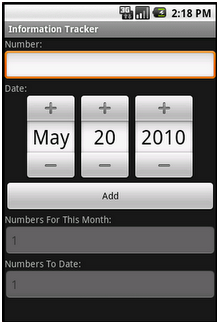
For this project we will be creating a Random Quote generator that has you enter quotes or sayings in a textbox and press a button to insert them into the database. We will issue a confirmation toast that allows us to see if the data was entered into the database successfully and the textbox will be blank. If a second button is pressed, the database will be accessed and told to select a random quote from the database to show in a toast on the screen.

Continue reading “Android Development 101 – Part 3:Introduction To Databases”

Android Development 101- Part 2:Graphical Elements

In this tutorial, we will be continuing from where we left off with the “hello world” application.  This time adding a graphical user interface (GUI) and a “toast”. The GUI will consist of a button, textbox and a label. The “toast” will be issued onto the screen when the button is pressed.

Some may wonder what a toast is.  Well, for non-programmers, a toast is a text notification that for the most part is used only to display an error on the screen (I am a big fan of using toasts instead of an alert on the screen as its less intrusive).  For this article we will use a toast to display a message on the screen that will take the text in the textbox and issue a “Hello Greg” onto the bottom of the screen.  After this article completed you will be able to successfully make toast commands, design the layout of the hello world program, and pull text from a textbox.

Continue reading “Android Development 101- Part 2:Graphical Elements”

Android Development 101 – Part 1:Hello World

This article will focus on developing a simple hello world program for android using Java. Google has recently released a “cute and fuzzy” programming environment for beginners to get into but I haven’t had the chance to try it, so we will be focusing on the Eclipse IDE here, which you should have set up in the last post.  When creating a text based project there are two very important items.  It will involve creating an android project, going through the necessary steps to complete both the (1) XML files and the (2) Java file and get this project ready for production and eventually deployment.  The requirements of this project are simple, know the basis of XML (for new comers if you don’t that’s OK too, you will learn) and know Java (very basic knowledge but you will learn as we go and we will modify a few parts of the java file today).

Continue reading “Android Development 101 – Part 1:Hello World”

Android Development 101 – A Tutorial Series

Android is the prime OS for developing applications in today for many reasons. The main reasons being that it is Open Source and Intuitive. In addition it uses Java for development, which is quite an easy language to get used to and develop in. This being said, a lot of you have great ideas for Android applications or applications in general but don’t know where to start. This series will take you behind the scenes and introduce you to the software that will be your best friend while developing for android. On this journey we will start with a “Hello World” and move on from there to create a database driven application with a touch and scroll interface. The final result will look something like this:

Continue reading “Android Development 101 – A Tutorial Series”

Top 5 Twitter Clients For Android

With the growing popularity of the Android OS for smartphones, it has become a contender for the likes of Apple’s iPhone. With the rise of Android came the facet it revolves around; Open Source. Besides it revolving around being open sourced it also has deep roots with social media. There has been an outbreak of different Twitter applications for the Android devices, each with their ups and downs suited for different types of users ranging from the socialite to the power users of twitter. These are the top 5 Twitter clients for Android (A phone running Android 2.1 OS – Éclair – will be used but most of these will be compatible with 1.5 & 1.6 OS and will be stated if they are not available to all OS versions) :

Continue reading “Top 5 Twitter Clients For Android”

Top 10 Features We’d Like To See In Android 3.0

UPDATE:

Hello HaD readers,
Sorry for the delay in updating this. I was on probation while the editors worked with Jason to figure out some things.

Clearly, for my recent debut article, I didn’t research Android OS well enough. After reading each of your comments, I realize that the article fell short of HaD’s and its readers standards for high-quality writing and reporting. Every point I made in the article were problems I noticed in my experience with Android, but I should have done more research on others’ experiences and the capabilities of each version of the OS. To each reader, I am sorry and will do better by you in future posts.
Poor Google. Despite its numerous capabilities with smartphones spread across a variety of carriers, Android still struggles to garner the prestige and positive perceptions of iOS 4. Sales continue to rise, but at the end of the day, the average person is still left lusting for an iPhone. Well, here are 10 features  that should be added to Android 3.0 that could change the tide.
1. A no-brainer task manager.
Google says Android doesn’t need a task manager, that it closes programs efficiently without any user-intervention, substandard apps often suck memory dry. Because of this, Android users are forced to download complicated task-managers, each with its own odd UI, and weigh which one works the best. Google, please fess up to the problem and put something in there a computer novice could use.  Something with big buttons would be nice.

RobotsEverywhere

[youtube=http://www.youtube.com/watch?v=WWh6MFUCZ-U]

[Spiritplumber] has been sending us updates on a promising project he’s working on called RobotsEverywhere. We’re not completely sure if that name covers the project itself, or just the name of his group that is selling robots (and giving us schematics and source code). Either way, they have some really cool stuff. The really cool part about many of the bots is that they are using Android phones as their brains and they use the same system on land, air, and water. There’s tons of information sprinkled around the site and the Wiki, take a few minutes and look around.