
[youtube=http://www.youtube.com/watch?v=3wVhW6a9i7Y&hl=en&fs=1&rel=0&color1=0x3a3a3a&color2=0x999999]
Jkkmobile has just posted their touchscreen hack for an Eee PC 900, and it looks great. Installation of this kit is pretty easy, just fit the panel to the screen, connect the controller to the USB lines, close it up, calibrate it, and you’re done. The controller board is placed on top of the WiFi card. Jkkmobile has informed us of touchscreens for older Eee PCs before, but this is one of the first we’ve seen for a 900+ model. The post lists a few sources for touchscreen kits, but no word on which one they used.
touchscreen83 Articles
Touchscreen Kit For Eee PC
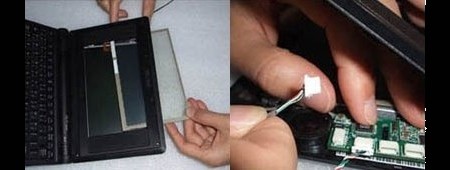
We’ve featured hacks for the Eee PC 701 before, but nothing so easy as this touchscreen kit.
Nintendo DS Music Creation
[youtube=http://www.youtube.com/watch?v=MQCZnwNr0ms&hl=en]
Homebrew developer [yaarglafr] recently released this video of his Protein DScratch in action. You can download a demo version here. The program simulates DJ scratching on the DS with an intuitive interface much like the ones on the touchscreen turntables we discussed the other day. It works well with any of the major DS slot devices; just run a DLDI patch on it and you’re good to go.
Haptic Feedback Roundup
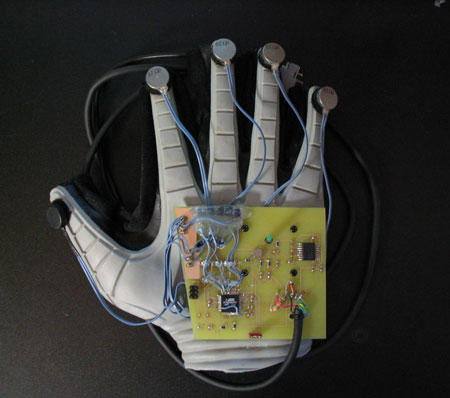
Haptic feedback (sometimes referred to as tactile or force feedback) offers what some might call a brave new world of interaction and immersion. The 1932 book of the same name was probably the first introduction many people got to the idea of computer generated touch sensations. In the book, movies are replaced with what are called “feelies”; patrons sit in chairs that provide feedback throughout the screening.
While we don’t see this coming to your local megaplex any time soon, we are starting to see the technology creep into our lives. After the break lets take a look at some examples, talk about projects we’ve covered before, and how you can get started developing your own.
Touchscreen Turntables, Scratching Without Vinyl
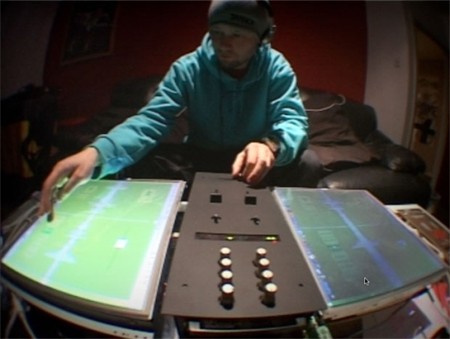
While we were researching the AudioCubes, we ran into this amazing DJ system by designer [Scott Hobbs]. He calls it the ATTIGO TT, and it uses two touchscreens to simulate the turntables on a conventional system. More technical details after the break.
Continue reading “Touchscreen Turntables, Scratching Without Vinyl”
Multitouch Rear Projection TV
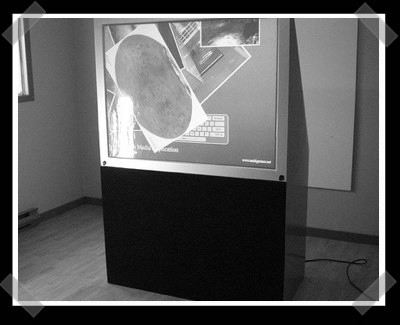
[Christopher Jette] did a amazing job converting a 56″ rear projection television into a multitouch display. His original inspiration came from this drafting table project. The screen is a large sheet of 1/2″ acrylic with a screen material attached to the back side. The screen edge is surrounded by 168 IR LEDs. When a finger tip touches the surface it scatters the LEDs’ IR light. A webcam sees this scattered light and determines where the fingers are. Inside the box is a standard video projector. This is a great reuse of old equipment and we love to see a hobbyist making up ground where manufacturers aren’t. For more info on multitouch projects, we suggest the Natural User Interface Group. Here’s a video of [Christopher]’s display in action:









