

The line between a Linux user and a Linux power user is a bit gray, and a bit wide. Most people who install Linux already have more computer literacy than average, and the platform has long encouraged experimentation and construction in a way macOS and Windows generally aren’t designed for. Traditional Linux distributions often ask more of their users as well, requiring at least a passing familiarity with the terminal and the operating system’s internals especially once something inevitably breaks.
In recent years, however, a different design philosophy has been gaining ground. Immutable Linux distributions like Fedora Silverblue, openSUSE MicroOS, and NixOS dramatically reduce the chances an installation behaves erratically by making direct changes to the underlying system either impossible or irrelevant.
SteamOS fits squarely into this category as well. While it’s best known for its console-like gaming mode it also includes a fully featured Linux desktop, which is a major part of its appeal and the reason I bought a Steam Deck in the first place. For someone coming from Windows or macOS, this desktop provides a familiar, fully functional environment: web browsing, media playback, and other basic tools all work out of the box.
As a Linux power user encountering an immutable desktop for the first time, though, that desktop mode wasn’t quite what I expected. It handles these everyday tasks exceptionally well, but performing the home sysadmin chores that are second nature to me on a Debian system takes a very different mindset and a bit of effort.
Deck Does What Others Don’t
I’ve owned my Deck for about a year now. Beyond gaming, the desktop mode has proven its value: it uses what essentially amounts to laptop hardware in a much smaller form factor, and is arguably more portable as a result. It easily plugs in to my existing workstation docks, so it’s easy to tote around, plug in, and start using. With a Bluetooth keyboard and mouse along with something to prop it up on, it makes an acceptable laptop substitute in certain situations as well. It’s also much more powerful than most of my other laptops with the possible exception of my M1 Macbook Air.
However, none of the reviews I watched or read circa 2023-2024 fully explained what an immutable OS was and how it’s different than something like Ubuntu or Fedora. Most of what I heard was that it runs “a modified version of Arch” with a “full Linux desktop” and little detail other than that, presumably to appeal to a wider audience that would be used to a fairly standard Windows PC otherwise. As a long-time Linux user the reviews I read led me to believe I’d probably just boot it up, open a terminal, and run pacman -S for all of the tools and software I’d normally install on any of my Debian machines.
Anyone familiar with immutable operating systems at this point will likely be laughing at my hubris and folly, although it’s not the first time I jumped into a project without a full understanding of what I would be doing. Again, having essentially no experience with immutable operating systems beyond having seen these words written together on a page, I was baffled at what was happening once I got my hands on my Deck and booted it into the desktop mode. I couldn’t install anything the way I was used to, and it took an embarrassing amount of time before I realized even basic things like Firefox and LibreOffice had to be installed with Flatpaks. These are self-contained Linux applications that bundle most of their own dependencies and run inside a sandbox, rather than relying on the host system’s libraries. In SteamOS they are installed in the home directory, which is important because any system updates from Valve will rewrite the entire installation except the home directory. They’re also installed from an app store of sorts, which also took some getting used to as I’ve been spoiled by about 20 years of apt having everything I could ever need.
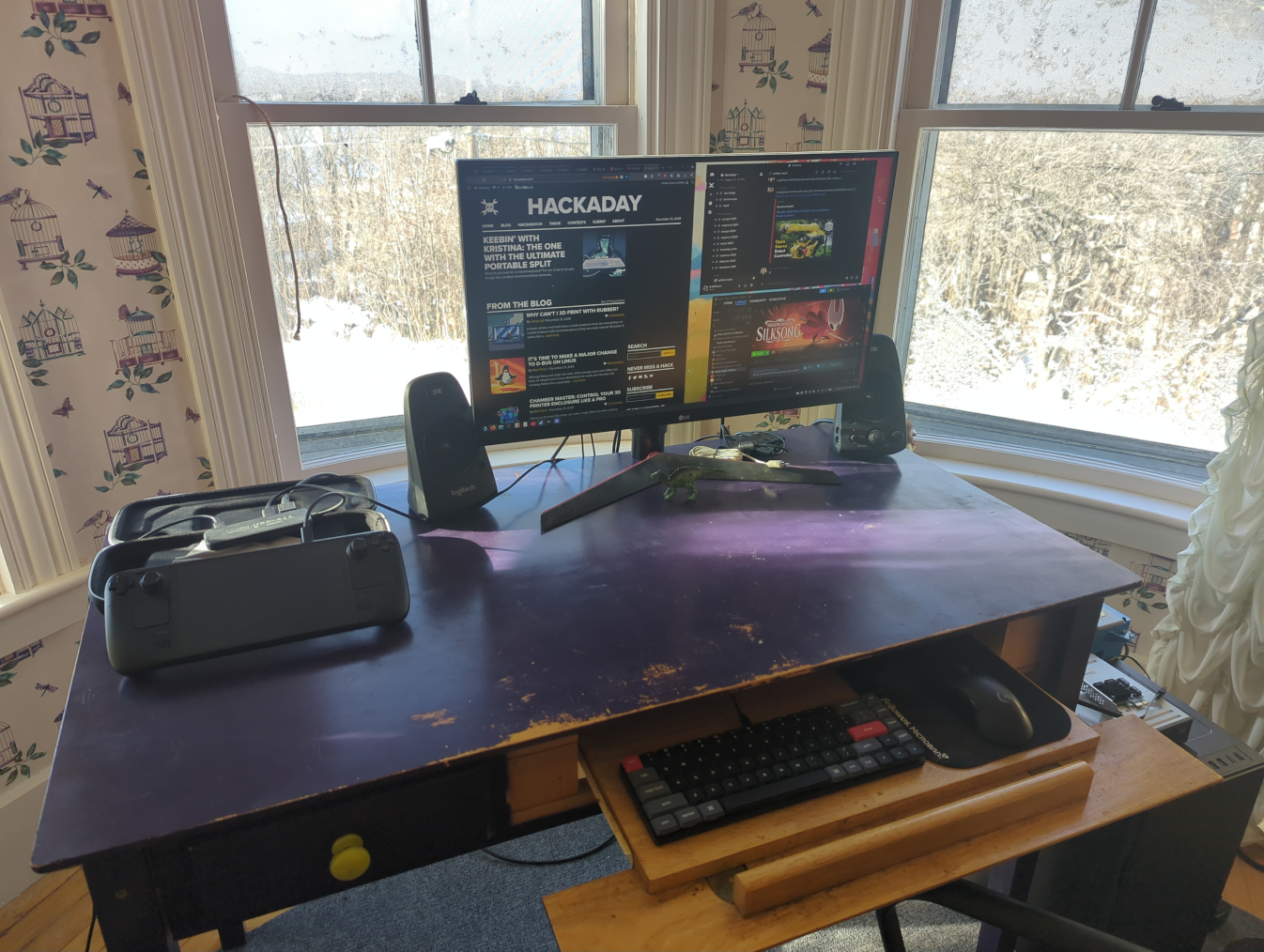
But after that major hiccup of learning what my operating system was actually doing, it was fairly easy to get it working well enough to browse the internet, write Hackaday articles, and do anything else I could do with any other average laptop. This is the design intent of the Steam Deck, after all. It’s not meant for Linux power users, it’s meant as a computer where the operating system gets out of the way and lets its user play games or easily work in a recognizable desktop environment without needing extensive background Linux knowledge. That doesn’t mean that power users can’t get in and tinker, though; in fact tinkering is almost encouraged on this device. It just means that if they’re used to Debian, like I am, they have to learn a completely new way of working than they’re used to.
Going Beyond Intended Use
To start, I use a few tools on my home network that make it easier for me to move from computer to computer without interrupting any of my workflows. The first is Syncthing, which is essentially a self-hosted and decentralized Dropbox replacement that lets me sync files and folders automatically across various computers. Installing Syncthing is straightforward with a Flatpak but getting things to run at boot is not as easy. I did eventually get it working seamlessly by following this guide, though. This was my first learning experience on how to start system processes outside of a simple systemd command. Syncthing is a non-negotiable for me at this point as well and is essentially load-bearing in my workflow, and is actually the main reason I switched my Gentoo install from openRC to systemd since openRC couldn’t easily run a task at boot time as a non-root user.
I’m also a fan of NFS for network file sharing (as the name implies) and avoid Samba to stay away from any potential Windows baggage, although it’s generally a more supported file sharing protocol. Nonetheless, my media libraries all stream over my LAN using NFS, and my TrueNAS virtual machine on my Proxmox server also uses this protocol, so it was essential to get this working on my Deck as well.
Arguably Samba would be easier but we are nothing without our principles, however frivolous. On a Debian machine I would just edit /etc/fstab with the NFS share and mount points and be done, but consistently mounting my network shares at boot in SteamOS has been a bit elusive. Part of the problem is how SteamOS abstracts away root access in ways that are different from a traditional Linux installation, so things that need to be done at boot by root are not as easy to figure out. I have a workaround where I run a script to mount them quickly when I need them and it’s been working well enough that I haven’t figured out a true solution to this problem yet, but generally SteamOS doesn’t seem to be designed for persistent system-level configuration like this.
The only other major piece of infrastructure I run on all of my machines is Tailscale, which lets me easily configure a VPN for all of my devices so I can access them from anywhere with a network connection, not just when directly connected to my LAN. This was one of the easier things to figure out, as the Tailscale devs maintain an install script which automates the process and keeps the user from needing to do anything overly dramatic. This Reddit post goes into some Steam Deck-specific details that are helpful as well.
Ups and Downs
There were a few minor niggles for me even after sorting these major issues out. The Deck is actually quite capable of running virtual machines with its relatively powerful hardware, but the only virtualization software I’ve found as a Flatpak is Boxes, which is a bit limiting for those used to something like VMWare Workstation or KVM. Still, it works well enough that I’ve been able to experiment running other Linux operating systems easily on the Deck, and even tried out an old Windows XP image I have which I keep mostly so I can play my original copy of Starcraft without having to fuss with Wine.
Other than that, the default username “deck” trips me up in the terminal because I often forget it’s not the same username that I use for the the other machines on my network. The KDE Plasma desktop is also running X11 by default, and since I’ve converted all of my other machines to Wayland in an attempt to modernize, the Deck’s desktop feels a bit dated to me in that respect. My only other gripe is cosmetic in nature: I do prefer GNOME, and although SteamOS uses KDE as its default desktop environment I don’t care so deeply that I’ve tried to make any dramatic changes.

There have been a number of surprising side effects of running a system like this as well. Notably, the combination of Tailscale and Syncthing running at boot, even in gaming mode, lets me sync save states from non-Steam games, including emulators, so I can have a seamless experience moving from gaming on my Steam Deck to gaming on my desktop. (I’m still running this hardware for my desktop with the IME disabled.)
I’d actually go as far as recommend this software combination to anyone gaming across multiple machines based on how well it works. Beyond that major upside, I’ll also point out that running Filezilla as a Flatpak that gets automatically updated makes it much less annoying about reminding the user that there’s an update available, which has always been a little irksome to me otherwise.
The Steam Deck as a platform has also gotten a few of my old friends back into gaming after years of life getting in the way of building new desktop computers. It’s a painless way of getting a capable gaming rig, with the Steam Machine set to improve Valve’s offerings in this arena as well. So being able to reconnect with some of my older friends over a game of Split Fiction or Deep Rock Galactic has been a pleasant perk as well, although the Deck’s cultural cachet in this regard is a bit outside of our scope here.
I’ll also point out that this isn’t the only way of using the Deck as a generic Linux PC, either. I’ve mostly been trying to stick within the intended use of SteamOS as immutable Linux installation, but it’s possible to ignore this guiderail somewhat. The read-only filesystem that’s core to the OS’s immutability can be made writable with a simple command, and from there it behaves essentially like any other Arch installation.
Programs can be installed via pacman and, once everything is configured to one’s liking, the read-only state can be re-enabled. The only downside of this method is that a system update from Valve will wipe all of these changes. System updates don’t happen incredibly often, though, and keeping track of installed packages in a script that can be run after any updates will quickly get the system back to its pre-update condition. Going even farther than that, though, it’s also possible to install any operating system to a microSD card and use the Deck as you might any other laptop or PC, but for me this misses the point of learning a new tool and experiencing a different environment for its own sake, and also seems like a bit of overkill when there’s already a fully functional Linux install built into the machine.
An Excellent New Tool
Although my first experience with an immutable Linux distribution was a bit rough around the edges, it felt a lot like the first time I tried Linux back in 2005, right down to not entirely understanding how software was supposed to be installed at first. I was working with something new without fully grasping what I’d signed up for, and moments like using a software repository for the first time were genuinely eye-opening. Back then, not having to hunt down sketchy .exe files on the Internet just to get basic functionality on my computer felt revelatory; today, immutable distributions offer a similar shift, trading some initial confusion on my part for a system that’s more reliable and far harder to break. Even after years of using mainstream Linux distributions, there’s still plenty to learn, and that process of figuring things out remains part of the fun.
There’s never been a better time to get into Linux, either. Hardware prices keep climbing as a result of the AI bubble, all while Microsoft continues to treat perfectly functional PCs as e-waste and tightens the screws on their spyware-based ecosystem that users have vanishingly little control over. Against that backdrop, immutable Linux distributions like SteamOS, Bazzite, Fedora Silverblue, or even the old standbys like Mint, Debian, and Arch offer a way to keep using capable hardware without spending any money.
Even for longtime Debian system administrators and power users, immutable distributions are a new tool genuinely worth learning, with the caveat that there will likely be lots of issues like mine that crop up but which aren’t insurmountable. These tools represent a different way of thinking about what an operating system should be, though, and it’s exciting to see what that shift could mean for the future of PCs and gaming outside the increasingly hostile Microsoft–Apple duopoly.












Thanks for writing an interesting article on the Steam deck and OS. I don’t plan on using my deck for more than games, but it’s nice to know I can use it for other purposes if I choose.
Look at ‘autofs’ with ghost directories for your NFS mounting needs. They only get mounted when you touch them. I also only use NFS…it is much less of a pain compared to SMB/CIFS shares…even when running databases over NFS, and of course less security related vulnerabilities. Depending on how you configure it, the mounts will auto-dismount after a period (after the NFS file locks are released).
Don’t know how you’re going to get ‘autofs’ to start at bootup though…I avoid ‘immutable linux’ like the plaque…data in South Africa is expensive, and downloading a new system image, or a bunch of flatpacks every time there is a patch seems wasteful to me (times every machine I have). Not to mention the price of storage now going through the roof. I also hate putting massive binary installs in home directories…makes blanket backups a pain, with lots of duplicated storage (both online and backup).
The ‘Deck’ is OK for gaming, but I’ll still stick to a traditional distro for normal machines (even when ‘Steam’ is installed there)… ☺
I like this 3D printable stand for keyboard and mouse usage https://www.printables.com/model/135243-stand-for-valve-steam-deck
building from source on the deck has really stumped me. there are a number of old games with linux source ports and i couldn’t figure out how to build on an immutable distro. i think the correct way is to build a flatpack on another machine, but that hasnt worked either. keep in mind i compiled the same code on the raspberry pi without a hitch, and that’s not even the same architecture.
I’ve been compiling software using Distrobox (which comes pre-installed on steamOS now).
Distrobox is a collection of scripts that runs on podman. It facilitates creating and using containers with access to components of the host system.
It is not meant for secure isolation, but instead it gives you alternate utilities (like c std lib) that are mutable.
I complained about the immutable OS on the deck on Reddit and I was told off because no one could figure out why is a problem.
Depending on how you complained I can see that response being fair – as it isn’t a problem at all as a rule – it is almost certainly the right tool for the job of being a Steamdeck. I can’t say I really love using the immutable desktop but it is not like Valve even tries to stop you installing any other OS you want to on the deck if you desire. So simply run whatever alternative operating system you prefer (as I did from the start off SD card and now on my 2nd deck as it was so cheap natively)!
Now you understand why reddit is considered to be a bunch of snowflakes slowly melting in a public urinal.
Just a nitpick, albeit quite a big ‘un, I think.
The article says ‘when something inevitably breaks’ about (typical?) Linux installs. This has not been the case for the better part of two decades. My Linux machines have less problems than my work laptop, which is a windows machine. So: for a typical user (browser, office, email) Linux is probably good enough and stable enough and does not require you to drop your pants and hand over all data to whoever. I know of people who set up a new Windows machine that then proceeded to upload all pictures and music to whatever the cloud thingy storage (Onedrive? don’t care) is, making the user’s mail account bounce all mails (because online storage was full). OS updates continue to break Win11, software updates are hardly easy to do. Hell, even Debian makes a standard install simple (yes, yes, yes, this is my wifi, yes, use harddisk, yeah Desktop, gimme KDE or Gnome or… heck all of them, enter user name and password, reboot). Linux is no longer difficult, whatever us greybeards want to say to gatekeep or the Mac or Microsoft brigade want you to think.
No, not every software will run under Linux, if you have special requirements you might be stuck with either Mac or Win. Maybe there’s a decent alternative, maybe there’s not, or you cannot be arsed to learn how to use yet another program – which is absolutely a valid argument.
But please cut out the BS that Linux is more likely to break than Windows. More likely to break than Mac? Maybe, no experience with that. Windows? No, not at the moment. QA is just non-existent at Microsoft, or so it seems.
Yeah, until for example it decides to kernel panic because how dare you use a Logitech mouse.
I’ve worked for 17 years in industrial and automotive embedded, spent countless hours dealing with Yocto, LFS, Buildroot and others to know it’s all held together mostly with spit, wet cardboard and bits of Scotch tape here and there.
I value my sanity too much to use Linux outside of work.
I was about to describe how one of my Debian LXC containers in Proxmox completely broke all of my Docker containers the other day after a routine system update and I had to restore it from one of my backups, but actually a better example is how literally just now my Macbook running Debian 13 had its WiFi break because of a kernel upgrade and I had to roll back to a previous kernel in Grub.
Regardless of operating system, things will inevitably break. I don’t think it’s going outside the realm of reality to recognize that Linux requires its users to be more comfortable in a DIY headspace when that happens than Windows or Mac users.
Linux is absolutely more likely to break, because YOU are allowed to make changes to it.
This is especially true for new users who haven’t quite figured out the methods they are most comfortable changes and maintaining those changes.
This is even more tye when you aren’t comfortable enough to know where in the chain to start looking for loose threads when something inevitability has a hiccup.
Forgetting the command to check something that you only need to do once a month for maintenance is “breaking”.
Automating maintenance you SHOULDN’T, and the problems that come with it is breaking.
The only computer that is entirely problem free is one that is disassembled and never put back together.
If your syff isn’t breaking regularly, you aren’t using it.
People already agree with your Windows gripes.
Ranting about it while pretending Linux is unbreakable just makes the rest of us look crazy to the normies.
To some extent Linux is unbreakable – as some varieties of Linux like this immutable OS and the really LTS stability focused distro as a rule don’t break, and you’d have to work at it almost deliberately to break them.
Obviously these unbreakable distro manage to be that way by being behind the bleeding edge so those of us running things like SUSE Tumbleweed rolling releases of most updated versions will find the bugs first, and often by being a little more restrictive in what it lets the user do easily. So its not a universal Linux experience, but you can opt in for rather ‘unbreaking’ as an option if that is what matters to you.
Perhaps, or perhaps you just are not trying to do anything that requires you to really know what you are doing or dance on the edge of stable codebases etc. To take gaming as an example, most games don’t (or at least didn’t) ship broken so you can play them through as many times as you like and are not likely to have trouble, but as soon as you want to mod the game even rather simple seeming mods can end up causing impressive breakages.
The problem is that Linux integrates its software too close to the operating system, by insisting that everything needs to be assimilated into the system hierarchy.
So in order to have the latest software you need the latest libraries, which are shared with important operating system components, so having bugfixes and features to the stuff you actually use means you have to keep using unstable distros. Or, you can backport the stuff yourself, which is a task not for regular users and is highly inconvenient to the rest as well.
It wasn’t that long ago when e.g. Ubuntu users had to keep upgrading the entire OS every six months just to get the latest version of Firefox from the repositories, because the community was hopping on to the next and the next version and abandoning maintenance of previous versions. That’s the entire reason why “LTS” was invented, although it still doesn’t solve the issue because people are too lazy to actually maintain it.
The problem has never really gone away because the philosophy of the system hasn’t changed. The whole hierarchy of the system is inflexible and geared more towards the use case of a 1970’s mainframe where the system is set up once and then never changed from that. It would be so much better if the main distribution of software didn’t depend on a central repository and the work of unpaid volunteers to shim it all together.
You realise that is also largely true with the closed source world as while shared library are more common in FOSS they are not exclusive and the program also always needs to interact with the OS and likely other software – that can end up with breaking changes if you don’t update everything too – the only thing really different is in the FOSS world when a bugfix or feature is in the earliest days of its existence you already know about it, and can CHOOSE to put in the extra work (if any) to get it NOW, rather than waiting for M$ update to reboot your machine on you in 4 months times, without permission…
Also “Linux integrates its software too close to the operating system, by insisting that everything needs to be assimilated into the system hierarchy.” Really isn’t very true at all now – you can and a great many app stores and software vendors suggest you do use the more self contained packaged version, be that a docker container, Flatpak, appimage – Linux lets you have the choice of chasing peak performance and minimal install footprints with a tighter integration, but these days it really really isn’t the only solution. With more than a few distro now focusing on Flatpak type concepts by default and maybe not even having the other options in the package manager…
This point had nothing to do with open vs. closed software, but how Linux as an operating system is organized.
Yeah, it’s getting closer to how everyone else are doing it. However, since there isn’t any real core standard or baseline to follow, software has to include more stuff all the way down to libraries for the entire desktop environment. That means software packages end up replicating huge parts of the operating system services, and users end up effectively having a Frankenstein’s monster of every other Linux distribution installed on their machine with the associated memory and disk footprint – unless all they ever install is tailored (ported/backported) to their particular distro and the version they’re using. It’s all shimmed together like some unholy project car made out of Toyota and Ford parts.
Plus with an immutable core system and software that really really wants to integrate deep into the same hierarchy, you have to have all sorts of symbolic link bullshit to mash it all together and pretend it’s a single file system. You have to construct this elaborate virtual system that has nothing to do with what’s actually on your hard drive, which results in fun problems like “How much free space do I have? Nobody knows!”.
I haven’t had serious issues with Linux that I didn’t cause myself for over 25 years. So yeah I can confirm this.
Now Windows on the other hand. The list of issues is very long. My now old gaming PC that I haven’t even turned on in 3 years (I bought a Steam Deck), was running Windows 10 only with steam and games, that’s it. I used it like a console. Not even a custom browser. I’ve spend hours and hours troubleshooting windows updates that caused massive problems. Restoring Windows, having to reinstall Steam because it was removed, Windows randomly removed my entire home directory with my savegames, etc, all due to broken windows updates.
The entire thing with Linux is that it’s stable. Incredibly stable.
Unfortunately, I know one or two boomers using Linux Mint who are the worst, though.
To my experience, there are those users who are very computer illiterate despite all odds.
They have no idea what an instruction set is (“x86? ARM? Huh?”) or what’s the difference between big-endian and little-endian. Or Unicode.
Their most important program is WINE to run “EXEs”.
In my eyes, the oldtimers with their C64 fetish are like gurus by comparison.
Despite hanging out in the past too often, they know all the basics, at least.
What ASCII, PETSCII or CPU registers are. What DMA means or how a filesystem uses sectors.
What an instruction set is or how different architectures use different machine language, what a hex editor is or a bus system is etc.
Can’t really see that as a problem myself – its just not relevant to actually making the machine do what you want these days. The hardware is basically always abstracted away and by design not meant to be directly interfaced with so to be a guru of operating a modern computer as a rule at least doesn’t require or even find that knowledge particularly useful! The stuff that is useful now is the interactions between the BIOS,HAL, Desktop Environment, init system, Security/Permissions to actually make the stack of abstractions on top of the hardware play well together.
That is like expecting all mathematician and really any field that uses numbers at all to be number theory experts – you don’t need to understand and be able to prove the concepts of things like countable infinities, group theory etc to be a master in your field built upon that work. You the master in your field use the tool proved by others (assuming its actually been proven), likely far quicker and more adeptly than the number theorist would – you already just know the interactions at this higher more abstracted level and honestly the number theorist is more likely to distract themselves from the problem at hand as something about the relationship between the functions you are working on seems more interesting than actually getting the right answer..
And that’s the problem, too.
Not realizing things, not understanding principles.
If you were in driving school in order to gain your driver’s license,
you had to know about the basics of a car, too. And the traffic rules and laws.
Those users are the equivalent of a driver who has no idea how to change a tire, use a starter cable or exchange oil.
They can drive with automatic transmission only.
In an emergency, they and there whole generation are lost.
Their mindset is the accelerator of dumbing down society, basically.
Not a very fair analogy IMO on many fronts.
I’d be willing to bet most HAD readers couldn’t change a tyre without an impact gun, I know last time I did Dad’s car the kit supplied with the car the socket wasn’t strong enough, and the time before I was lifting the entire car a good few inches off the ground at that axle before its weight finally made the bolt turn…
Also these days cars don’t come with spares…
But more importantly nothing about being a decent driver needs to know these things, any more than they need to know about chokes, ignition timings, valve seals, how to cast an engine block etc.
Also there is no great complex cluster of abstractions above the hardware you have to understand how to make play nice to get the thing to work properly – You don’t need to configure your steering wheel and make sure its got the correct permissions so it actually works and both it and the brake/throttle/indicators etc can all work properly at the same time…
You can’t be a car designer/builder/mechanic without that understanding, but a mechanic is not by some magic of knowing that tiny bit more a better driver.
..why? Why all the persistant refusal against learning a bit?
It’s like a dog or baby in a bathtub which absolutely doesn’t like to take a bath and screams and wiggles all the time.
Is it asked too much for people to read a single, harmless “for dummies” book these days? 🤨
It’s not about learning C++ or something, after all.
I don’ t get that “let’s just know the very least” mentality.
Actually, learning C++ is like hitting yourself in the head with a bicycle pump. It’s not going to hurt but it’s very much pointless unless there’s a good reason for it.
Because there’s only 24 hours in a day. 8 of those hours go to sleep, another 8 you have to work for a living, and the other 8 you need for personal maintenance and recreation so you don’t go completely insane.
Learning stuff you don’t need is extra work that doesn’t benefit you. Where do you add those hours in?
And the worst thing is that their kids and relatives have to pay for their computer illiteracy.
They click on everything, download everything,
fall for pop-up windows and ads, install software from unknown places,
register on shady sites, publish their private information etc.
And who must fix things after that? Right. Family and friends.
They have to suffer because of these ignorant people.
No wonder that generation isn’t most popular right now.
It falsely believes it knows “enough” and is unwilling to learn about netiquette and PC and internet basics in general.
They’re like ghost drivers on the highway at night.
And they’re proud about their ignorance. Great, really great. Sigh.
And nothing in the list of things you want them to know will do them any good at avoiding these pitfalls – DMA, Endian variety, architecture of the CPU are all entirely irrelevant to that problem, and all problems of actually using a computer masterfully. They only apply to folks like most HAD readers that might want to add alternative low level hardware, run strict ‘real-time’ software etc.
Folks doing that are a menace, but nothing in that list, or any list of things ignorant folks do wrong on computers has anything to do with understanding the low level hardware.
Of course! Knowledge always helps! It’s like a treasure chest!
Even outdated or unrelated knowledge can help to derive certain principles.
Being adaptive and being able to improvise is a human character trait!
That distinguishes us from machines, for example! 😃
Jesus, the things I’ve mentioned are examples only! 😃
Knowing about ASCII vs Unicode can for example help to understand that Cyrilic characters in the URL can lead to a wrong website (phishing site).
The knowledge about DMA can make understand the vulnerability of USB3 or Thunderbolt devics,
because DMA bypasses the CPU and OS control.
And in worst case thus can alter memory locations and cause malware infections or cause other issues.
Things like that. Knowing basics can prevent certain problems.
Sure knowledge is always nice to have, but there is no point knowing the finer points of Apple growing when the task at hand is trying to fly an aircraft!
RELEVANT knowledge to the problem is what you need, and low level hardware stuff in computing is pointless for almost everyone in this age of UEFI and HAL layers, its just not stuff even advanced users will ever be dealing with. Where Network topology, firewalls, SELinux, configuration of the various sandbox type systems so the messages that actually need to get out of this program can, automatic snapshot/backup systems, and the understanding on when/if they should consider ‘the cloud’ a solution…
Don’t forget that overloading people with information results in poor retention of details. Attention becomes divided.
Then, partial retention of information can be worse than no information, because half-understood concepts lead to confidence without skill.
Someone might say “Oh, I know unicode, I can spot a fake web address!”, but then when you ask how do you spot it, they won’t be checking the encoding in any way because that’s the part they don’t know. They just assume they can see the difference in every case. “Just look out for weird letters.”
Or, suppose you teach someone how to change a tire in a car once, and they’re not paying full attention.
Then they get a flat and instead of calling the AA for help, they set out to jack the car up, manage to take the wheel off, and then drop the car on their own leg because they forgot to put the handbrake on.
You can put someone in danger by carelessly teaching them stuff that requires supervised practice before you can be trusted to do it alone. Like showing them where you keep the key to the electrical box and just assuming they know what to do once they open it.
No. I thinks it’s more like expecting that those guys can still calculate with pen and paper, without a calculator or asking AI.
Back in the 70s to 2000s there were books that explained technology by layman terms.
They had pretty pictures, explaining how a floppy disk works or how a CRT screen functions.
So easy that almost toddlers can understand!
For example, “How computers work” by Ron White
Or ever heard about the British TV show “The secret life of the machines”? Or “Curiosity Show” from Australia?
There was a time when pre-teens understood all the basics of their home computer, could use the command line.
Why do some of you guys agree that it’s totally toleratable that society becomes less sophisticated than it already was 40 years ago?
Users should be encouraged to aquire new skills and knowledge, not to become a servant to technology. Or so I always thought.
Once the point is reached that users nolonger understand basics, society is doomed.
– Because we’re nolonger able to fix small problems for us or our fellow citizens.
It’s like not being able to help someone who has a car breakdown, because we have forgotten to change a tire or change a fuse!
Seriously. In the digital age, were so much is based on technology,
we might become the equivalent to modern cave men who have become trained to push certain buttons,
but are nolonger able to mentally abstract and understand that an appliance needs electricity and has a power cord.
Sure, seems exaggerated. But the change from smart to stupid is slowly happing over the years.
At one point, users have become unable to do the most mudane tasks.
And that’s dangerous and a loss to all of us, because now about everything has gone digital. :(
Man, they should at least buy a computer book once!
I watched that show recently, and it wasn’t all that informative. It was actually rather superficial, and more about making silly gags with the stuntman or the host building his amusing gadgets.
In one episode the did show how to fix a fridge door that wouldn’t hold shut. The host put his knee on the corner and yanked the other out like a Romanian car builder fitting the doors of a Trabant. That was the level of their practical advice.
The German term for such a “master in your field” is “Fachidiot”, by the way.
It’s a person who is an expert in a very very limited field, but has very little common knowledge otherwise. 😔
https://en.wiktionary.org/wiki/Fachidiot
Here’s the auto-translated Wikipedia entry, too:
https://de-wikipedia-org.translate.goog/wiki/Fachidiot?_x_tr_sl=de&_x_tr_tl=en&_x_tr_hl=en&_x_tr_pto=wapp
The corollary opposite is a person who knows everything about everything, but cannot put two and two together to see the greater whole, or actually get anything done because they’re wasting time with the minutiae instead of focusing on the problem at hand; a pedantic nerd.
Well, that makes it sound like something worth trying out. Thanks! :)
I think the difference between a Linux user and a Linux power user is what they do when the system becomes unusable. If your choice is to reinstall the whole system then you’re a Linux user.
It is often the easier and faster than trying to undo whatever Gordian Knot you’ve managed to create. It’s just that the power user knows just enough to try, so they will, even when it’s 50/50 if they end up making it worse and then having to start over anyways.
I’m a retired Unix Sysadmin (Solaris, HPUX, and RHEL)
On servers, if something went wrong, we’d fix it.
On desktop workstaions, if something went wrong, we’d just re-image it and make the problem go away fast.
I don’t know, the regular Linux user is unlikely to actually get the system to be unstable (unless the picked most unwisely in distro) in the first place. And even the folks that can repair in place and keep a system updated and functional without even a reboot for decades might just take the quick and easy way out much of the time.
While tracking down the problem and fixing it is satisfying, and sometimes really essential most of the time that short duration of real downtime to start from a fresh install is acceptable so you’ll only go digging if you have the time or think it is really really going to be worth it as this same problem is likely to crop up across your entire company or something.
Absolutely.
I know of a Linux user who refused to use a backup program to create HDD images once in a while.
He insisted that he would rather tediously
save the /home directory and re-install Linux from scratch every time something breaks.
Me as a Windows XP Pro user who did use Acronis True Image to
make 1:1 sector based backups in certain intervals was speechless.
(True Image had bootable Live CD btw, based on both DOS and Linux!)
To me that felt like time traveling to the 1960s and use punch cards and drum storage or something.
Has to be said I’d far rather re-install than keep whole system images as a rule – the OS isn’t important enough to save and will eat plenty of disk space to keep copies of, and back in the XP days especially disk sufficient disk space for boot drive backup disk images was not exactly cheap. I have kept a few images for Pi’s and the like as generally ’embedded’ use means its only a few GB image and SD card, particularly the cheap ones are very prone to failure. But as a rule it just isn’t worth it most of the time.
Also installing Linux really isn’t tedious as a rule, usually very quick and easy, with for many folks no need for anything but your home directory to just drop back into working on ‘your’ system exactly the way you like it…
Oh, but all the tweaks and custom patches you’ve made are. In the case of Linux, getting your hardware and software to work with all features might be weeks of work when you start from a clean slate. That is assuming you actually remember what you did last time to make it work.
On Windows, it’s just a matter of having a USB drive full of the latest drivers, and an afternoon to spare to install all of them.
In the 90’s maybe it would take you that long. However these days even the most cutting edge hardware is likely to just work as soon as you plug it in, and you have a far better chance for a working system on older hardware than M$’ offering that will refuse to use the hardware at all. Plus in nearly all cases the config files are user config files in your /home folder so the software will all remember exactly how you want it to be set up. And if you have any intention of setting up new systems often/ever you’ll have that /home/me/”new install important stuff”/ folder for the things you need to change that are not. That might be containing a few script that appends fstab with all your network drive shares etc, copies of the important files, or just notes on the particular problem child hardware…
There are still a few vendors that don’t support their products well, or in the way FOSS enthusiasts would like (Nvidia for instance) but tweaks and custom patches really are not something you will commonly need now. The worst you are likely to get it having to roll back a kernel revision or two and then only because you picked a bleeding edge rolling release distro that has some new, usually security related patch that doesn’t quite work right yet. Now at that point obviously you could patch/tweak it yourself if you know how instead of rolling back, but you don’t need to, and for the users of more regular LTS style distro odds are pretty darn good you’ll never hit that sort of problem.
The only reason you would desperately wish to save the OS image would be if you happened to do lots of compile from source outside of the package manager for your software, which practically you’d only choose to do for embedded projects. Even small projects take a while to compile and something larger even cross compiling on a beast of a computer takes that most annoying length of time, too short to really go do something else but rather long enough you will get bored waiting on it. But as for the most part the only reason to do so much of that is because you find it fun. In which case doing it all again…
We’ll see what came of it in another 20 years.
Seconded – I’ve used my steam deck as “emergency mode desktop” more than once, and the experience, while far from perfect, is good enough that my current Apple is likely my LAST Apple, for reasons. When Valve said in their Steam Machine announcement “it’s your computer, you can do what you want with it” – it resonated, in direct comparison to Apple who seem to think my computer is somehow theirs. I left Windows when Microsoft got grabby, and I can do it again. It may not be as nice as my Apple desktop – but it’ll be better.
Have you considered giving https://bazzite.gg/ a spin? It might be better suited for Power User on Steam Deck. They have two version a deck and regular (desktop only) version. While the selector does not show it you can install the regular version on the Steam Deck hardware. If you don’t need Steam.
My plan for the first quarter of 2026 is to migrate from my (Windows) laptop to my Legion Go S (similar APU but with 32GB memory). I am currently in the research part. Other tool I already identified is DistroBox (https://distrobox.it/posts/steamdeck_guide/ https://docs.bazzite.gg/Installing_and_Managing_Software/Distrobox/).
I’ve been doing this with CachyOS Handheld Edition.
I’ve got a dock, 15.6″ USB c powered ips monitor, basic mechanical keyboard, mouse, whatever storage I can manage, and ps5 controller. Disable auto login or just swap it to auto start plasma session, and it’s just like a laptop. I’ve been living out of a hotel for the last few months and this is how I’ve managed a media center and computer during that time.
Worth pointing out you can just boot off the SD card or any attached USB drive (though I don’t suggest that one as a good idea – likely hood of the connection being flakey with the non locking USB-C connector for your root drive…) or install any other OS to the deck.
I don’t mind the immutable steamOS, on the deck I use for gaming as a rule its the perfect choice – just enough flexibility with the flatpaks to get the games, emulator and other software I might want while gaming installed, and very little chance of anything breaking, reasonably secure and all with no effort from me.
But I do have a small collection of SD card now to play with various other OS, and hold the expanded game library (including a Windon’t install for those rare occasions I want to try something that only officially works on the M$’ offering).
And as it was so so cheap a 2nd deck with a native Arch install IIRC – find I’m still booting the suse tumbleweed SD card I had been using (for now if you follow that idea stick to the long term kernel in tumbleweed as the bleeding edge ones at the moment have a problem with the inbuilt speaker not populating properly). Once I find a reliable enough docking station I expect that deck might just take over from my main power hog 90%, maybe more of the time though I intend to mod it for quieter cooling – who cares if it gets a bit heavier when its more desktop replacement). Ironically outside of gaming where you might want more horsepower than the deck has to get those smooth framerates and detail levels on the larger screen its potent enough you’ll not find many folks with daily or even weekly tasks that it can’t handle just fine.
The GPU/CPU combo is nice, if a laptop had this and 24GB and one of: Occulink/Thunderbolt/Second M.2 it would be enough for a good while yet. AMD/Intel do not seem interested in doing less than 8 or 16 cores with a decent iGPU, which is very sad. The Deck is so well tuned it can efficiently game on 15w of power, which I think is really cool.
How has there been only like 1 comment about distrobox? That tool is seriously fantastic for power Linux users on immutable distros. You get to keep your Steam OS immutable and also install whatever tool or graphical app you need on your favourite distro of choice in a container.
For example you can load up Ubuntu/Fedora/Arch, install VSCode, create a launcher in your SteamOS menu for VSCode, then you have a seamless VSCode installed in a container with your favourite tools. Reboot and it’s still there.
There’s a Flatpak gui for it called boxbuddy.
I had a power supply fail and have enjoyed using the Deck as a general purpose machine, despite the irritating stare of it’s quirky immutability.
I could do a custom install, but this is also an experiment so… I use some Appimages, mostly managed via AppMan, it’s hit or miss, but covers a handful of things well. Flatpak boat is a real concern when you’re encouraged to install your entire desktop that way, so in an effort to knock it down and give myself both command line tooling and a development environment I use distrobox (Arch based, obviously).
There are still problems you have to monkey around with being unable to modify the system outside your profile. One of them is that certain types of KDE add-ons cannot be used. kms-fcitx for instance (really it should be installed by default). And you are essentially stuck with KDE on X when not in Game Mode. It’s an ongoing project but I want to get HIP working for Blender, among other things.
When I started using my deck as a desktop because of sharply rising energy prices in Germany I installed vanilla Arch, included Valves repo for the kernel and used it living in its dock most of the time.
Reason for using Valves kernel, back then when I did that not everything the deck needed was in Mainline, that changed by now of course but back then it was the only sane choice. And my first contact with Arch, I was a Debian girl before that. Now I stick to Arch on my desktops and use Debian for my servers and my digital world is good.