
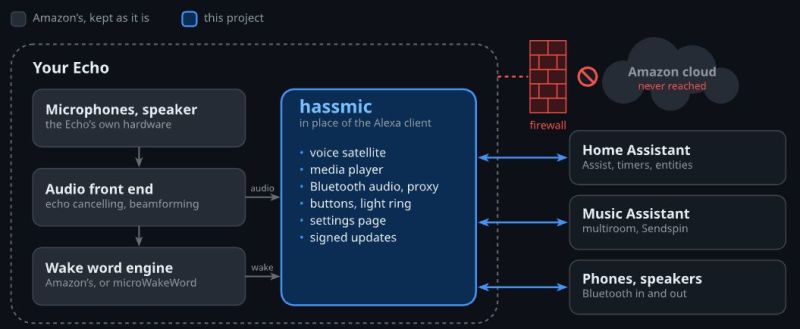
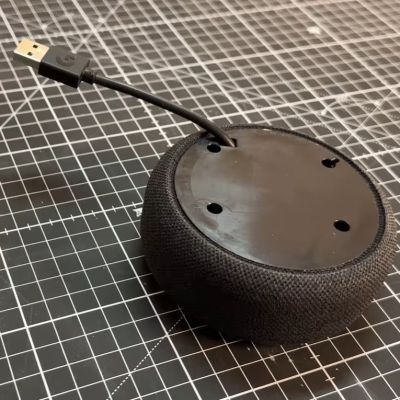
 The Amazon Echo Dot is one of Amazon’s so-called ‘smart speaker’ offerings that tie into their larger Alexa-fueled ecosystem, designed to be a pretty minimalistic device that gives you access to this voice assistant and also the Amazon AWS cloud access to your home. If that latter part isn’t really your jam, you can always try to unshackle the device from the Amazonian cloud by rooting the device, as [Andy] recently did with a 2018 Echo Dot 3.
In addition to the video there is also a blog post in which the steps required to root the device are covered. This is then used to turn the device into a Home Assistant voice satellite, using a Claude-vibecoded project created by [Julian Imhof]. As [Andy] notes, this code seems to work, but it’s completely unaudited so YMMV. Device support is also limited to only certain Echo Dot and Echo Show devices as listed on the project page.
The first step is to gain USB access to the board inside the device, which for USB-less devices like the Dot in question requires opening the device to solder a USB connector onto the test pads that are available on the PCB. For other Echo devices you can just use the existing USB port, which makes this first step slightly easier.
These devices run Fire OS, so basically Android, which means a fairly standard process of unlocking the bootloader and installing the hassmic application that replaces Alexa. During testing [Andy] noticed that voice processing was rather slow, requiring switching from Whisper to Speech-to-Phrase to make simple things like turning a light on not take a minute.
Overall it seems like a pretty decent way to repurpose these devices as ESPHome devices, with a few gotchas when it comes to the resources required for local voice processing.













“Local voice assistant” is still creepy af. I don’t need microchips to turn off the light or check the weather.