

Are you currently designing a project for a common single-board computer (SBC), and do you expect other people to build your project, too? We routinely feature projects that do exactly this. Well, turns out SBC availability is a problem now – and I’d like to teach you how to pick SBC alternatives, mostly to the Raspberry Pi boards.
We had SBC shortages before, but 2026 has beat them all, and it doesn’t look like it’ll stop within even a few months. RAM prices have incinerated the supply side of single-board computer availability, and I suspect that consumer SBC use in Russian drones had a noticeable impact, too.
Less-utilized SBCs always brought their own advantages to the table. If you didn’t like that the Pi Zero came with only 512MB of RAM, you could always buy an Orange Pi or a Radxa board with 2GB or 4GB for a meager increase in price. Now, there’s even more of a motivation to explore what’s on offer!
This year, SBC prices and availability have both jumped up tremendously, and even the Zero 2W stocks have evaporated. Me, I had to make a few of my projects way more flexible way quicker. Now, I have some experience to share!
Finding Your New SBC Friends
I’m in the middle of designing and testing a palmtop project aiming to support tons of different SBCs. The first branch of it aims to support Pi Zero-compatibles, but I’ll be forking it into a Compute Module-compatible version soon, too. All in all, it looks like I’ll be able to make my upcoming Zero-compatible release compatible with as many as ten different SBCs, and I want to share how I am getting there.
Whether you are looking for something Computer Module-esque, a Pi Zero-looking device, or just a big board with a GPIO header and some CPU oomph. You might think looking through some “SBC list 2026” is a great idea, and in part, you’re certainly right. Go read those, there’s like, five good lists at a glance. I do have a different kind of list for you, though.
Go to Armbian and DietPi download pages where supported boards are listed, and look through the pictures. This is perhaps the best indicator for a board’s software support, which in turn decides how viable a board is to you. You can further check for reviews too, but as a rule, if Armbian or DietPi support your board, there’s no fundamental roadblocks to using it.
By the way, if you’re looking at a specific popular SBC, you’ll often find that it has cheaper alternatives! For instance, Banana Pi boards seem incredibly overpriced as of late – the Banana Pi M4 (H618 SoC) goes for eyewatering 100EUR+, while the CPU-equivalent RAM-equivalent Orange Pi Zero 2W can be found for 50EUR or even less.
Settling On Interfaces
Most people need WiFi, sometimes Ethernet, certainly USB, mostly HDMI, maybe some I2C, maybe SPI or UART. You’ll certainly get all of these on the vast majority of SBCs. If you’re looking beyond these, you’ll sometimes have to look harder. Here’s a summary of the interface situation.
The Raspberry Pi 40-pin header pinout has become an unspoken standard in the SBC space. You’re basically guaranteed I2C on physical pins 2/3 as well as 27/28, UART on pins 8/10, and SPI on pins 19/21/23/24. Most boards have a CS1 on pin 26, and where they don’t, you can add it as a software CS pin with a DeviceTree overlay.
If you just need GPIOs, you’re certainly in luck. Linux has done tremendous work with unifying GPIO code under the same umbrella, and the new libgpiod interfaces help in particular. Raspberry Pi boards are a bit of an outlier with their “clean” and unchangeable GPIO numbering between generations, but you’ll figure out the numbering most anywhere.
There’s very few boards that screw this up – Radxa Zero v1.5 is the only one I know, having outright NC and duplicated pins on the GPIO header due to the Amlogic S905Y2 having a critical GPIO shortage. It’s the only board with an abundant and cheap 4GB option, though. You win some, you lose some.
I’ve found that a surprising amount of boards put I2S pins on the Pi I2S pins, too, though it seems inconsistent at a glance. However, it might be that you need very few jumpers to make your I2S HATs work again. You can’t expect to have PWM on the same pins, but non-Pi SoCs generally have plenty of PWM to spare.
Lose Some, Win Some, Keep Most
You are definitely losing out on bespoke abilities. Don’t expect to be able to drive parallel RGB displays directly from the GPIO header with the same pinout – that’s an RPi thing. Many SoCs do expose a parallel RGB header, though! Don’t expect to drive WS2812 LEDs directly from GPIOs without checking that it’s possible, either. GPS PPS support tends to be present, but expect needing a bit of driver hackery.
Do you want to make sure you can get specific interfaces from an SBC? The available software will also help you there. Check whether the base DeviceTree file for the CPU mentions that interface, and if you’re lucky, there will even be a DeviceTree overlay for enabling that interface in Armbian repositories – if not, that’s easy to fix. By the way, since many SBCs use commonly available SoCs, it’ll sometimes be that you don’t find an overlay tested on your specific board, but an overlay from a different board with the same SoC should work perfectly fine.
Not everything revolves around the low-level interfaces, of course. You’re basically guaranteed HDMI on all but the weakest chips, and non-Gigabit Ethernet is a rarity. As for USB, expect USB2, but USB3 is more and more common, too. PCIe is still rare, but with the Raspberry Pi setting the standard for PCIe on FFC connectors, you will see more of it, with more testing. Don’t expect flawless PCIe boot from an NVMe SSD everywhere, but many PCIe devices will often work just fine, from NVMe storage and WiFi cards to extra Ethernet cards and other obscure PCIe doohickeys.
Beware! The onboard WiFi chips can be screwy, especially the SDIO-connected ones. It’s nothing that can’t be worked around with a USB-WiFi dongle, of course. The camera interfaces can be a hit and miss, too. Some designers like Radxa offer tested CSI camera modules compatible with their boards, while others give you a CSI header and expect you to figure it out. This is also how DSI interfaces tend to go – but if you roll up your sleeves, you can get yourself a high-res screen for a low-res price and low power consumption.
Compute Copycats
As far as even physical compatibility goes, you’ll find more common ground than you would suspect. When Compute Modules were in short supply in the beginning of the 2020s, Chinese manufacturers saw how little was needed for compatibility, and whipped up a flurry of mostly compatible Compute Module replacement boards, to be used in all sorts of applications where the common kinds of interfaces suffice. To this day, if you need a Compute Module compatible without the RPi’s bespoke interfaces, you can find one relatively easily, and all the basics will often work when plugged into a Pi CM4 or CM5-intended board. Some bespoke connectors will differ, but those connectors only carry extra interfaces that couldn’t fit into the CM4/CM5 pinouts.
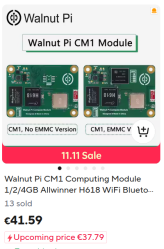
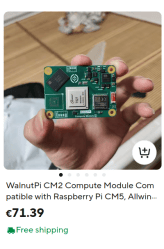
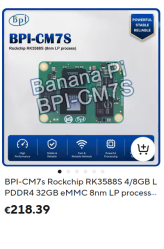
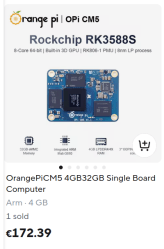
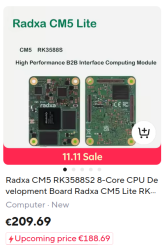
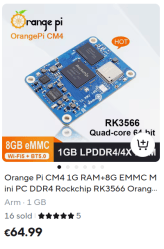
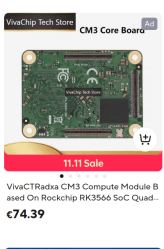
There is one major problem with Compute Module compatibles specifically, though – since they are unquestionably prosumer, their recent jump in price is way higher than for the consumer-friendly boards, now hovering around the 200EUR mark, and their stocks are lower, too. Some of it has to be that Compute Module compatibles don’t skimp on RAM size in the way that other kinds of SBCs often do, and I suspect it didn’t help that Russian drone makers seem to have bought up a whole bunch of old unused stock for use in drones, either, as I keep seeing a bunch of SBC modules in drone teardowns.
What about DeviceTree snippets? As long as your device can run mainline or mainline-adjacent software, that won’t be any sort of problem either. For my own “many boards at once” project, I’ve written a small template script generating DeviceTree snippets with different pin numbers for different platforms. I’m also writing a DeviceTree tutorial series for Hackaday, that’s either released already or soon to be released – stay tuned!
Your Project Will Go On
The SBC shortages are genuinely bad, but they can’t stop you, and you can even find more powerful SBCs around as you explore. We might not have the luxury to design for just one specific SBC anymore, but there’s nothing impossible about accounting for other ones on the market. If not for the sake of people wanting to run our projects, then certainly for our own sake as we try to actually buy boards we designed our software and hardware for.
What have been your experiences moving your projects to other SBCs? I’d love to hear more in the comments, negative, positive, all kinds, as this is going to be a journey more and more of us take up with time.










The problem with this article is that it doesn’t touch the reason why people still prefers to use Raspberry Pi SBCs over the other ones: software/OS support. There is no match to Raspberry Pi on that aspect.