
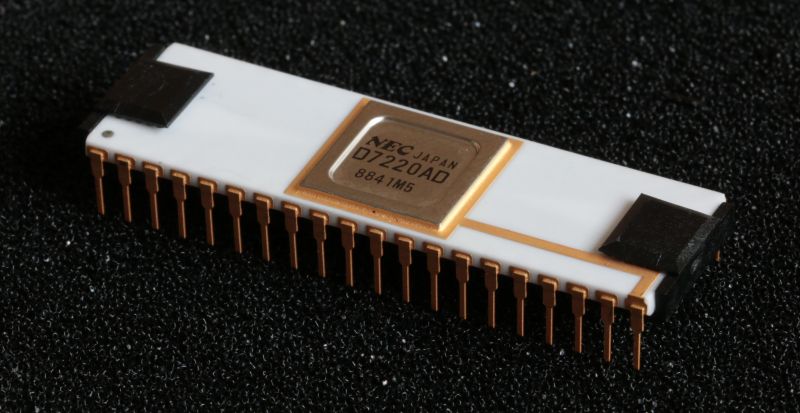
Using computers that feature a high-resolution, full-color graphical interface is commonplace today, but it took a lot of effort and ingenuity to get to this point. This long history is the topic of [Dr. Jon Peddie]’s article series called The Graphics Chip Chronicles. In the first of eight volumes, the early days of the NEC µPD7220 and the burgeoning IBM PC.
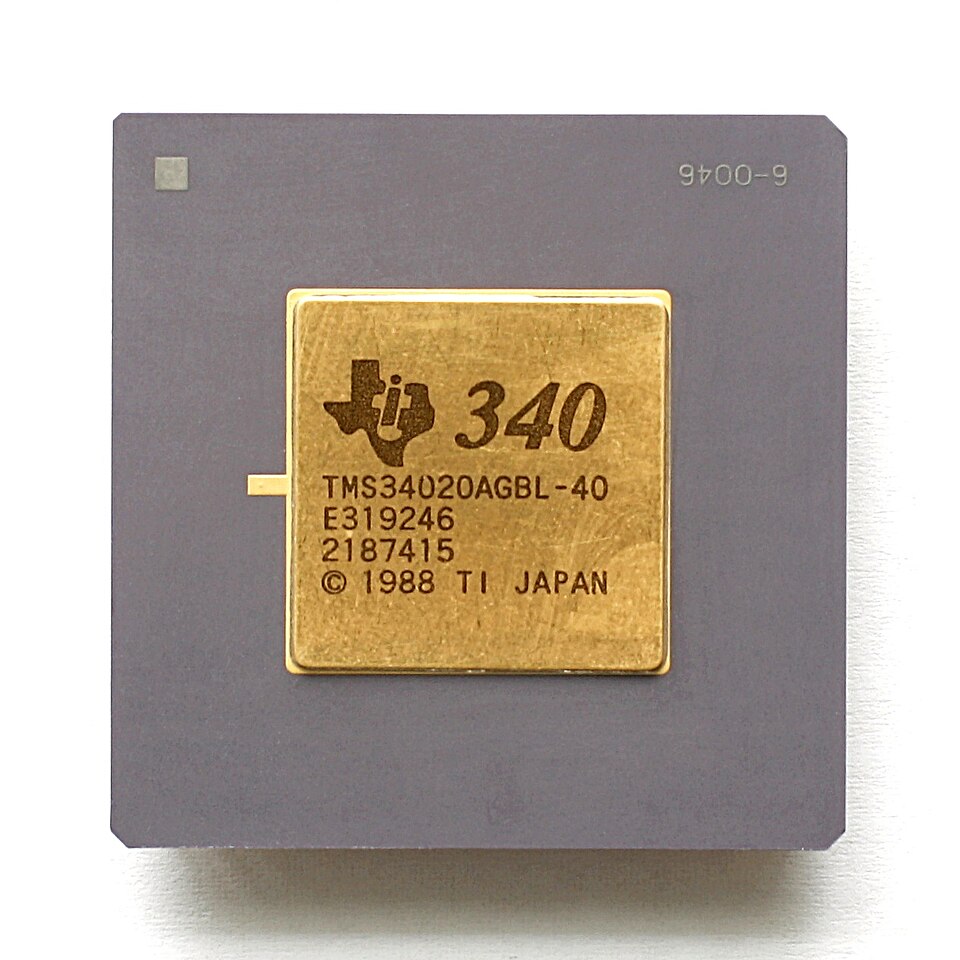
These are just brief overviews of these particular chips, of course, with a lot more detail to be found when you go digging. Details such as the NEC µPD7220 being the graphics chip in Japan’s PC-9800 series of computers which are famous for the amazingly creative art and games that this chip enabled.
While the average Hackaday reader is likely familiar with the IBM PC side of things, Texas Instruments’ graphics controllers, including the very interesting TMS34010 and successor TMS34020 which can be called the first proper graphical processing units, or GPUs, effectively a CPU with graphics-specific instructions.
Although it’s tempting to see computer graphics as a direct line from the days of monochrome graphic controllers to what we have today in our PCs, there were a lot of companies and countless talented individuals involved, including companies who built clones that would go on to set new standards. If you’re into reading through a few years worth of computer history articles by someone who has been in the industry for even longer, it’s definitely worth a read.
Thanks to [JohnS_AZ] for the tip.
Top image: NEC µPD7220 by Drahtlos – Own work, CC BY-SA 4.0)












I liked TIGA graphics. But the hardware was expensive and quickly the gaming hardware took over, even in professional field: powerful, available, cheap. That was it for TIGA.
Yay, TIGA! 😃 I do have a TIGA board for ISA bus in my collection.
From what I can tell, it must have been nice for Windows 3.1x.
If memory serves me well, the TIGA driver that shipped with Windows 3.1x talked to the board’s native TIGA driver (DOS) which then controlled the board.
Performance was good, but not exactly “fast”. How does that make sense?
The TIGA board was very good at off-loading CPU-intensive graphics tasks.
Things such as fonts, scaling and the Windows GUI elements were handled by the TIGA (stored on the board).
At high-resolution and color-depth the PC remained responsive and could continue to run CPU-heavy applications at full speed..
Users having video playback (DCI) and games (WinG) in mind were better off with “dumb” but insanely fast 486 era framebuffer graphics cards for VLB bus.
Such as an ET-4000 SVGA card.
That’s why simpler, fixed-function accelerators got more popular than the intelligent, fully programmable graphics processors.
These simpler cards were known as GDI accelerators or Windows accelerators back then, I believe.
Because their main purpose was making then-popular Windows 3.1x run smoothly.
Also applied to OS/2 Warp, in principle, of course.
They could draw graphics primitives (draw circle, line etc), do polygon fill, scaling and some bit-blitting. And provide a hardware-drawn mouse cursor.
The latter was supported by higher-end Super VGA cards, already, I think.
To my understanding, the only “intelligent” graphics standard that “made it” (partially) was IBM 8514/A.
Because it was cloned a few times (ATI Mach 8, Mach 32 etc) and derived (S3 Trio 32/64’s accelerated 2D core was 8514/A inspired, Virge 325 had a new design).
The DOS game “Mah Jongg -8514-” supported it, for example.
Back in early 90s, some users of the popular ET-4000AX SVGA card had the 8514/A software emulator (RIXAI8, demo) on driver disk and could run it.
https://www.classicdosgames.com/game/Mah_Jongg_-8514-.html
The 8514/A also had been supported by OS/2 1.x in late 80s and used to be high-end.
The original hardware could do either 640×480 256c or 1024×768 256c, depending on the amount of video RAM. And merely 16c on low RAM.
The latter resolution ran at very slow refresh and interlacing, though,
so it could still work on original 1987 era IBM PS/2 monitors meant for VGA/MCGA.
The earlier IBM PGC and the later XGA, XGA-2 were barely mentioned in computer magazines, I think.
Even TIGA was more successful, I think. Perhaps because it was more open, not sure.
The old PGC was supported by CompuShow 2000 and some CAD programs, at best.
We used TIGA on Windows NT 3.x these times, mostly for CAD systems but also a video frame grabber with own graphics capabilities from the ITI-150 series used a TMS34020. The vector graphics performance based on display lists was outstanding, but the lack of Bitblt support made it not too fast for rendering a GUI. This killed not only TIGA and the TMS340xx series but also the ET4000 and successors: the time of S3, ATI and 3dfx arrived.
When I read Microsoft’s documentation https://learn.microsoft.com/en-us/windows/win32/api/wingdi/nf-wingdi-bitblt they document now Bitblt support beginning with Windows 2000. But that is not true, see for example:
https://dos-help.soulsphere.org/ddag31qh.hlp/BitBlt.html
But an Amiga would tear it a new one.
The Amiga.. Yes, the Amiga was interesting, but the stock 68000 @8 MHz was sort of a bottleneck.
That’s why us PC users accustomed to 486 PCs, VLB bus and SVGA can’t really comprehend all the fuzz about the Amiga capabilities, I guess.
Personally, I think than an late 80s Amiga 2000 with an optional 68020 or 68030 CPU accelerator card in the CPU upgrade slot was much more realistic for serious tasks.
With such a configuration, CAD and CAM became practical on an Amiga, too.
That’s why the Atari Mega ST and subsequent models ran at 16 MHz, with the option to clock down to 8 MHz.
Some users also installed an 68010 as a drop-in replacement or used an upgrade board such as the Pak68/3 (32 to 50 MHz).
https://wiki.newtosworld.de/index.php?title=PAK68/3
But back to the Amiga. In the 90s, the A3000 (68030 plus FPU) was used to drive virtual reality systems, for example.
https://www.youtube.com/watch?v=rSxigauoG5s&t=275
Makes someone wonder what could have been done with an 68060 upgrade here.
The FPS would have been increased a little bit, at very least.
The 68020 was originally released in 1984, so in theory there could have been a high end “workstation” Amiga with an ‘020, MMU, and FPU when the Amiga launched in 1985, to compete quite favorably with systems like the Macintosh II that didn’t get released until 1987.
The 020 wasn’t exactly face-meltingly fast, and it would have been more expensive in 1985. But in the mid 80’s, the original 68000 was still considered pretty neat and the 020 was a decent upgrade by the standards of the time and would have been decent for early CAD like applications. Amiga OCS wasn’t exactly meant for CAD, but it was pretty flexible and the blitter could draw lines so I am sure they could have gotten decent performance out of it for basic wireframe views.
BTW, the MOS6560 VIC was developed in 1977 and hit the market hard with the arrival of the VIC-20 in 1980. This story did not start with the NEC µPD7220.
I worked for Vectrix, and we designed a stand alone graphics box using the 7220 (and a 8088/80188). We also compressed the design into a two board set for the PC AT bus. It was pretty cool for the time.
Quite the time period. I remember PC PowerVR owners feeling abandoned by NEC when the Dreamcast came out.
it’s so nice to see a real web page i can read and not have to watch — much better when i am hanging out with the old trouble & strife
Sigh. It’s using an ugly modern design (imho) with the hamburger menu, though. Like an mobile app. Urgs.
For informative, rather intellectual websites it would be more professional to go back to plain 1994 era HTML sites, I think. Pre-Windows 95, in short.
Back then, university servers hosted technical papers and homepages of stundents etc.
Examples: https://www.webdesignmuseum.org/all-websites/year-1994
That felt more serious and more tidy, I think.
Plus, the HTML site made no assumption about screen sizes etc (except carriage return because 80×25 text-mode was common).
Instead, it was up to the browser settings to handle presentation.
So users on plain DOS or Unix using Lynx could read information without issue.
It also was barrier-free, so that users of Braille reader weren’t excluded.
Pictures back then were optional items. They had an alternative description.
If picture auto-loading was disabled in the web browser, a place holder icon and the alternative text was displayed.
So users could click on the icon to load and display the picture.
I miss those civilized times when people were on eye-level with the technology they were using.
But that’s just my two cents, of course.
It won’t change anything perhaps. But it’s hard to keep quiet, also.
The internet used to be such a great, capable invention of humanity.
And it hurts seing it decline in such a way. The iPhone, the crowd and the mobile web ruined everything, imho. Sigh.
yep, a website beats a video, but a simple, clean HTML pages is tops.
Funny enough, this one won’t even load on Firefox iOS – it loads for a second then goes blank, so yeah f#&k modern rEsPoNsIvE web design & frameworks.
New day… No hack.
New year… nice article about a cool series of graphics chip history. Unfortunately volumes 3, 4 and 5 of the PDFs return 404s.
Not a hack on Hackaday.
So, submit your hacks and projects to the tip line. :)
I remember programming the µPD7220 to drive flat panel displays back in the 1980s. I liked that it could be programmed to draw only during blanking. One thing which surprised me was that, except for many pixel elements, it was faster to write directly to the graphics memory than to program the µPD7220 to draw them.