An Ancient 8 Inch Floppy, With A PC

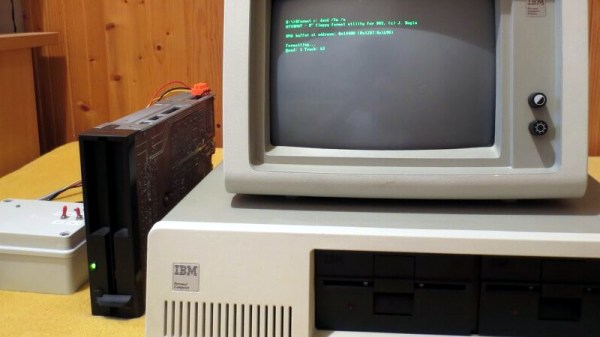
Most of us may have gratefully abandoned the floppy disk a decade or more since, but even today many PCs and their operating systems retain the ability to deal with these data storage relics. The PC was widely fitted with either 5.25″ or 3.5″ disk drives, but other formats such as the older 8″ discs were not a fixture in the 16-bit desktop computing world. It’s something [Jozef Bogin] has taken aim at, with his exploits in connecting a variety of 8″ drives to a PC.

In the early 1970s there were a variety of different 8″ drive standards that weren’t all entirely compatible, but a de facto standard emerged as clones of the Shuggart drives used by IBM. It’s a modified version of this interface that can be found in a PC floppy controller. While there is enough electrical compatibility to connect the two there remains a variety of connectors used on the drives. There are also a wide range of power supplies, with drives requiring 5, 12, and 24 volts, and some of them even requiring AC mains with different versions for 50Hz and 60Hz mains frequencies.

With an 8″ drive hooked up to a PC, how might DOS, or even older Windows versions, interface with it? To that end he’s created a piece of software called 8format, which not only allows 8″ disks to be formatted for the PC, but also provides a driver that replaces the BIOS floppy settings for these drives. This doesn’t work for imaging disks from other older platforms, but he provides pointers to more capable floppy controllers for that.

If these drives interest you, there’s more to be gleaned from a tale of interfacing them with 8-bit retrocomputers.

To Kill A Blockchain, Add Naughty Stuff To It?

Even if not all of us are blockchain savants, we mostly have a pretty good idea of how they function as a distributed database whose integrity is maintained by an unbroken chain of conputational hashes. For cyryptocurrencies a blockchain ledger stores transaction records, but there is no reason why the same ledger can not contain almost any other form of digital content. [Bruce Schneier] writes on the potential consequences of content that is illegal or censored being written to a blockchain, and about how it might eventually form a fatal weakness for popular cryptocurrencies.

It’s prompted by the news that some botnet operators have been spotted using the Bitcoin ledger to embed command and control messages to hide the address of their control server. There have already been cases of illegal pornography being placed within blockchain ledgers, as well as leaked government data.

[Schneier] uses these two content cases to pose the question as to whether this might prove to be a vulnerability for the whole system. If a government such as China objects to a block containing censored material or a notoriously litigious commercial entity such as Disney objects to a piece of copyrighted content, they could take steps to suppress copies of the blockchain that contain those blocks. Being forced by hostile governments or litigious corporations to in effect remove a block from the chain by returning to the previous block would fork the blockchain, and as multiple forks would inevitably be made in this way it would become a threat to the whole. It’s an interesting possible scenario, and one that should certainly be ready by anyone with an interest in blockchain technologies.

Only a few weeks ago we looked at another threat to blockchain technologies – that they might be legislated out of existence by environmental rules.

A Raspberry Pi Tablet, With A DSI Screen

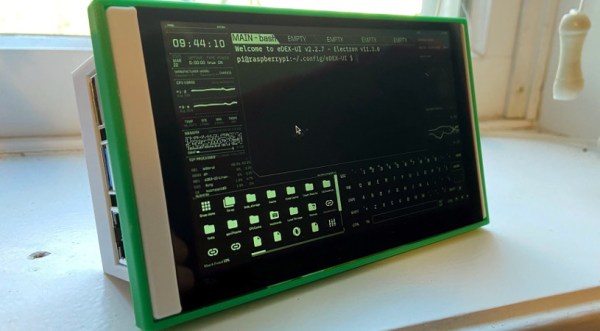
Since the Raspberry Pi arrived back in 2012, we’ve seen no end of interesting and creative designs for portable versions of the little computer. They often have problems in interfacing with their screens, either on the very cheap models using the expansion port or on more expensive ones using an HDMI screen with associated controller and cabling. The official Raspberry Pi touchscreen has made life easier with its DSI convector, but as [jrberendt] shows us with this neat little tablet, there are other DSI-based options. This one uses a 5″ DSI touchscreen available through Amazon as well as a Pi UPS board to make a tablet that is both diminutive and self-contained.

Having fooled around ourselves in the world of Pi tablets we like this one for its clean look and a bezel that is little bigger than the screen itself. As is the case with so many Pi tablets though it has to contend with the bulk of a full-sized Model B board on its behind, making it more of a chunky brick than a svelte tablet. The screen has potential though, and we can’t help wondering whether there’s any mileage in pairing it with a much thinner Pi Zero board and a LiPo board for a slimmer alternative.

Probably the nicest Pi tablet we’ve brought you was this one, which managed to remain impressively slim despite its HDMI screen.

A Lockdown Brightened By A Library Of Vintage Usborne Books

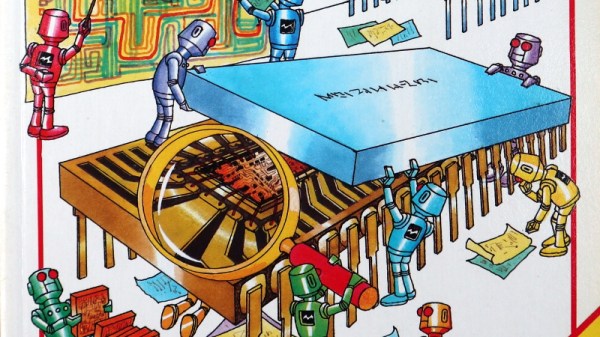
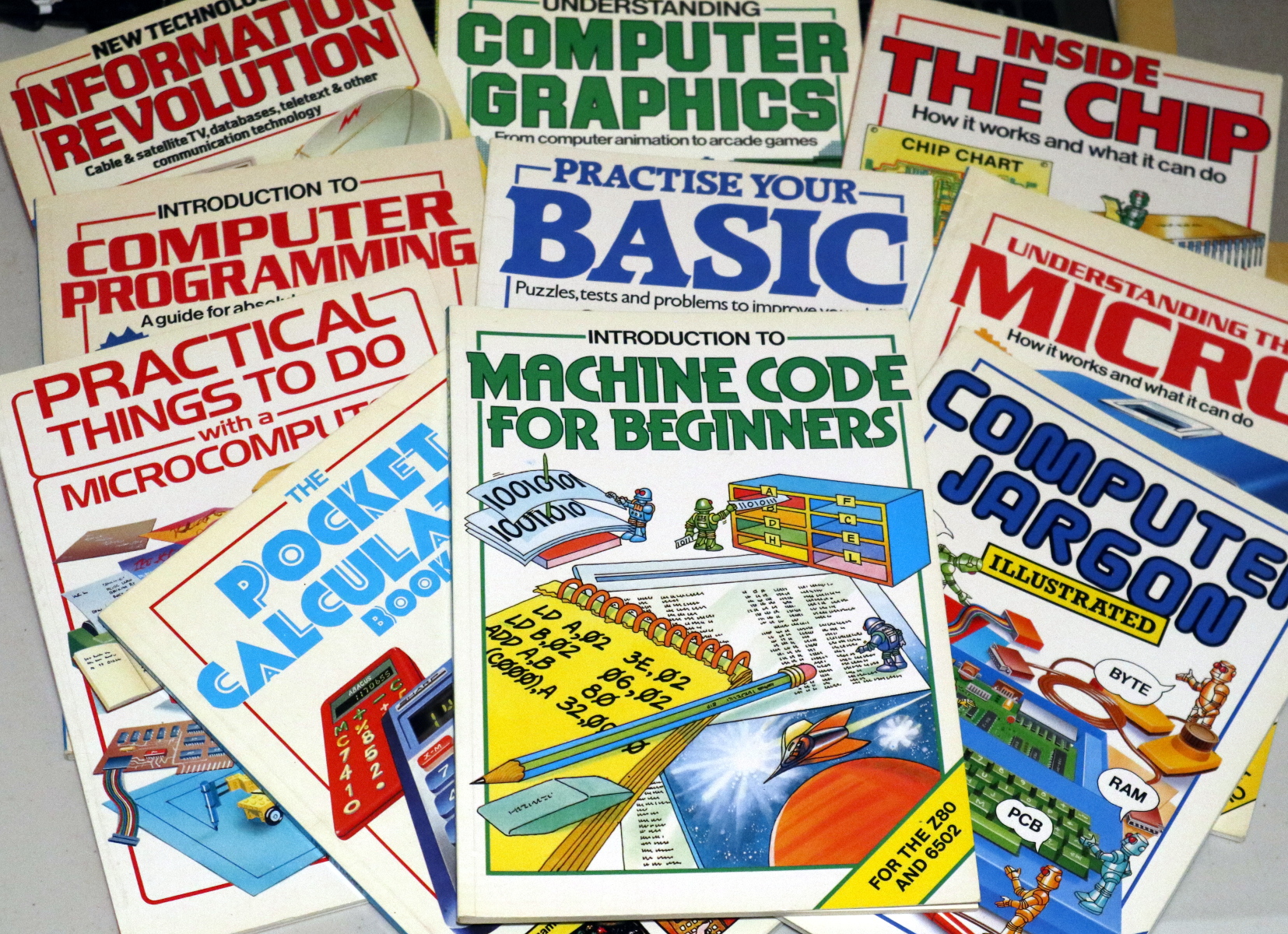
Lockdown is boring. No, let’s emphasize that, lockdown is really boring. Walking for exercise is much less fun than it was last year because it’s a wet and muddy February, and with nowhere open, a rare trip out to a McDonalds drive-through becomes a major outing. Stuck inside for the duration we turn our eyes to some of the older ways to wile away the time. Books. Remember them? In doing that I found that the friend whose house I’m living in has the whole library of Usborne children’s computer and technology books from the 1980s. Suddenly a rainy day doesn’t matter, because we’re in a cheerful world of cartoon robots and computer parts!

When Kids Learned Machine Code

A comprehensive selection to get one's teeth into.
A comprehensive selection to get one’s teeth into.

If this leaves you none the wiser, it’s worth explaining that during the 1980s home computer boom there was no Internet handily placed for finding out how your new toy worked. Instead you had to read books and hoard the scraps of information they contained. Publishers responded to this new world of technology with enthusiasm, and the British children’s publisher Usborne did so in their characteristic entertaining and informative style. For probably the only time in history, children were presented with mainstream books telling them how to write machine code and interface directly to microprocessors, and those among them who probably now read Hackaday took to them with glee. They remain something of a cult object among retrocomputing enthusiasts, and fortunately a selection of them are available for download. Usborne are still very much in business producing up-to-date books educating today’s children, and to promote some of their more recent titles for the Raspberry Pi they’ve released them in electronic form. Continue reading “A Lockdown Brightened By A Library Of Vintage Usborne Books”

WebSerial: Browser Based Development For Your Boards And Electronic Badges

For years, one of the most accessible and simplest-to-implement methods of talking to a dev board has been to give it a serial port. Almost everything has serial in some form, so all that’s needed is to fire up a terminal. But even with that simplicity, there are still moments when the end user might find a terminal interface a little daunting. Think of a board aimed at kids for example, or an event badge which must be accessible to as many people as possible.

We’ve seen a very convenient solution to this problem in the form of WebUSB, but for devices without the appropriate USB hardware there’s WebSerial, an in-browser API for communicating with serial ports including USB-to-serial chips. [Tom Clement] argues that this could serve as the way forward for event badges. Best of all it can be a retro-fit to enable in-browser development for older badges or dev boards with a serial port.

The boards on which he demonstrates the technique are the series of event badges running the badge.team firmware platform including his own i-Pane from CampZone 2019 and going right back to the SHA 2017 badge, but there’s no reason why the same technique can’t be extended to other boards.

There’s a snag with all this though, sadly only browsers in the Chrome family support it at the time of writing, with no plans from Mozilla and apple, and silence from Microsoft. So things look likely to stay that way. It is however inevitable that in time there will be commercial products taking advantage of it via the use of cheap USB to serial chips, so perhaps the case to incorporate it will make itself.

Header: Mobius, Public domain.

Retrotechtacular: CT2, When Receiving Mobile Phone Calls Wasn’t A Priority

Over the years we’ve brought you many examples in this series showing you technologies that were once mighty. The most entertaining though are the technological dead ends, ideas which once seemed as though they might be the Next Big Thing, but with hindsight are so impractical or downright useless as to elicit amazement that they ever saw the light of day.

Today’s subject is just such a technology, and it was a serious product with the backing of some of the largest technology companies in multiple countries from the late 1980s into the early ’90s. CT2 was one of the first all-digital mobile phone networks available to the public, so why has it disappeared without trace?

Continue reading “Retrotechtacular: CT2, When Receiving Mobile Phone Calls Wasn’t A Priority”

The Raspberry Pi Pico As An SDR Receiver

With the profusion of cheap RTL-SDR devices and the ever-reducing prices of more capable SDRs there might seem to be little place left for the low-bandwidth devices we’d have been happy with a decade or more ago, but there’s still plenty to be learned from something so simple. It’s something [Luigi Cruz] shows us with a simple SDR using the analogue-to-digital capabilities of the Raspberry Pi Pico, and since it works with GNU Radio we think it’s rather a neat project. CNX Software have the full story, and and quickly reveal that with its 500k samples per second bandwidth it’s not a machine that will set the SDR world on fire even when pushing Nyquist’s Law to the limit.

So with the exception of time signals and a few Long Wave broadcast stations if you live somewhere that still has them, you’ll need a fliter and receive converter to pull in anything of much use radio-wise with this SDR. But a baseband SDR with a couple of hundred kHz useful bandwidth and easy hackability through GNU Radio for the trifling cost of a Raspberry Pi Pico has to be worth a second look. You can see it in action in the video below the break, and if you’re at a loss for what to do with it take a look at Michael Ossmann and Kate Temkin’s 2019 Superconference talk.

Continue reading “The Raspberry Pi Pico As An SDR Receiver”